Loopy Pro: Create music, your way.
What is Loopy Pro? — Loopy Pro is a powerful, flexible, and intuitive live looper, sampler, clip launcher and DAW for iPhone and iPad. At its core, it allows you to record and layer sounds in real-time to create complex musical arrangements. But it doesn’t stop there—Loopy Pro offers advanced tools to customize your workflow, build dynamic performance setups, and create a seamless connection between instruments, effects, and external gear.
Use it for live looping, sequencing, arranging, mixing, and much more. Whether you're a live performer, a producer, or just experimenting with sound, Loopy Pro helps you take control of your creative process.
Download on the App StoreLoopy Pro is your all-in-one musical toolkit. Try it for free today.
A vs. M iPad Chip

Hi Everyone,
So I am experimenting with MIDI Guitar 3; you might have smelled the smoke and noticed the power dim in the neighborhood.
On a blank slate project my crude estimates are it's sucking up 12-20% CPU. On a project with a good 30 plugins already in the project (typical for me), it seems the increase in CPU was more like 30%. It's very hard to tell. I do use the bowed string (cello) algorithm for tracking which may be even more hoggish than the guitar one.
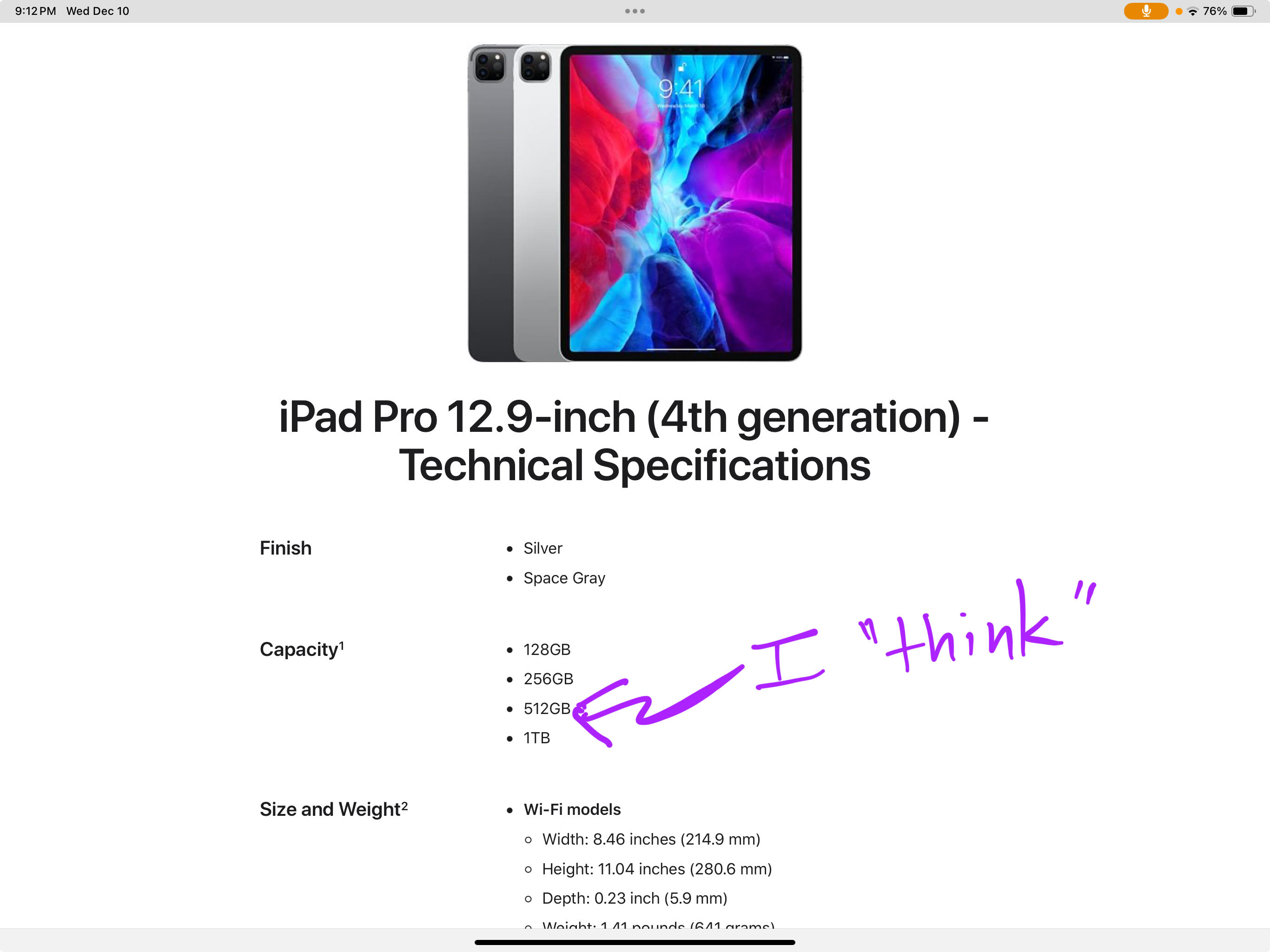
I have a 12.9 inch 4th gen A12Z Bionic chip with 64-bit architecture.
I run my plugins in Loopy Pro.
𝗜𝘀 𝘁𝗵𝗲𝗿𝗲 𝗥𝗘𝗔𝗟𝗟𝗬 𝘁𝗵𝗮𝘁 𝗯𝗶𝗴 𝗼𝗳 𝗮 𝗱𝗶𝗳𝗳𝗲𝗿𝗲𝗻𝗰𝗲 𝗯𝗲𝘁𝘄𝗲𝗲𝗻 𝗠𝟭 𝗮𝗻𝗱 𝘁𝗵𝗲 𝗔𝟭𝟮 (𝗻𝗼𝘄 𝘁𝗵𝗲𝘆 𝗵𝗮𝘃𝗲 𝗮𝗻 𝗔𝟭𝟲) 𝗰𝗵𝗶𝗽?
My extremely crude research suggested the advantage was more in the graphics area; **or does that apply to audio processing as well?
**
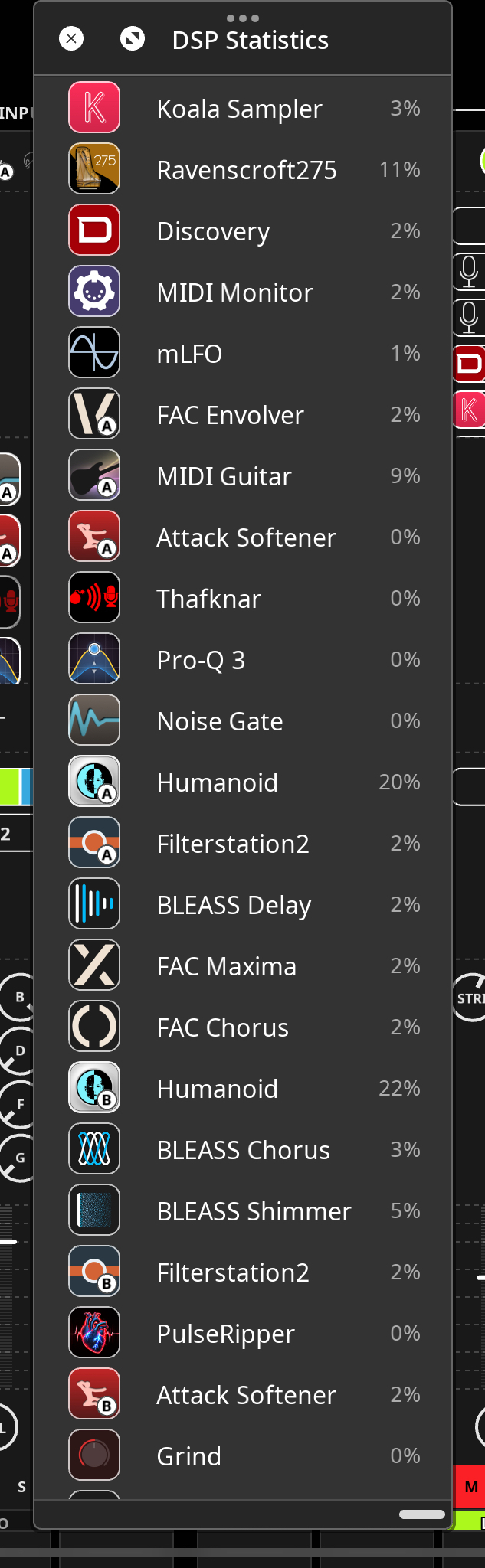
U̲P̲D̲A̲T̲E̲: I did NOT realize that you can click on the CPU % in Loopy and see the distribution of plugins and CPUs. See image below. All I can say is: I'll be a son of a Humanoid ;-)
Chipped Off in Chesapeake
Comments
Go to geekbench and compare the single-core benchmarks and you will get a good idea of the difference in computational power. That comparison will apply to audio.
Also, if you're using the AUM DSP usage indicator, you can open the Node Statistics and scroll down to see the CPU distribution. The first half of the CPUs are the "economy" low-performance cores, while the second half are the high-performance cores. If you're only running in the economy cores, you're not really pushing the device performance. (Note that the display may indicate multiple cores in use, but the audio thread only runs in one core at a time. The OS moves it around to even out the work, and heat.)
@Vmusic
There is significant performance in both single core and multi core .. Now which one is relevant to you depens on what APP you use .. in case it is Cubases, Logic Pro - then you utilize multi core performance, in most of other cases single core performance is relevant for you (AUM for example, or Drambo).
Maybe some other DAWs are multi-core too, don't know.
Sorry.... I have updated the main post. I use all my plugins in Loopy Pro.
I have the iPad mini with A chip and its very good, I also have an M4 pro 1TB and its amazing and a very different experience to the A chip mini for LP and cpu hungry apps.
The stats on Geekbench will tell you what you want to know.
It‘s quite surprising: At Geekbench the scores of the iPad 11 (A16) are closer to an Air 7 (M3) than I thought…
Doesn’t surprise me much, in the air you’re paying for weight/size reduction, but otherwise spec for spec I would go for ipad11 if I had to upgrade now