Loopy Pro: Create music, your way.
What is Loopy Pro? — Loopy Pro is a powerful, flexible, and intuitive live looper, sampler, clip launcher and DAW for iPhone and iPad. At its core, it allows you to record and layer sounds in real-time to create complex musical arrangements. But it doesn’t stop there—Loopy Pro offers advanced tools to customize your workflow, build dynamic performance setups, and create a seamless connection between instruments, effects, and external gear.
Use it for live looping, sequencing, arranging, mixing, and much more. Whether you're a live performer, a producer, or just experimenting with sound, Loopy Pro helps you take control of your creative process.
Download on the App StoreLoopy Pro is your all-in-one musical toolkit. Try it for free today.
Comments
The past was better
Sorry @Lars I realise this is Apple design but oh dear….
Hi @Sinistersnake
this issue already has been reported and we hope to have a fix available in early 2026.
Please try the following workaround to see if it helps resolve the issue for now:
Go to Setup > Audio
Tap Input in the Input & Output section.
Select iPhone or iPad microphone (depending on the device you’re using).
This should help resolve the issue and provide high-quality playback when using Bluetooth headphones.
Best regards,
Lars
Hey Lars, thanks for responding.
I did the steps you listed and it at least solved the issue with the Axe interface. However, I still have no AUv3 plugins - neither instruments nor fx.
I did the following:
1) Close all apps
2) Restart device with no accessories attached (including magic keyboard and apple pencil)
3) Opened a new project Still no AUv3s
4) Plug in the camera adapter, plug in the power source, plug in the powered USB hub, plug in the Axe IO works as expected
Just to confirm, the AUv3s do show up in AUM, so it doesn’t seem to be some system wide AU issue.
This might be my lesson to wait til a version X.X.1 on software updates haha. But I know bug testing isn’t always fun so I’m happy to troubleshoot.
Hardware: iPad Pro M2 12.9” (6th gen)
OS: iOS 26.2
Software: Cubasis 3.8
-Zach
I would not think this is a bug, but an individual issue with your installation. Maybe reinstall Cubasis?
No issue on my iPad Pro M1, iPadOS 26.2.
Just got to Settings -> User Interface and enable 'Show Status Bar'.
Fun fact, the three dots are not present on iPadOS26.x...
Thanks @samu sorry for being the idiot as it were!
I though there must be a solution, thank you.
I’ll find it hopefully but later on I think.
@LFS Thanks for another great update!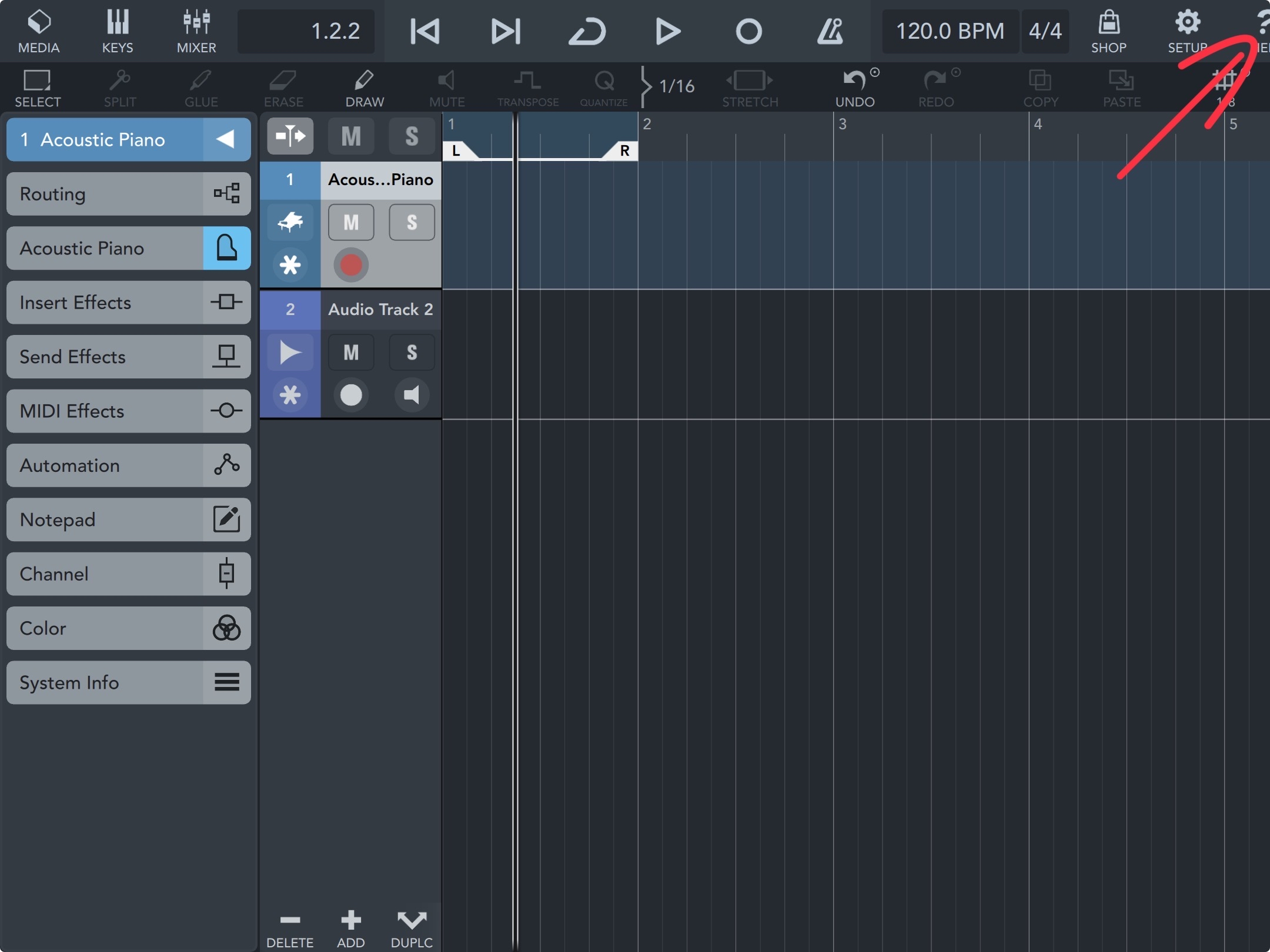
On my iPad 8th Generation in full screen mode the app is a bit cut off on the right side. iPadOS 26.2
Hi @FizzyLizzy27,
I’ve just installed Korg’s Wavestation app and assigned it in Cubasis via AU. Same for other AUv3s such as Model D, Ruismaker, Zeeon the AUv3 versions of our Etude and Verve pianos. So AU seems to work fine in Cubasis on my iPad.
Could you try launching a few AU apps on their own first, then open Cubasis and check if they appear?
Please keep me updated.
Best regards,
Lars
I launched Model D in standalone and that seems to have resolved the issue. All Audio Unit’s are now showing up. Thanks for the help! If you ever need someone to test multi-out AUv3 fx feel free to reach out haha.
Great update1
But it broke apple pen support on m4 iPad Pro. You cannot scroll or resize clips now. This is kind of important for those of us who use the pen to navigate around the interface (because we got fat fingers!)
😔
Using Transpose button wont work with the apple pencil on iPad 12.9 M1. The box just flickering but with finger it works as it should.
This also looks something like a bug, things work but it's kinda worrying when the automation selection is all over the place. [@wim I did manage to sort how to connect the pedal (yippie!) but unfortunately the effect (i.e the wha) sound better in a static state, strange enough]
OMG I’m so happy. Thanks Lars & Cubasis! I’m going be playing all night!
Hi @Pxlhg
We are aware about the graphical issue in the automation editor, which is planned to be resolved in the next update.
Best,
Lars
Hi @osc101, Hi @Sinistersnake
Sorry to read this, your pen issue will be shared with our engineering.
Do you both use the Apple Pencil, if so, which generation?
Best,
Lars
Turn off hover mode.. fixes pen.
It is great to see Cubasis continuously develop and obtain pro level features and tools. My workflow used to be iOS/Cubasis to Cubase Pro, but in the last couple years I am mainly using iOS for Koala (standalone), sampling and sketching out ideas and at quite an early stage exporting the midi and samples from Koala into Groove Agent (in my opinion the best vst sampler for "melodic" samples and drums) and start composing my tracks in Cubase Pro.
In my workflow, as most tracks start with a sample, having a satisfactory tool for working with samples, which I can seamlessly transfer to and continue with on desktop Cubase Pro, would motivate me to start the creation of tracks in Cubasis and perhaps continue in Cubasis a little further.
I enjoy the immediacy and convenience of using mobile music creation apps, and am eagerly waiting for a version of Groove Agent for iOS/Cubasis. Another option would be the Cubase Drum Track in Cubasis, but I prefer Groove Agent, since as the Drum Track cannot at the moment be transferred to a Groove Agent instrument, it would not be that helpful. A third option is Koala as VST but I doubt it is coming.
Hi again Lars,
It is the Apple 2nd gen pen bought with iPad M1
Hi @Sinistersnake Hi @osc101
Does turning off hover mode (as suggested by @Mattyduiz) resolve the issue for both of you?
Best,
Lars
I would love enhanced pen use for cubasis. It has so many input options, pressure, barrel roll etc. would make the grid entry amazing
Hi all,
Dear all,
Thank you for your valuable feedback on our recent releases: Cubasis 3.8, Verve and Etude for iPhone/iPad, and Iconica Sketch 1.1.
We’re pleased to hear that many of you enjoy the updates and new apps. However, we are aware that some users are experiencing issues, particularly with Cubasis 3.8.
We are currently reviewing all reported problems and preparing an update to address the most critical ones.
This article lists the most common Cubasis issues and provides temporary solutions.
Please rest assured that we are committed to delivering fixes as soon as possible.
We apologize for any inconvenience and appreciate your patience and support.
Best,
Lars
Thank you for great updates!
I am a big fan of Iconica so I checked that out right away but I'm not sure I notice any particular improvements.
One thing I've written to you about in the past was the way instruments do not all have velocity sensitivity. The sustain and legato voices must be controlled manually with volume or expression control which is fine if you're just playing live but if you want to use, say, a sequencer and then change voicings it's always at max velocity. Can't velocity be added to those voicings and then later add expression as needed?
It's just something I've hoped for.
thanks
Should midi file export still be under the midtown section?
I can only see the options for the audio file formats at the moment on iPhone.
Hi @GrimLucky,
Please navigate to MEDIA/Projects and tap the Share button.
You’ll find it as the third option in the Share Project pop-up.
Best,
Lars
Thanks Lars, I thought it was under Mixdown for some reason, found it now 😊
Is there a way to record midi in overdub mode so that it doesn’t produce multiple clips when you record in multiple passes? I thought Doug demonstrated how to do that in his latest vid but I can’t replicate that.
It might be if you record while in the piano roll editor for a clip?
Hi @ecamburn
Simply create a MIDI event and make sure the MIDI Editor is opened, then record...
Best,
Lars
Hi all,
let's share all the nice YouTuber tutorials...
Many many thanks to Doug, Jamie, Jade, Maarten, Luc and Ben for your kind support - which is greatly appreciated!
Best,
Lars