Loopy Pro: Create music, your way.
What is Loopy Pro? — Loopy Pro is a powerful, flexible, and intuitive live looper, sampler, clip launcher and DAW for iPhone and iPad. At its core, it allows you to record and layer sounds in real-time to create complex musical arrangements. But it doesn’t stop there—Loopy Pro offers advanced tools to customize your workflow, build dynamic performance setups, and create a seamless connection between instruments, effects, and external gear.
Use it for live looping, sequencing, arranging, mixing, and much more. Whether you're a live performer, a producer, or just experimenting with sound, Loopy Pro helps you take control of your creative process.
Download on the App StoreLoopy Pro is your all-in-one musical toolkit. Try it for free today.
GS DSP Updates

Hey everybody,
Instead of spamming the forum with a thread for each update I decided to just open this one thread where I post about updates as they are released.
Information about the latest update can always be found here:
https://gs-dsp.com/#update
Within that section there is also a link to our update history:
https://gs-dsp.com/updatehistory/
But now for the Update:
2025.5 Update available for all our plugins! Free as usual!
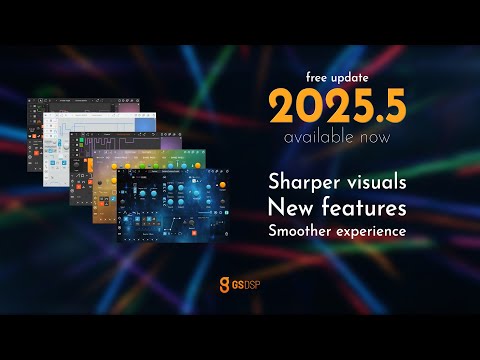
- Completely redesigned UI: Hi-res knobs and sliders, improved layouts and skins
- Gate and Trigger modes for LFOs and Random modulators
- Single Slider with BPM tpye grid control for LFOs and Random modulators
- New PulseTrain modulator
- Improved Follower range handles
Merry Christmas 
Comments
Gorgeous apps.
Use the quantums and mmm on pretty much everything - really cool new features to play with - thank you👍
Thank you so much!
wow.
Awesome, thx!
Hi there! I’m not seeing the update. The App Store isn’t allowing me to update the app in the usual way. I tried uninstalling and reinstalling, and it’s still the same UI as before (eg, no PulseTrain Modulator, etc). Restarting my iPhone and iPad didn’t change anything either. What should I do?
Edit: Wait… I’ve figured it out! Looks awesome! Thank you!
The App Store behaves weird sometimes, glad it worked now!
Anyone have the complete bundle ? I’m tempted, looks great
Latest Update: 2026.0
The Update is FREE for existing users, just download the latest installer. On iOS just make sure to update.
Also we just released Quantum Delay Lite, a free version of our Quantum Delay.
And to celebrate this our Quantum Bundle is 30% off.
Enjoy!
Congratulations on the release @gsdsp!
What’s the difference to the Quantum bundle if I already have all the Magic apps?
The Quantum series is more about classic effects reimagined with modern DSP (and the creative modulation system you already know from the Magic series). It includes Quantum Delay, Distortion, Filter & Granulator.
Thanks
2026.1 Update available now!
//
Nice! Thank you!
Yes, thanks , @gsdsp !
2026.2 Update available now!
@gsdsp thank you for continuing to update and improve your suite of apps. This must be a passion for you as it is for the brilliant few in the iOS music sphere.
better and better. and best:)
thanks Gustav and @gsdsp team!!!!
Your're welcome @audiblevideo and @waka_x - more to come
2026.3 Update available now!
@gsdsp Brilliant suite of apps and super helpful documentation in a very easy on the eye way. Very nice.
But… but… where’s the manual for The Egg?? 🍳 😉
@gusgranite Thank you, really appreciate your feedback!
The egg doesn‘t need a manual, all you need is a recipe - but whatever it is you‘re currently cooking, everything tastes better with an egg on top! 😁
Awesome improvements! Big thanks!
2026.4 available now!
Really enjoying these updates. Remember MMMm and MMM, the amazing MIDI automation apps are free. 😀
I love when there's an update, there's an update for all of them ♥️
Kool update - just wished they fixed the GUIs - tiny buttons, etc, make MMM v.hard to use…with MMM specifically, there should be a way to make the custom lfo fullscreen…so powerful, yet so hard to use..
Everyone must judge for themselves what is workable and what needs improvement, of course, and I have to agree that I do need to move a bit closer to the screen when using MMM and MMMm on my 11” iPad Pro sometimes, but here’s a quick screenshot showing how it looks on my device alongside the files app for comparison.
I could be wrong but I believe there were some improvements to the sizing of the controls in an update a while ago, too.