Loopy Pro: Create music, your way.
What is Loopy Pro? — Loopy Pro is a powerful, flexible, and intuitive live looper, sampler, clip launcher and DAW for iPhone and iPad. At its core, it allows you to record and layer sounds in real-time to create complex musical arrangements. But it doesn’t stop there—Loopy Pro offers advanced tools to customize your workflow, build dynamic performance setups, and create a seamless connection between instruments, effects, and external gear.
Use it for live looping, sequencing, arranging, mixing, and much more. Whether you're a live performer, a producer, or just experimenting with sound, Loopy Pro helps you take control of your creative process.
Download on the App StoreLoopy Pro is your all-in-one musical toolkit. Try it for free today.
Vatanator sx buttons gone?

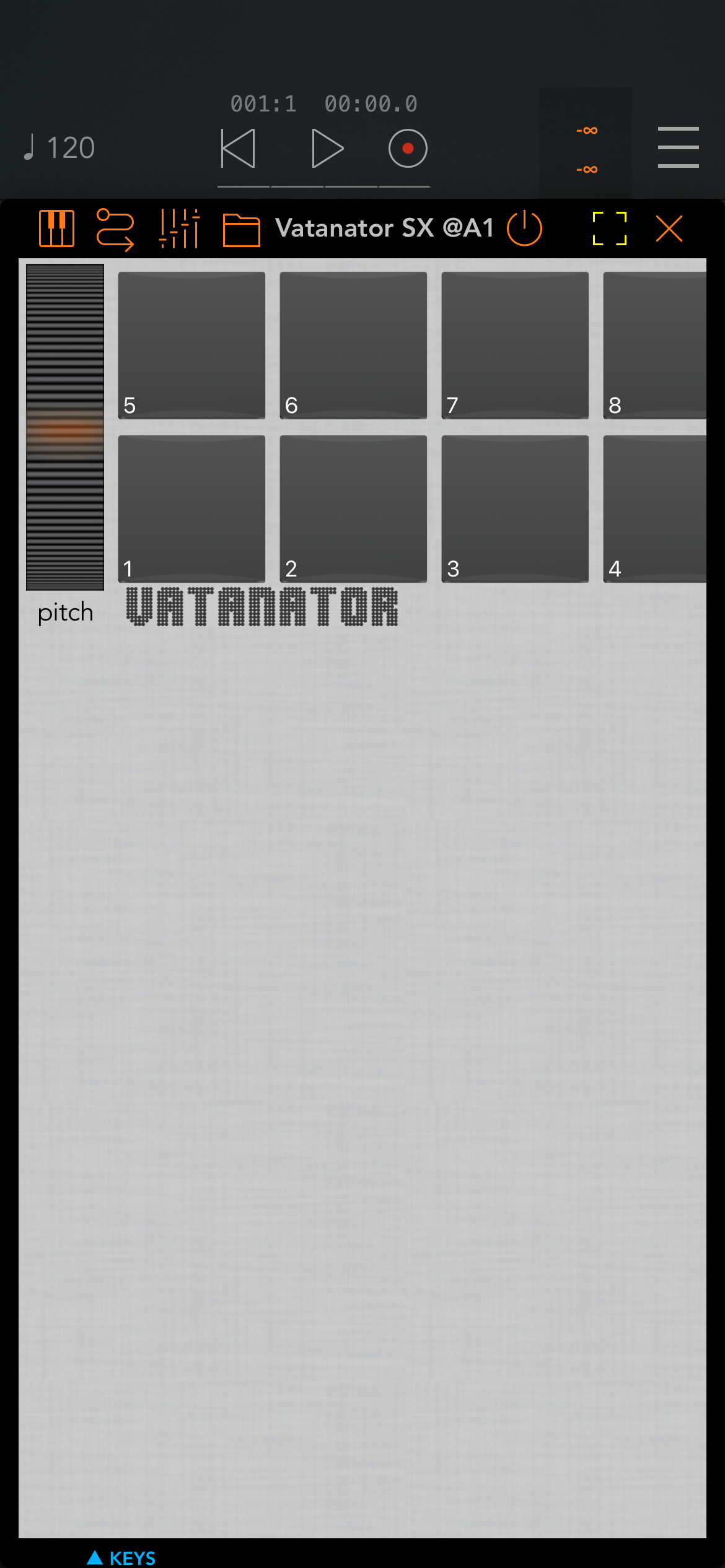
What could be the reason that when i run vatanator inside Aum non of the buttons show up?
Comments
My guess is that you have the view set to Maximized , if you press the yellow square you can change the view to custom then
the app can go into landscape view and the buttons are on the right hand side.
They aren’t there in landscape mode either.

I did use custom and maximized
I get this:
Have You tried the buttons on the right side to switch views? (Pads, Sound, Mixer, Sample etc.).
Yes, but there is no stepbutton.
You have to use and 3 party sequencer in the AU version step is only in standalone or IAA version.
Confirmed Vatanator looks weird now. I stopped using it a while ago as it gives imported samples a nasty 'click'.