Loopy Pro: Create music, your way.
What is Loopy Pro? — Loopy Pro is a powerful, flexible, and intuitive live looper, sampler, clip launcher and DAW for iPhone and iPad. At its core, it allows you to record and layer sounds in real-time to create complex musical arrangements. But it doesn’t stop there—Loopy Pro offers advanced tools to customize your workflow, build dynamic performance setups, and create a seamless connection between instruments, effects, and external gear.
Use it for live looping, sequencing, arranging, mixing, and much more. Whether you're a live performer, a producer, or just experimenting with sound, Loopy Pro helps you take control of your creative process.
Download on the App StoreLoopy Pro is your all-in-one musical toolkit. Try it for free today.
About ADAT OTG & Aggregate Device conections

In my quest to connect an iPad and a Mac and send audio in both directions, I asked an
AI and it mentioned that the Class Compliant protocol prevents Loopy Pro from accessing ADAT inputs and outputs.
Could anyone using an audio interface with ADAT confirm if that’s the case?
Thanks!
Comments
I suspect AI is talking out of its a***. Audio interfaces are mostly supported on iOS by being Class Compliant (a USB spec) which is supported by a standard iOS driver. Apps including LP can then access what’s made available by the OS.
What audio interface is in question here?
I just remembered that I actually have the ICON Pro Audio 32Ci, so I can test it myself.
By the way, this interface has relatively weak preamps and doesn’t charge the iPad through USB‑C.
The mic and headphone outputs don’t go down to true zero, and the headphone volume doesn’t change smoothly.
It also adds about a 5% CPU load in Ableton Live.
On the plus side, it supports OTG and ADAT.
When connected via regular USB‑C (not USB‑C OTG), it can access up to 14 input and output channels.
So the using USB-C not USB-C OTG can have access to 14 Out & Out
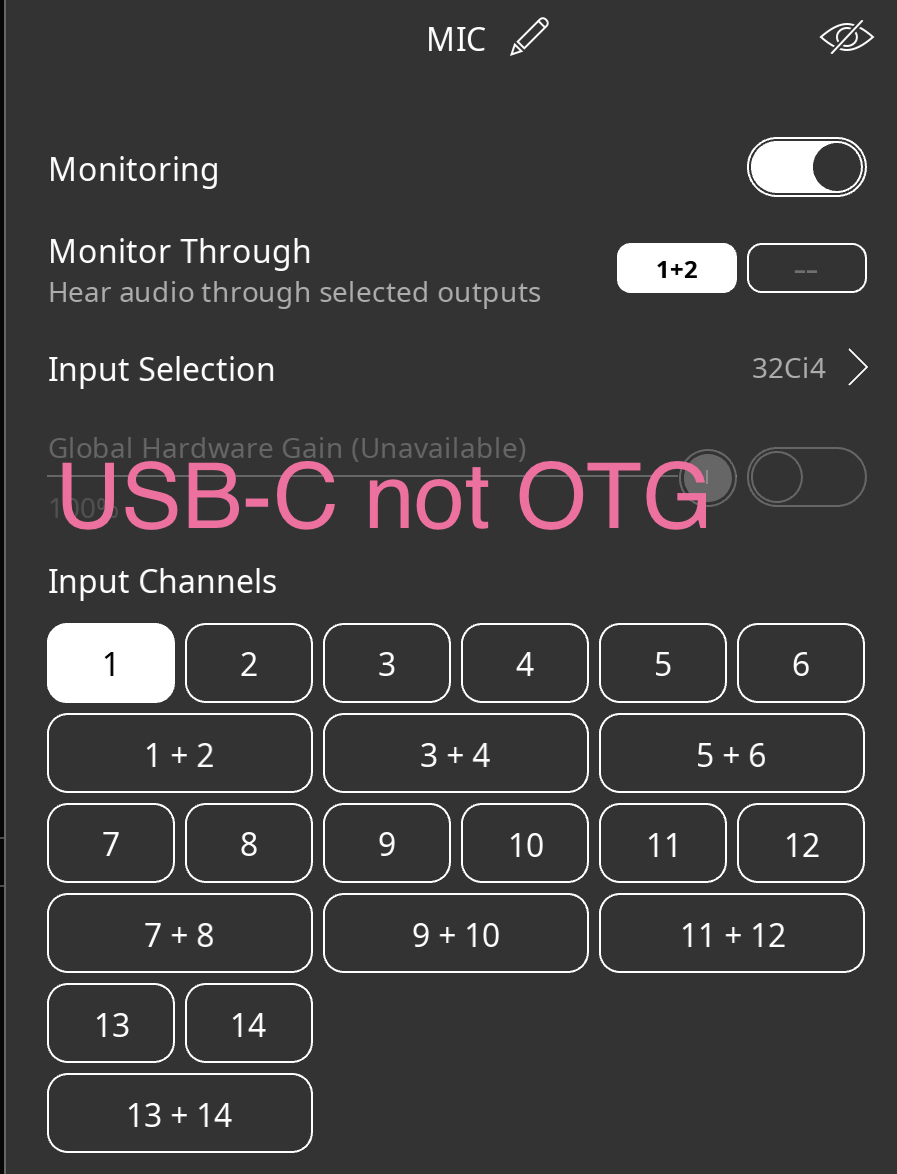
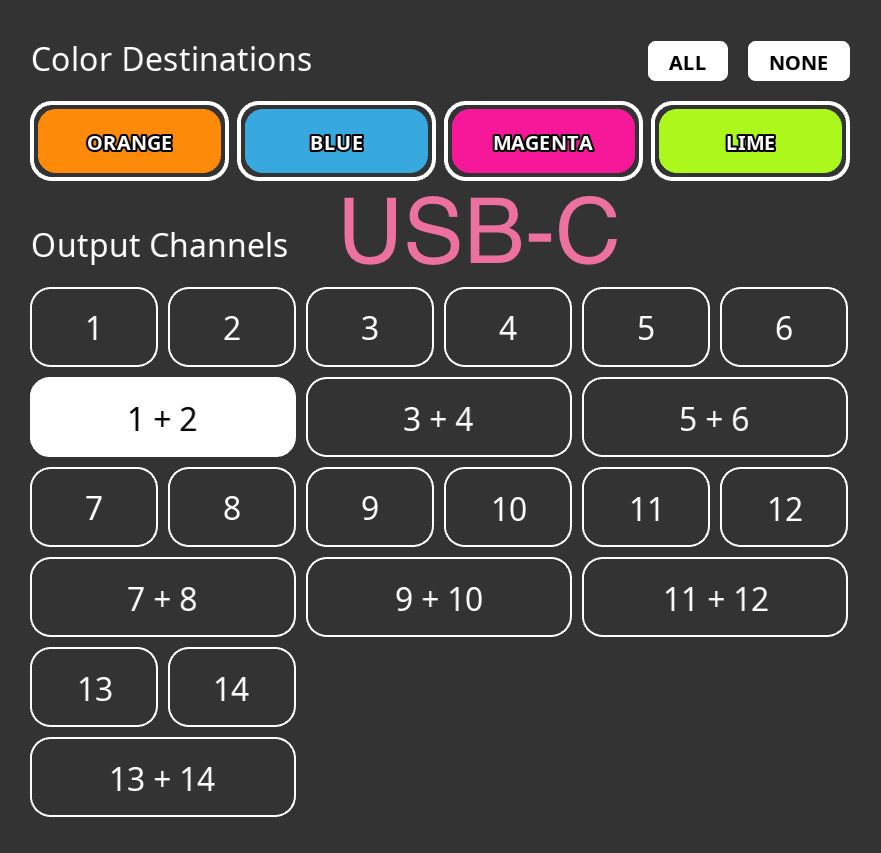
But when my iPad is conected to the ICON via the USB-C OTG port
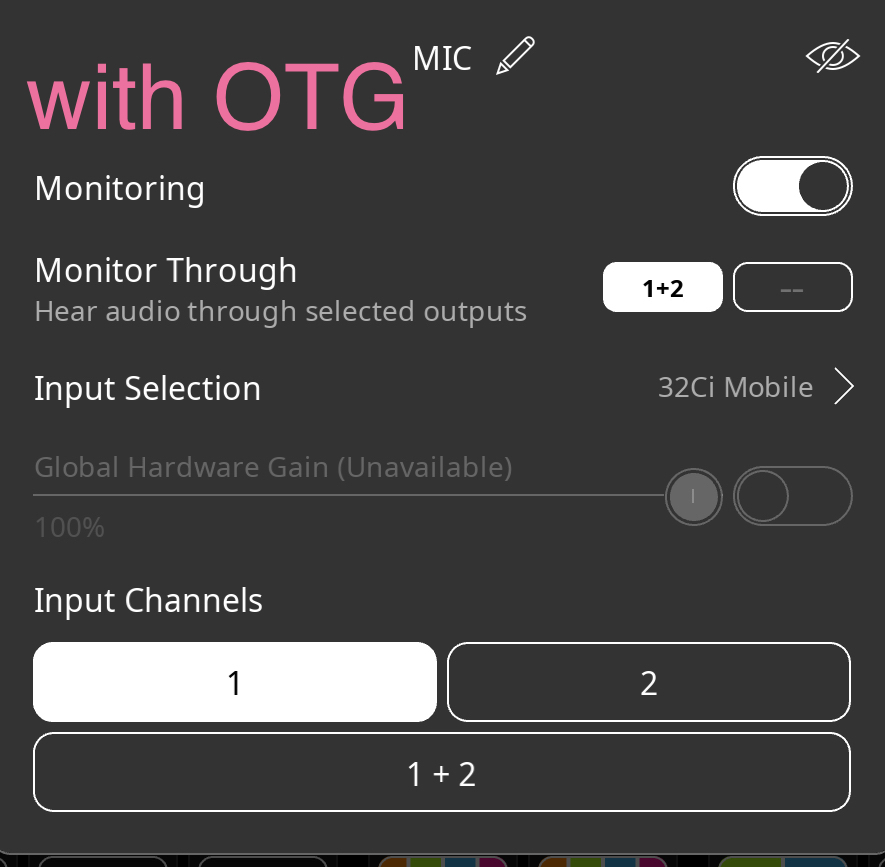
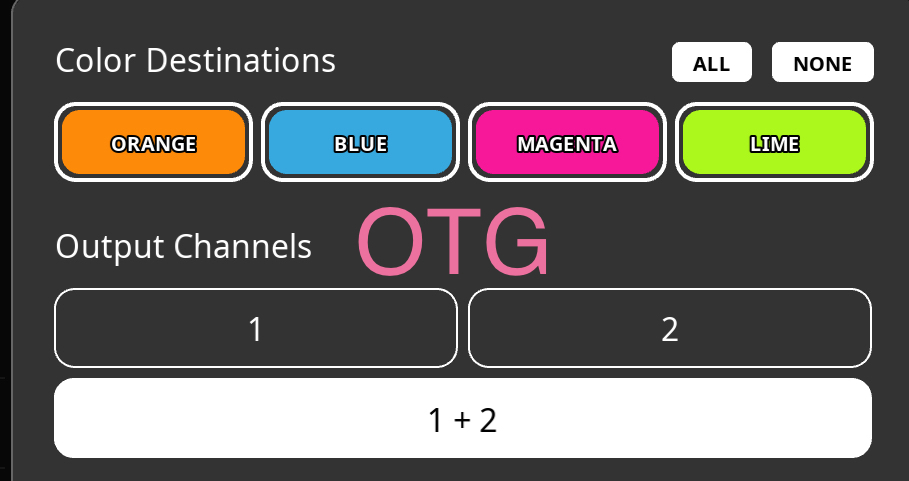
I get access to 2 IN & OUT
Here is the result with the iCON connected via OTG to my iPad and my Mac + the Universal Audio Apollo Twin connected as an Aggregate Device.
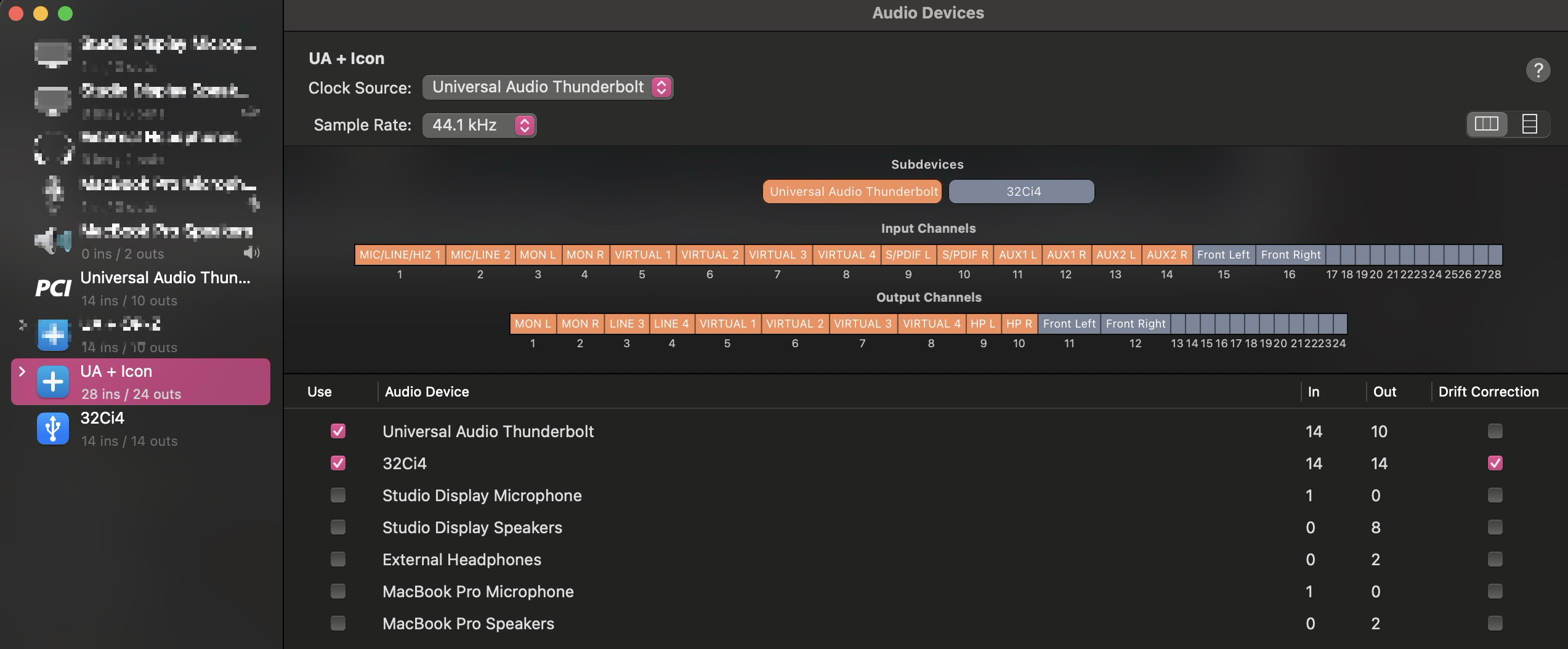
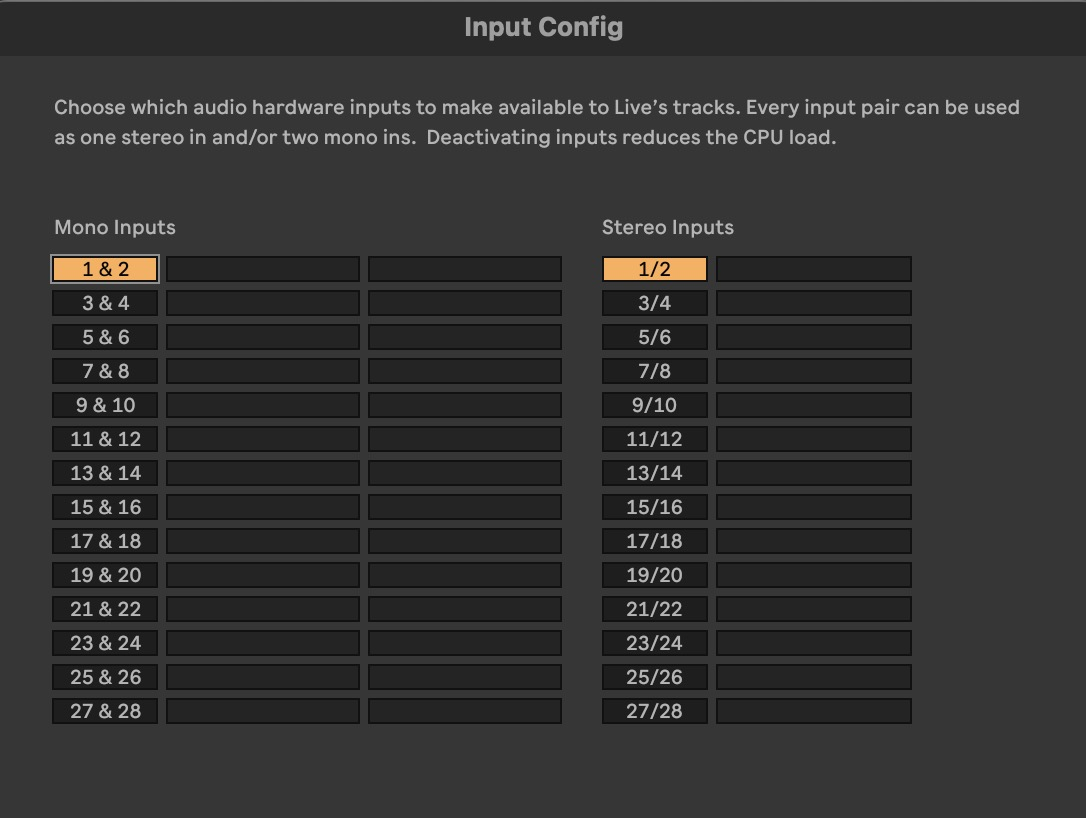
Ableton can access to all ICON and Apollo twin I/O
But the iPad using OTG can't have access to the Aggregate IN & Out
Here is the result when my Mac is connected to the ICON via OTG and my iPad via the USB-C port
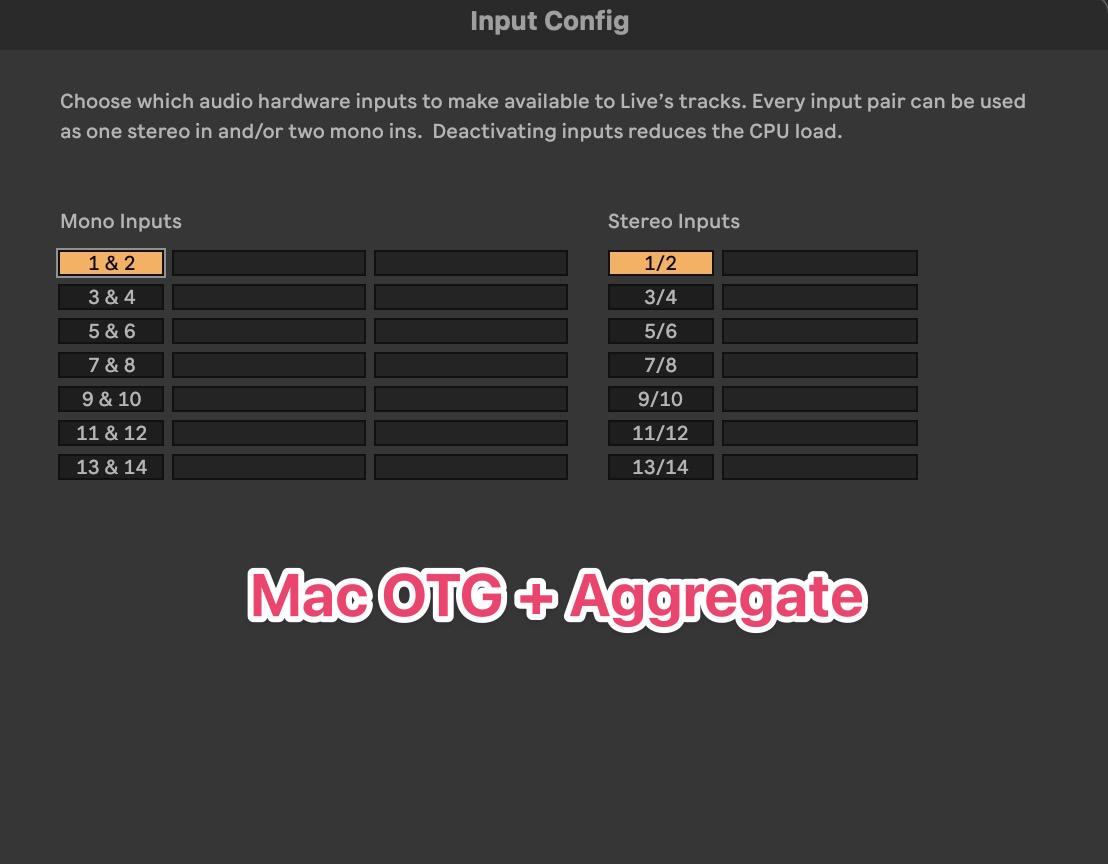
Ableton get less I/0 and iPad get 14 Out & Out again but can't access to Apollo Twin I/O via Aggregate device.
Hope it's help.
Here some ADAT and class compliant audio interface
Universal Audio VOLT 876,
MOTU UItraLite mk5
RME Babyface Pro FS
RME Fireface UCX II
Arturia AudioFuse Studio
NEUMANN MT48
Just want to mention, the "Aggregate Device" is a MacOS driver trick, so you would never expect the iPad to see it.