Loopy Pro: Create music, your way.
What is Loopy Pro? — Loopy Pro is a powerful, flexible, and intuitive live looper, sampler, clip launcher and DAW for iPhone and iPad. At its core, it allows you to record and layer sounds in real-time to create complex musical arrangements. But it doesn’t stop there—Loopy Pro offers advanced tools to customize your workflow, build dynamic performance setups, and create a seamless connection between instruments, effects, and external gear.
Use it for live looping, sequencing, arranging, mixing, and much more. Whether you're a live performer, a producer, or just experimenting with sound, Loopy Pro helps you take control of your creative process.
Download on the App StoreLoopy Pro is your all-in-one musical toolkit. Try it for free today.
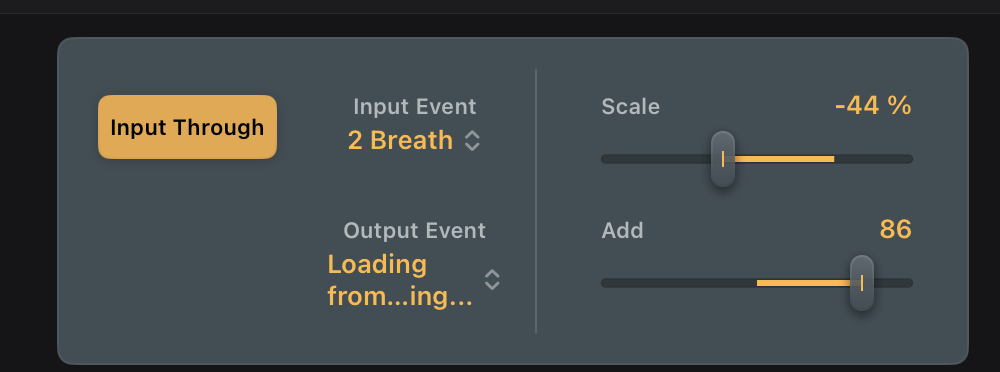
Logic Pro for iPad Modifier plugin showing “loading from settings” - possible solution

If anyone has had this frustrating issue…
 …
…
I MIGHT have found at least one cause. It has to do with logic projects being backed up to iCloud. I noticed today that when you have logic back up to iCloud it eventually deletes the local copy. So when you go to reopen the project it’s pulled from iCloud. You can see this in the logic projects folder

As opposed to…

This I think might be where it’s losing the reference to the output synth parameters. When I went to open the same project still stored locally, all the modifier plugin outputs were intact.
To force projects to remain local while still backing up to iCloud do this:
Open the Files app.
• Navigate to iCloud Drive.
• Long-press on the Logic Pro folder (or a specific project).
• Select Keep Downloaded.
Bear in mind that this might not fix it for you, or even for me in future. It also calls into question the value of some backups. If anyone else can try this, please post your experience. Thanks.