Loopy Pro: Create music, your way.
What is Loopy Pro? — Loopy Pro is a powerful, flexible, and intuitive live looper, sampler, clip launcher and DAW for iPhone and iPad. At its core, it allows you to record and layer sounds in real-time to create complex musical arrangements. But it doesn’t stop there—Loopy Pro offers advanced tools to customize your workflow, build dynamic performance setups, and create a seamless connection between instruments, effects, and external gear.
Use it for live looping, sequencing, arranging, mixing, and much more. Whether you're a live performer, a producer, or just experimenting with sound, Loopy Pro helps you take control of your creative process.
Download on the App StoreLoopy Pro is your all-in-one musical toolkit. Try it for free today.
A faster way to humanize MIDI drums on Cubasis 3?

Hi!
First of all, let me say I’m really happy that I got to find this forum and community. It’s been great, not to mention encouraging, to get to know other musicians that work on iOS and the creativity inherent to their work. Also, it’s much better to spend time here than on Instagram, screw that thing! But I digress.
After years sequencing drums on the (amazing) Lumbeat apps, I started working with Octachron + OneShot after the latest Black Friday, and it’s been really fun. One thing I would like to optimize, though, is the process through which I make the drums sound more human-like: based on a few videos I’ve watched on YT, it consists on dislocating each hit on the grid, so that they don’t sound too quantized, combined with varying velocities from one hit to the next. While the results are definitely exciting and worth the effort, the process itself is not only mind-numbing but extremely time-consuming as I manage whatever time I have between my family (and I have a toddler now) and working two jobs.
The first song I used this method on is a 4min45sec track and it took me about two weeks, not to mention I felt more comfortable recording the bass and lead guitars after it was finished. By the very end of it, I must admit I was way more confident and therefore quite faster then at the beginning, but it still worries me that it could sacrifice an extra amount of time that I would otherwise use to work on the bigger picture of any given project.
Do you have any tips on how to achieve more realistic/humanized MIDI drums faster than that?
Thanks a lot!
Comments
The Ranbo Mozaic script lets you add in timing and velocity randomization, and note probability, to a midi stream. In Cubasis, you would load Mozaic with this script as a midi FX after Octachron. Use sparingly. A little bit goes a long way.
https://patchstorage.com/ranbo-multi-channel-note-humanizer/
If you would like to add fills to Octachron output, AutoFills by Cem Olcay is good, once you get a feel for how to use it. https://apps.apple.com/app/auto-fills-drum-fill-generator/id6476319733
Note that in the Ranbo script, you can have different humanize settings per midi channel. If you find that results need to be fine tuned per drum sound, you can change the channel output from Octachron per hit, then have different settings per channel in the script.
Thank you so much, @wim ! That’s invaluable advice! I’ve purchased Mozaic ages ago and never got to try it, it’s amazing that you’ve used it to create something so time-saving and helpful. Thanks a lot!
I hope it helps with your drums. 👍🏼
It does take a bit of dialing in to get good results, IMO. I use it more on non-drum parts tbh.
And that will be helpful for me as well. The very same song I mentioned above has a MIDI piano I ended up too tired to humanize after taking care of the drums, so next time I’ll have extra time and energy to use the script on my non-drum parts.
If you have Drambo, it has a Humanizer MIDI module that works well.
That’s great, thanks! I have Drambo and Mozaic, both uninstalled, but that’s about to change.
Not what your are asking for But i bought some midi beats that are played by a real drummer on a midi kits. I use Helium to browse them and drag them in Cubasis time line.
These are the ones i bought
https://ugritone.com/collections/midipacks
I am planning to buy these next
https://groovemonkee.com/collections/midi-loops
That’s definitely going to have the best feel. I have a MIDI kit (and can finger drum) and with quantization off and some practice it’s the best way of getting a natural groove to drums.
Let me know if you want more info. I also have a video showing how i use it all like a EzDrummer for iOS.
What he said…
Randomness in velocity and timing is important. Also adjusting probability, offset, swing, and some mutation/random hits help a lot. The apps @wim mentioned are basically what I use. Hammerhead is an additional option, but I like the combination of octachron, Mozaic with Ranbo script, and auto fills.
Welcome @Rodrigo1709
This is a bit off topic, but I thought I’d mention a cool feature in Loopy Pro that’s easy to overlook. Loopy has non-destructive quantization that has many useful options. One of them is “groove quantize”. You can create a groove from another midi or audio clip, then apply that to your own clips to give them the feel of the other clip.
For instance, you can take a straight sequenced midi drum beat analyze a breakbeat, then apply the groove to give the original beat a similar feel. It works best with midi, and it doesn’t always have perfect results, but I’ve had great fun with it.
Thank you so much, that's a great idea! I didn't know there were MIDI beats being sold, but I guess I should have known. I've also heard great things about Helium and I plan to do a little research and purchase it. Do you think these beats work better when it comes to realistic results than what we can come up with in Lumbeat apps like, say, Funk Drummer?
Oh, I would love to see that video, if I'm not being too annoying!
Thanks, @Poppadocrock ! I came really close to buying Hammerhead this last Black Friday, but decided to go with Octachron and Patterning 3 (next in line for proper learning, drum-wise) instead. And you and @wim gave me lots to think about: I was really excited to start creating drum sequences with Octachron, but now I think I must dive in these parameters in order to achieve the results I want, and parallel to that I'll learn how to use the script and how to better add Auto Fills to my workflow - for now, I've randomly generated fills that I later fit into an arrangement, because the option to generate them regularly, after the same amount of bars or beats every time, while recoding drums in song mode felt a bit predictable in terms of arrangement, not to mention a little CPU-heavy, for my old, forever in iOs 17.0 more or less iPad.
Thanks a lot!
That's really, really cool! I've considered purchasing Loopy Pro por a while now; the only reason I didn't is because time is really short at the moment (and I just joined the February Album Writing Month, so it just got shorter) and I thought maybe it wouldn't be productive to deal with another learning curve. I wish there was an app that could do this...
Yes, you would need to learn quite a bit to fit this into your workflow with Loopy Pro. Just something to keep in mind though. 👍🏼
Here’s my latest song, you be the judge if it is worth it.
This is a video I made for a friend, I hope it helps you see the work flow.
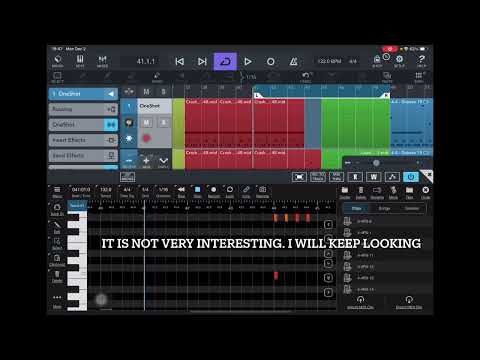
Cheers. Your welcome. In octachron i like to use each lanes mutation, slightly, hold lane name for pop up, and then adjust the velocity for every step, even if I’m not using it, so any mutated hits that happen use the velocity I set. If that makes sense.
That nondestructive quantize in LPro sounds dope.
Also the new app Lattice ain’t to shabby with making drum beats.