Loopy Pro: Create music, your way.
What is Loopy Pro? — Loopy Pro is a powerful, flexible, and intuitive live looper, sampler, clip launcher and DAW for iPhone and iPad. At its core, it allows you to record and layer sounds in real-time to create complex musical arrangements. But it doesn’t stop there—Loopy Pro offers advanced tools to customize your workflow, build dynamic performance setups, and create a seamless connection between instruments, effects, and external gear.
Use it for live looping, sequencing, arranging, mixing, and much more. Whether you're a live performer, a producer, or just experimenting with sound, Loopy Pro helps you take control of your creative process.
Download on the App StoreLoopy Pro is your all-in-one musical toolkit. Try it for free today.
Comments
I started this thread in February, just out of interest to see if it was going to be a thing in the music app world. Quite eye-opening to see how pervasive it has now become in just three short months.
Just imagine where we'll be in a year from now....
Going by my experience in the web development world, where clients with broken websites are quickly abandoned by newbie 'web designers', reliant on third-party themes and vibe coded sites, I can see ongoing support and longeivity as being the biggest issue.
On the plus side, regular visits to this forum over the years, means most of us here are familiar with the devs which we can trust with our hard-earned cash.
Yes ... I used Gemini Pro to create a browser app ( ie runs in a browser ) which allows me to edit the data within a CSV based Table ( ie a spreadsheet) in a more intuitive way than Excel/Numbers etc.
It allows me to perform a variety of functions on selected data in the table which require ( forgettable ) formulas in a real spreadsheet app.
For my work ( media management ) it is much faster than flailing around in Excel/Numbers . Of course it isn't remotely as powerful, but it behaves in the way I think.
I keep adding to it by feeding Gemini Pro the script, and asking for new features ... one at a time!!! Big lesson. Ha.
PS - no coding, web experience at all.
See, this is where coding with LLMs shines right now. Personal utility scripts tailored to your workflow.
@dendy
Agreed 100%.
I made this before the end of last year - so LLMs weren't even where they are now... it's still up and works just fine (for me at least) - since there's no one else using it, it's actually next to free for me to keep up to 10GBs of samples in the cloud, but I've not really publicized it because I didn't want the support headache. Since it costs money to host large sample libraries for other people, I decided to try and have it 'patreon powered' so that people don't feel they are paying for what should be a polished product. Automatic patreon integration was built, and (?) working (in testing, i never actually got any patrons).
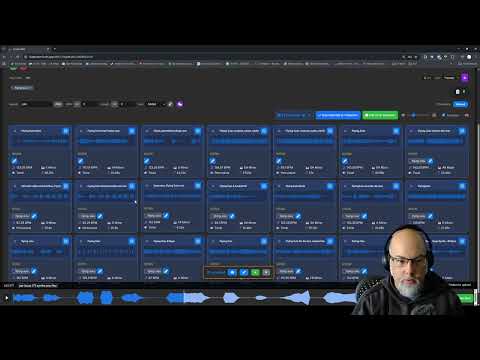
While I never really told anyone about it, I learned a lot, a lot about the back-end infrastructure to deliver samples fast, and it's something I might build into my probably announced later today iOS app I've been working on in future... still this video was private but might be of interest as a curiosity of vibe-coding.
Yeah, this one has got me interested!
https://forum.loopypro.com/discussion/68600/funkypipe-lite-mac-pc-chrometab-to-ios-recording-testflight
100% Vibe coded
I totally disagree. The few forays I've made into AI assisted coding have produced far more readable and understandable code than I would normally produce ... by default. Every step is commented, something I rarely take the time to do until afterward, and often skip for things that "I" understand just fine.
Also, what each step in the code does and why is clearly explained. If I don't understand the explanation, I can just keep asking for more detail until I get it. In fact, I've pasted code I don't understand and asked for a step by step walk through as a learning exercise. Actually, that's the way I'd prefer to use AI, since I still stubbornly stick to the idea that just blindly using AI for coding (or anything else for that matter) sucks a huge part of the fun out of things for me.
(That said, I've only used AI for relatively short snippets. Could be a different matter entirely for more complex projects.)
I had made a music player for myself which hosts the music posted to the Creations & Collaborations category in this forum. I shared it a while back. It’s a web app that can behave like a standalone app. Here is the address:
https://loopypro-radio.onrender.com/
If you wanna read more about it:
https://forum.loopypro.com/discussion/68208/here-is-a-music-player-for-the-creations-collaborations-section-web-app#latest
I feel like this might be a bit of a veer in the direction you saw it going in. Correct me if I’m wrong, but I feel like I saw at one point you predicted AI will eventually just write code optimized for AI. Not that I think you’re washy on an opinion or anything, because this stuff evolves so rapidly. Plus smart people usually allow their opinions and predictions to be malleable (you seem smart from my observations 🙂).
Of course, there's the argument to be made that producing human readable, or even compiled code, is a completely unnecessary abstraction for AI. Perhaps necessary at this stage, but only for a bit ... or maybe not, but only just to make us feel a little better.
Ha ha, your thoughts beat my own follow-on thought by a few moments. To be fair, I was dust mopping the house at the time. 😉
@wim said:
In large project you must define very stric rules about code structure (standard dev patterns, like splititng resposibilities, good split between view and logic, creatin reusable components instead of copying same code againg and again, avoiding hundreds of lines of code long functions, logical split code to multiple classes / folders / subfolders , etc etc etc….
You must define many specialised skills (dsp coder, ui desinger, tester, analyser, researcher, etc) which are then dynamically loaded based on type of task.
You must do thorough planning, split larger task to multiple smaller parts, each testable and implemented independently in new session…
Iťs really hard but it’s mamageable.
My “big project” on which I am working for months has already about 170k lines of code in 280 files 🙈
Code is structured and written exactly like I would do it - to get where I am now would take me probably 2-3 years of fulltime job if I had to writr all that code by hands.
I am expecting when (IF!!) this will be finished (release ready) it will be somewhere around 300-500k lines of code, maybe EOY or next year.
What really amazes me how it can interate and optimize/debug/improve own code .
Yesterday i kept it running xCode Profiler to optimised DSP code of filter - it was fascinating to watch how that thing systematically analysed entire running app, always just asked me “now play 32 voices on that and that filter, now tweak this, now enable oversampling” ..it analysed CPU, then memory footprint.. then compared data with code and then proposed multiple optimalisations (which i need thoroughly evaluate and decide in what order which ones to implement cause some of them may compromise filter quality, so now it’s on me to decide what next)
What a great times to live !
In my opinion coding rules and patterns people
developed for properly structured apps ar much more general than just “make it human readable”. Many rules have direct impact on compiler producing optimal compiled code, many have direct impact on how easy (or complicated) is in future to add new features..
In generall, I think even AI needs to write clean understandable code so it can then later understand it without making mistakes and hallucinating. At current stage AI is NOT capable of doing that (in larger project context) without detsiled human management - and I don’t see how this can change at least in next few years.
Just be sure not to clutter it all up with unnecessary junk like audio tracks.
I don't see any reason why achieving proper large project structure is a stretch. Not at all. That's actually an easier knowledge set to acquire than what we see already. I can fully imagine AI helping us to structure our projects better than we would ourselves.
I also don't see that making code human readable or even compilable is necessary for AI to understand it's own code. Applying human logic limitations to something that can digest and track practically infinite details is just a construct that helps us relate to how it works. There's no reason why, if AI can write code, that it can't also include some sort tracking information that it can understand whether we can or not.
Languages and compilers are just a convenience for humans not to have to write machine code. AI doesn't especially need that in the long run. It's easy to over humanize what's happening here.
Don't get me wrong. I have vast misgivings about this whole paradigm shift. I have a strong feeling it will end us all. But until then we might as well enjoy the good bits.
My wife is currently happy as a clam watching cats play smooth jazz at a beautiful outside bistro. The cat audience happily munching on plates piled with Kibble and the fireflies flitting around in the starlit sky reflected in a peaceful river. Ignoring the impact to the planet for a minute, that's pretty damn cool free entertainment.
Oopsie So I screwed it badly.. Ok, going to delete all that unnecessary shit, expecially that realtime timestretching jsut by dragging clip end on timeline
>
Same feeling here, enjoy the ride until it lasts.
I occasionally check with AI when my web css or .php coding skills are failing to fix a particular problem. Recently I needed to make custom changes to a header file in a third-party theme, for a site I inherited, that I just couldn’t get to work.
I queried AI, and it said ‘try this’. It didn’t work, and I provided more info as requested. This went on for an hour or so, until it started to repeat the fixes that didn’t work suggested at the start.
Giving up with that one, I sent an email to the dev instead, with the same details I provided to AI. 5 minutes later he sent a fix that worked straight away.
Now I realise this isn’t in the same league as a big software project, and I’m not using a top-tier AI plan (maybe he is), but for my uses, it seems sticking with actual humans for now might be the best way to go.
I think the main problem is that the LLM/AI has to have enough "context" to make intelligent decisions, and the context allowed by current LLMs isn't large enough to hold an entire large project (even though usable context size has been growing over time). So you often have to start a new session and limit the context to just the things that are necessary for the current task. It does seem like something that will gradually improve over time, as LLMs and AI agents improve.
This is not how it works when you do "agentic coding". You don't hold entire project in context memory, you don't use chat for this work.
Btw. even human coder has zero chance to have in memory entire large project codebase.
In my job i work on large application (which base i build by myself) for last 10 years, with 2 another colleagues - code base is probably 500k lines of code. I have no idea about probably 40% of code which was written by them and about antoher 20-30% of code which I wrote 5-6 years ago and completely forgot everything about that ))
))
It's always about, when I am going to do some task, to check codebase, search relevand sections of code, create mind map of that part of code which is related to task i am going to implement, then make plan how and what to change, then execute, then test.
This is EXACTLY how "AI" works. Same method. You don't use chat for this form of work.
Imagine tool which is running in loop - reads your requests, asks your questions to clarify your intention, then runs various local harddrive tools to search trhogh code base for keywords, class names, method names based on your request .. Then it puts together related parts of code, sends those parts of code to LLM to analyse, gets response. Eventually tells you about things it realised if they are in contradiciton with what you requested. I does it again and again, until it ges to stage where it "knows" deterministic set of edits it needs to do. ... I tworks in these iterations for some time.. Then delivers result. Now it's up to yo to do thorough testing, eventually validate written code (if you want - i often DO this, in 70% of cases)
It works literally in terms of metodology EXACTLY same way on large project like i am doing when i write code by hand.
As i mentioned, my current big "AI-only" project has already 170000 lines o code (approx.) / more than 280 files..
You dedinitely don't hold enture project in context memory, not even humans can do that )))
)))
That's interesting. Mindmaps are the best. This kind?

I don't know if I ever applied it really to code, only to conceptualization and planning.
Something like that is constantly in my head .. just LOT more colours, fractals, geometric patters .. you know what I mean 🤣
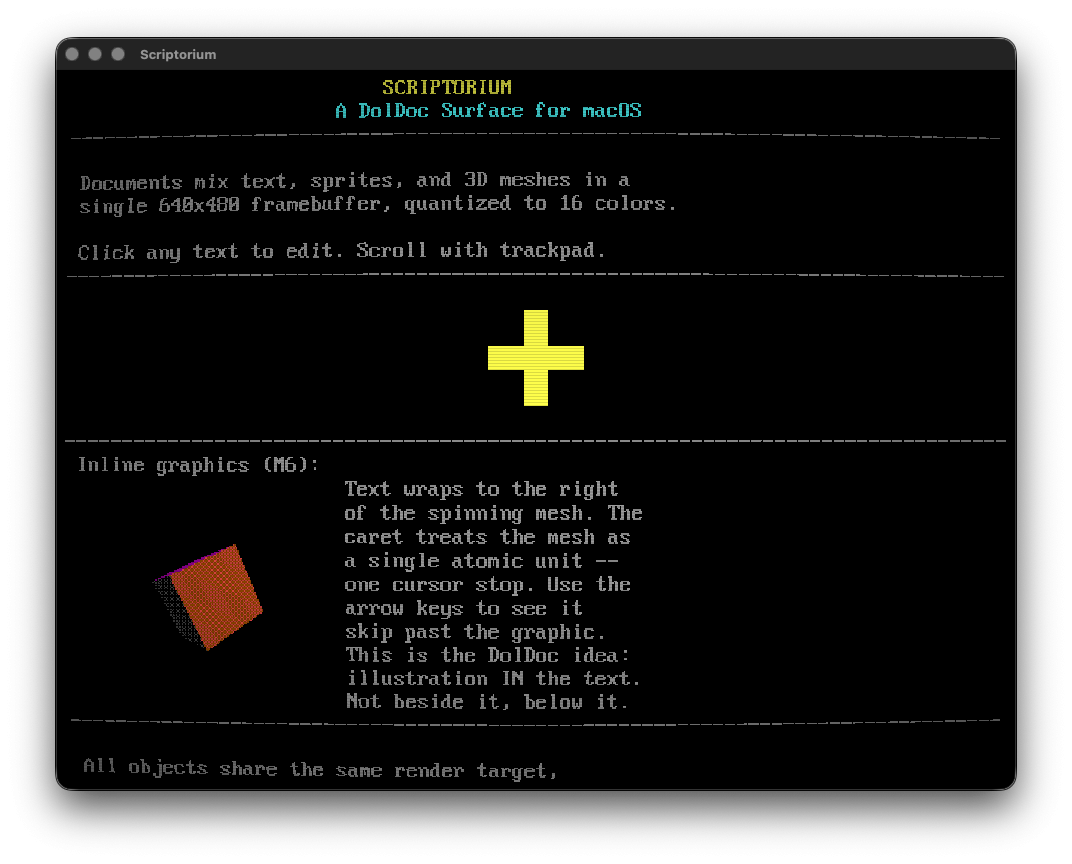
I’ve been working on Scriptorium, which is definitely a weird passion project. The idea was inspired from the late Terry Davis’s DolDocs on TempleOS, which was a weird document format where text, graphics, and executable code all lived on the same page. I got something working that wasn’t a 1-to-1 emulation but a TempleOS functionality vibe with the bare minimum feature.
But then I made it a kitchen sink app and started tacking a bunch of functionality on. Now I have AUv3 plugin hosting, LFOs, noise generators, weather and wind radar data, bug tracking, and fractal exploration. Everything is rendered at 640×480 in a 16-color EGA palette through a CRT post-process shader.
Right now I have a third party repo for pulling up a terminal in the app, which breaks the sandbox rule for test flight and the App Store. This is currently Mac only, but I imagine could be ported to iPad later with some tweaks.
Opening screen:
Audio/Visual:
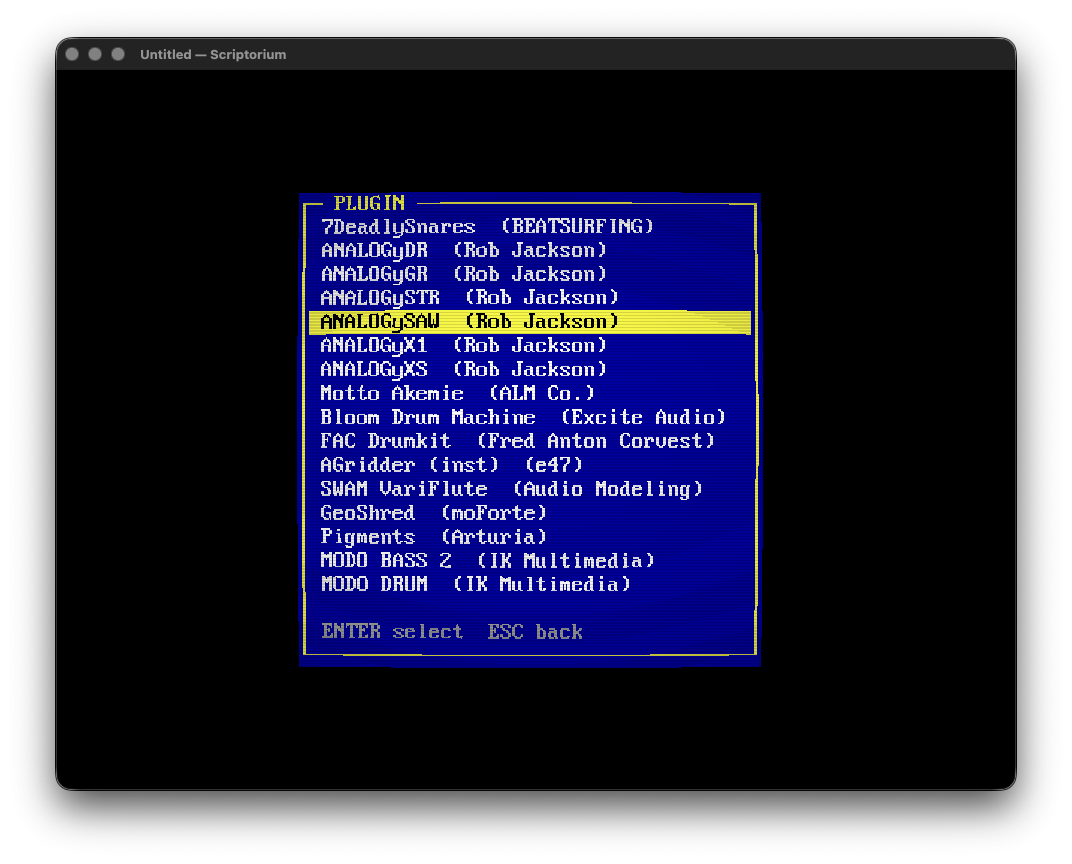
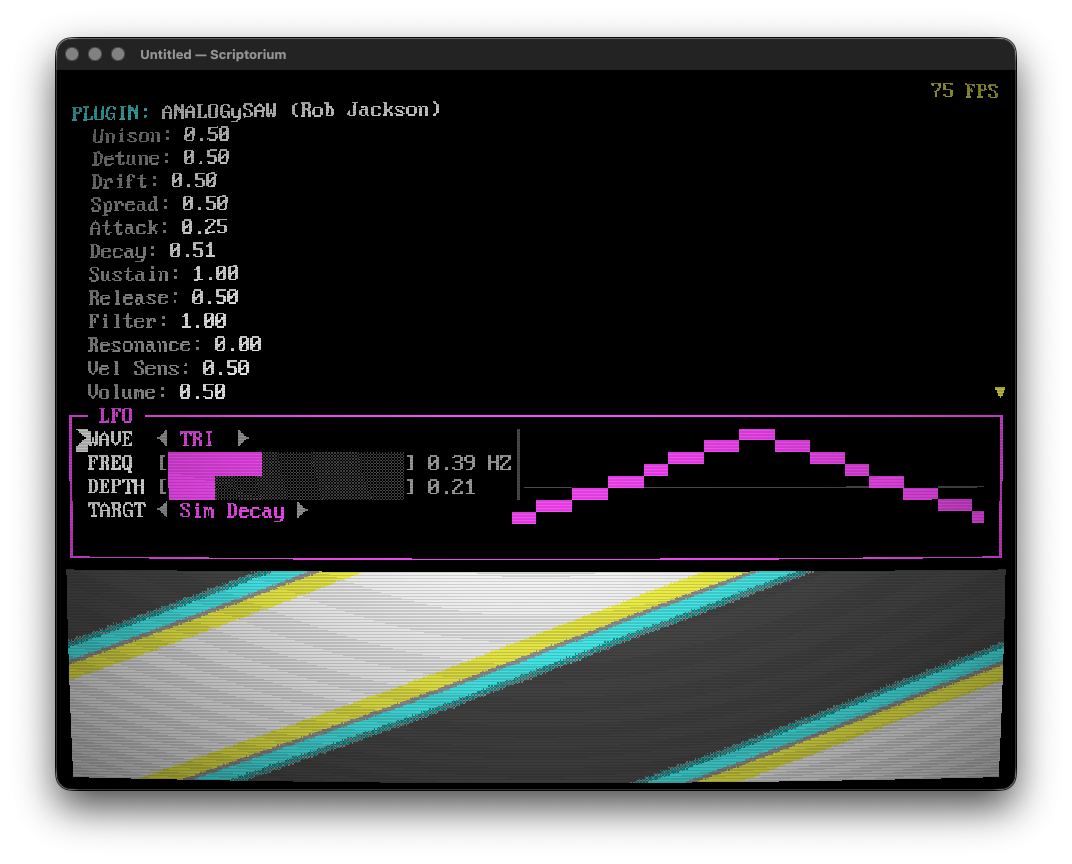
Plugins are kind of a pain in the butt to navigate. @Rob_Jackson_Music apps have nice streamlined parameters, but something like Massive from NI has like 200 parameter destinations. Need to think of how to work that out. No plugin visualization yet (if at all):
@dendy here's those fractals you were thinking of:
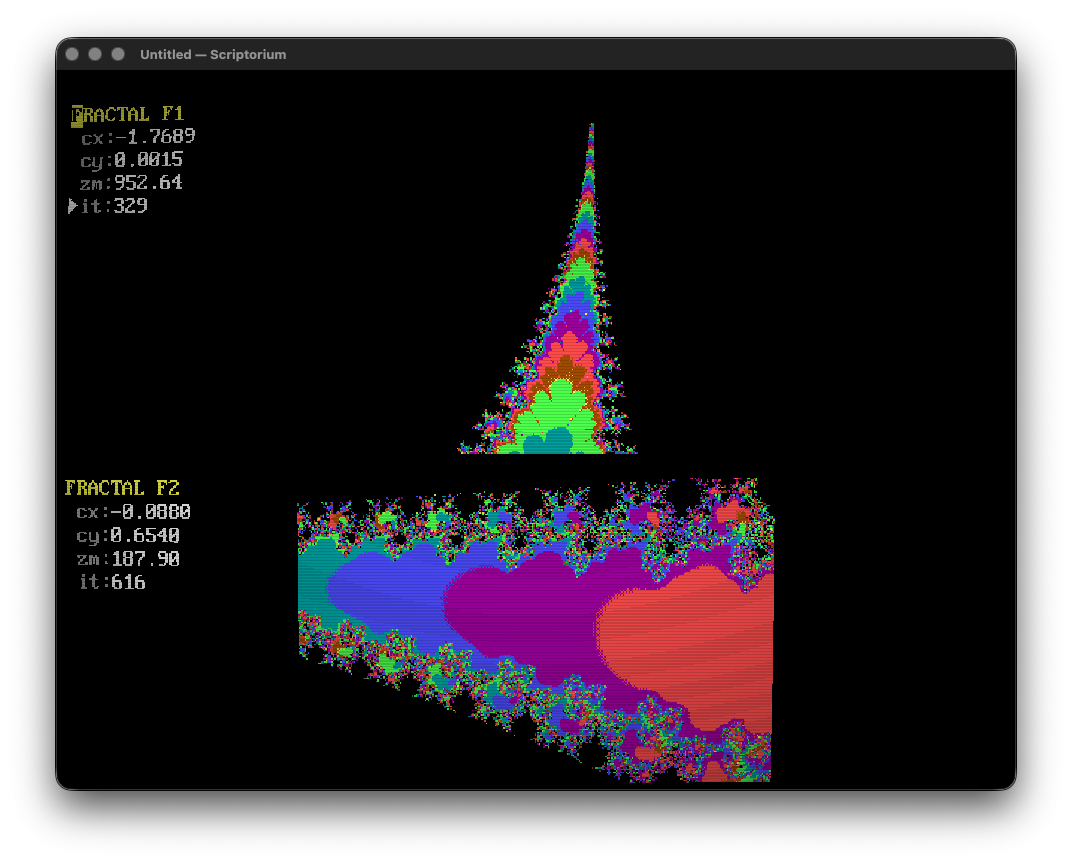
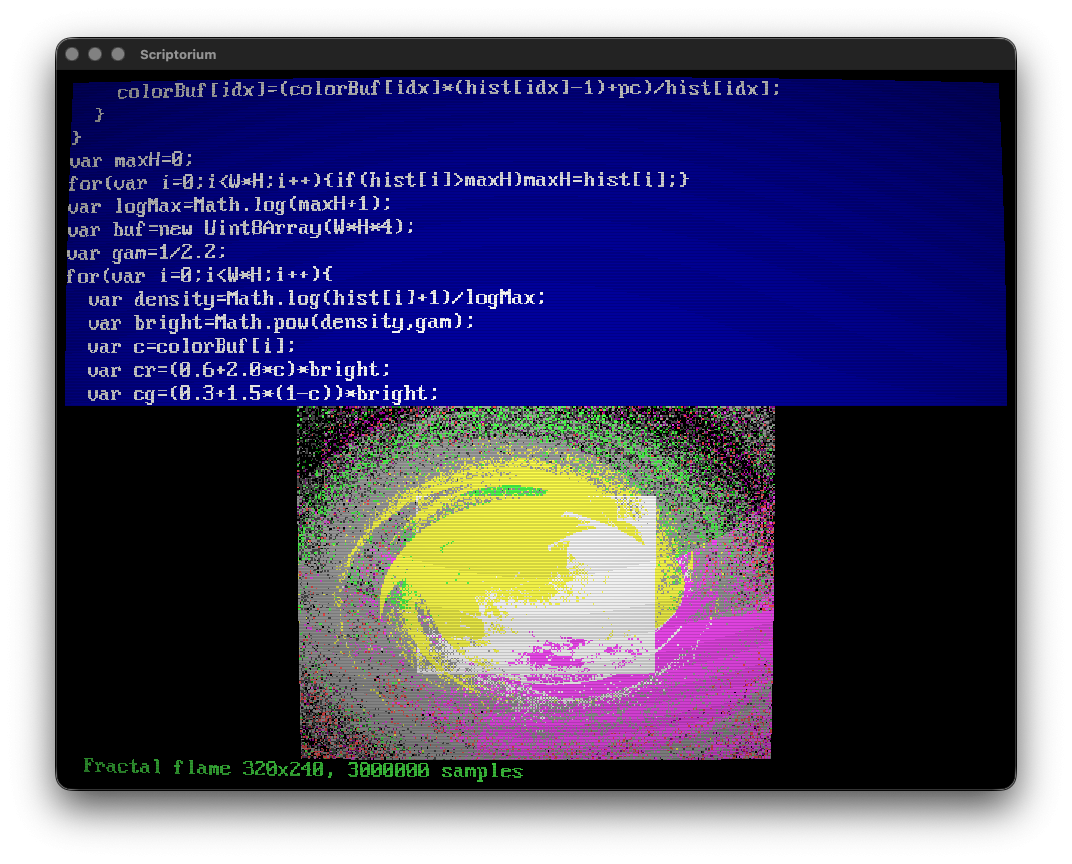
Wind map (this looks really sick animated):

Oracle (biblically flavored text, TempleOS inspired):
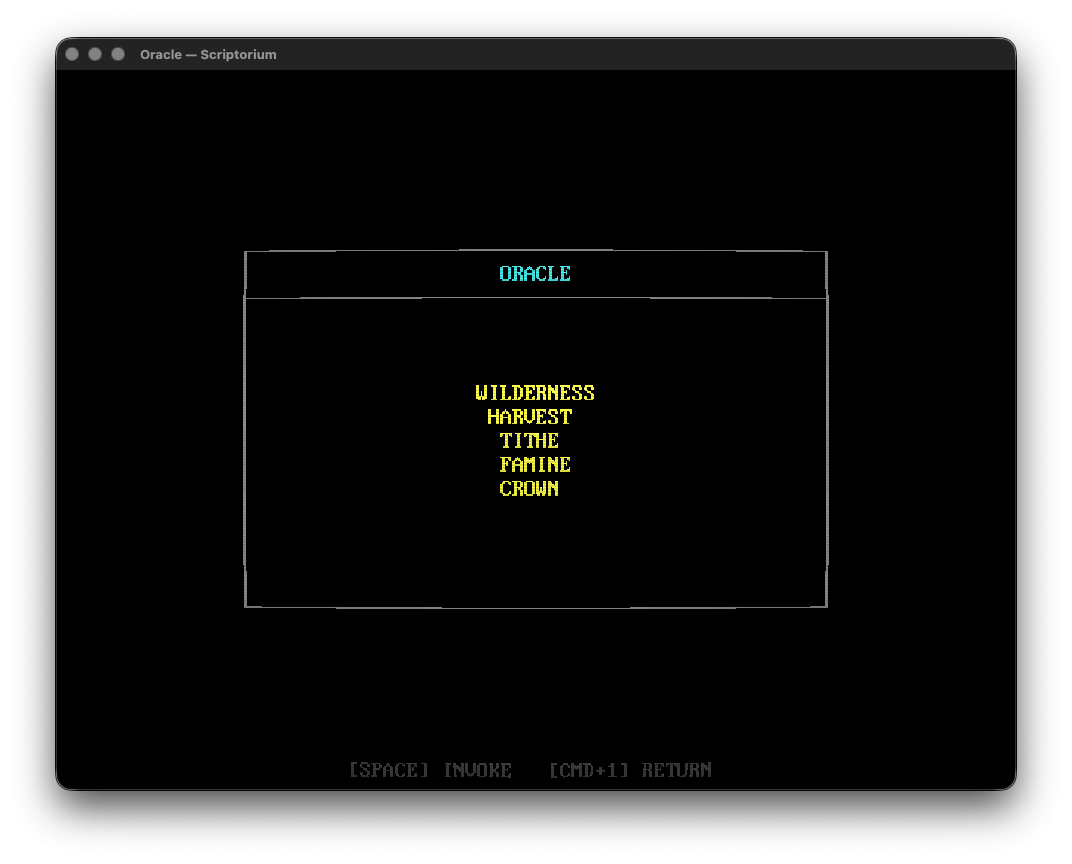
Bug tracker:
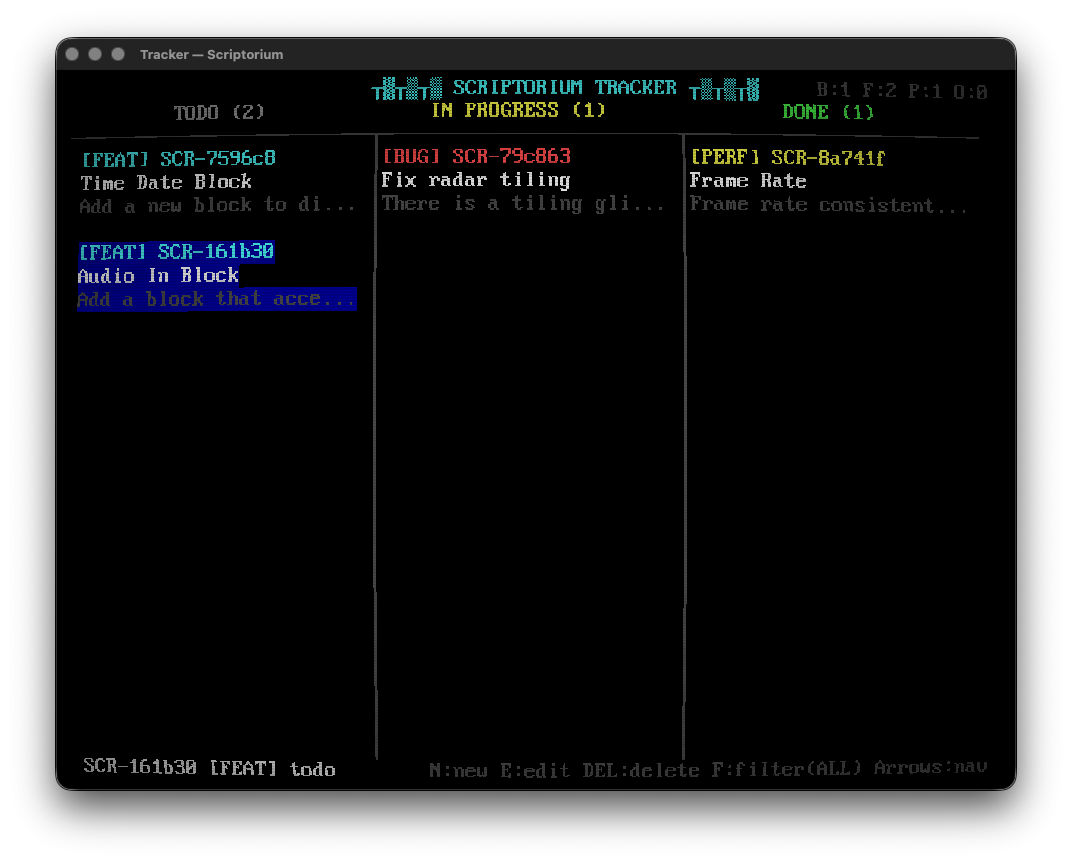
Here’s a summary of the functionality from Claude (AI generated text trigger warning for @Gavinski 😜):
I did like that line about a monk’s manuscript with a bug tracker and weather radar.
@FizzyLizzy27
woa, that's cool!:)
the testflight is mac only?
Currently no Test Flight at all, but I’d been developing for Mac. I started the porting process last night and so far it’s going pretty smoothly. I can start it up, and I’m surprised how well it’s responding to touch. I’ll keep you posted if I get something on test flight. Bare minimum I want is the ability to save docs and loading AUv3s. Most everything else works in the “duct taped together” spirit on iPad.