Loopy Pro: Create music, your way.
What is Loopy Pro? — Loopy Pro is a powerful, flexible, and intuitive live looper, sampler, clip launcher and DAW for iPhone and iPad. At its core, it allows you to record and layer sounds in real-time to create complex musical arrangements. But it doesn’t stop there—Loopy Pro offers advanced tools to customize your workflow, build dynamic performance setups, and create a seamless connection between instruments, effects, and external gear.
Use it for live looping, sequencing, arranging, mixing, and much more. Whether you're a live performer, a producer, or just experimenting with sound, Loopy Pro helps you take control of your creative process.
Download on the App StoreLoopy Pro is your all-in-one musical toolkit. Try it for free today.
Loopy seems to be autogenerating MidiLearn assignments - Active Page confusion & solution

@espiegel123
Progressing building my template , reaching the point of building pages of mixer type controller widgets & then midilearning them to my hardware controller.
Having experimented with difference between This Page Only & Active Page & decided on Active Page only for my Mixer Pages , I started assigning MidiLearn notes from my hardware controller
to first row of buttons between 2 pages to check that the feedback works (it does!) ..
however moving on to additional pages I find that the first row of buttons are already assigned to the previously used notes on previous pages ..
to my dismay triggering the notes starts triggering my scenes on my scene pages -
checking my scene trigger BUTTONS I discover they now have an additional same midilearn assigments as the ones I made to my Mixer Widget pages …
finally I create a new page , start adding new buttons & they arrive with pre assigned ascending
sequence of notes used in Mixer Widget page .
is this a bug or some deliberate auto assigning option I can turn off ?
Needless to say I don’t want these assignments made, particularly retrospectively to scene pages I had already got working with other assignments .
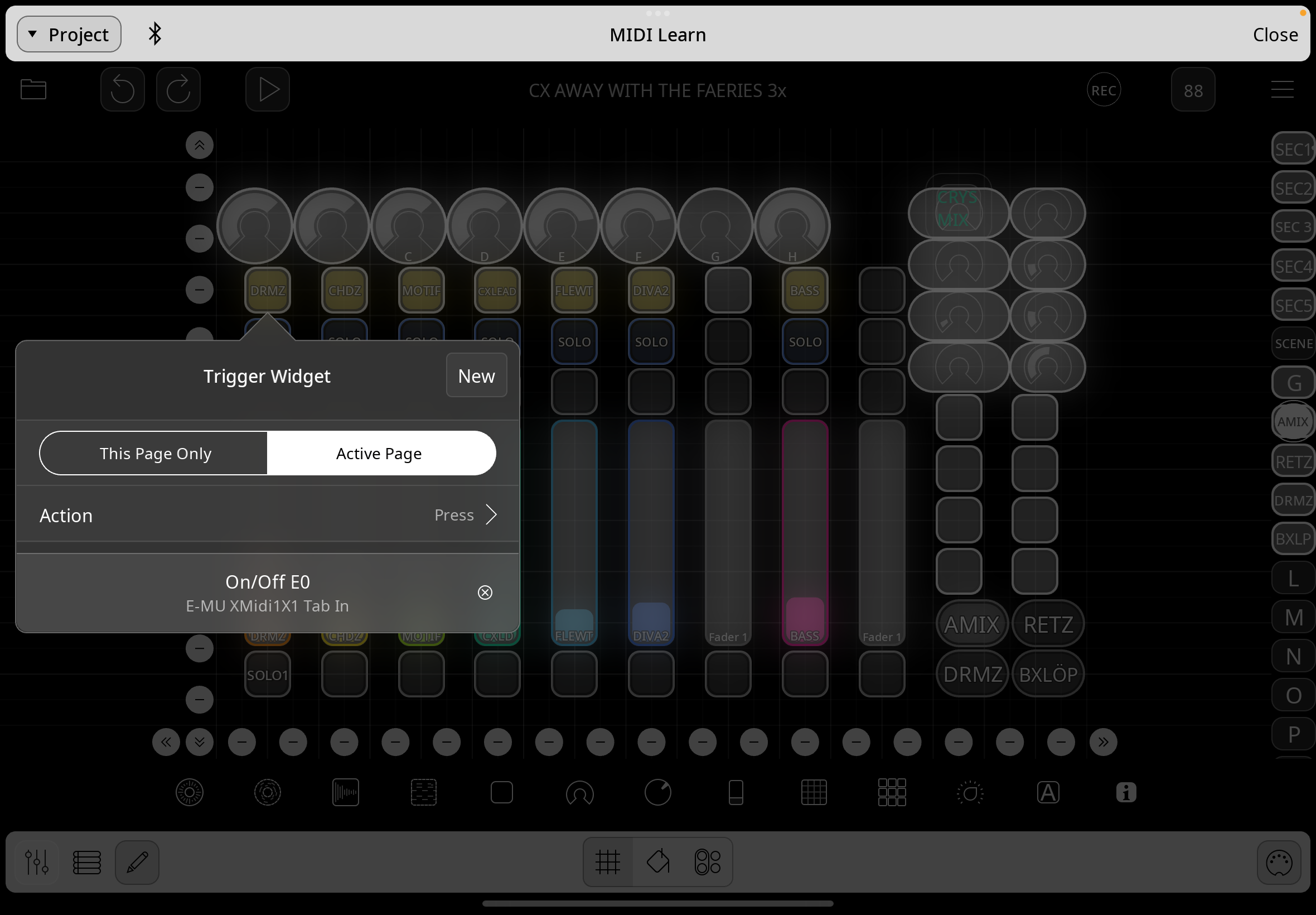
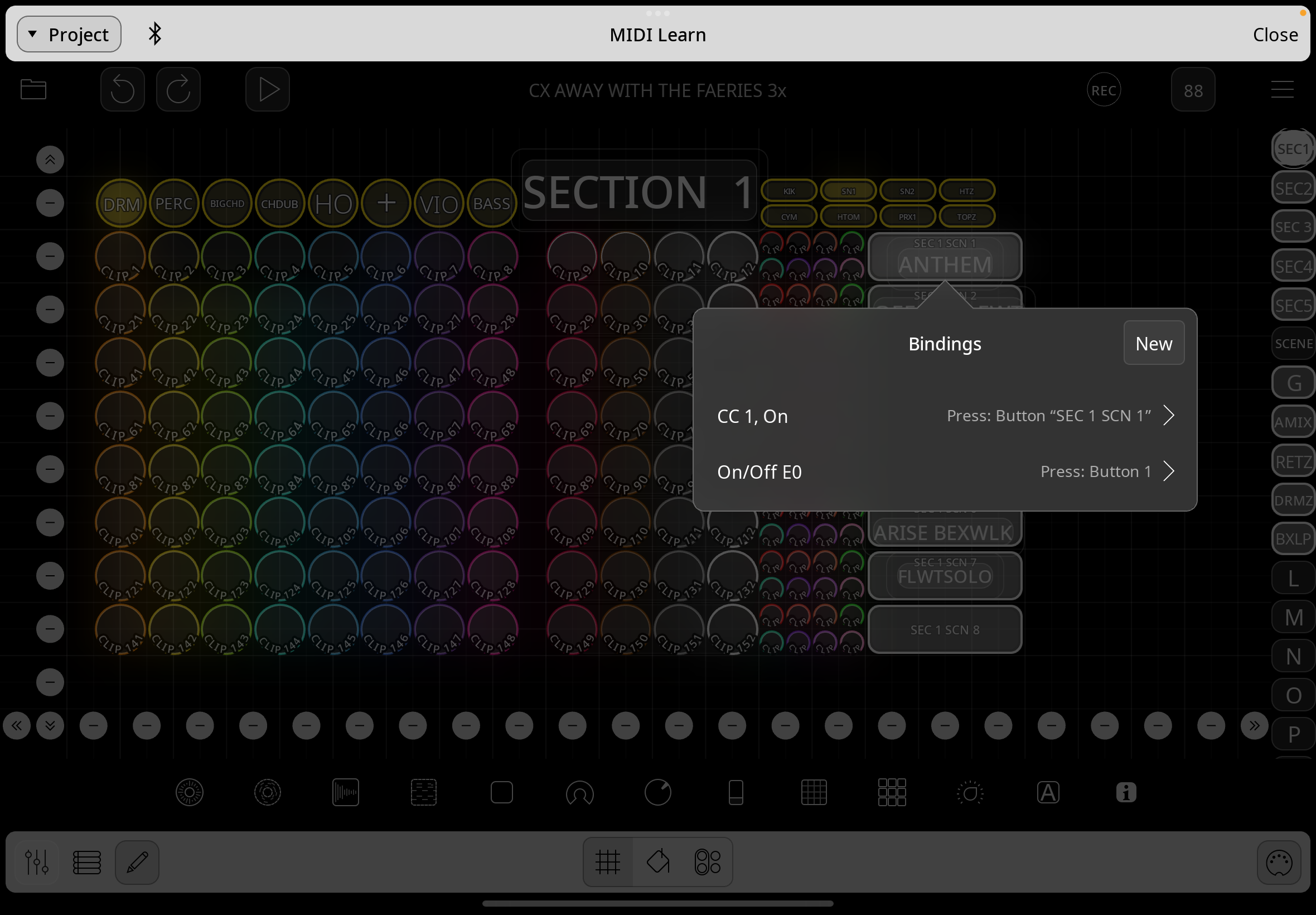
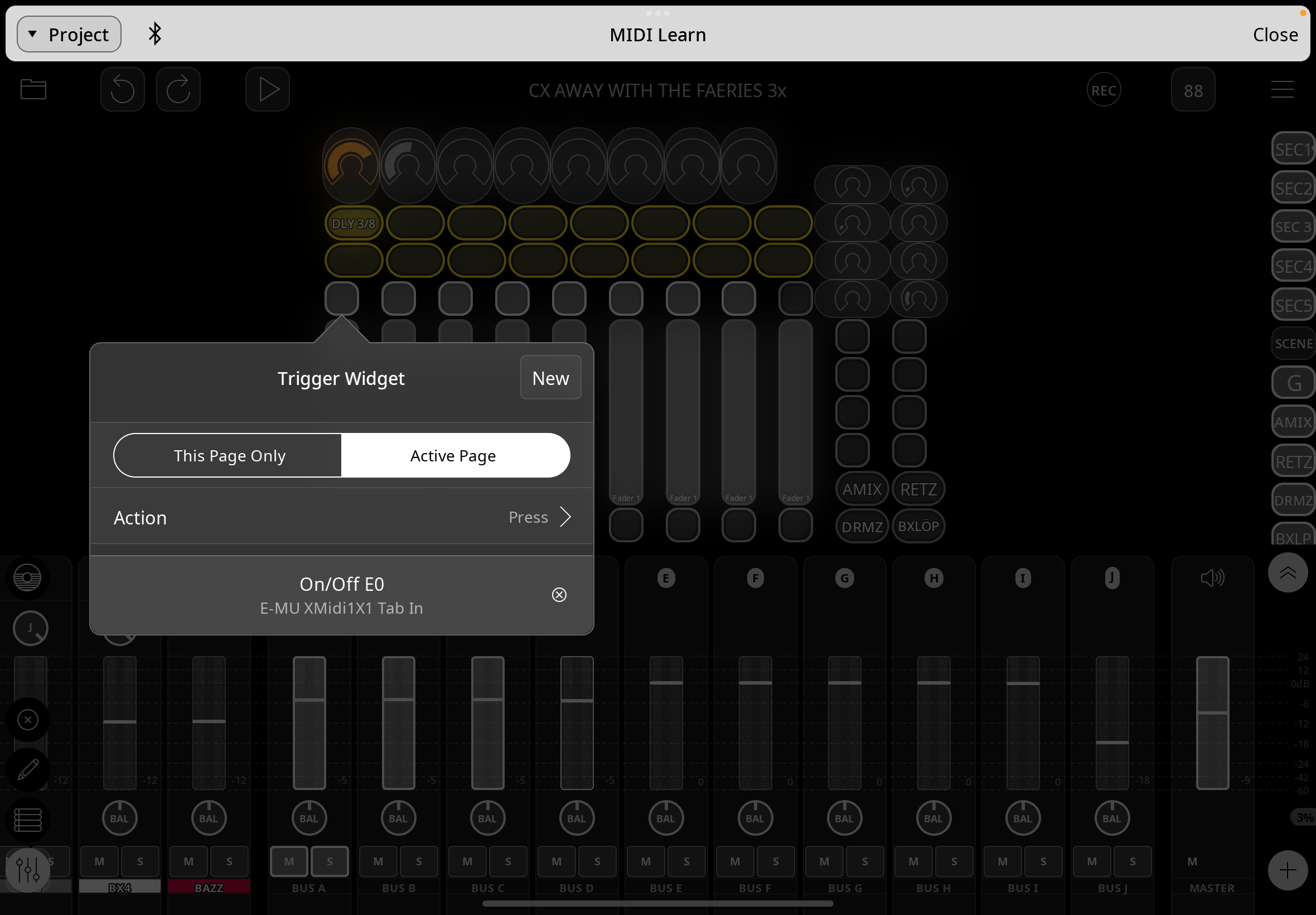
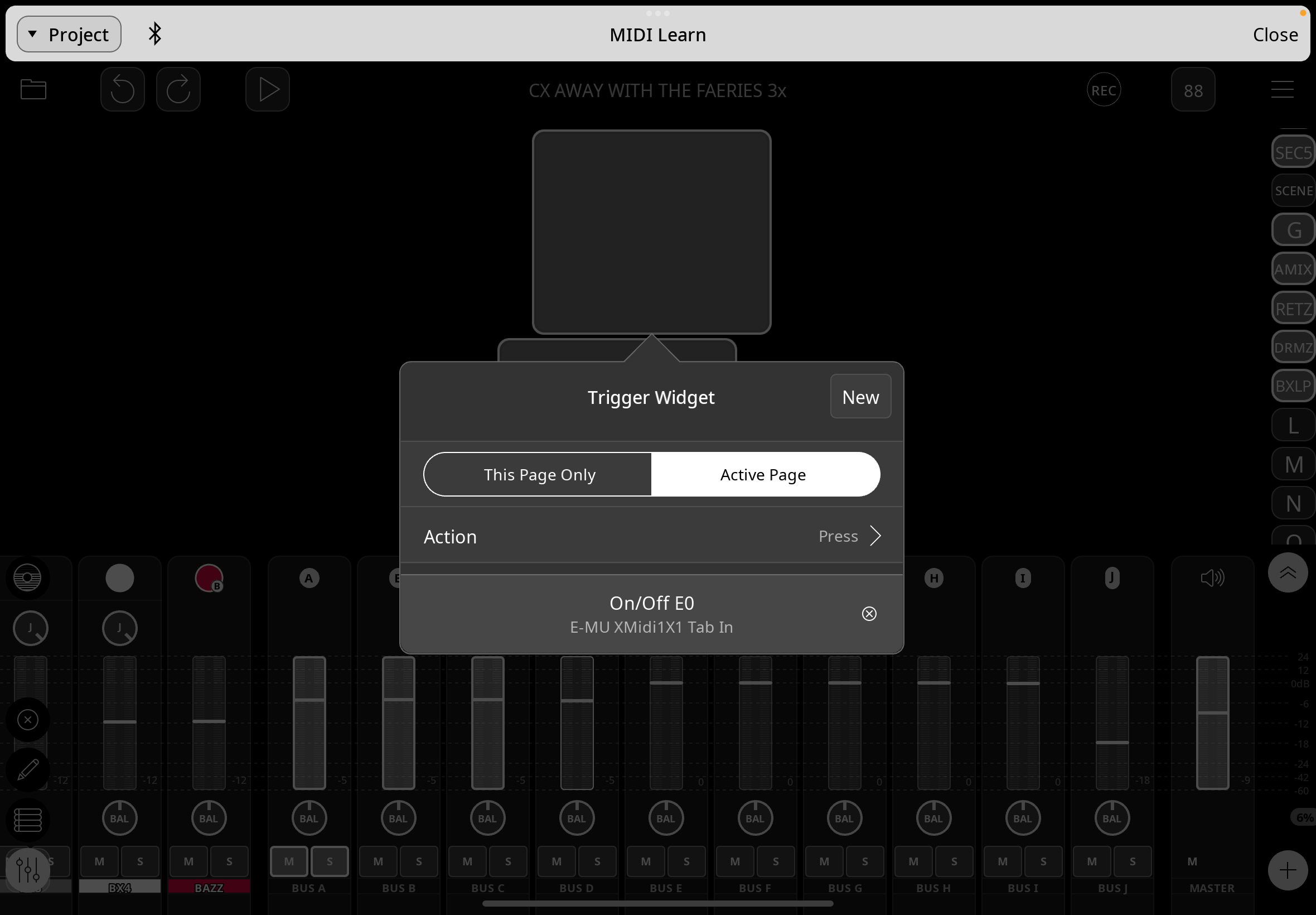
screenshots show -
mixer widget page with new midilearn assignment
scenes page with second assignment added to button retrospectively & unwanted
further page ,yet to assign by me but first row of buttons already assigned
new page , added new button , … & already assigned .
audio empty project attached
Thanks .
Comments
Hi. Please identify your hardware MIDI controller. And check if Loopy Pro is using its built-in mapping for the controller.
This may be nothing to do with your issue, but I have had issues when some sequence is playing, sending midi while I go to midi learn. The midi learn hears the playing notes and assigns them. I have to remember to stop before i go to midi learn.
@uncledave controller is Behringer XTCompact , but routed via EMU 1x1 interface as Generic Device .
@JustinOllman no midi is playing , but the weird thing is buttons I have not opened whilst in midilearn are gaining
these assignments -
it is as if Loopy is seeing the first row (or column in scenes pages) of 8 buttons on any page
& automatically assigning ascending notes to them , based on the first page of widgets I DID assign using Active Page setting .
I was testing between AMIX & DRUMZ pages , after I had assigned both rows of buttons to Active Page & note numbers , I went to identical RETZ & BXLOP pages to do the same but found they were already assigned .
Then when I touched a button it started playing Scene 1 from Section 1 scenes page , when I look at scene trigger buttons which were programmed a few days ago to a different controller , a NEW set of assignments had been added -
then discovered Page O ( with a different layout ) had its first row of buttons assigned - not by me -
& as last screenshot shows adding a new button to new page adds sequential note assignments .
@RetroNewb : Loopy Pro won't automatically add bindings to a profile. When a device has automated bindings, the bindings are turned on and off on the MIDI Device control settings and don't appear in profiles. So, I am not sure what is happening.
I am not sure that I understand your description of what is happening, but after looking at your bindings, I think the issue is that you used Active Page for bindings to some buttons but your pages don't have identical layouts. 'Active Page' bindings are based on object order. So, if you are on your DRMZ page and MIDI Learn the "kik" button with an Active Page binding, that binding will trigger the first button of the active page. If the layout of the active page is not the same as the DRMZ page, you will trigger the first button on that page.
If your pages are not identical, you should use load page follow actions to enable and disable profiles that are specific to a particular layout.
@espiegel123 thanks for looking into this -
okaaaay , so for Active Page every page must be the same , or use switched profiles (as I have for footswitch) ?
will look into follow actions for page change , though did something different for Section page changes I think.
buuut…
why/how are there new assignments added to Section1 Scenes buttons ? ..even if Active Page triggers the first button when I’m inadvertently on that page - I didn’t add those second assignments -
nor did I add the top row button assignments to RETZ & BLOP pages -,
nor on Page O ..
& the last page shows me adding buttons which are appearing with sequential note assignments -
please create a new page & add a couple of buttons …I suspect they will come pre-assigned E0 , F0, F#0
thanks again
I have never had a report of bindings being created automatically. Note that in your screenshots, all those E0 bindings are the same one.
What do you mean by "why/how are there new assignments added to Section1 Scenes buttons ? ..even if Active Page triggers the first button when I’m inadvertently on that page - I didn’t add those second assignments -"
Which profiles are these wrong bindings in and what is the binding to?
Can you make a screen recording of the issue happening when you create bindings? Perhaps, start by copying your project and deleting the existing profiles and record the process of creating the new bindings
@RetroNewb : Is it possible that you tapped New in the MIDI Learn panel and inadvertently created a new binding?
@espiegel123
no , I haven’t inadvertently created ONE new binding -
ALL the first 8 buttons on every page have had E0, F0, F# etc assigned to them unwantedly ,
since I created those assignments only on AMIX + DRUMZ pages -
The scene buttons (Section 1-5) were previously programmed to be triggered by Channel 7 CCs (& footswitch profile) -
if you look they ALL now have a 2nd assignment E0…etc , which I didn’t add .
also , please create new page & start adding buttons , they are arriving pre-assigned sequentially …
all since I tried mapping 2 pages using Active Page - it seems Loopy has added these assignments to first 8 buttons on all pages .
(will be away for next hour then able to discuss further if needed)
@RetroNewb : I think there may be a misunderstanding.
Those E0 bindings you are talking about are all just the one E0 binding that you assigned to Press button 1 on the active page. It is one binding. When you are in MIDI Learn mode and tap an item, it shows you all bindings to that object in the selected profile. In your project profile, you set up E0 to press the first button on the active page. So, in MIDI Learn mode, the first button widget on every page will show E0 as a trigger (because E0 is set to press the first button on the active page). The second button on every page will show F0, etc because that is how you set up that binding.
To see the actual bindings look at the profile's listing in Control Settings. Please go through the profiles and find any bindings that you did not create.
Maybe need to emphasize that when a binding applies to the "Active Page" it applies to whichever page is active for all time. So when you switch to a page (make it "active"), the Active Page bindings are already present on that page. Since you don't want this, you should not use Active Page in your bindings.
If I understand his use-case, active page is probably correct. But those bindings should be in a profile that is only enabled for the pages that share that basic “mixer” layout.
Without active page, he will need to create a lot more bindings. There are two adjustments to make:
@espiegel123 , @uncledave
BIG thanks yes , a misunderstanding it seems , & I was slow for penny to drop in your responses-
I thought Loopy had added assignments to all widget I looked at on each page ,
whereas it was addING as I looked because I was on that page …kind of .
it certainly doesn’t behave how I expected ,
& seems to make the function much less useful (unusable) to a template with a variety of page layouts -
I expected Active Page bindings to only apply to widgets I had specifically bound to the same midi controller value ,
so buttons on other pages that had not been bound to E0 would not be affected simply because it was the first , second button etc in a row .
So yes , E0 etc only appear once in my Default Controller Settings , though it appeared on every page I looked at !
“If your pages are not identical, you should use load page follow actions to enable and disable profiles that are specific to a particular layout.”…
I guess I’m back to making more Profiles as I did with my Footswitch ,
the difference this time is I’m hoping for feedback to my motorized fader /LED encoder controller ,
is there anything I need to do in addition to switching the profile for Loopy to sendout the values of the widgets
on switching pages using This Page Only bindings ?
Thanks again .
@RetroNewb @uncledave : here is a quick demonstration of having one profile with “active page” bindings that become enabled/disabled as appropriate
Link is two posts down .
waiting with baited breath … is there a (forgotten) link?
https://youtube.com/shorts/097PdjVkU-I?si=B6brJyVkeMujXJQp
Notice in the video that in the midi learn panel, you see the note bindings for each button … but when you look in the profile, you see that there is just one binding for each button.
@espiegel123 brilliant , yes , thank you , will study & try to replicate .
Have renamed thread title - hopefully clearer explanation for fellow learners .