Loopy Pro: Create music, your way.
What is Loopy Pro? — Loopy Pro is a powerful, flexible, and intuitive live looper, sampler, clip launcher and DAW for iPhone and iPad. At its core, it allows you to record and layer sounds in real-time to create complex musical arrangements. But it doesn’t stop there—Loopy Pro offers advanced tools to customize your workflow, build dynamic performance setups, and create a seamless connection between instruments, effects, and external gear.
Use it for live looping, sequencing, arranging, mixing, and much more. Whether you're a live performer, a producer, or just experimenting with sound, Loopy Pro helps you take control of your creative process.
Download on the App StoreLoopy Pro is your all-in-one musical toolkit. Try it for free today.
Comments
Sounds interesting but I don’t quite follow the performance mode description. Can you explain a bit more?
Instead of triggering a key to activate the sequence(s) I just hit play on my AUM transport and the lil fella runs it's lil midi legs
Got it. Sure - sounds like a useful feature.
I think it’s great. But some quandaries:
•Why don’t I have any presets and how am I supposed to get them?
•When I make a new pattern, why must the Step Modes and Speed be the same for all Patterns? It seems like you’d want to have different settings.
Let me know if I misunderstood anything.
Is there and UNDO and REDO button hiding somewhere?
Ooopsy
Paul responded. He stated that it will require Midi input for playback- but can be loaded as MIDI effect in Cubase to get it to run from the transport.
This sequencer is so fun to jump into and start manipulating. I like that you can change everything on the fly. Great work Paul
Presets?
No presets, the patterns are found on the right side. I posted screenshots of the pattern categories on pg 1.
https://forum.loopypro.com/uploads/editor/yj/c9vvq25hhxbn.jpeg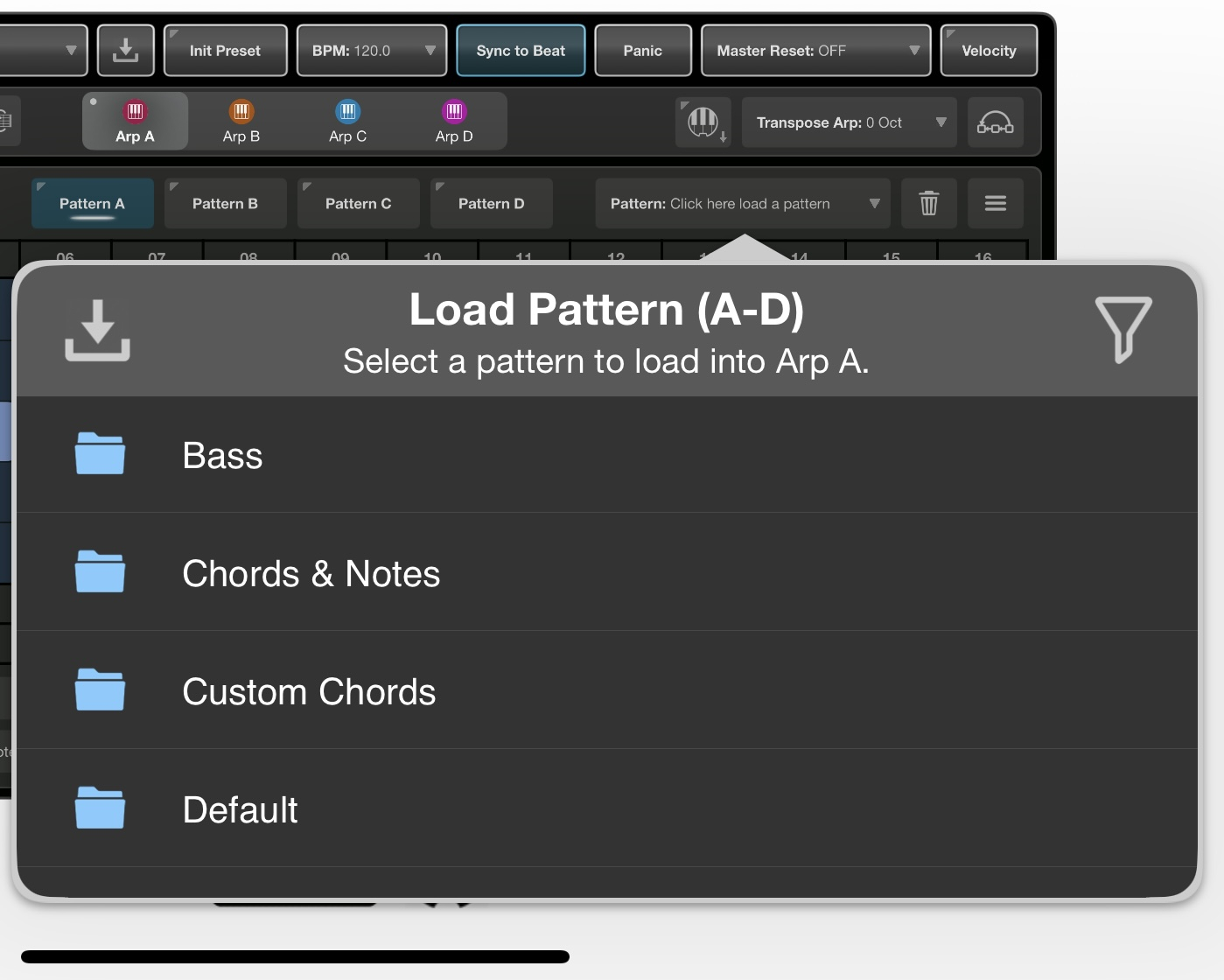
This weekend sees the first discount of PolyPipe, 4Pockets' live sequencer app.
PolyPipe Sequencer: $14.99 -> $7.99
Grabbing that one.
Anyone know how to route MIDI from Polypipe to separate tracks in Logic (e.g. Arp 1 to a piano, Arp 2 to a bass guitar etc.)?
Easy to do in AUM, but can't seem to separate the arps in Logic.
Cheers!
So you did! Ta very muchly.
Ok, so this current discount price is a great price for a really thoughtful and fun device.
It really is