Loopy Pro: Create music, your way.
What is Loopy Pro? — Loopy Pro is a powerful, flexible, and intuitive live looper, sampler, clip launcher and DAW for iPhone and iPad. At its core, it allows you to record and layer sounds in real-time to create complex musical arrangements. But it doesn’t stop there—Loopy Pro offers advanced tools to customize your workflow, build dynamic performance setups, and create a seamless connection between instruments, effects, and external gear.
Use it for live looping, sequencing, arranging, mixing, and much more. Whether you're a live performer, a producer, or just experimenting with sound, Loopy Pro helps you take control of your creative process.
Download on the App StoreLoopy Pro is your all-in-one musical toolkit. Try it for free today.
Automation discussion - track based or clip based ?

This is discussion.. what you like more and WHY ?
Track based automation, or clip based autioamtion ?
Imagine situation you can have multiple clips on same track (imagine concept like in NS2, track lanes or even direcly more clip s tacked in same track, so you you can move clips with automation independently from clips with notes.
What would you choice ? Would you still preffer track based automation ?
Or having both is simply must-have ?
(personally always hated track-based automation, i found it messy in biggest projects, but i am curious on more opinions)
Want to hear any opinion :-)
- What kind of automation you like21 votes
- Track based9.52%
- Clip based (multiple different length clips allowed on same track)33.33%
- Both57.14%
Comments
Definitely clip based. Track based is pretty much worthless IMHO except where it’s the last thing added to an otherwise finished piece. NS2 had it right.
Clip based! It's one reason why I prefer FL Studio Mobile to other DAW apps. Cubasis is track based, which I don't care for. NS2 had it right, as @anickt said.
Depends on the use-case really?!
If the main 'clip' is say 2 bars and you need to automate a filter sweep over 16 or more bars track automation could be a bit smoother experience unless you can use multiple clips with different lengths targeting the same instrument/track.
For longer automations I prefer track based automation, for shorter stuff the automation is embedded in the clip.
Can't vote. Both isn't an option in the poll.
Ooo sorry i'm idiot ))
))
Please everybody who voted - revote.. delted poll and created new with 3 options ..
Yeah that's the point - multiple clips various lengrh, so easy to have short clip with notes and long clip with automation, easily movable on timeline independently from notes clip
@anickt @jwmmakerofmusic plese re-vote i had to create poll again, forgot "both" option
^this 💯
Certain automation makes total sense to be within a clip. However, track automation is really needed for longer transitions. Track automation can fall apart when you change the arrangement, so being able to cut the track automation into pieces to move around and edit independently is important.
(hopefully that makes sense)
that's the main point of my this thread, i am thinking ... when you can have let's say 64 bar long clip where you can put all your automation and freely it copy and move across timeline or even between tracks - and run it in parallel with short clips with notes on same chanel (line NS2 concept of track lanes or even clips stacked in 1 track one above other) - then entire meaning of plain TRACK automations is loosing it's point, isn't it ?
Not IMO. Pattern (clip?) based automation makes total sense in a lot of contexts. If what you're automating is closely related to the notes or the "flow" of that clip, it makes sense for it to stay there and travel with the clip without having to remember to rearrange a track automation clip.
Maybe the current terminology is tying the idea to a specific format which is not appropriate. Does automation have to be track/clip or can’t it just be a “clip” of any length that can be assigned as needed. The same as you now have a piano roll based track that can run the full length of a song or be several measures long and can be arranged as needed. I think something like FLSM might be the approach. An “automation track” that is defined by what it is automating (filter sweep or track level for instance). That can be placed anywhere as needed with a way to define what track or instrument it specifically is automating. I just woke up but I think it makes sense. There would have to be a way to hide these clips because it could get messy.
EDIT: just go NS2!
hmmm, well with clip stacking like NS2 I would probably not use track automation as much or may end up not missing it all together. Could just make a sub clip the length of the track. Oooh, how about this? Time stretching automation clips!
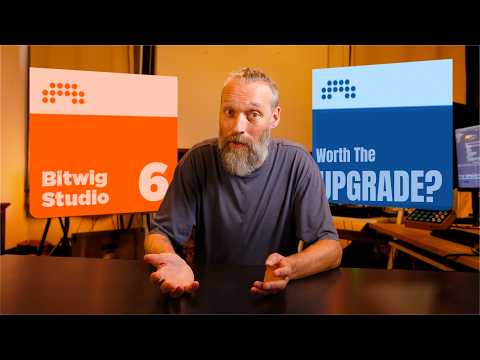
Feel like I remember a video of the new version of Bitwig being able to do this. Man, Bitwig looks cool… really considering getting a desktop to dabble with it
Edit: found the vid in my history, lots of cool automation stuff at the beginning
I’ve only ever accidentally used automation. What does that fall under?
I probably should have voted both, and of course I agree that NS2 has it right, but I actually forget that NS2 can do pattern/clip automation. I don’t use automation very much, and then usually just on the track to fade out volume. Hmm. Clearly I’m not using enough sweeps or FX and my music must be boring.
I don’t particularly care whether it’s clip or track based as long as it exists (without workarounds)…AUM…Loopy Pro…Koala…c’mon!
I've voted 'both'.
With Korg Gadget i use clip automation, because it's the only option.
With Groove Rider 2 i use track automation and i duplicate the automation along the timeline if needed.
I don't make very complex automations, so both methods works ok for me
Pretty cool, thanks for this, that's a pretty good impementation of autiomation they have in Bitwig ...