Loopy Pro: Create music, your way.
What is Loopy Pro? — Loopy Pro is a powerful, flexible, and intuitive live looper, sampler, clip launcher and DAW for iPhone and iPad. At its core, it allows you to record and layer sounds in real-time to create complex musical arrangements. But it doesn’t stop there—Loopy Pro offers advanced tools to customize your workflow, build dynamic performance setups, and create a seamless connection between instruments, effects, and external gear.
Use it for live looping, sequencing, arranging, mixing, and much more. Whether you're a live performer, a producer, or just experimenting with sound, Loopy Pro helps you take control of your creative process.
Download on the App StoreLoopy Pro is your all-in-one musical toolkit. Try it for free today.
Need help with Xequence 2 piano roll

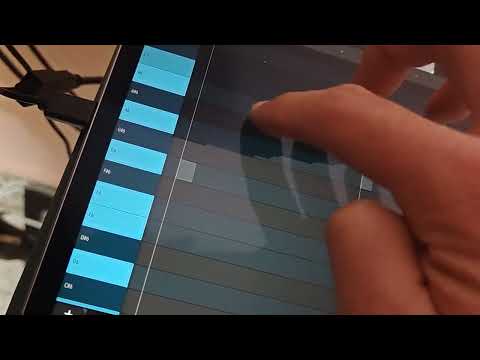
I just got xequence 2 for using as an arrangement tool for my hardware synths and have to say it's an amazing tool for the job. However I'm getting quite frustrated with the piano roll being unintuitive. I can't seem to edit the notes I had recorded previously after having recorded some knob automation on the same track. Basically I pressed record, played some notes on digitone and it recorded them just fine. Did another recording pass on the same track/channel this time recording automation from one of the encoders. Now I when I open the clip I can see and edit the automation but previously recorded notes are greyed out / transparent and I can't figure out how to edit the notes, I can add new notes but I can't edit the existing ones. I attached a link to a video showing what's happening. Does anyone know what I'm supposed to press to change the lane that's being edited within the same track? I couldn't seem to find a tutorial that touches on this.
Comments
I think maybe it’s because you have two clips on top of each other. With you finger drag up to select the clips and then tap on the magic wand down at the bottom and select join.
Thank you, that did the trick! I had even tried doing "controllers to own tracks" and it split the clips apart (notes on one track automation on another) yet then the notes still weren't editable on the clips with only midi notes.
In either case, isn't join supposed to join two clips? And why is the first clip not accessible for editing after a second recording take unless I press "join"? Some kind of clip selection button at the corner of overlapping clips would be really handy.
Also how do I avoid this issue in the future? I like to overdub multiple cc parameter tweaks one at a time.
Thanks
Yea X2 is amazing and underrated since it isn’t AUv3, but it runs quite easily using IAA, or standalone and core midi connection in AUM.
Pinging @SevenSystems about the question about streamlining overdub editing…
@wim, thanks for tagging me!
@DiscoBiscuitChef thanks for purchasing Xequence, and sorry you're having an issue there. Let me explain:
So in a nutshell: If you would like to overdub, simply open the corresponding clip for editing first. Or create a new subtrack first by tapping the "+" button on the main track and then record to the new subtrack in a separate clip.
Let me know if anything else is unclear!