Loopy Pro: Create music, your way.
What is Loopy Pro? — Loopy Pro is a powerful, flexible, and intuitive live looper, sampler, clip launcher and DAW for iPhone and iPad. At its core, it allows you to record and layer sounds in real-time to create complex musical arrangements. But it doesn’t stop there—Loopy Pro offers advanced tools to customize your workflow, build dynamic performance setups, and create a seamless connection between instruments, effects, and external gear.
Use it for live looping, sequencing, arranging, mixing, and much more. Whether you're a live performer, a producer, or just experimenting with sound, Loopy Pro helps you take control of your creative process.
Download on the App StoreLoopy Pro is your all-in-one musical toolkit. Try it for free today.

Comments
Currently, you would need to turn it off and on with the global record follow actions.
currently, there is only a setting for it to be on in count-in.
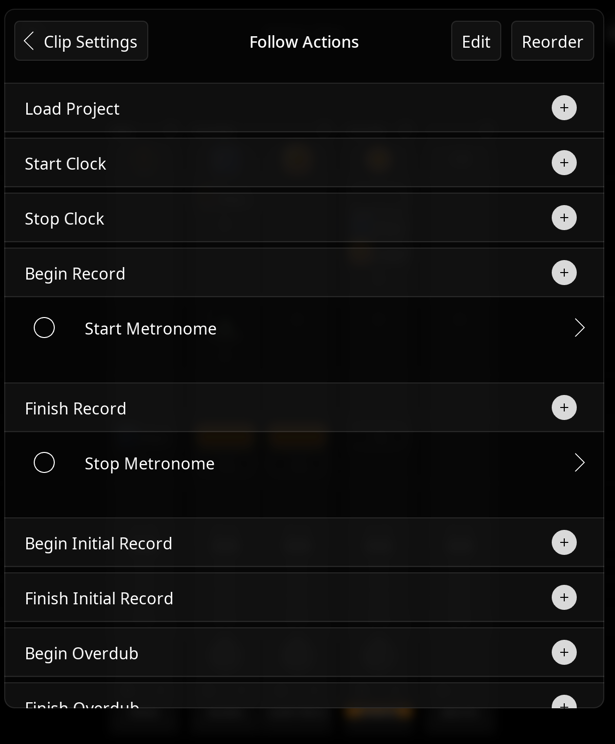
In case you're not sure where to do that:
Settings > Clip Settings > Follow Actions > Begin Record > Toggle MetronomeStartSettings > Clip Settings > Follow Actions > Finish Record > Toggle MetronomeFinishShould look like this when done: