Loopy Pro: Create music, your way.
What is Loopy Pro? — Loopy Pro is a powerful, flexible, and intuitive live looper, sampler, clip launcher and DAW for iPhone and iPad. At its core, it allows you to record and layer sounds in real-time to create complex musical arrangements. But it doesn’t stop there—Loopy Pro offers advanced tools to customize your workflow, build dynamic performance setups, and create a seamless connection between instruments, effects, and external gear.
Use it for live looping, sequencing, arranging, mixing, and much more. Whether you're a live performer, a producer, or just experimenting with sound, Loopy Pro helps you take control of your creative process.
Download on the App StoreLoopy Pro is your all-in-one musical toolkit. Try it for free today.
G'day everyone! I have some questions...

Hello everyone. It's nice to be here. This won't be brief, but I hope it's not exhaustive.
I have been sporadically following Markus K since about 2014 and seeing his artist spotlight led me to dive deeper into Loopy Pro. I'd heard mumblings about Loopy Pro for a couple of years but have always been hesitant about software loopers after playing with Ableton about 8 years ago. I've been playing music outdoors for a few years now and seeing how Markus records his sessions so easily was a lightbulb moment.
A bit of background about me:
I haven't got loopy pro yet, but I've been playing with hardware loopers for about 13 years. I run a combination of drum loops, bass, guitar, vocals, and keys. I haven't tried every looper out there but the main ones I've used are the original Infinity Looper, a Boomerang 3 with a Boss RC3 connected via midi, the Looperlative LP1 with a Nektar Pacer and a few more bits and pieces. For the last 8 years I have been botching these things together so I can run 4 - 6 inputs and it's been a bit of a nightmare when things don't 'talk' to each other. I thought the Boss RC600 would 'solve' everything but the menu diving was not intuitive at all and it felt so clunky.
With this in mind, knowing I can use an interface with Loopy Pro and 'grow' with the looper, it's pretty exciting. If I want a 'full set up' I can load a project or pick a particular midi controller. If I need something portable or a tabletop looper, it's an easy process to switch things around. This has been a really long quest and almost every year I have some kind of issue with my gear, and find myself diving into 'new' gear reviews hoping that there's 'the' looper that will solve my problems.
In 2023 I packed everything up into storage and have been using a travel rig that runs on batteries so I can play outdoors. I've had a vague idea of busking but really I just enjoying playing music in random places, recording it into a Zoom H4n, which I then go through about once a year and put onto bandcamp/youtube.
In about a week I'll be back home in Geelong so I can open up the storage container and suss out what gear I have (audio interface, midi controllers etc). With Loopy Pro in mind, it feels like it's going to be similar to Christmas working out what old gear I can use, cause there's been a lot of odds and ends I've collected. The G.A.S was extreme at one stage.
My questions:
I have an iPad mini 5 here but it's got a lightning bolt connector. In a perfect world, I'd go with a new iPad mini for portability, but I'm considering buying the cheapest second hand iPad (gen 9) I can find to compare screen sizes. How difficult is it going to be to get the current Loopy Pro to work with the lightning bolt connectors and will it lead to a fair comparison? Or would I be better off trying to find a cheap mini 6? Also, any advice on why/why not the mini?
I'm a pedal head but I'm hoping that I can possibly reduce the amount of pedals I use. Can you get effects on the ipad that emulate an analogue delay to get self oscillating feedback? If so, could I map the delay time and feedback to a knob on a midi controller? Would I need a specific controller or does pretty much everything work with Loopy?
I've been looking at midi workstations and the Akai MPK 429 looked like it would have everything I needed if I could remap the pads to be stop/starts and effects for loops, and the sliders for the loop volume. I Just couldn't find much information on the forum about it. Has anyone used one with Loopy pro?
On the forum search front, when I use search, it throws me off the website to duckduckgo search results. Is this how this forum usually works? I've never experienced it on other forums before.
I've played with an 'amp in a box' like a Milkman but never used amp modelers. I have a Yamaha PA stored away, as well as a mixer. If I was to use a PA system and the guitar channel was running through an amp modeller on the iPad... like is that really all I would need? It seems too good to be true if I can get away without seperate amps for each instrument, and in turn I can record the session straight into the iPad.
I think that's it for now. There's a bit there but I guess before I dive in I thought I'd say g'day and reach out.
Cheers!
Comments
Welcome to the forum!
Nice to have the background, man. I can relate, though I'm too much of a hermit to live it out. 😎
You can try Loopy for free for 7 days. Just be sure you have plenty of time in that 7 days because Loopy Pro is so deep that you will most likely need it to really uncover its potential.
Loopy Pro has very few problems, and those that do exist get addressed in time if they're reported. More often than not there's a workaround for any problems or shortcomings in the meantime.
Lightning is no problem, but you have to use the Apple USB-3 Lightning adapter. If you don't have one, don't buy anything else but the official Apple one. Others may appear to work fine but sometimes have issues. If you're going to use more than one USB device you'll need a hub as well.
All those thing hanging off the iPad are problematic for outside use. You'll need to think about that, but it's really one more thing than you'd need with a USB-C iPad.
I don't know about self-oscillating feedback, but there are a ton of delay FX available. I'd be amazed if there's nothing out there that can do what you want. Start a separate thread with that specific question and I bet you'll get more answers than you even want.
You might want to start a separate thread in the Loopy Pro category. In general, questions specific to using Loopy Pro are bet put there. More generic questions always benefit from a descriptive thread title. Trying to drop things in the right category is useful, but nearly as important as the thread title.
Yes, this is normal. The forum runs on the Vanilla Forum platform and its native search sucks. Duck Duck Go works better. tbh though I've been getting decent results with Google too by appending
site:forum.loopypro.comto the search string. Or by asking chatGPT tofind all posts about ... on forum.loopypro.com.Yes! There are more outstanding amp and cabinet simulators on iOS than you can shake a stick at! IMO most of them sucked until a few years ago. Now they're fantastic. I have my favorites but they may not be yours. The good news is you can get lots of recommendations here. The bad news is you can get LOTS of recommendations. Way too many.
g'day! and once again, Welcome!
As far as which iPad is best, it depends a lot on how much FX and synths you might be using. Loopy is great at getting the most mileage out of older hardware because you can easily commit to audio and idle the plugins you don't need, while still being able to go back and tweak things later. I don't know about the Mini 5, but I have an iPad 9th gen and it does me just fine. At first glance it seems like your needs would be ok on the 9th gen. But I really can't say. So many people here would go nuts trying to squeeze what they do into anything less than the latest M series Pros.
My friend @wim has you covered already it seems, but I wanted to extend a warm welcome to the forum mate. ☺️
Welcome aboard @SlothRider!
Welcome @SlothRider
Cheers!
hey man, i've got a boomerang 3 boxed up somewhere with my amp and pedals and bits. love that thing!
you're in luck with analog-modelled delays these days but like @wim says, i can't divine which fx will fit you best. but regardless of your taste and how your brain works, do look for reliable developers who squish bugs and look after their apps.
fwiw, i think the moogerfooger's pretty rad
https://apps.apple.com/pt/app/mf-104s-analog-delay/id6450062211
there are tape echoes that can self-oscillate too, like yonac's space echo
https://apps.apple.com/pt/app/zodiak-echo-delay-reverb/id6753019378
fabfilter's timeless 3 is crazy deep and can do it all if you know how to ask, but it might be too deep for what you're after (but maybe it isn't? - a guy called dan worrall showcases the fabfilter stuff on youtube, if you go exploring)
https://apps.apple.com/pt/app/fabfilter-timeless-3/id1569170071
as far as hooking things up goes, your midi hardware will talk with loopy, then loopy will talk with any plugins that it's running (most everything's an auv3 audio unit plugin these days). i think there's a long list of tried and tested midi controllers out there somewhere.
best of luck to you
Yonac Zodiac Delay is the bomb. I try not to use it on everything, but my guitar always hounds me to death until I finally give in.
Hey @wim nice to meet you. That's incredibly helpful!, thank you!
I intend to dive into the world of Loopy Pro once I've got some time off. It looks insanely deep so I'm giving myself 3-6 months to learn how it works, what kind of midi controller and ipad suits me, and how to get it running with what I've already got before I 'take it on the road'.
Appreciate the advice with the official adapter, good to know it's not going to be too difficult to get the mini 5 up and running as that was my main concern. I'm only planning on using the mini 5 during the 'testing' phase to see what screen size suits me best, so I wouldn't be using it outdoors. As much as the new iPads are expensive, when I look at how much I've spent in the past on hardware loopers and guitar pedals, and how important the looper is to everything actually working, I can justify buying a new iPad if will do what I'm hoping. One big expense at some point in the next year or so is going to save me in the long term, plus I might be able to get rid of some stuff I've got to help fund it.
I'll start some threads soon in the relevant categories. Thanks for the tips! I'll also try those search tips when I'm looking for information on duck duck go. I don't want to make new threads if I don't need to as I know how frustrating it can be when the same questions keep getting posted.
As for the amp sims... I can see that this could lead to a new form of G.A.S. Once I'm set up and have the basics down, we shall see where that quest leads haha!
Hello also to @jwmmakerofmusic @Edward_Alexander @Poppadocrock
This looks like a really friendly corner of the internet. It's nice to meet you all!
Oh @colonel_mustard your post has just popped up. My internet is a bit funky I think (hotspotted phone!).
I'm very happy to hear there's some analogue delays out there! Having a quick look now and I can see this is going to be a lot of fun. I've got a moog effect pedal somewhere packed away but it always had this high pitched whine cause of the power plug it used. Something like that would solve it.
The thing that has always put me off the software effects was that it was knobs on a screen, and I like how pedals are tactile, but if I'm understanding this right that is no barrier at all because the auv3's can be controlled through Loopy pro. I was a bit confused about how that worked but as I'm working through the spotlight series (when they load!) I'm getting a better idea of how they just kind of sit in the background, you don't actually need to swipe from one app to the other. I'll have to suss out a few videos to see how to set things up, but thank you for the advice and the links to the effects!
Awesome! Yeah, out of all the online music forums, LPF is the nicest and safest. ❤️
I bought a second hand korg plugkey
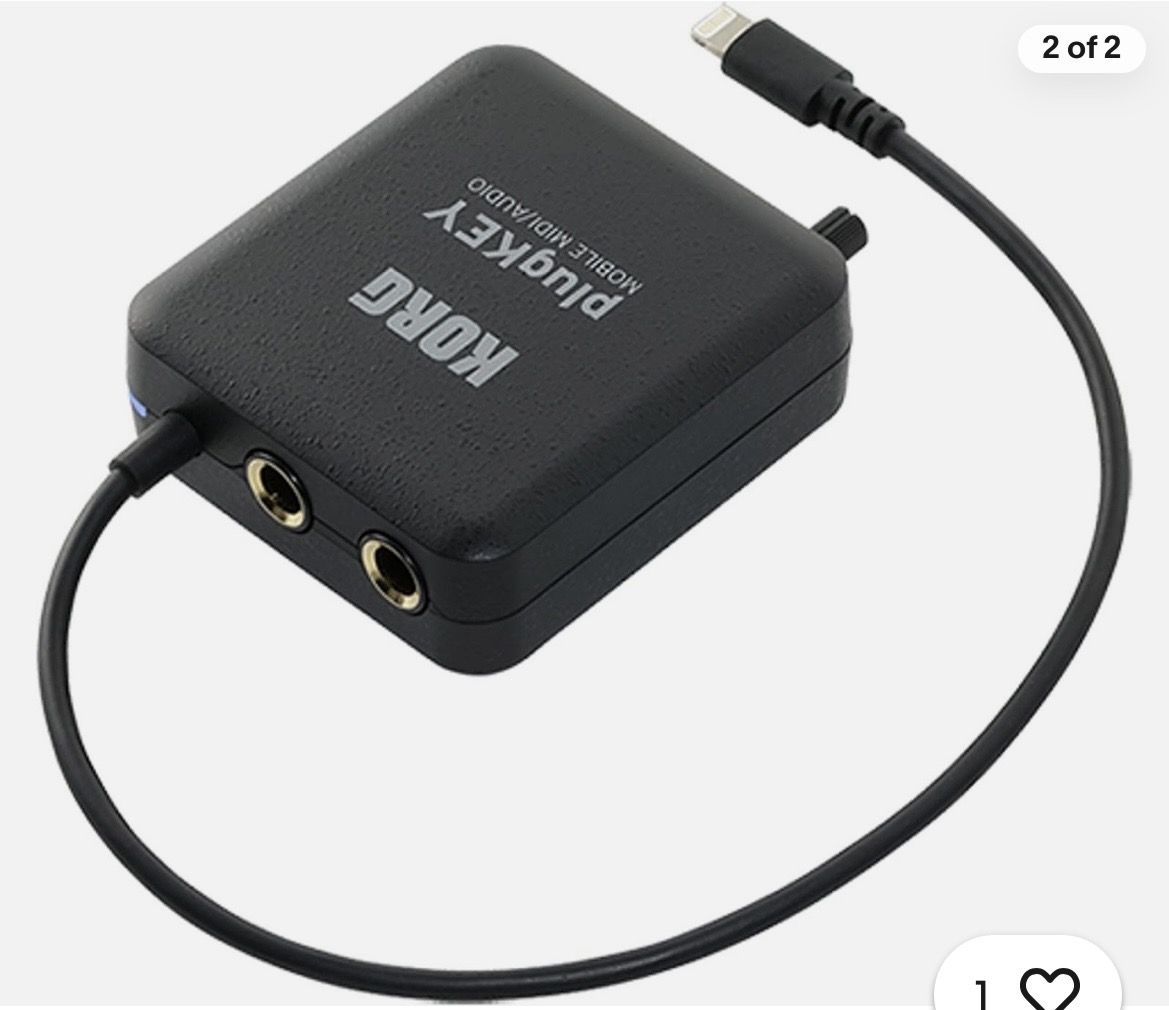
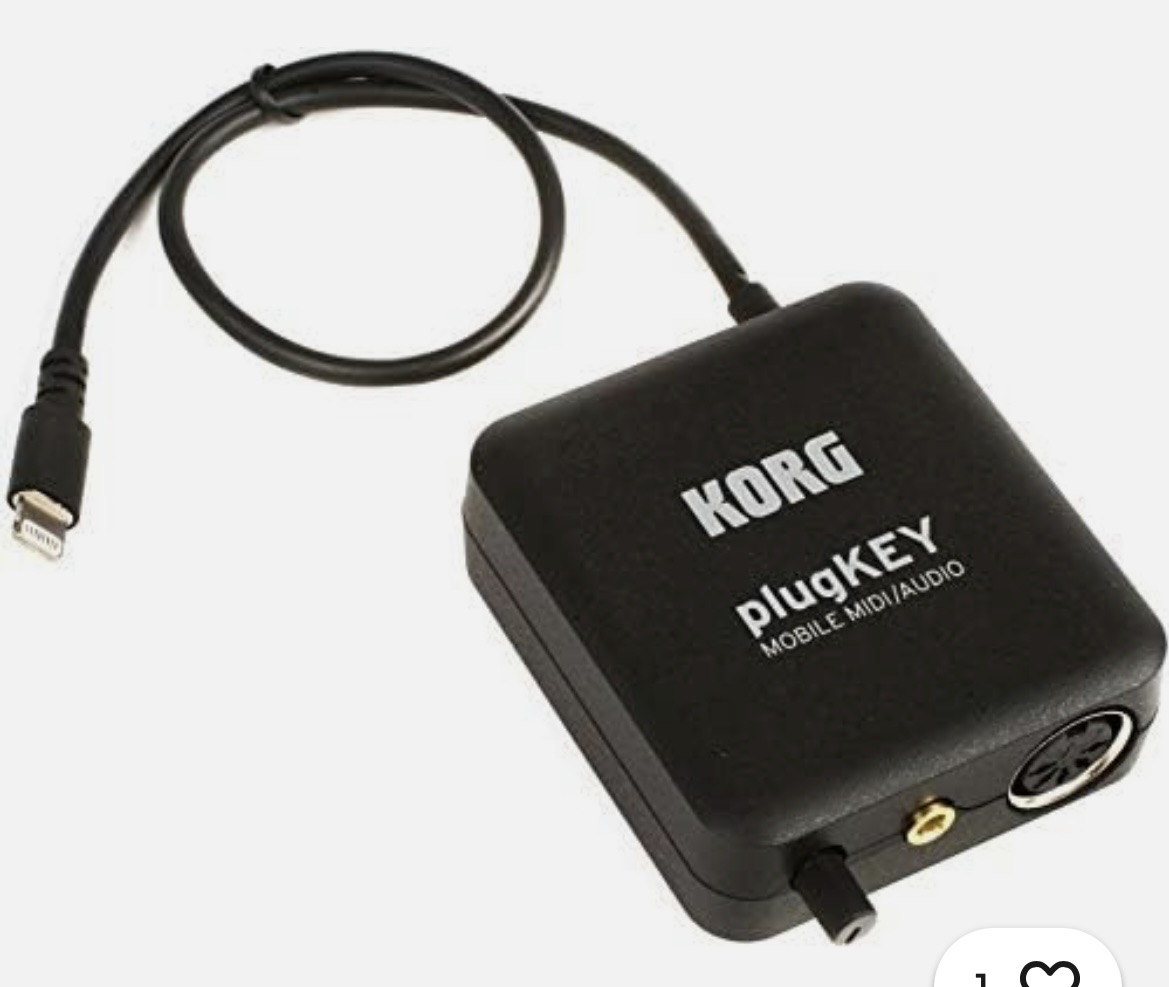
Very handy for a device with lightning connector.
You can also control FX using hardware midi controllers for that more tactile feel. Check out the MIDI Fighter Twister for something small but very flexible and that provides some (limited) visual feedback of what's going on what the knobs are controlling.
+1
visual feedback, endless encoders and decent build quality make a difference. faderfox controllers are also good (e.g. the ec4) but artisanal, small-batch midi controllers can get pricey! behringer announced a bcr32 controller, which is set to be the utilitarian option here, but that appears to be stuck in production purgatory. maybe check the gumtree and see what your local second-hand market's like?
i totally get the need for tactility.
you don't need physical knobs to start planning them, though - figure out your sweet sixteen as you wrap your head around loopy and build your rig.
@SlothRider : you will find some links to performance and tutorial videos on the Loopy Pro wiki. Performance videos are a great way to see the large variety of ways that people use it…and there are many more to be found on YouTube and Instagram
https://wiki.loopypro.com/Main_Page#Videos_and_Tutorials
Anyone got any experience with this ones?
Those look like they might be pots rather than encoders. That can be good, or bad, depending on your point of view and the host you use.
Discussing controllers in-depth is probably best taken to another thread.
haven't seen it before, but beware fixed knobs.
value jumps are annoying.
"pickup mode" works for some people (i.e. twist a knob until it "picks up" its parameter) but i find that annoying too.
endless encoders with visual feedback can save a lot of frustration.
You’re right. Sorry