Loopy Pro: Create music, your way.
What is Loopy Pro? — Loopy Pro is a powerful, flexible, and intuitive live looper, sampler, clip launcher and DAW for iPhone and iPad. At its core, it allows you to record and layer sounds in real-time to create complex musical arrangements. But it doesn’t stop there—Loopy Pro offers advanced tools to customize your workflow, build dynamic performance setups, and create a seamless connection between instruments, effects, and external gear.
Use it for live looping, sequencing, arranging, mixing, and much more. Whether you're a live performer, a producer, or just experimenting with sound, Loopy Pro helps you take control of your creative process.
Download on the App StoreLoopy Pro is your all-in-one musical toolkit. Try it for free today.
Thumbjam midi output in pitch bending or glide mode records wonky

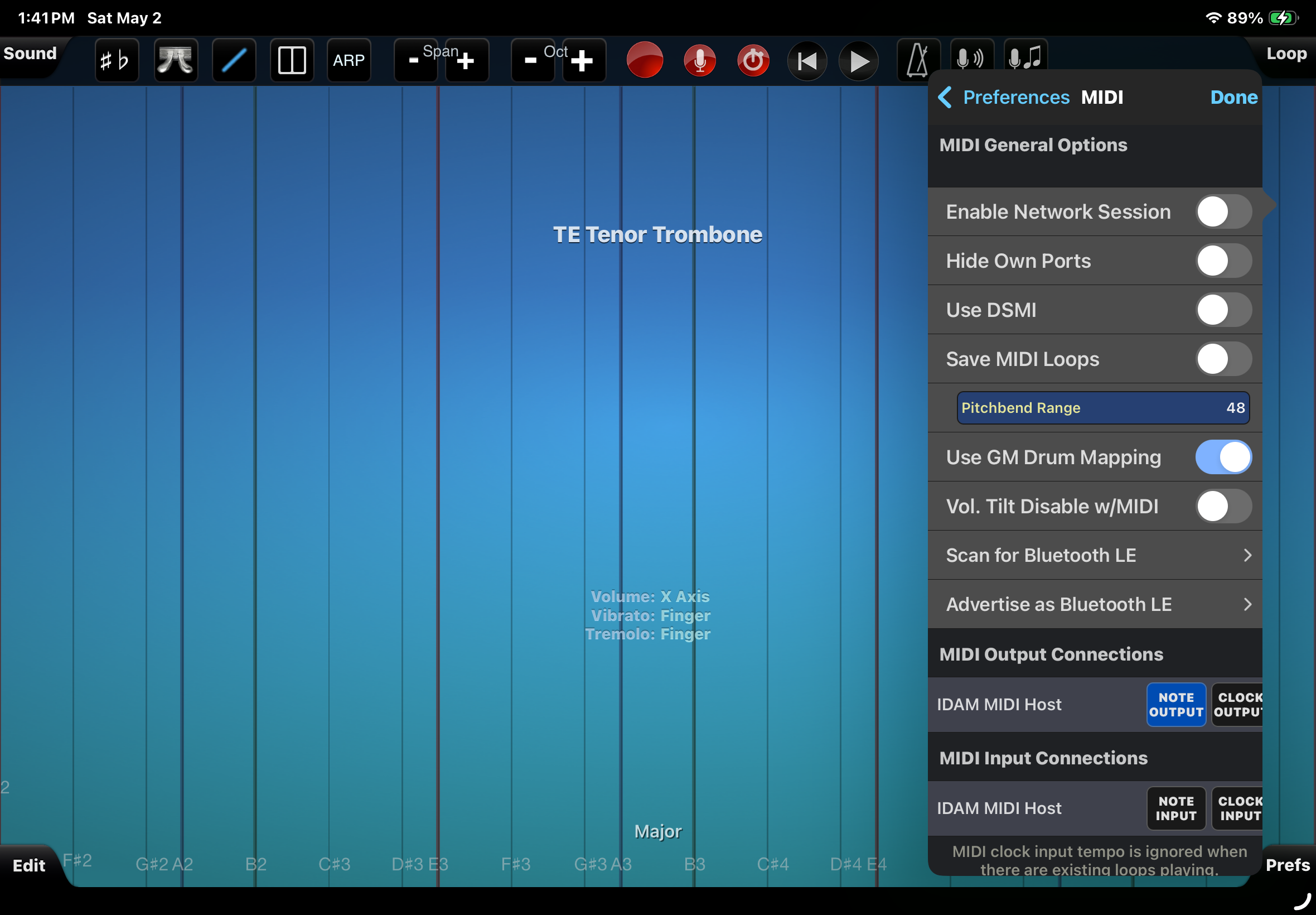
Hi there, I'm trying to record Thumbjam from the iPad into Logic Pro on a Mac using Idam usb midi (updated screenshots to show this). When I record instruments using either the note bending (glide and continuum) the midi seems to not accurately record the pitch changes in either mode.
In my video above, the first audio you hear is the live audio of Thumbjam in Continuum mode as it is supposed to sound, and I also recorded the Midi at the same time.
The second audio you hear is a playback of that midi track triggering Thumbjam (and recorded back into Mac Logic). You can hear how odd and warbly it is compared to the original live audio.
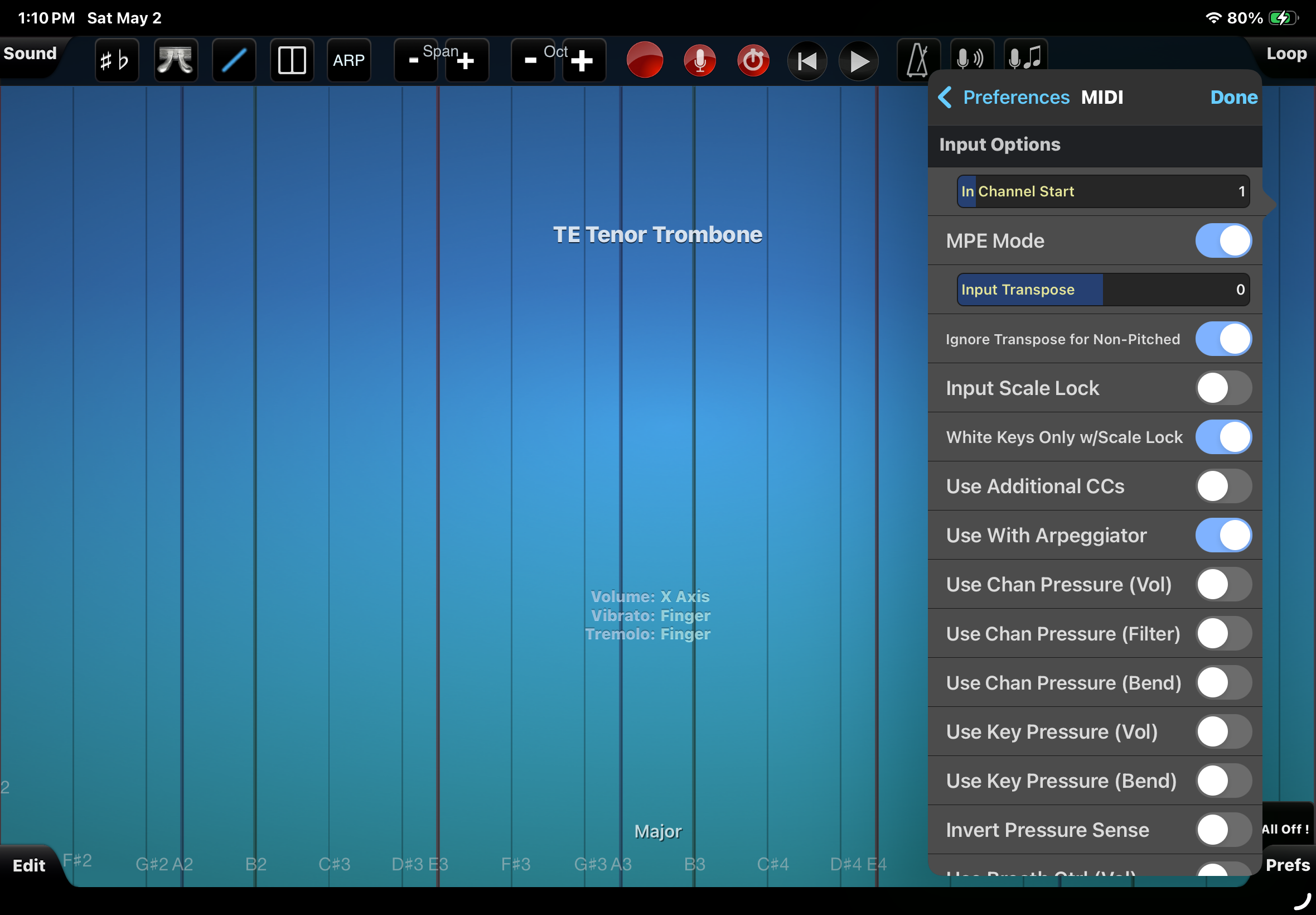
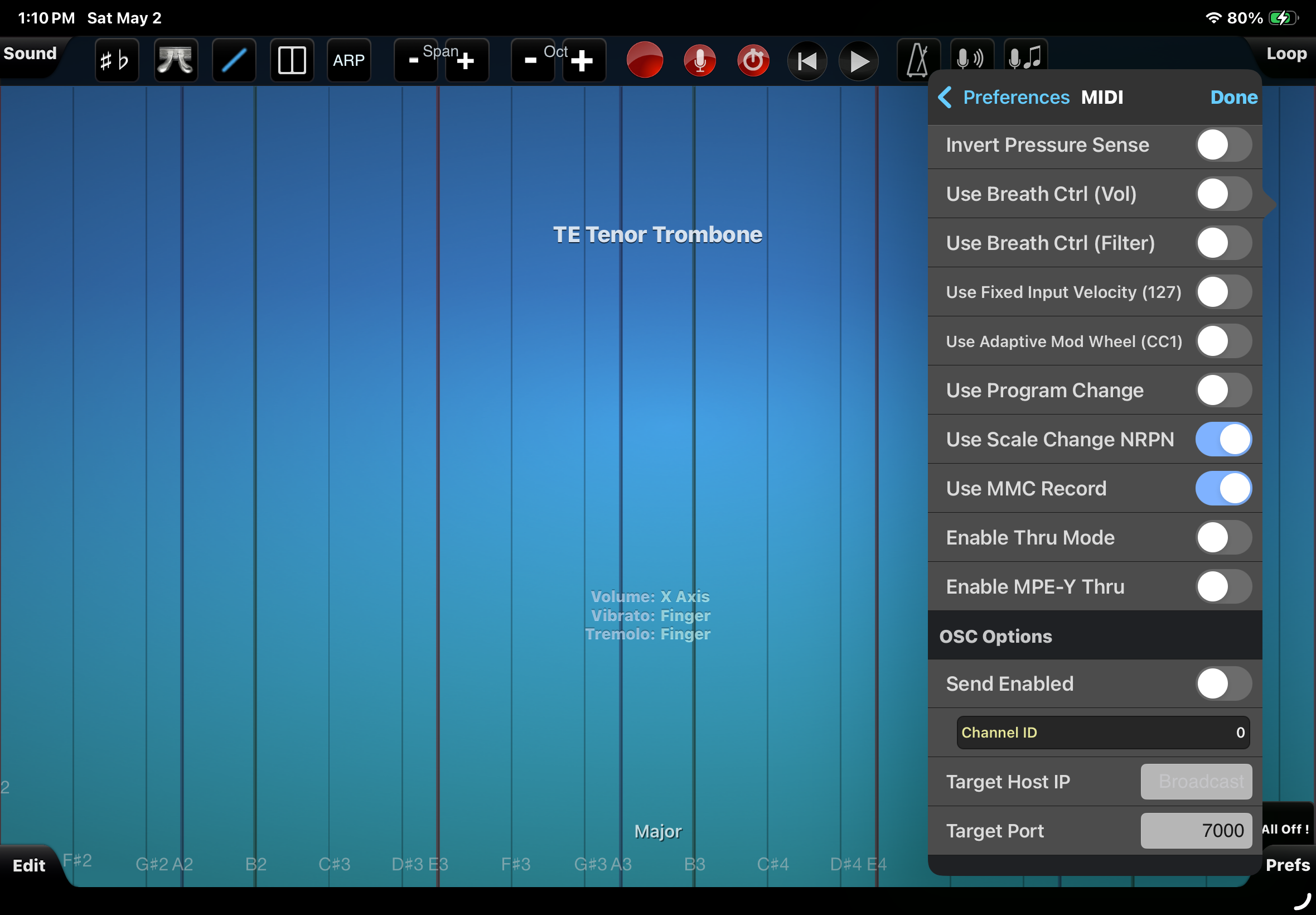
The third audio is a playback of another midi track triggering Thumbjam, but this time the original midi was recorded with KB-1 controlling Thumbjam in AUM and that Midi records correctly. You can see in the midi regions the one recorded from KB-1/Thumbjam shows a wider range of pitch information. So it is probably something with Thumbjam's Midi or MPE settings perhaps?
The fourth audio was made from a Midi output of Thumbjam again in AUM but no KB-1 this time, and it again has that warbly sound.
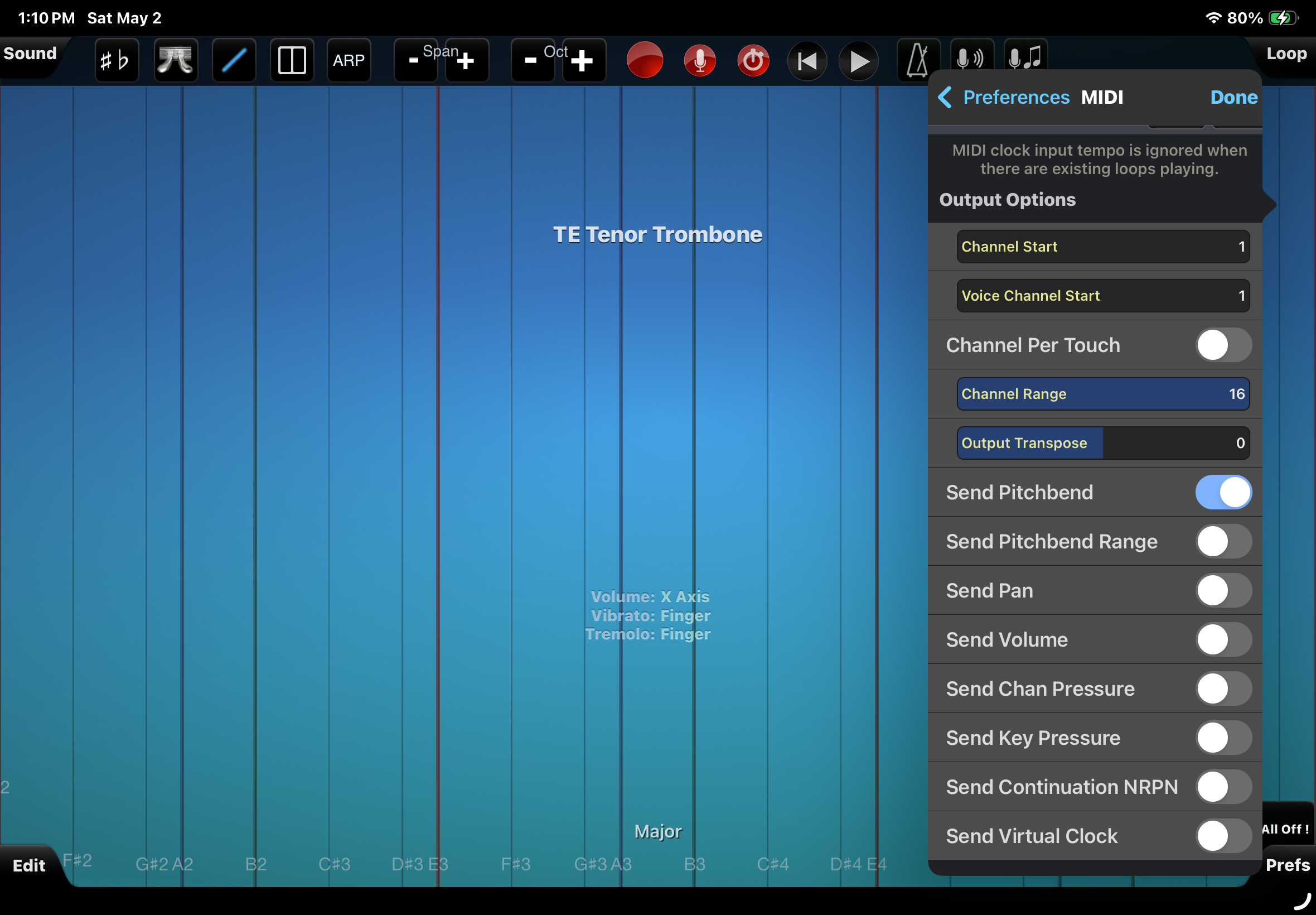
I did also record a take after the video where I turned on all of Thumbjam's Midi Output options such as Send Pitchbend Range, etc. and for that one the Midi visually does look like it records a wider range of pitch information like the KB-1 controlled midi, but the audio it triggered back from Thumbjam still had that wobbly sound.
When I record the midi in Mac Logic I turn off the Logic external instrument in case that causes any extra layers of midi causing problems. I only turn on external instrument when trying to play back the Mac Logic midi to trigger Thumbjam.
I didn’t record a video but also in Thumbjam's other note bending mode Glide, the midi records as one note but then the pitch changes are not recorded accurately either (off key sour notes). It’s probably related the same settings that are affecting the other mode too.
If anyone has ideas (and could just be a simple setting change I just haven't figure out yet) appreciate the help, thank you.
Comments
Do not use network session to connect your mac. Use a midi bluetooth connection. Advertise on the ipad and connect on the mac.
There might have been some loopback of the midi data on the network session, garbeling it up even more.
(Only connect the input. For output create another session)
Bluetooth midi is much more time stable then wifi midi...(jitter)
Thank you. I will try Bluetooth this afternoon, however it was usb wired Idam midi not Wi-Fi network session. Sorry my screenshot was made after disconnecting that was confusing of me I’ll clarify my post if I can. Still potential problems with that in general? With usb I still will try turning off midi output or input in thumbjam if that is possible.
Hi I now tried recording the midi with only Idam midi out turned on and again with only Bluetooth midi out. Then when I played back turned on the opposite input settings and it had the same result unfortunately.
Idam should be even better for precission. But what is happening in your daw does it send the recorded midi out in realtime? Maybe to a hardware synth? It sounds like the input is mixed with the output. Maybe while recording do not send midi out. Only send midi out while playing back.
Thank you I’ve been playing around with that Because yes when it is definitely accidentally sending it out multiple tracks if I forget to turn off external instrument when recording or various other muting during recording or playback things do get weird in a similar way. Most of my tests and the midi recordings were done with either no external instrument assigned in logic or it turned off completely, and in my last test in thumbjam also I am turning off outputs and inputs as needed. I am going to continue looking for something I am overlooking. The one test with kb-1 controlling thumbjam in aum just worked right away (and looked different in the midi region), however I usually prefer the results playing thumbjam on it’s own.
Just leaving an update, turning on "Channel Per Touch" in Midi Output while in Continuum mode did get rid of that warbly sound, but I still couldn't find a setting so far in either Continuum or Glide mode where the pitches and perhaps other controls match exactly what was originally played when played back and triggering the same instrument in Thumbjam.