Loopy Pro: Create music, your way.
What is Loopy Pro? — Loopy Pro is a powerful, flexible, and intuitive live looper, sampler, clip launcher and DAW for iPhone and iPad. At its core, it allows you to record and layer sounds in real-time to create complex musical arrangements. But it doesn’t stop there—Loopy Pro offers advanced tools to customize your workflow, build dynamic performance setups, and create a seamless connection between instruments, effects, and external gear.
Use it for live looping, sequencing, arranging, mixing, and much more. Whether you're a live performer, a producer, or just experimenting with sound, Loopy Pro helps you take control of your creative process.
Download on the App StoreLoopy Pro is your all-in-one musical toolkit. Try it for free today.
Midi Guitar 2 basic patch change set up

Hi, Im an absolute newbee and struggling with what is likely a simple configuration.
Im wanting to have 6 or 8 buttons in LP to trigger specific patches that I've set up in MG2. Ive watched a number of tutorials but none that specifically target multiple patch setups for MG2. I think the part that throws me off is around specifying the patch, Im not seeing a parameter that would address that. Im hoping someone would be willing to give me a step by step list so i can be ready for my gig tomorrow night! The patch selection within MG2 is a long list of patches and even though Ive numbered them, its not gig friendly. Thanks so much in advance!
Comments
Selecting presets is done with one of these actions:
Are you using MG as an AU or as an app?
Can you post screenshots of your mixer’s setup?
Are you trying to change MG presets or presets of the AUv3 that MG is sending midi to?
As far as I know the MG AU doesn’t expose its presets to the host. You need to add them to Loopy Pro.
Wiki pages that may be of interest:
https://wiki.loopypro.com/MIDI_Guitar_2
https://wiki.loopypro.com/AUv3_Presets
Hi,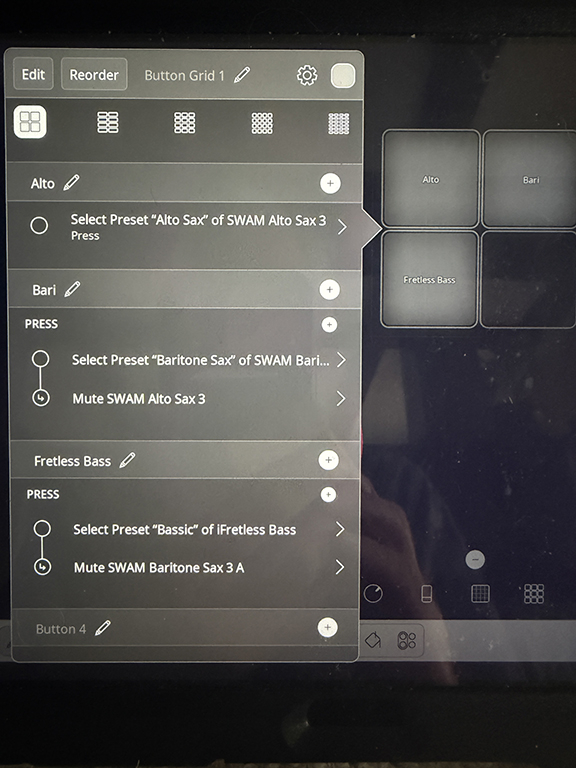
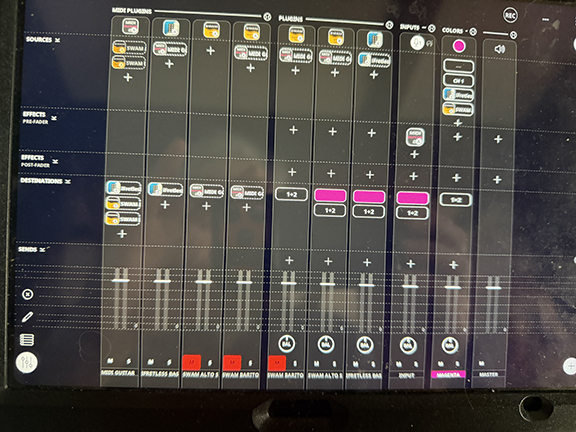
Thanks so much for your help. Im hoping to use buttons to select presets that Ive created in MG2.
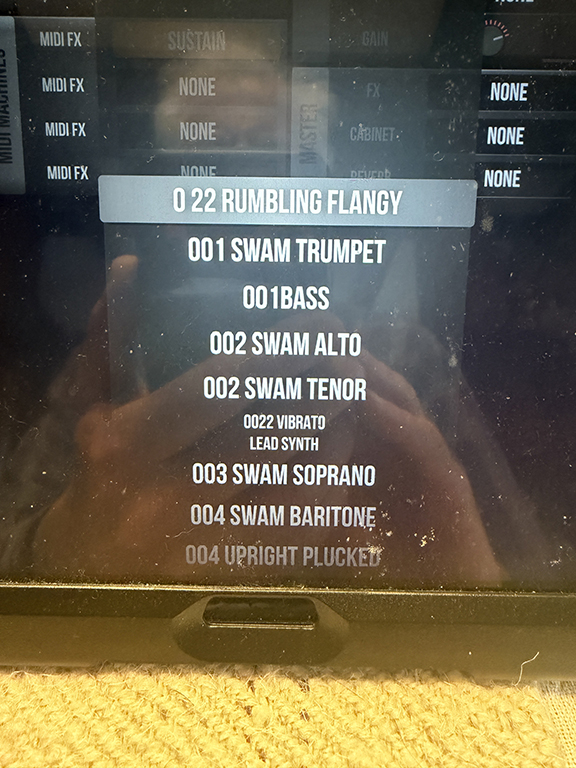
See attached MG2 preset list.
When I you say I need to add them to Loopy, I assume that means opening the MG2 from within loopy and finding them there, but only factory presets are visible. Of course Im not following the instructions correctly. Im assuming that additionally my mixer set is is flawed as well.
Again thank you for your help.
Im my actions I didnt finsih adding mutes for the other instruments yet, I realized that I may be making things worse..!
@Danlederer1 : did you read
https://wiki.loopypro.com/AUv3_Presets
It explains about adding AUv3 presets to loopy when an AUv3 does not expose them to the host. You choose a preset from the AU’s internal preset menu and add it to Loopy’s preset menu: the folder dropdown.
——
Is that MG preset list in your picture, in the MG standalone app or in the AUv3?
MG standalone presets might not be available to the AU. The standalone can load AUv3 but the AUv3 cannot (on iOS auv3 can’t load other auv3); the standalone’s presets may not apply to the the MG AUv3 since the AUv3 cannot host other AU. If you don’t see the presets in the MG AU itself, they aren’t available to Loopy either.
——
It would be helpful to post screenshots taken on the iPad itself.
Alas, yes the screenshot I showed you of the MG2 presets are from the standalone. Looks like I’m out of luck as far as having access to those in Loopy.
To be clear, it is an MG standalone vs MG AU issue and not a loopy issue.