Loopy Pro: Create music, your way.
What is Loopy Pro? — Loopy Pro is a powerful, flexible, and intuitive live looper, sampler, clip launcher and DAW for iPhone and iPad. At its core, it allows you to record and layer sounds in real-time to create complex musical arrangements. But it doesn’t stop there—Loopy Pro offers advanced tools to customize your workflow, build dynamic performance setups, and create a seamless connection between instruments, effects, and external gear.
Use it for live looping, sequencing, arranging, mixing, and much more. Whether you're a live performer, a producer, or just experimenting with sound, Loopy Pro helps you take control of your creative process.
Download on the App StoreLoopy Pro is your all-in-one musical toolkit. Try it for free today.
LinkEffekt — Stream any track to Ableton Live via Link Audio

Hey everyone!
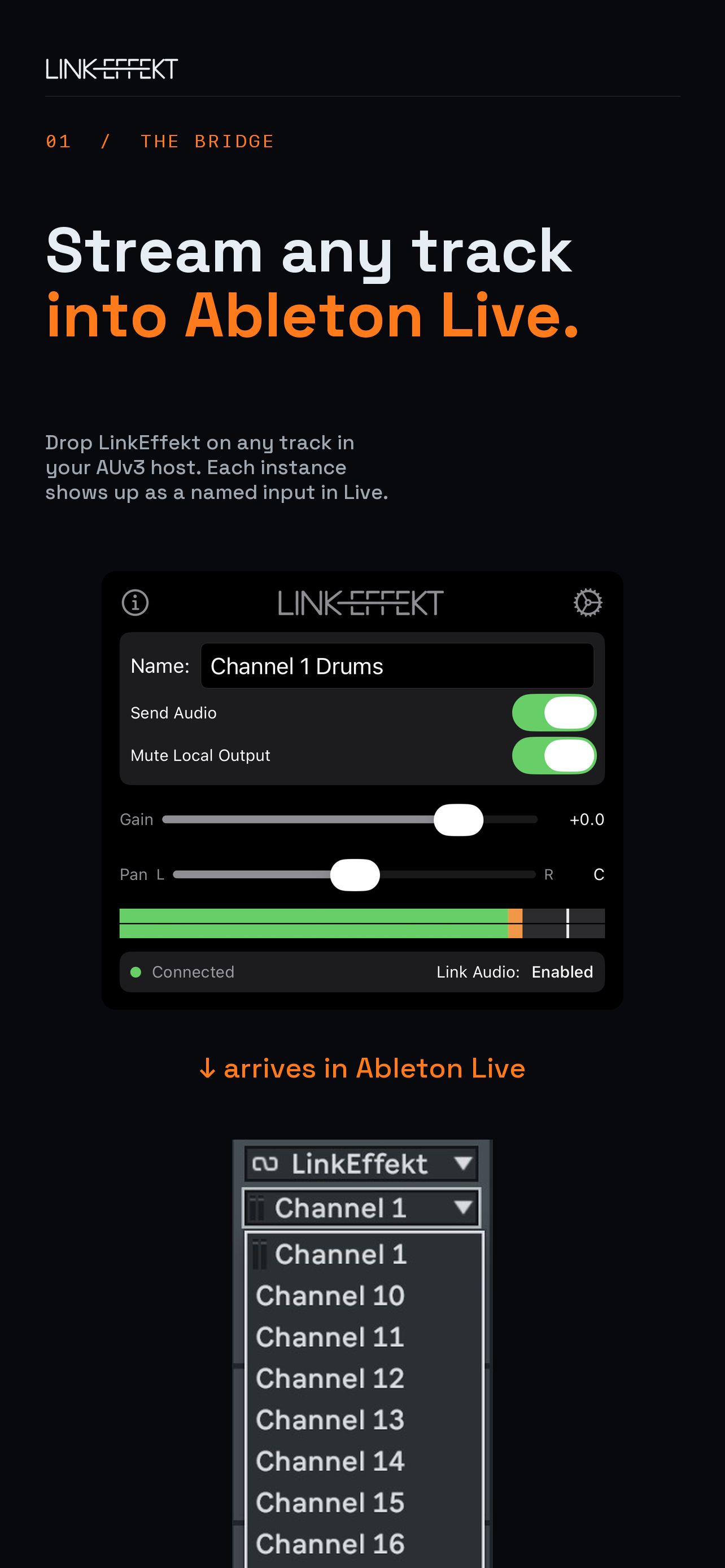
I've just released an AUv3 effect plugin called LinkEffekt that streams audio from any track directly into Ableton Live using Link Audio.
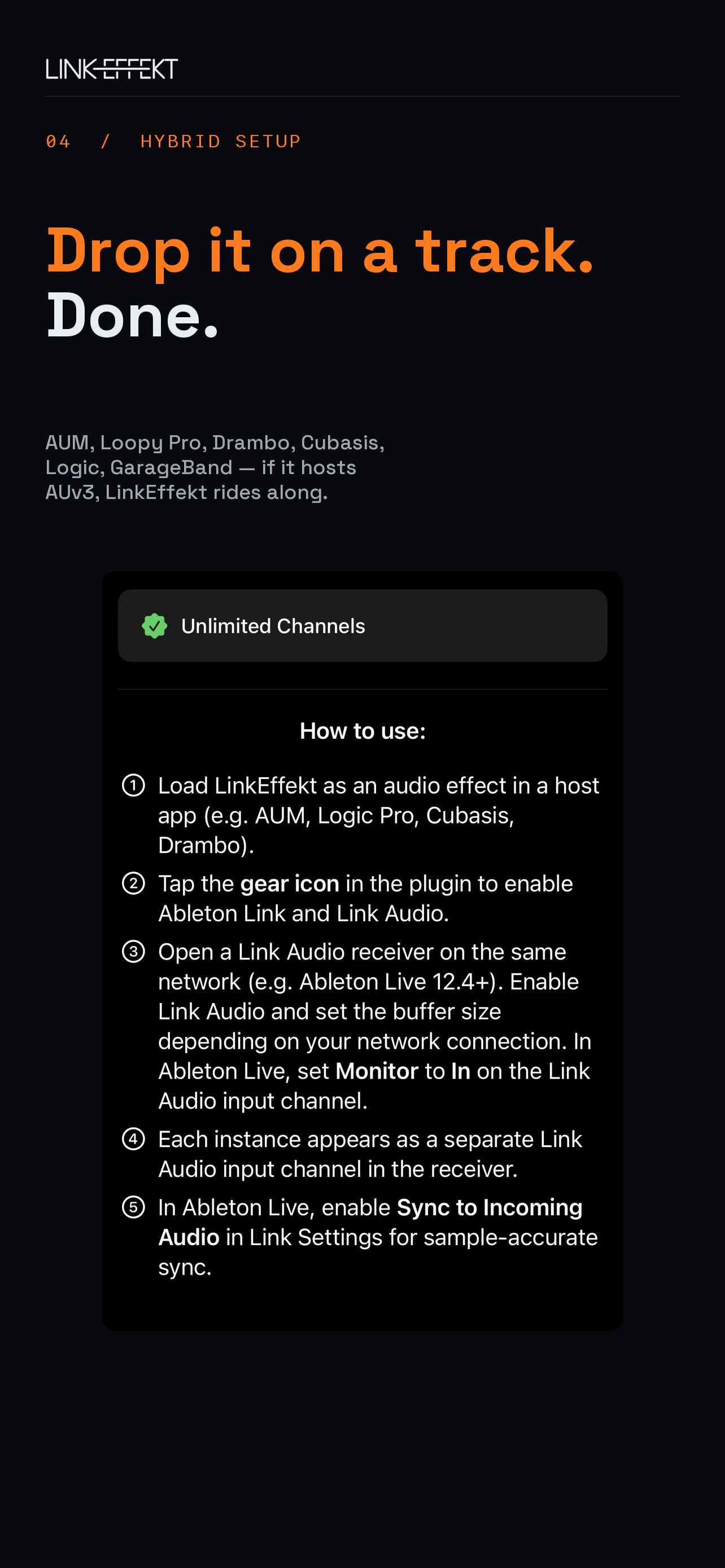
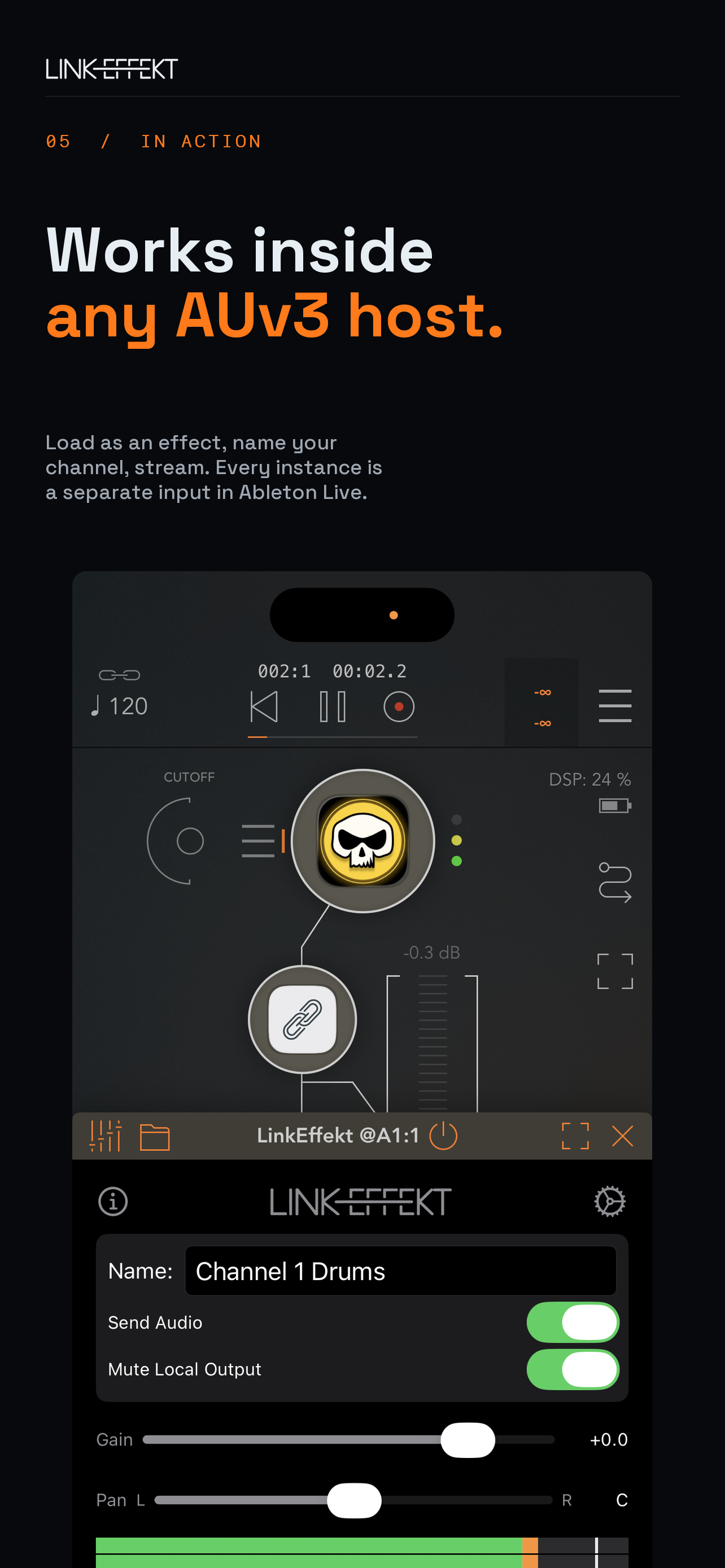
How it works: Drop it as an insert effect on any track in Loopy Pro, AUM, Drambo, Cubasis, Logic Pro for iPad — whatever hosts AUv3 effects — and it appears as an input channel in Live 12.4+. Each instance gets its own channel, so you can capture multiple tracks independently.
The key thing: Since it's an AUv3 effect, it works in any host without that host needing to support Link Audio natively. You don't have to wait for your favorite app to add Link Audio integration — just load LinkEffekt on a track and you're streaming.
Features:
- Stereo audio streaming from any AUv3 host to Ableton Live
- Multiple independent channels — one per plugin instance
- Local output mute on by default to avoid double monitoring
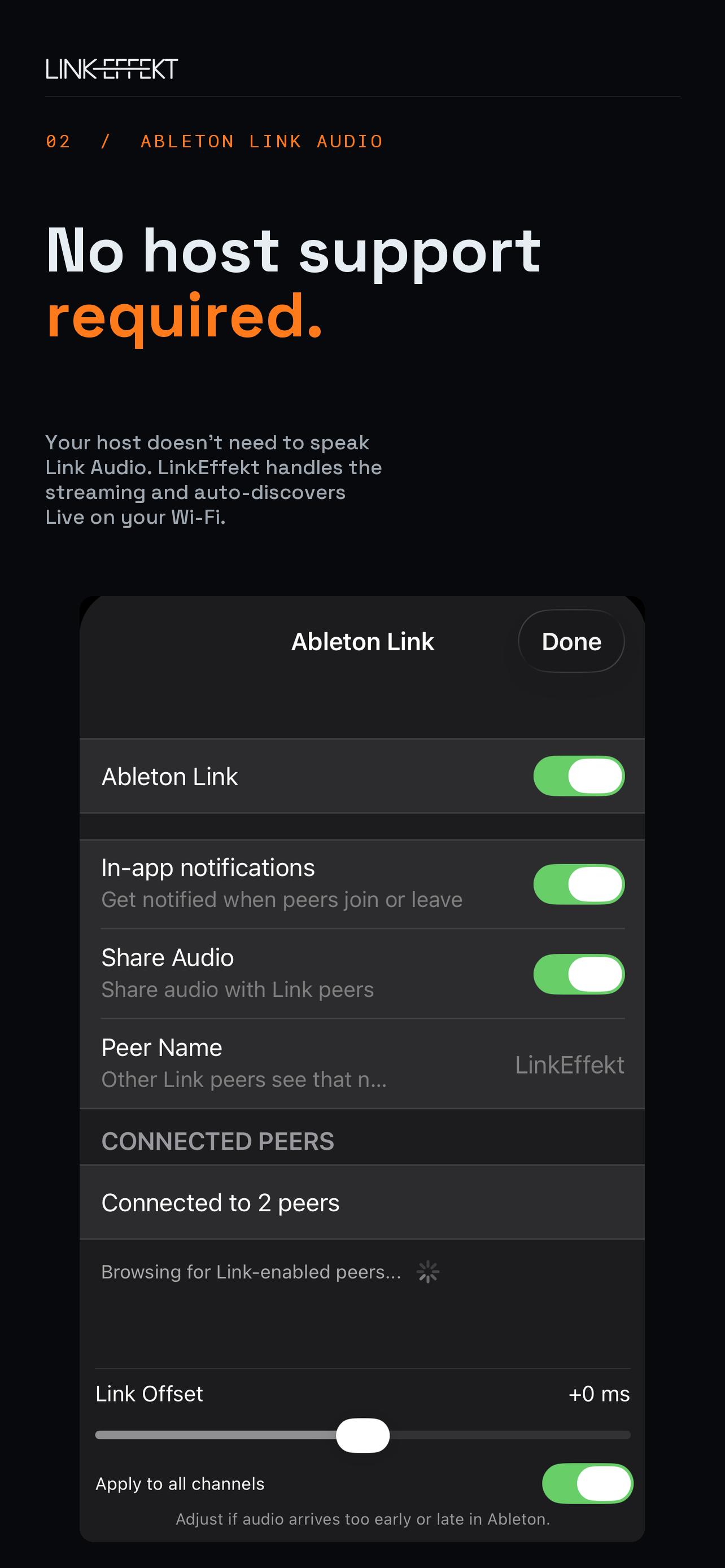
- Link settings, channel naming, and timing offset all built into the plugin UI
Works on iPhone, iPad, and Mac (Catalyst). Requires Ableton Live 12.4+ on the same local network.
First channel is free with no limitations. Unlimited channels available as a one-time in-app purchase.
 |
 |
 |
 |
Comments
Sweet glad someone made it. Hope you get support to keep it going.
Looks really good.
Ok gave it a go and brought the IAP. Works well but as usual the better connection you can get improves what you send through it ie no dropouts. My WiFi isn’t great of an evening but managed to get sound from my iPhone and iPad together using AUM and some chosen apps. Had a few dropouts even at max latency ie 2.0 sec so no good for live use was playing keys in so noticed it.
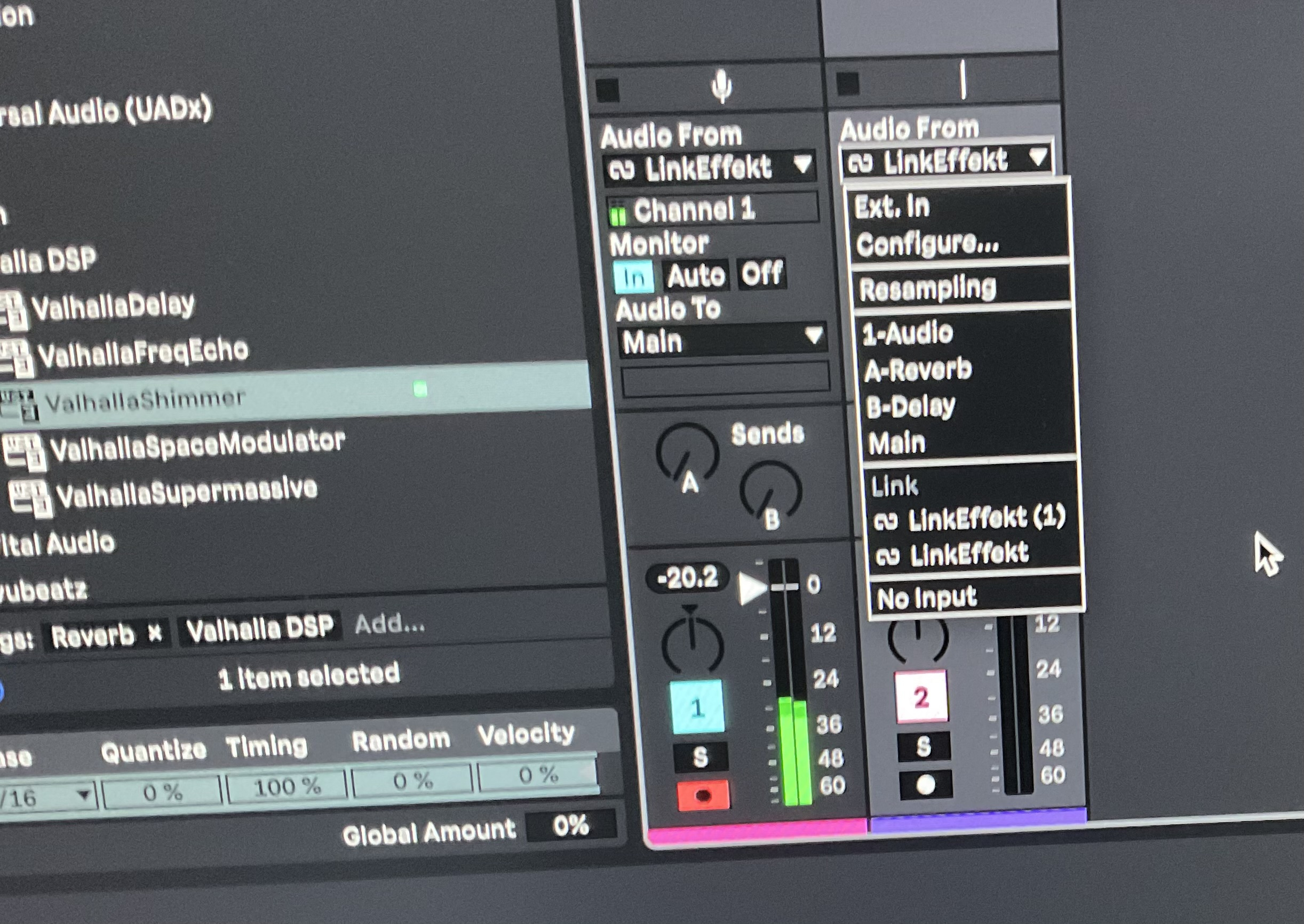
@axens I know everyone’s WiFi connection or USB c is different but what the most tracks you managed to get using this without dropouts ?
Did you try a wired connection? I would not expect WiFi to work terribly well. Link will work using a usb connection between ipad/iPhone and Mac.
I tested 8 channels simultaneously with no dropouts over WiFi at around 100ms latency. That's the max I could test since I'm on Live Lite which caps at 8 input channels. If anyone with the full version of Live pushes it further, I'd love to hear the results!
What would be the benefit of that way, vs a USB IDAM connection?
I struggled with 2 connections one iPhone and one iPad together but my WiFi is not brilliant of an evening. I wonder if getting a dedicated hi speed router would make a difference rather than the house hold one. Edit actually after reading up it’s recommended connecting via Ethernet
Was going to try usb c but Apple wants me to upgrade to Tahoe to do that !
What are your upload and download speeds?
https://www.google.com/search?q=Internet+speed+test&oq=Internet+speed+test
Isn’t that different to local networks
IDAM is one stereo stream. Link Audio lets you have multiple parallel streams.
Ah, nice - look forward to AUM adopting this!
Also (hopefully) it'll be two-way at some point.
You can now already do it in AUM with this:
https://testflight.apple.com/join/fCSxQfwu
Thanks, yes, just given that a test run!
As far as I know, the main difference for me is that IDAM is unidirectional from iOS to Mac, whereas Link Audio is bidirectional: iOS to Mac and Mac to iOS. This is a big advantage.
Whoops, different app
IDAM is a single stereo stream isn’t it? If so, you can’t send multiple independent audio streams from iOS to Mac. Link Audio lets you have multiple streams so that each instrument can be sent separately.
Currently, my understanding from other threads here is that Link Audio is not yet officially bi-directional on iOS. Per @dendy the iOS SDK does not yet support receiving audio. He has requested permission to use the desktop sdk for an iOS app in order to be bi-directional.
This. And i GOT that permission
That is terrific news!
v1.1 is out! New: gain control, stereo pan, and click-free mute with smooth ramping. Update is live on the App Store.
ha, stereo pan, good idea, didn’t thought about that , 1:0 for you 😆
Heads up for everyone using LinkEffekt with Live: make sure you enable "Sync to Incoming Audio" in Live's Link Settings. That's what keeps everything tight and in sync. Easy to miss but makes all the difference!
Wow, this is amazing, I can't believe how low the latency is sending to my desktop!! Feels awesome to get both hands on an ipad again without a fucking dongle in the way. FUCK YOU APPLE!! WE WIN!!
Thanks for this Axens/Abelton!
Works rock solid. I started out with older IAA apps including TriqTraq and polyphase that can’t be used in iOS daws, only AUM . Sampling these apps outside AUM would require cables. Linkeffekt makes sampling these and other apps a breeze. Really opens up iOS devices to new possibilities. Apps like borderlands and samplr can now be piped directly into Live wirelessly!
I couldn't get it linked through wi-fi but plugging in was immediate and awesome. how do y'all manage the latency settings in Live? like what do you chose in the settings for latency amount?
Make sure to start the standalone app once, to give network permissions. This is required by Apple.
v1.2 is out! Stereo level meter with peak, peak-hold, and clip indicators, redesigned UI, and a network permission hint that guides you through the first-time setup. Update is live on the App Store.