Loopy Pro: Create music, your way.
What is Loopy Pro? — Loopy Pro is a powerful, flexible, and intuitive live looper, sampler, clip launcher and DAW for iPhone and iPad. At its core, it allows you to record and layer sounds in real-time to create complex musical arrangements. But it doesn’t stop there—Loopy Pro offers advanced tools to customize your workflow, build dynamic performance setups, and create a seamless connection between instruments, effects, and external gear.
Use it for live looping, sequencing, arranging, mixing, and much more. Whether you're a live performer, a producer, or just experimenting with sound, Loopy Pro helps you take control of your creative process.
Download on the App StoreLoopy Pro is your all-in-one musical toolkit. Try it for free today.
vs2 no video import from photos app?
is it not possible to import videos from photos app into a layer?
dialog shows only photos...
Comments
Also curious about that. As an aside, I see the price has gone back to normal, that was a short sale!
Ffs was waiting for this and somehow missed it
and also, if the imported video has an audio track, can we not make it audible and use it as ams source?
@sinosoidal
Video are background objects and as such should preferably be a short optimised (gif is ideal) loop not to take too much resource.
Depending on your machine (I'm on an M1) you have to be at least a little bit careful and think about if you want a high end output. A1920*1080 render at top quality going to require some planning.
Now, I'm no expert but this is what I think.
Edit: False claims (removed), my apologies!
You have to export the video to the file system, then load it from there. Pictures can be loaded from Photos, but not videos. I asked about that when the app first came out and was told that's how you need to do it, not why. Didn't follow up on why.
FingerLab (Musyc2, DM10 and so on) has a recent release called Polagone which is pretty cool and are perfect for making short background loops. It's intended for making audio reactive stuff as well but so far I've used it for the former.
yes, i tried it, but didn't get the iap yet.
Me neither, a bit pricey for the genre (not really but...). I have done a few screen-recordings.
Its fun to mess with the free version.
Yeah, I just did this which turned out really well I think and it's going to be a perfect BG in V2. I added a little extra in Glitch Studio to finish it off. Going to crop it 1920, probably in Luma (Scheisse, just realised mic was on, not good)
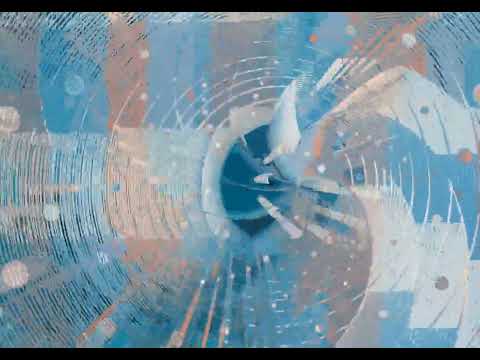
Looks great!
And good idea to produce a loop in Polagone, then import that into VS2.
I've made a few shaders in VS2 I like. If anyone is interested, I can try exporting them and sharing.
Sure why not!, I have a few as well if I can get them out of Arkestra* on the Mac.
I'v just started to learn V2 but there seem to be various places for files whatnot. If they are permanent or project based I don't know yet.
*A pretty cool visualiser for Mac by Isak, who made JamCam.
Is there a limit to the size videos you add into layers should be? I imported some vids, one is around 10 seconds long, one is around 30. They’re both looking very lo-res compared to the original quality. One is 17362 Kb, one is 70899 Kb
Edit: never mind, seems the output was set to ‘performance’ by default, changing it to hi res looks like a big step up
I added my Downloads folder several times as a Bookmark. It appears as a bookmark called Download. But every time I reopen the app, the bookmark is gone. Anyone know what the deal is there?
same with audio files...
does not remember loaded audio file on reopen
@sinosoidal see above, is this a bug?
Or @xglax, I think the handle is.... if the first is occupied elsewhere
It’s really an impressive app and he’s been updating and evolving it steadily. I bought the IAP right off as soon as I realized what it’s capable of
Polagone is brilliant, I agree.