Loopy Pro: Create music, your way.
What is Loopy Pro? — Loopy Pro is a powerful, flexible, and intuitive live looper, sampler, clip launcher and DAW for iPhone and iPad. At its core, it allows you to record and layer sounds in real-time to create complex musical arrangements. But it doesn’t stop there—Loopy Pro offers advanced tools to customize your workflow, build dynamic performance setups, and create a seamless connection between instruments, effects, and external gear.
Use it for live looping, sequencing, arranging, mixing, and much more. Whether you're a live performer, a producer, or just experimenting with sound, Loopy Pro helps you take control of your creative process.
Download on the App StoreLoopy Pro is your all-in-one musical toolkit. Try it for free today.
(Solved) Slightly confused, Widget to enable/disable Bleass Arp

Holler at you!
I’m going to get into this arp! Step 1 is setting up some widgets to trigger it on and off and switch presets, lets get to work a little bit.
These are my ingredients
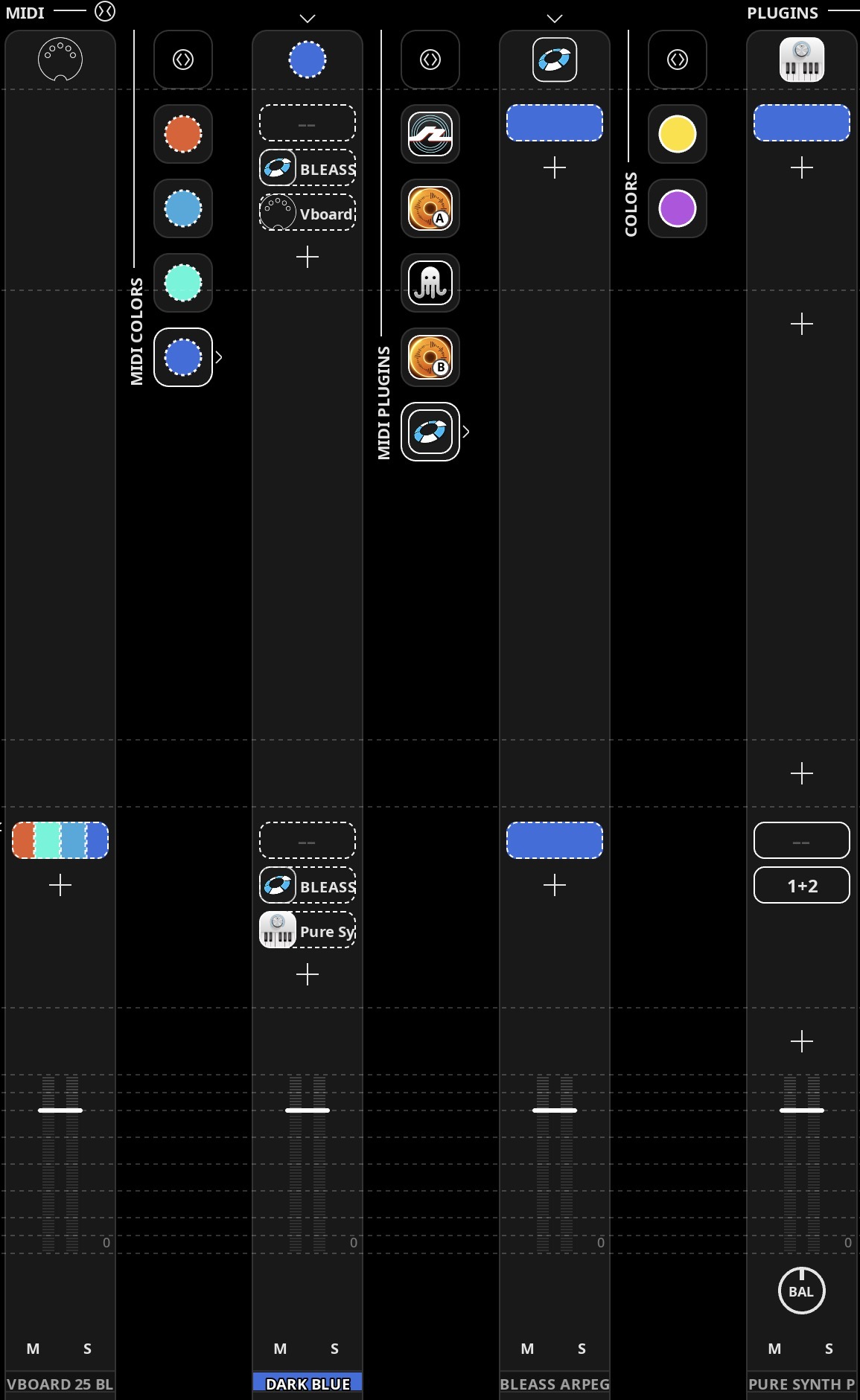
From the Left
Midi keyboard-Color clip-Bleass Arp-Pure Synth
The widget has to somehow Mute playing single notes in Pure synth while Arp is running, and vice versa.
It would be best if I record the arp when it is on, can I somehow turn it off and have MIDI pass on from to Blue-Platinum?
Keyboard-> (x) Bleass (x) ->Blue -> pure synth? What actions do I choose for a widget?
Comments
Now I know what a midi loop sounds like
Halp
Don't send the keyboard to both blue and to Bleass. That's where your loop is happening.
Either send the keyboard > blue > Bleass > PSP, which will record the single notes.
Or, send the keyboard > Bleass > PSP, which will record the arp output rather than the single notes.
I recommend the former.
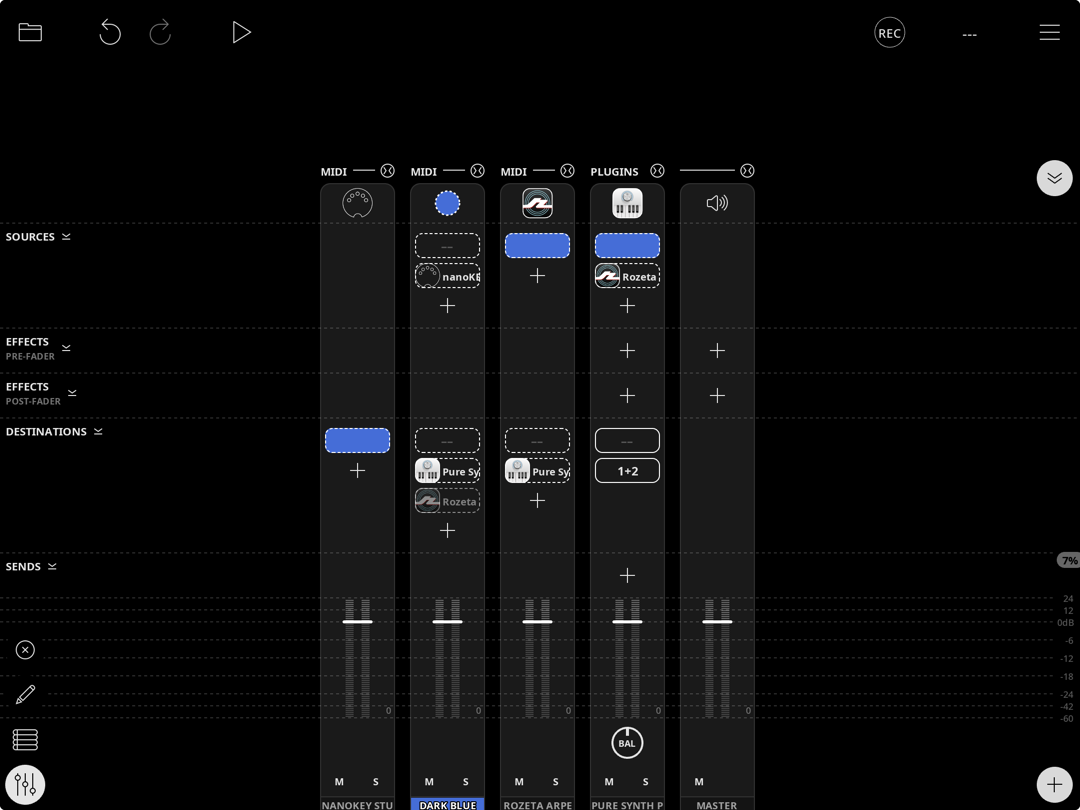
If you want to be able to switch between playing single notes and arp output on PSP then still send the keyboard only to Blue. Send Blue to Bleass and to PSP as before. However, now add Bleass as a source for PSP.
Now, important, use the
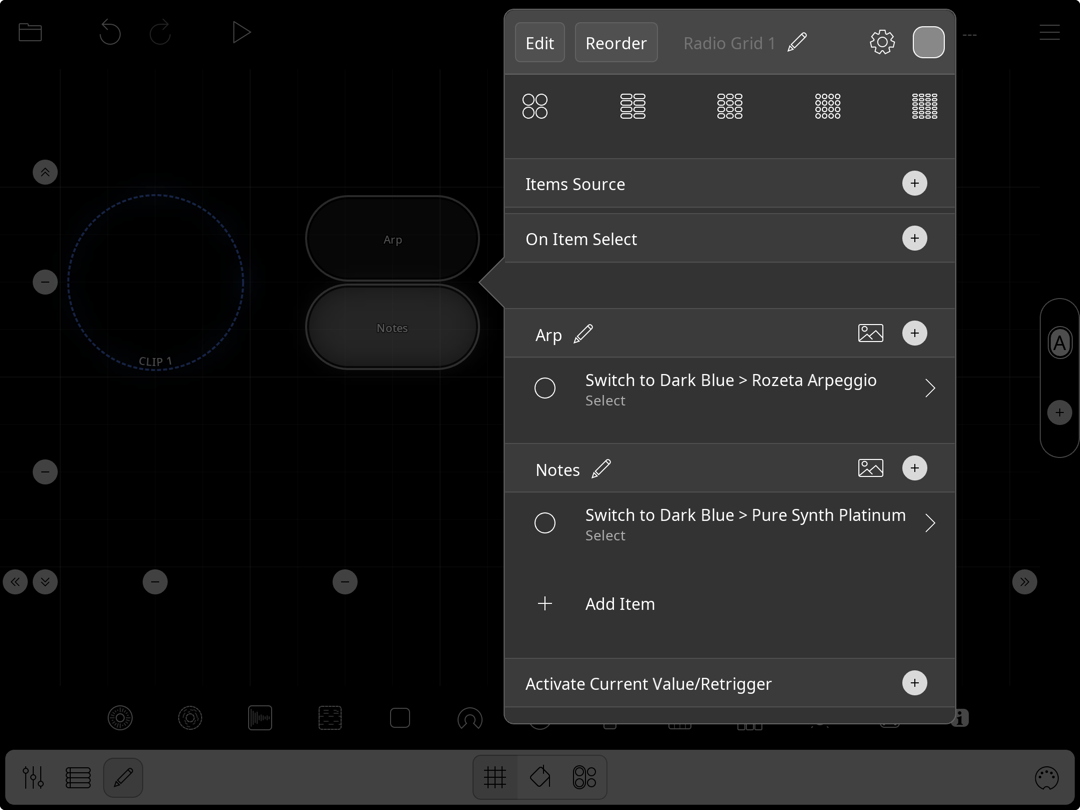
Enable/Disable MIDI DestinationMIDI action with theSwitchoption to change between Blue sending to Rozeta and Blue sending straight to PSP.Mixer will look like this (with Bleass rather than Rozeta):
Example button actions will look like this:
Hi @wim !
I kind of want to try recording the ARP for reliable playback purposes. And I’ll he working on the road so I need to bind a widget to turning the ARP on and off, to switch between triggering or recording normal single notes in PSP, and having the arp record play..
It should be possible but Im jot able to figure it out, I tried alot now! I swear and Fingres crossed!
Same idea, just different enable / disable destinations for the keyboard. With this method you're not "turning off" the arp, you're just turning on and off the routing to it.
Thanx wimbledon!

@wim
@wim
