Loopy Pro: Create music, your way.
What is Loopy Pro? — Loopy Pro is a powerful, flexible, and intuitive live looper, sampler, clip launcher and DAW for iPhone and iPad. At its core, it allows you to record and layer sounds in real-time to create complex musical arrangements. But it doesn’t stop there—Loopy Pro offers advanced tools to customize your workflow, build dynamic performance setups, and create a seamless connection between instruments, effects, and external gear.
Use it for live looping, sequencing, arranging, mixing, and much more. Whether you're a live performer, a producer, or just experimenting with sound, Loopy Pro helps you take control of your creative process.
Download on the App StoreLoopy Pro is your all-in-one musical toolkit. Try it for free today.
"SOLVED" Loopy Pro as TouchOSC replacement — mirroring MIDI Fighter Twister

Hi all,
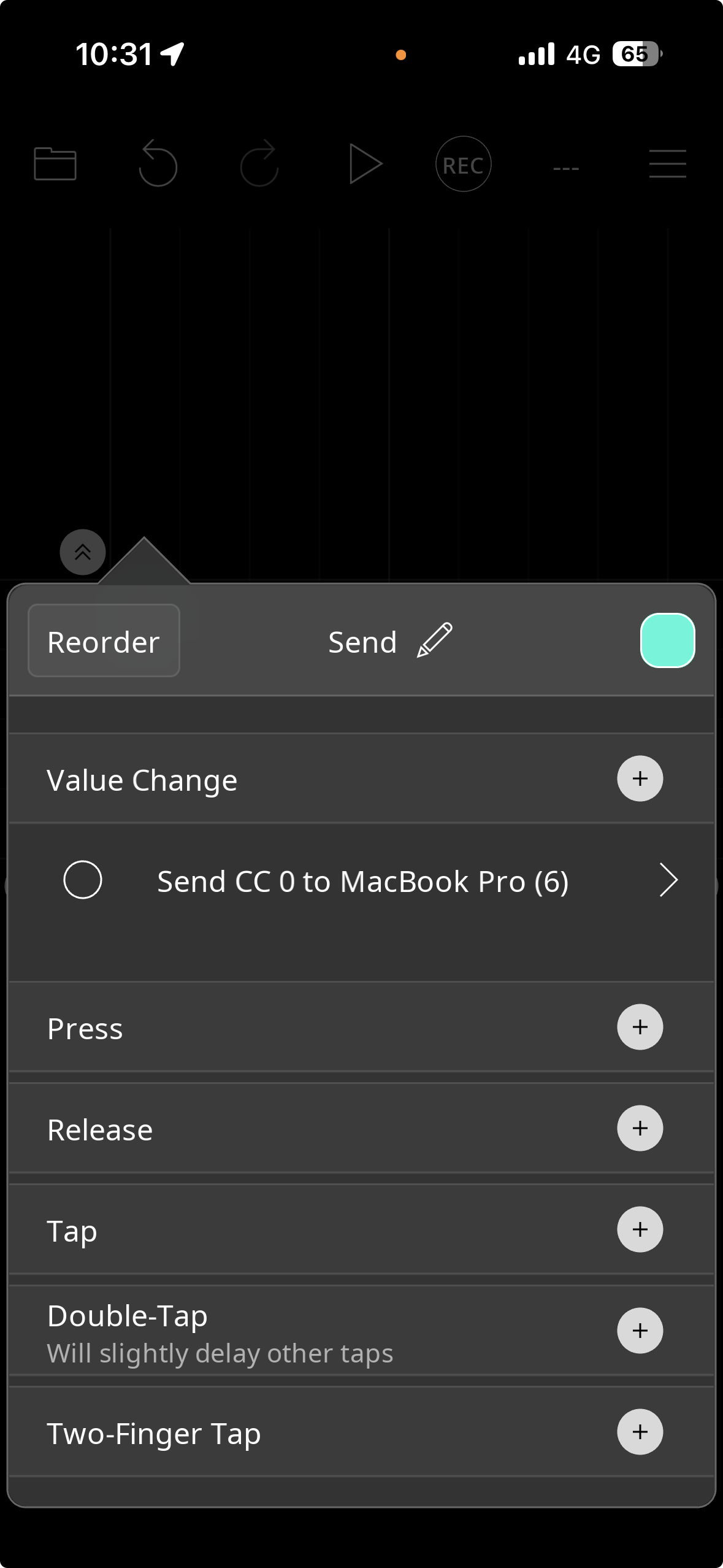
I've successfully set up a Canvas knob in Loopy Pro to send MIDI CC to Ableton Live (Ch 11 CC 0) over Network MIDI — works great.
However I'd like the knob to also visually reflect changes coming from Ableton — for example when moves the same parameter, I want the Loopy Pro knob to update its position accordingly.
In Loopy Pro's binding setup I can only find "Send MIDI" as an option — I don't see any way to add a MIDI input binding that would update the knob's visual value.
My setup:
Loopy Pro on iPhone connected to MacBook Pro via Network MIDI
Ableton Output Port: Network (MIDI Session) — Track + Remote both ON
MacBook Pro (6) in Loopy Pro MIDI Devices — Feedback Enabled: ON
Is bidirectional MIDI feedback for Canvas widgets supported?
If so, how do you configure the receive/input side of a knob binding?
I found this blog but it doesn't seem to be bidirectional
https://andrewtasselmyer.substack.com/p/studio-diary-march-8-2026
Thanks!
Comments
Ableton would need to be sending out MIDI feedback for that to work. [edit - see below] I don't think it does that other than for control surfaces that have Ableton specific scripts built for them.
When a target app or hardware provides MIDI feedback, Loopy Pro will see it by default. If it doesn't then there's nothing for Loopy to listen to.
@cellicello : the midi feedback protocol Loopy Pro uses is described here:
https://loopypro.com/manual/midi-state-feedback/
After some trying some things out, I found that Live can send midi feedback. In preferences, be sure that "Remote" is on for both Input and Output ports.
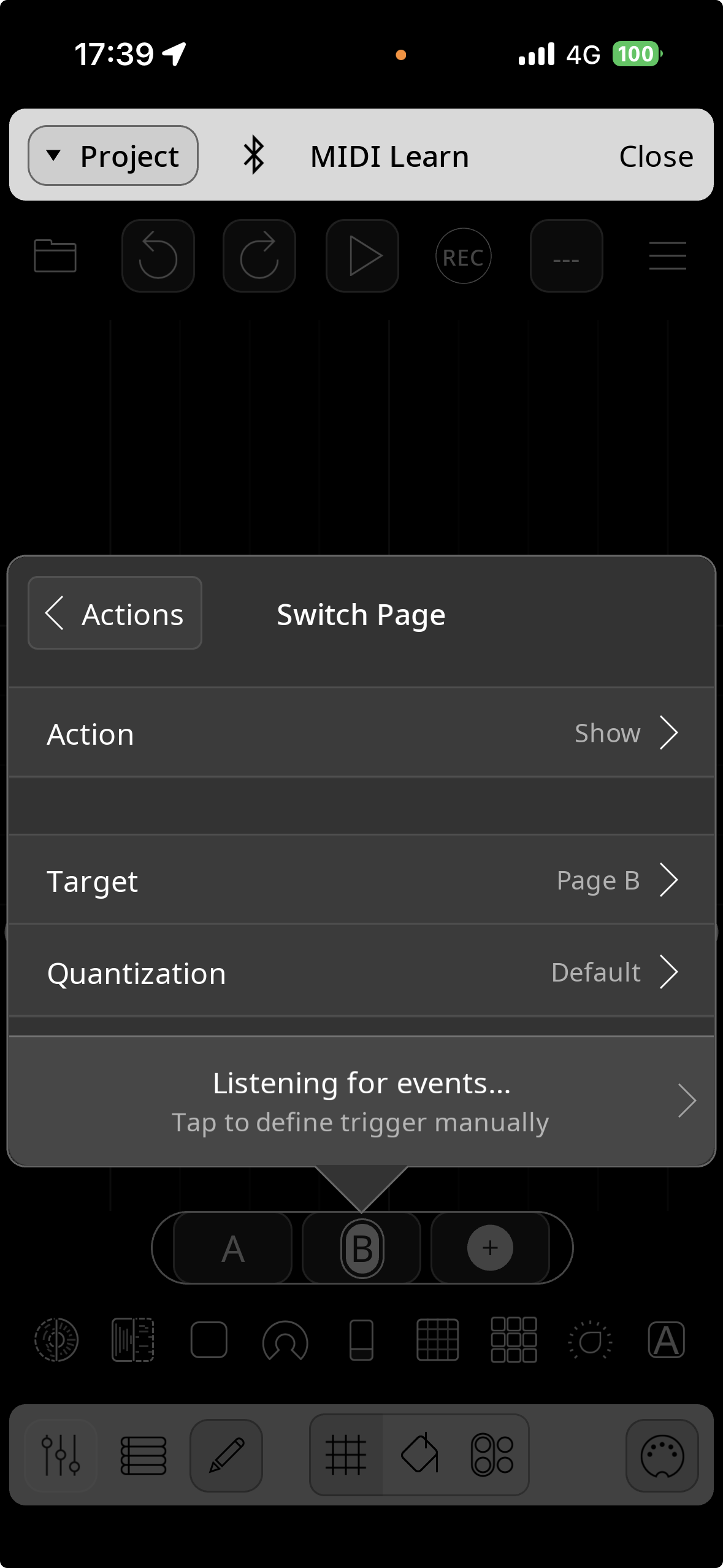
Then, rather than setting up a MIDI Send action on the widget, enable MIDI learn in Loopy and move the control in Live. The two should sync up and you shouldn't need any Send MIDI action on the widget.
If they don't sync up, make sure that feedback is enabled in Loopy Pro control settings for the midi port coming from the Mac.
Which reminds me that the same trick works for remote control of Loopy by Loopy.
Now I know how to do Loppy by Loopy remote control ^.^
Problem solved — thank you both wim and espiegel!!
Just wanted to say a huge thank you for the support.
I should have thought of MIDI Learn from the start — sometimes the simplest solution is right there!
I'm now planning to replace my TouchOSC template with a Loopy Pro Canvas that mirrors my MIDI Fighter Twister layout (faders + buttons per encoder).
The one thing I haven't figured out yet: how to replicate the Tab system — where tapping a tab simultaneously changes the Fighter Twister bank and switches the Loopy Pro Canvas page to reflect the new bank's button functions.

Like in this video
Is that achievable ?
Thanks again!
What does the midi fighter twister send in that case?
I don't know how you connected you iDevice to your mac, but I just wanted mention the 2host-v3 USB-C connector that let transfer Midi via USB directly from one device to another.
https://denki-oto.com/products/2host-v3-midi-host-adapter
@cellicello : fwiw, i just use a usb-c cable
I use the iPhone more as a screen guide to know what tthe MIDI FIghter Twister does rather that use the iPhone as a touch surface.
I use the iPhone to change the banks with the tabs on top of the screen (sending Midi notes to MIDI Fighter Twister)
the iPhone also change banks of the Fighter Twister and the screen of the iPhone change accordingly.
I tried to use a USB cable connected to my iPhone to send Midi to my Mac but I didn't succed.
How do you do?
Set up a network midi connection. I don’t recall the detailed steps.
I too use a USB cable. However, I use iDAM for the midi connection. That is cleaner, enables midi both ways + audio from iOS to the Mac, and doesn't have the complications of using Network Session (which, for instance can sometimes route over WiFi even when USB connected).
You can even use @Dendy's AudioPipeline with Ableton Link Audio to get two-way, multi channel audio at the same time as iDAM MIDI.
Heck, even Bluetooth MIDI is great if all you're doing is MIDI. Just about anything is better than Network Session over WiFi.
Fwiw, I turn WiFi off when using a cable.
Same. But even then I've had cases where it's taken the devices time and reboots to get a successful connection. I vastly prefer iDAM or Bluetooth MIDI.
Not to mention Loopy's warnings about Network MIDI in the Settings. I think those concerns are largely not relevant any more, but still ...
Oh wait. I just remembered that feedback doesn't work over Bluetooth MIDI, right?
Yup. Confirmed.
Wait.
No! it works. nvm.
I'll show myself out now.
Thank you all.
I'll check how to connect my iPhone to my mac directly with USB.
I think I found how to send MIDI to the Fighter Twister while switching page using the Midi learn on the switching button.
I can use Loopy Pro instead of TouchOSC now.