Loopy Pro: Create music, your way.
What is Loopy Pro? — Loopy Pro is a powerful, flexible, and intuitive live looper, sampler, clip launcher and DAW for iPhone and iPad. At its core, it allows you to record and layer sounds in real-time to create complex musical arrangements. But it doesn’t stop there—Loopy Pro offers advanced tools to customize your workflow, build dynamic performance setups, and create a seamless connection between instruments, effects, and external gear.
Use it for live looping, sequencing, arranging, mixing, and much more. Whether you're a live performer, a producer, or just experimenting with sound, Loopy Pro helps you take control of your creative process.
Download on the App StoreLoopy Pro is your all-in-one musical toolkit. Try it for free today.
Output of plugin muted when playing clip?

Hi all - I have a couple of (probably very basic) routing questions which are no doubt covered somewhere in the manual, but I think I am maybe misunderstanding so any clarity would be welcome. This is the first:
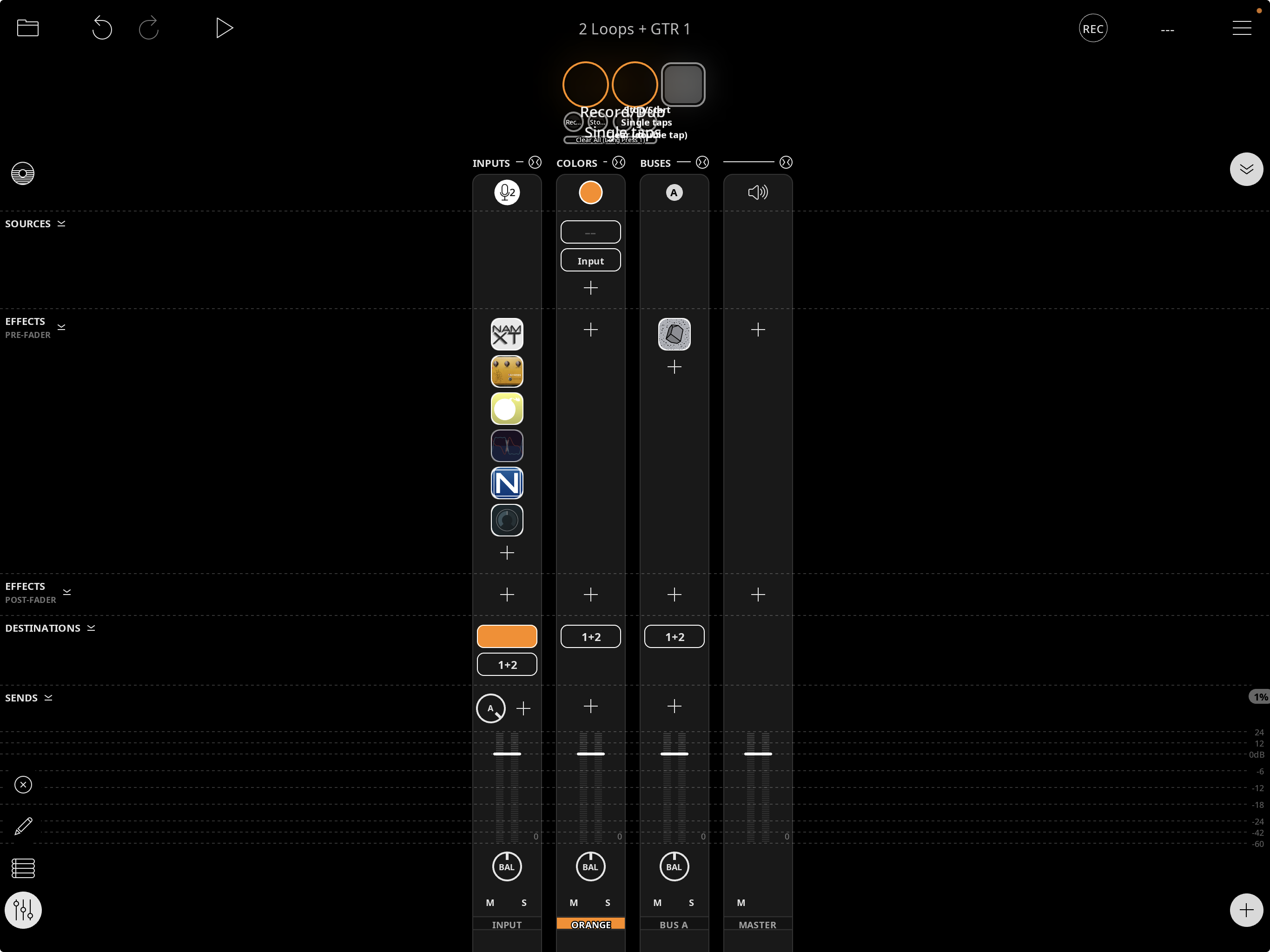
In this setup (see image) the bus channel holds a freeze effect which is activated by the button (very small in this mixer layout) at the top. Clips record fine when I have a freeze sound playing from this channel, I can record a loop and still hear it when recording but as soon as I stop recording and the clip starts playing back (either by tapping the donut or tapping the associated button associated with it) the freeze goes instantly silent. There is no action associated with the clip donuts or associated buttons that is related to the freeze effect or the bus channel. No obvious channel muting takes place and the freeze button in the plugin is not deactivated by stopping recording so is there something about playback of clips that affects the output of other channels that share the same output (the bus channel in this case)? Or something else that would affect the ability to monitor the bus channel as soon as clip recording swaps to playback?
Thanks in advance
Comments
@thirdspace : this sounds like it is related to a setting in Cascade which it looks like you are using rather than a Loopy Pro setting.
Try changing this setting
Excellent - that fixes it. Great that you knew what to look for! Thanks so much 🙏