Loopy Pro: Create music, your way.
What is Loopy Pro? — Loopy Pro is a powerful, flexible, and intuitive live looper, sampler, clip launcher and DAW for iPhone and iPad. At its core, it allows you to record and layer sounds in real-time to create complex musical arrangements. But it doesn’t stop there—Loopy Pro offers advanced tools to customize your workflow, build dynamic performance setups, and create a seamless connection between instruments, effects, and external gear.
Use it for live looping, sequencing, arranging, mixing, and much more. Whether you're a live performer, a producer, or just experimenting with sound, Loopy Pro helps you take control of your creative process.
Download on the App StoreLoopy Pro is your all-in-one musical toolkit. Try it for free today.
Particle Chimes: Ambient Synth (Released)

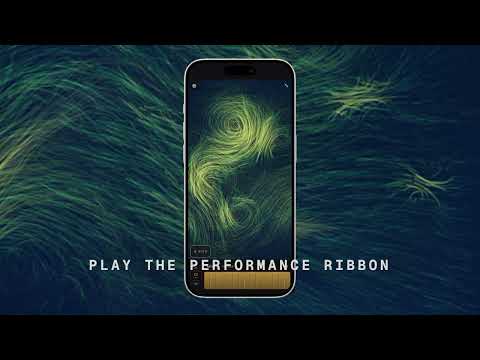
Particle Chimes is out now on the App Store. It is a resonator synth and granular effect based on the great Mutable Instrument Rings and Clouds modules. It also features a deep visualization engine that is its own playable surface. Export your performances to share, or broadcast them to external displays or AirPlay capable TV
https://apps.apple.com/us/app/particle-chimes-ambient-synth/id6785981783
demo:
Comments
no love for this?!!
its really good and fun to play with
and free lite version.
I already commented in a different thread that this is a really fun app with beautiful animations. Can recommend it.
I’m enjoying it. Haven’t decided if I want to spring for the studio version. Has anyone bought it, and if so, what are your thoughts?
Looks fun to be honest. Once home, I'll test it in GR2.
I really like it - I’ve just got the beta version but looking to see if there’s any way to record a session with the visuals other than screen recording.
It would be cool if you could tweak visual parameters too or customize them in some way
I really like this one...
Piped into Tessera and then FAC Alteza = me, lost for hours...
Fabulous app love the Koi screen ! and the sounds and controls,Very well put together. Highly recommended. Just used the AU to make a composition in Run 4. The both go very well together. We are definitely seeing next level apps in 2026 appear on iOS. Blessed.
I think it is worth it. You do not esacape the rings-into-clouds-ambience, but get a bit more control over the sound.
I really dig this app. I have a video of PC w/delayscaper (an excellent combo) that I’ll upload asap. Fun stuff
Does this work on desktop ?
It installs but doesn't work in Logic Pro...just shows an empty plugin window and no sound...
Edited
His Grainsmith app is stellar too IMO
Yeah, loving devs stuff.
I'm having trouble posting my particle chimes/delayscaper video- but try it out. It's stellar
No regrets buying the IAP . Still investigating i think itll pay to read the manual. Or spend more time …, i had no idea i could get the UI to look like the screen shot a few posts above?
Here’s a thing I made with two instances of Particle Chimes. Also, the video is two of the PC visualizers mooshed together in VS.
Andy from Plastic Factory here - and wow! I was certain rottencat had posted to the wrong thread and that was a different, very cool visualization app, then reread the part about overlaying two different visualizations. Nice!
Really appreciate all the encouragement. Two updates are queued and waiting on Apple that have fixes and small enhancements, then I'm excited to dig into some roadmap items. Let me know if there are things you feel are missing or can be improved.
On desktop: it wasn't a target for the release, but I am game for ironing out the issues. I'm also working on a full desktop vst/AU/aax release later in the summer.
Kaptkraych brings up a good point - you have to choose fullscreen within AUM to get the complete Studio view, otherwise it defaults to the compact layout. I spent so much time focusing on getting the app to feel good in portrait mode on iPhone, I left plenty of room for improvement on the AUM/hosted experience. I'll definitely work on that.
Some deeper cuts that could be better described in the documentation: selecting the "noise" exciter makes for some chaotic bowed sounds; sending LFOs to harmonics produces very pleasing semi-melodic variations; you can set custom scales to lock down the sequencer more; and my personal favorite: sitting on the couch with your iPhone and beaming to the tv via airplay works surprisingly well.
Thanks again for all the feedback.
I have been interested in this app since its announcement. was thinking of this app this morning when I opened that other thread for the app Phase Chimes going AUv3, and was totally confused. i was wondering what happened to the cool visuals.
similar names, very different otherwise, both looking very interesting and fun.
just chiming in. 😉
Any chance that this will work in an effects slot - to use the clouds reverb/shimmer?