Loopy Pro: Create music, your way.
What is Loopy Pro? — Loopy Pro is a powerful, flexible, and intuitive live looper, sampler, clip launcher and DAW for iPhone and iPad. At its core, it allows you to record and layer sounds in real-time to create complex musical arrangements. But it doesn’t stop there—Loopy Pro offers advanced tools to customize your workflow, build dynamic performance setups, and create a seamless connection between instruments, effects, and external gear.
Use it for live looping, sequencing, arranging, mixing, and much more. Whether you're a live performer, a producer, or just experimenting with sound, Loopy Pro helps you take control of your creative process.
Download on the App StoreLoopy Pro is your all-in-one musical toolkit. Try it for free today.
[SOLVED] How can I change the signature of a midi file and keep the generated audio intact?

What I have: A midi file written in 6/4, used at 120bpm
What I want to end up with: A midi file written in 4/4, used at 80bpm, with the generated audio sounding exactly the same
What is the quickest way to do this? I suspect there might be an obvious trick if you have proper midi editing skills, but I’m stuck with the manual approach (shorten the notes by a third, and move them to remove the resulting empty spaces), which feels decidedly suboptimal.  Please help me with your ideas. Thank you!
Comments
Play the midi file from one daw to another?
@ervin: do i understand that you want each measure of the original to correspond to a measure in the new sequence? I believe Xequence 2 has a feature where if you change the length of a midi clip, it stretches/compacts the note durations. you might be able to change the time signature to 4/4 and then shrink the midi clip by the appropriate amount. If you have Auria Pro, I believe you can do the same thing.
If you don't have those, confirm that what I said is true before investing.
@BiancaNeve @espiegel123 - thank you both, I can and will try both suggestions.
Since all you want is identical playback, I would use the free t2mf and mf2t commandline utilities.
They allow you to 'hack' the properties like bpm and time signature of a MIDI file.
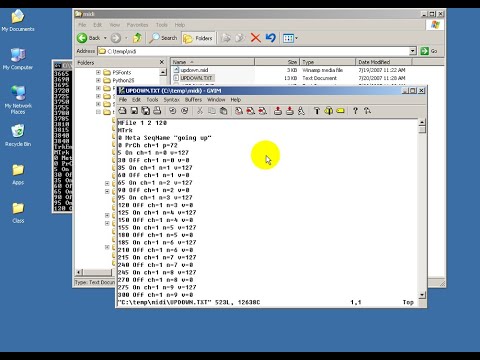
mf2t converts a MIDI file to editable text and t2mf converts it back to MIDI file format.
programs that run on Windows XP ?
@ervin If I needed to do this I would be using Pro Tools on desktop. If you run out of luck you can send it to me and I’ll convert it.
@rs2000 @maxwellhouser thank you for your tips as well!
t2mf and mf2t run inside the cmd window on XP, 7, 10 and most likely 11 too.
Great, I can do windows 10. Thanks again!
I've just checked the old links @ervin, some are dead so I recommend to grab them from http://midiox.com:
http://midiox.com/zip/mf2tXP.zip
If required, there's a nice tutorial on youtube:
Update - I ended up doing a version of the daw-to-daw process suggested by @BiancaNeve. I sent each midi track in Xequence to a separate instance of Atom in AUM, with Link turned off to avoid tempo sync and quantization off to avoid "dehumanisation". 🙂
Thanks again for all the tips, some of them I think I can use in other situations, and text-editing the midi file also looks promising.