Loopy Pro: Create music, your way.
What is Loopy Pro? — Loopy Pro is a powerful, flexible, and intuitive live looper, sampler, clip launcher and DAW for iPhone and iPad. At its core, it allows you to record and layer sounds in real-time to create complex musical arrangements. But it doesn’t stop there—Loopy Pro offers advanced tools to customize your workflow, build dynamic performance setups, and create a seamless connection between instruments, effects, and external gear.
Use it for live looping, sequencing, arranging, mixing, and much more. Whether you're a live performer, a producer, or just experimenting with sound, Loopy Pro helps you take control of your creative process.
Download on the App StoreLoopy Pro is your all-in-one musical toolkit. Try it for free today.
loopy 2 question and new song just uploaded

hey all, love the new loopy, especially the mixing area, the fact that we can cascade the columns, also the DAW area horizontal and vertical zooming is wonderful. question is what are those mini dots under each column in the mixer, some columns have 1 and some have 6 dots.
new song
Comments
Wow, that's a great track!
The dots just indicate that there's something hidden by the collapsing of that horizontal row of the mixer. For instance, if you have one FX loaded and it's hidden by collapsing the FX row, there will be one dot. If there are more than one there will two dots.
ahh thanks wim, i see now the top layer was collapsed, well this new loopy 2 is great, but the mixer is just too big even with the new collapse optioin, it has added too many layers and now i can not see the donuts, ( and i have the biggest ipad out there ) i have to close the entire mixer, its a pain and not liking it very much, less is more, wish there was a simpler way to collapse individual columns instead of having to go all the way to the left every time.
Did you turn off extended mode on the mixer? It hides the slots so that they take up no space.
I don't think I understand the part about collapsing individual columns without having to go all the way to the left each time. However, what I do is collapse everything. Then you can tap each collapsed icon individually to toggle their columns on and off. That way only what I need to focus on is ever in the mixer at one time.
I agree about the mixer being too big no matter what the collapsed state is. I'd be far more in favor of a floating mixer that works just like the other windows for plugins and the editors. That's a huge change though, so I don't expect to see it for a long time, if ever.
I tend to find ways to avoid the mixer, adding widgets and such to do all that I can instead. I've learned to get along with it. Everything else about Loopy pro is perfect, and the new mixer is certainly a huge improvement. I've no complaints. 😎
+1
floating mixer would be amazing i agree.
@espiegel123 where do i find the option to turn off extended mode?
@Schmotown thankyou
Nice track! What is the vocal-like bit (around 1:00)?
Extended mode expand/contract toggle is at the top-right of the mixer. It's double up/down arrows in a white circle. I'm guessing you already found that and still find the mixer too large.
I try to design my templates so that they're still at least marginally useful with the collapsed mixer in view. That's challenging though (for me). So, I put as much as I can into widgets. I also set up "placeholder" audio input plugins with all the routing set up in advance, so that all I need to do is open the mixer, long-press the icon, and replace the plugin. I use Streambyter for the dummy plugin due to its low impact.
The other thing I do to minimize the number of widgets I need is to have most things work on "selected clip" as the target. That way one button can affect settings on any clip. All the purple buttons on this template affect the currently selected clip, and provide feedback on its settings as the selection changes.
@guitarhero07 :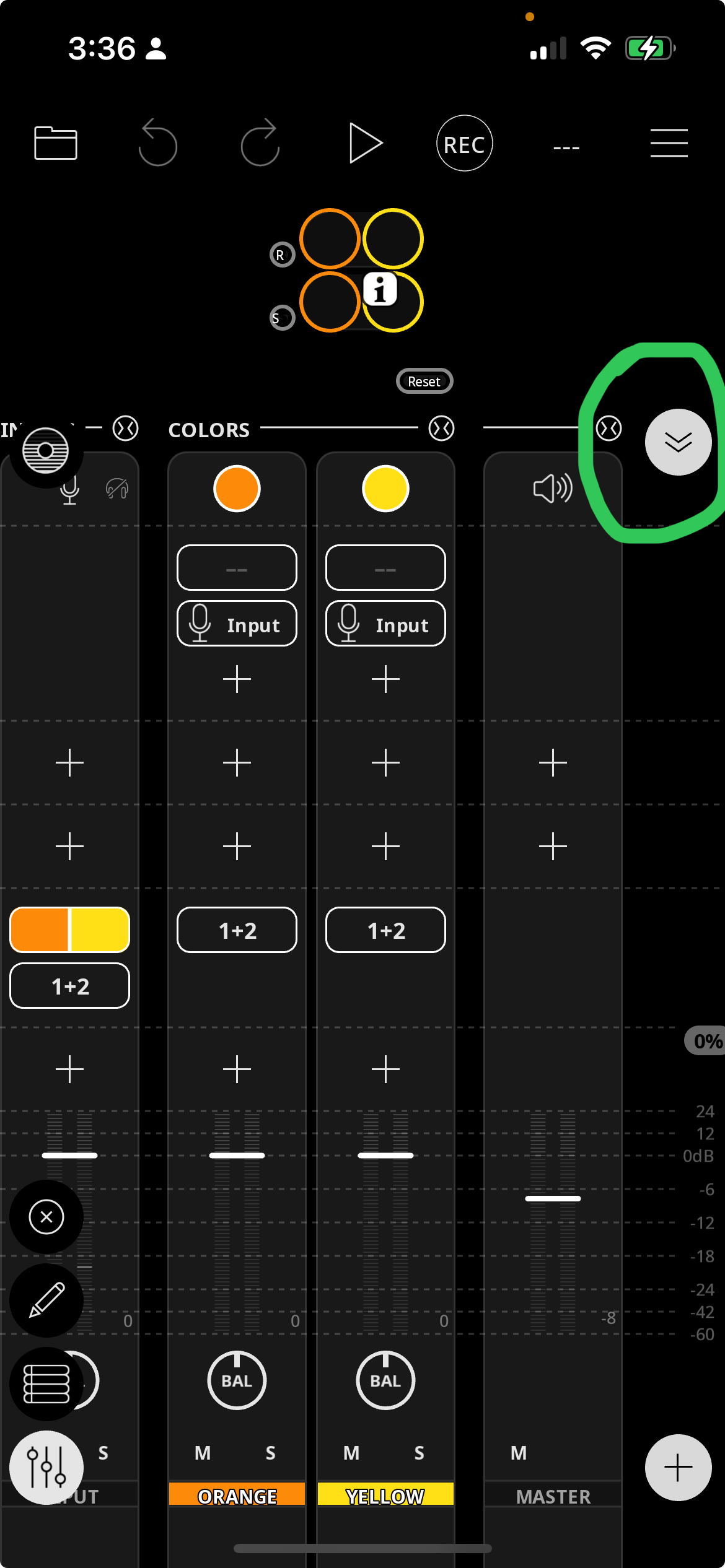
In non-extended mode, the mixer looks like this:
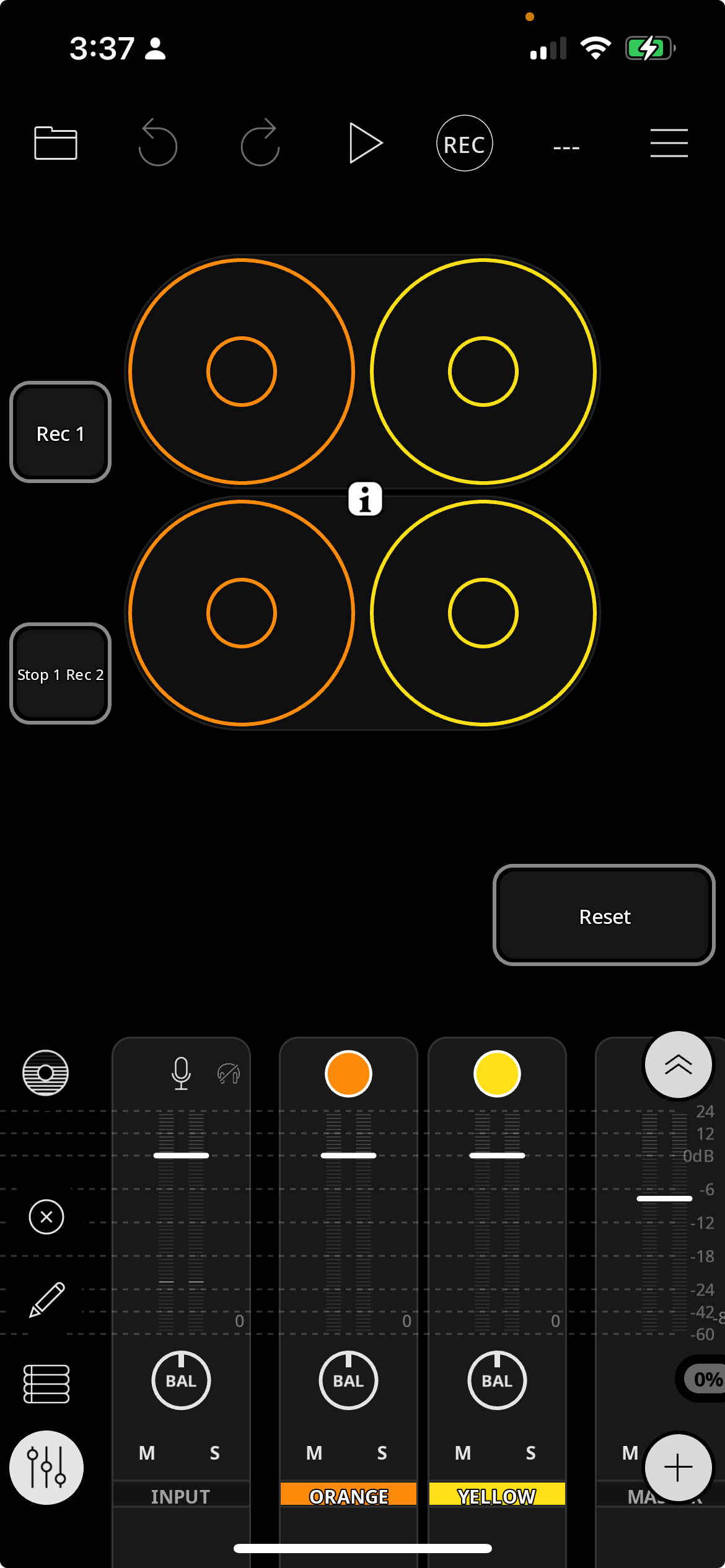
Also collapsed columns are not shown.
Very nice track.
Comes a certain point, ya may just want to use an external controller with that many buttons…
well contracting the mixer with the arrows on the top right is fine but i need everything open to access effects al all times. ultimately it would be great if we can drag the mixer to another ipad, have two screens, would this ever be possible?
wim, i see what youve done there, that is clever, i need to explore loopy further and do something similar, right now im just focused on producing, keeping the work page simple.
the vocals i use comes from a library which my good friend/producer allows me to use. he has a large collection, most i assume can be purchased from the web. i have used samplefocus before as well.
Anything is possible. But I wouldn't expect it for quite some time. That's a major undertaking, and I believe the Mac version is going to take a lot of time and focus to get in shape before things like that will be addressed.
However, you can leverage a second device to control the mixer using widgets and midi over Bluetooth or over a wired connection between (only) two devices. Two-way feedback for the widgets can be a bit of a challenge, but is possible.
Wim, any more information on how i can get the mixer to another ipad screen via bluetooth? are you saying that is possible?
He is saying that you can set up widgets that send midi from one ipad to the other to remotely control one ipad from another. You might consider using a hardware controller as a mixer.
You can't get the mixer to another iPad screen via bluetooth. You can set up widgets in Loopy Pro on a second iPad that send midi to the main iPad to control its mixer. The bare basics are easy. Just set up the widget, link the two iPads by turning on bluetooth advertising on the second one and connecting to it from the first. Make a widget with a send midi action, then midi learn the fader on the main iPad.
However that basic setup has some definite shortcomings:
There are some convoluted ways around all but the last one, but they would take some time to describe.
Somebody oughtta write like a 4 or 500 page book w full color photographs that explains every function in Loopy Pro as well as a big ruction tips and techniques section , the way they have it in other DAWS(Cubase , Studio One , Ableton etc
The wiki and manual are constantly being added to. The wiki has quite a few tips and techniques and grows in response to questions people ask.
What questions would you like answered that aren't covered by the manual or the wiki? Ask away.
I agree - for me, templates are absolutely the key to getting the most out of Loopy Pro. I'm sure you know this already, @wim, but for everyone else, it's well worth spending a lot of time getting to know the widget routing/functionality possibilities and figuring out what you need for your ideal workflow, so that in most situations you'll never even have to touch the mixer.
And don't stick to just one template, make one for every scenario you'll run into with some common design elements so that muscle memory will start to be established because of consistency!
Just as one example of something that has made 'just making music' much easier, I have buttons set up in my default template to switch the source of the internal keyboard or my external keyboard between colour groups associated with different AUv3s on the fly, and have dials that move through their presets. So I don't have to open the mixer to move sources and destinations around, and I don't have to open my AUv3s to change presets unless I want something specific.
And even that final bit is easily solveable. My setup currently works well for using random sounds as I'll twist the dial to something new and just go with it. But if I wanted specific presets, it would be easy to make a bespoke version of the template that either features a dial that only goes through certain presets, or add a button grid including only the presets I want to access.
Coming up with your ideal template is like figuring out a very cool jigsaw puzzle, and the balance between complexity and usability is a delicate one! I've seen templates on here that look waaaaaaaay too complicated and wouldn't be particularly usable on my 11 inch iPad (Loopy Pro is the one app I have where I'm jealous of people who have the bigger model). My current thing is to work out my ideal overdub workflow in terms of linking up a single button assignment to overdub any donuts that are effectively too small to two-finger tap, and making sure that the 'right' one is affected every time!
I really like figuring out the solutions to workflow problems with Loopy Pro. It's a design game that's an unexpected treat. While I don't have a template that I'm 100% happy with yet - as there's always something more to add while trying to keep the design as simple as possible - I'm already in a much, much better position than I was when I would have to access the mixer and AUv3s all the time.