Loopy Pro: Create music, your way.
What is Loopy Pro? — Loopy Pro is a powerful, flexible, and intuitive live looper, sampler, clip launcher and DAW for iPhone and iPad. At its core, it allows you to record and layer sounds in real-time to create complex musical arrangements. But it doesn’t stop there—Loopy Pro offers advanced tools to customize your workflow, build dynamic performance setups, and create a seamless connection between instruments, effects, and external gear.
Use it for live looping, sequencing, arranging, mixing, and much more. Whether you're a live performer, a producer, or just experimenting with sound, Loopy Pro helps you take control of your creative process.
Download on the App StoreLoopy Pro is your all-in-one musical toolkit. Try it for free today.
No invert value

Hi Folks! When I assign a button to toggle on/off mute on a specific Battalion track, I can't select Invert Value. Is this due to Battalion?
Comments
Can you post screenshots showing the details of the button action?
Sorry, I took the picture but forgot to post it... Here you go!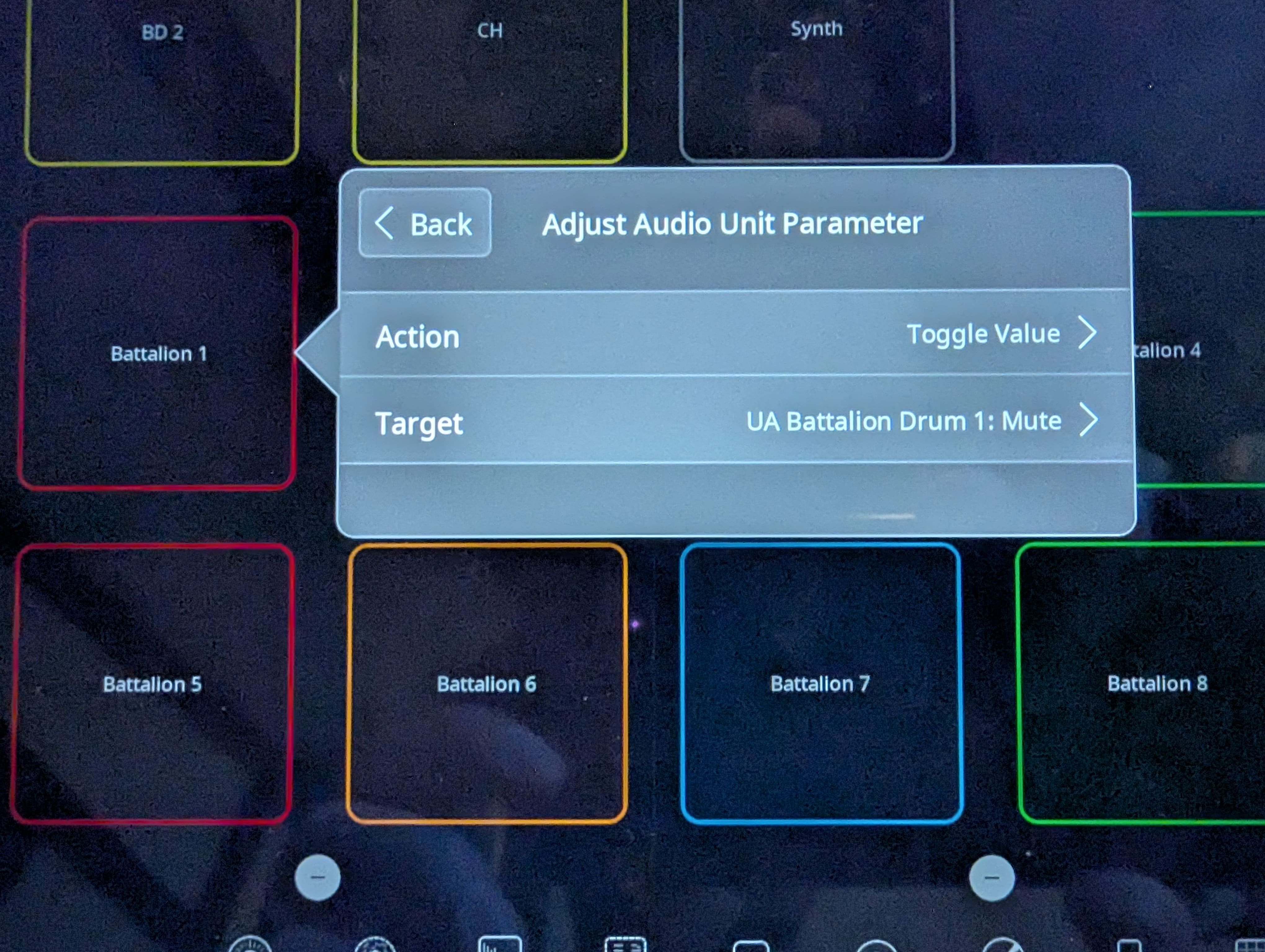
Also, post a screenshot of what the assign parameter setup looks like if you set it as a press action,
Please show the details of the action, too.
Sorry, we were out of sync. This is from the picture above, the toggle action.
When I do exactly the same with Pure Acid drums mute (Toggle action), then the option to invert is there. It is really just with Battalion that the option isn't there.
I am not sure of the precise details but it has something to do with how the AU defines the parameter. There is a trick that you can use which is to set up a dial with two steps. Each step has the action: one step with the option on and the other with the option off. You can set the dial up as a toggle as explained here. You could hide the dial and toggle it via a button (also explained on the page I linked to.
Neat, this will do the trick! Thanks @espiegel123, your help is appreciated