Loopy Pro: Create music, your way.
What is Loopy Pro? — Loopy Pro is a powerful, flexible, and intuitive live looper, sampler, clip launcher and DAW for iPhone and iPad. At its core, it allows you to record and layer sounds in real-time to create complex musical arrangements. But it doesn’t stop there—Loopy Pro offers advanced tools to customize your workflow, build dynamic performance setups, and create a seamless connection between instruments, effects, and external gear.
Use it for live looping, sequencing, arranging, mixing, and much more. Whether you're a live performer, a producer, or just experimenting with sound, Loopy Pro helps you take control of your creative process.
Download on the App StoreLoopy Pro is your all-in-one musical toolkit. Try it for free today.
MiDI guitar not working in loopy

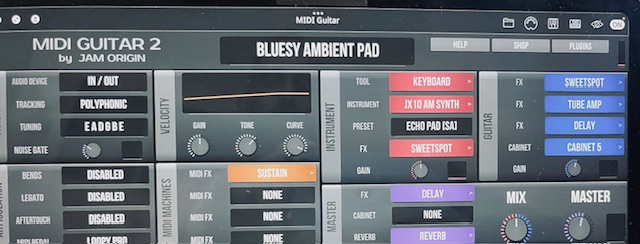
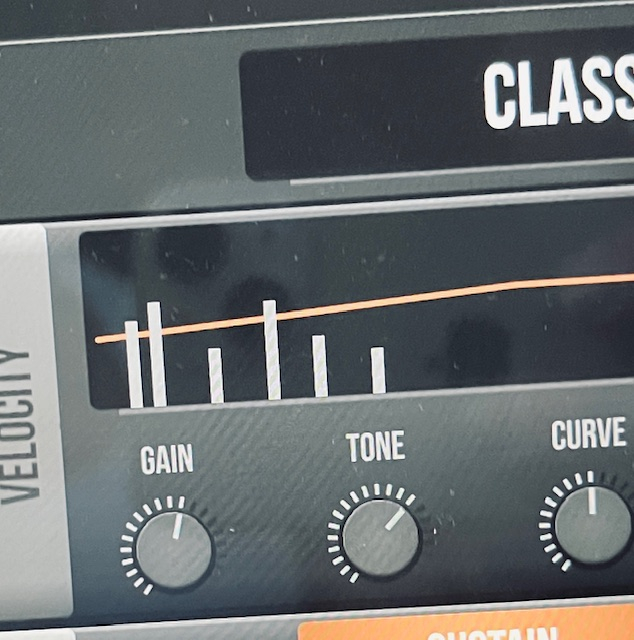
hey all, so i have my guitar connected to audiofuse soundcard, using midi guitar, i am no longer able to make changes in the midi guitar app. this used to work just fine but for some reason i am not able to control my guitar within the app,, BUT sound does come out and i am able to record but thats about it, i am not able to change parameters in the app, the soundbar does show activity when i play as shown in the screenshot below. any thoughts?
Comments
What have you tried?
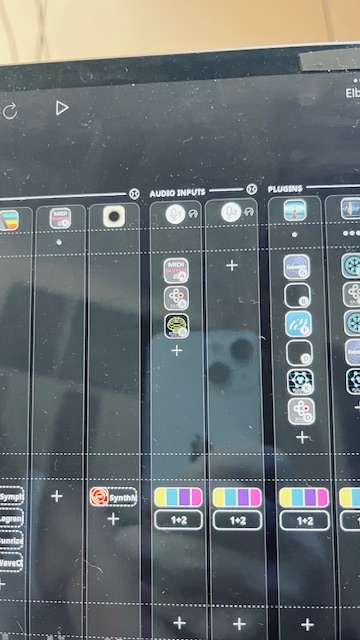
Can you make a screen capture or captures rather than photos of your extended mixer so that we can see all the connections. MG2 and 3 generally work well in LP. It is hard to tell from those photos how you have things set up or what is going on.
What do you mean that you are no longer able to make changes in the app? Do you mean app or plugin?
Have you tried rebooting?
If you haven’t seen it, take a look at this article:
https://wiki.loopypro.com/MIDI_Guitar_2
I also recommend to start your troubleshooting in the default project and add just the elements needed to test the MG2 setup.
i have updated all my apps, ipad is updated, i always turn off ipad, i can not do screen capture as the screen is very jittery and skips and jumps so you can not see anything, that is why i take photos with my iphone.
i am no longer able to make changes as in within the MG2 app, none of the knobs work, the presetns dont work,, this all used to work but for some reason no longer. One thing i have not tried is to start a new workflow, which is alwyas a pain since i have to redo and bring all my auv3 and plugins one by one.
i will try a new project and see if that works.
@guitarhero07 : when you say MG2 app, you mean the app or the AUv3 plugin?
If you take photos with your phone. Please capture the entire screen.
As a test, just create a new project with midi guitar and one synth. It will be quick to set up.
yes as an AUv3, so here is a screen video i took, as you can see the audio works but i can not change any of the parameters, nothing happens

@guitarhero07 : can you post a screenshot (not screen recording; a still screenshot) of your mixer in extended mode and also a screenshot of the input options on the channel MIDI Guitar is on.
In the brief glimpse of your mixer it looks like you might have two inputs with the same source in your mixer. Is it possible that you have monitoring turned off on the input channel MIDI Guitar is on?
For troubleshooting, I suggest you:
Something like this:
By starting from a new project, it eliminates the possibility of something being unusual with the project that you are using.
monitoring was turned off, you nailed it, thank you very much for your help. im not very much savvy in technical aspect.
another quick question and issue, my current project has changed scales, went form F minor to another scale, not sure if this is related to me fiddling with guitar midi, but its strange. any thoughts?
pitch and temo have changed somehow?
I am not sure what you mean by changed scales. Can you say more about what you mean? Midi tracks ? Audio tracks?
Things that can change pitch:
i checked varispeed time-fitting settings and it time stretch was turned on,,, it now works when i turned it off, not sure how this turened on by itself, thanks for the help,, im learning slowly