Loopy Pro: Create music, your way.
What is Loopy Pro? — Loopy Pro is a powerful, flexible, and intuitive live looper, sampler, clip launcher and DAW for iPhone and iPad. At its core, it allows you to record and layer sounds in real-time to create complex musical arrangements. But it doesn’t stop there—Loopy Pro offers advanced tools to customize your workflow, build dynamic performance setups, and create a seamless connection between instruments, effects, and external gear.
Use it for live looping, sequencing, arranging, mixing, and much more. Whether you're a live performer, a producer, or just experimenting with sound, Loopy Pro helps you take control of your creative process.
Download on the App StoreLoopy Pro is your all-in-one musical toolkit. Try it for free today.
URL Beamer by Josef Novotny (Released)

https://apps.apple.com/us/app/url-beamer/id6740650994
Launch other apps from your DAW - AUv3 plugin for iOS musicians.
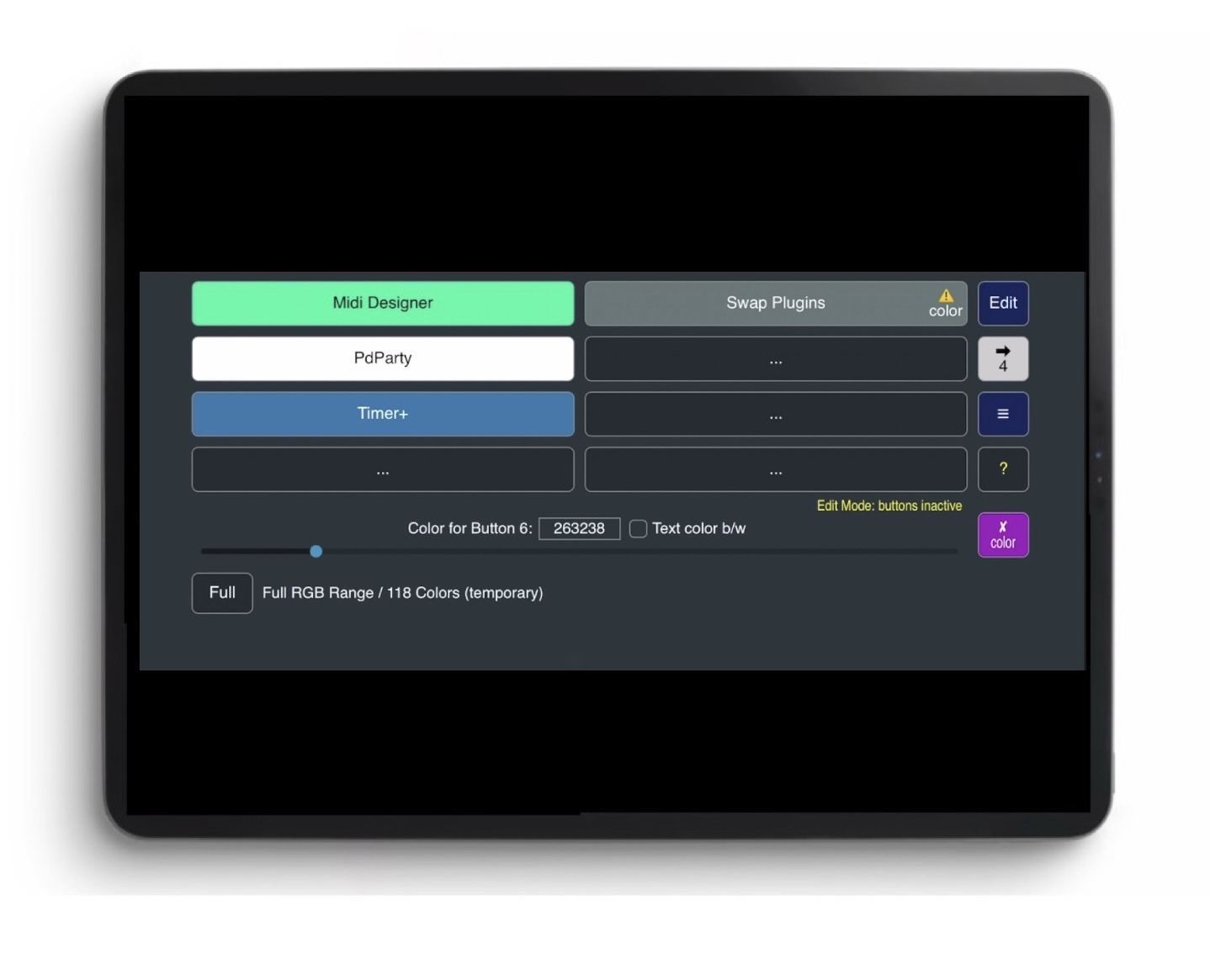
Tappable buttons trigger custom app URLs.
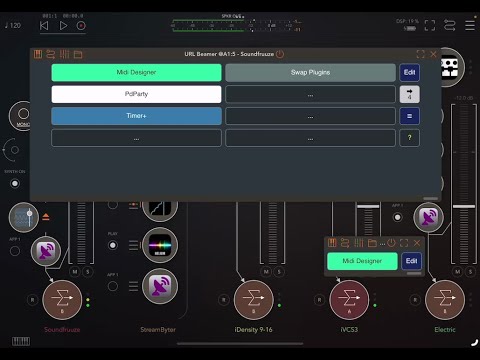
URL Beamer is an AUv3 plugin for iOS that launches other apps from within your audio host.
It provides tappable buttons that trigger custom URL schemes - ideal for quick app switching during live performance or studio workflow. You can insert it as either an Audio Effect or an Instrument in hosts like AUM, then launch external apps with a single tap.
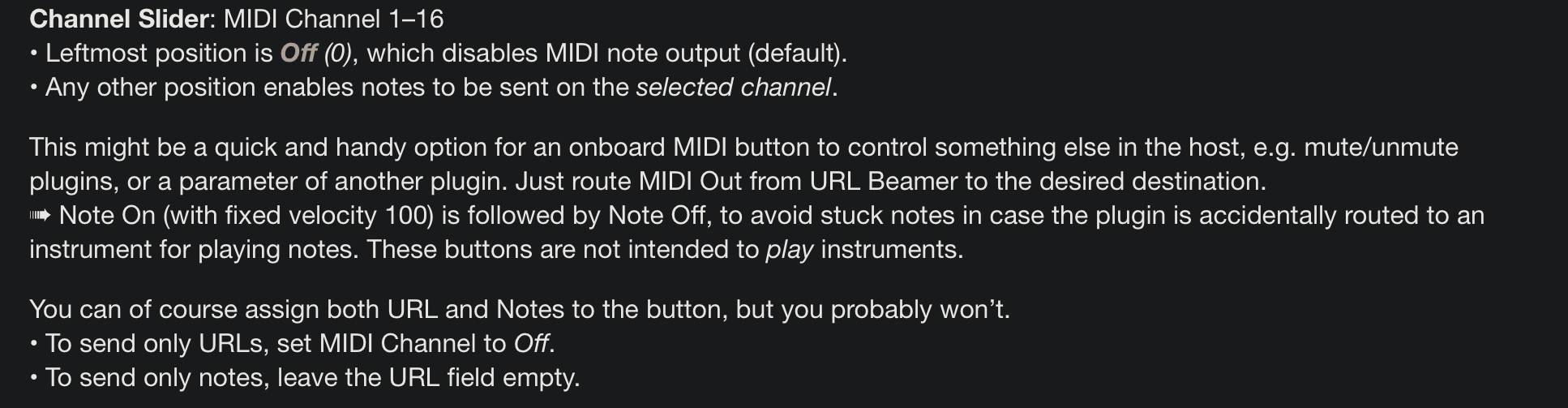
Optionally, each button can also send a MIDI note (on a chosen channel), letting you control other plugins or trigger global functions inside the host.
Features
• AUv3 plugin formats: Music Effect (aumf),
Instrument (aumu)
• 4 or 8 customizable buttons per instance
• Buttons launch apps via custom URLs or universal links
• Optional MIDI Note output (Note + Channel)
• Basic MIDI Note input for button triggering
• Minimal layout - fits tightly into your setup
• File Manager for saving and loading settings
• AUv3 Plugin State Saving + AU Presets
• Parameter Mapping for remote MIDI control
• Designed for AUM - works in other AUv3 hosts too
Use it to switch apps, load presets, or control devices - all from a tiny plugin window.
Note:
URL Beamer does not play sound or process audio. It is a utility plugin intended for workflow enhancements in iOS audio environments.
→ For a complete description, see the documentation:
https://novotny.klingt.org/Apps/URLBeamer/
UserGuide
Comments
Wait. What’s happening?
Well this is kinda dope
Adding some minimal Stream Deck elements as an AUV3
Color me VERY curious!
EDIT: Oh! And it's free to boot! Sold!
Ok, putting info/question here from sales thread for further thoughts
Am I correct that this could also be used as a lightweight 8 button midi controller?
If I'm reading this right?
Quoting from Sales thread because I want to talk more about this
Have you ever used Launcher?
Long ago I used a windows desktop enhancement app called Fences
And I wanted to make grouped icons on iOS. Low and behold, been using Launcher for two years
And today I realize it uses this URL Schema to create icons for the widgets
And it's all auto. You can either search the app store and if it's not there it creates a Shortcut directly to the app
Could you see if it's any help in the URL Schema process for this app? I'm just sooo new with these terms I don't know where to begin... it just kinda tickled something in my brain feeling like a connection 😂)
Hot damn did the smarter people show up!
@offbrands that is dense with info! Thank you! This is the type of sht my hyper-focusing obsession adores. A font of easily digestible knowledge!
A hell of an onboarding, but more to come back to as I mess with this thing
Thanks for your time and info!
+1. Fugue MR just became my second least understood app.
Thank you all for the discussion! I was unsure, whether my app would be recognized at all, so I am glad for that.
I know that findig URL schemes is really a problem and that I have to provide some kind of support.
First, I want to explain something.
I made this plugin because I urgently needed it for myself. Then I thought it might be useful for others as well, so I decided to share it. If you do everything in your DAW, then it’s quite useless. I mainly use the iPad as a MIDI controller with MIDI Designer Pro X, but I also use two other standalone apps, PdParty and AUM, and frequently switch between them. I am controlling a lot of hardware and software while playing piano. So using system gestures (swiping) is a no-go for me; I need everything to be accessible instantly. MIDI Designer and PdParty can send URLs, but as soon as I am arriving in AUM, there is no way back. Also, I think there is one outstanding (hidden) feature when using URL Beamer as a plugin: When the URL buttons are remotely controlled (via MIDI), they can open other apps at any time, no matter which app is in the foreground.
But now, my contribution to finding URLs.
At the very end of the User Guide, you will find two new links:
App URL Schemes – A growing, community-maintained database of iOS URL schemes.
I started with a short list of URLs that I know. Some have links to the source.
You can help expand the database by adding entries on this page:
Submit an iOS URL Scheme
The legal aspect is a bit difficult. I had to investigate – thats why I am responding so late. But I think it is safe now.
I am considering adding a button with a link to the database directly in the app in the next version ... if Apple allows it, I will see.
Ah, one more information that I found: URL schemes are case-insensitive.
@gusgranite @Ailerom – I hope, I could clarify things a bit
@PapaBPoppin thanks for your input
@offbrands thank you for your detailed explainations
@ninobeatz thank you for announcing my app and starting the discussion!
That link throws a 403 forbidden error. Both when opening it here in this post and through the ? in the app.
Otherwise thanks a lot for this interesting app.
@catherder said:
Oh really? I am very sorry for that. It is just an ordinary webpage, no permissions required. The full address is this:
https://novotny.klingt.org/Apps/URLBeamer/url-schemes.html
or only
https://novotny.klingt.org/Apps/URLBeamer/url-schemes
Could you please try to open the directory
https://novotny.klingt.org/Apps/URLBeamer/
and then open "url-schemes.html"
If the problem persists, I will ask the maintainer of the webspace. Sometimes there are issues with the server certificate. But I don’t know if this is related to this page.
@offbrands
No problem, it was not abrasive to me at all!
@JosefNovotny Nice free AUv3. And a good reason to try to start those old IAAs I‘could add urls for about 25 of my IAAs.
For some i found out their url but these crash upon start (attack:// or traktordj:// ) . One probably needs to find a working parameter for them - some of the other apps only worked when something was supplied after the //
@catherder
update: I removed ".html" from the link. I overlooked that – it was not intended and quite unusual. Hopefully the link works for you now. Good, that you reported.
@_ki
Thank you! I see a lot of new ones on the list already. Great, how it works!