Loopy Pro: Create music, your way.
What is Loopy Pro? — Loopy Pro is a powerful, flexible, and intuitive live looper, sampler, clip launcher and DAW for iPhone and iPad. At its core, it allows you to record and layer sounds in real-time to create complex musical arrangements. But it doesn’t stop there—Loopy Pro offers advanced tools to customize your workflow, build dynamic performance setups, and create a seamless connection between instruments, effects, and external gear.
Use it for live looping, sequencing, arranging, mixing, and much more. Whether you're a live performer, a producer, or just experimenting with sound, Loopy Pro helps you take control of your creative process.
Download on the App StoreLoopy Pro is your all-in-one musical toolkit. Try it for free today.
Loopy Pro with Spark 40 Amp

How do I connect Loopy Pro on my iphone or ipad with my Spark 40 Amp. Will I be able to record all the different tones I get on my Spark 40 amp onto the different loops in Loopy Pro? Also , I have an H8 Zoom recorder that I can record and plug regular and phantom powered mics into. How can I incorporate all of these together? Thanks in advance!
Comments
Also, I have a Xsonic airstep spk and apparently that will work with the looper pro! How do I connect this to my Spark 40 Amp and my Ipad with Loopy Pro?
Hi. Have you seen this post in an earlier discussion?
That’s about the Sparc Go, a different product. Could be the same situation, but not for sure.
[edit] This seems to indicate it might work.
https://www.reddit.com/r/PositiveGridSpark/comments/12yssfb/which_adapter_to_connect_a_spark_40_to_an_ipad_to/
https://www.soundonsound.com/reviews/positive-grid-spark-40
What model is your phone? Does it have a USB-C or a Lightning port?
As far as Loopy Pro goes, as long as the amp can be recognized as a USB audio device, Loopy can record anything you throw at it.
@randy : if iOS can use the Spark 40, Loopy Pro will be able to use it. You mention a zoom usb interface. You can't simultaneously connect both the zoom and and the spark to,the iPhone as iOS only allows one interface at a time.
The Airstep SPK web page indicates that it only works with the Spark. It says that it does not support MIDI over Bluetooth.
@randy : to see if the airstep can be used with Loopy, choose Bluetooth Devices in Loopy Pro. If the airstep is listed, connect to it. Create a new project using Loopy’s default project. Turn on midi learn. Tap on the first clip. Tap a pedal on your AirStep.
Does that work?
When it says it does not support midi over bluetooth, does that mean the xsonic airstep spk can not control Loopy Pro? If not can i hardwire the airstep to my ipad?
If I bought the Btuty BT MIDI Foot Controller Wireless MIDI Controller Rechargeable 4 Buttons Pedal APP Control Chocolate Rechargeable Midi Controller, would this be able to control Loopy Pro and my Spark 40 amp at the same time or would I have to have the chocolate control Loopy Pro and the Xsonic airstep control the spark 40 amp ? Let me know. Thanks
You can try to see if the AirStep Spk works using the method that I mentioned. I know nothing about the pedal. If it has a wired connection, you can try it.
I know nothing about controlling the Spark amp. So, I can't speak to how to control it.
The M-Vave chocolate pedal you mention is a popular one. You can use any iOS compatible MIDI pedal.
Thanks Edward, I will try that. How do i connect my spark 40 amp with my ipad to use Loopy Pro with my spark 40 amp?
You'll need to answer my earlier question about what model iPad, especially whether it has a USBC or a Lightning connector in order to get an answer for that question.
I am currently connecting my iPhone 15 to the spark amp 40. So I am going USB – B to the back of the spark amp and going right into my iPhone 15. On my iPhone, I have connected the tone for the spark amp, but when I go to loopy pro and choose Bluetooth devices, nothing comes up. And of course I have my guitar connected to the spark amp. How does loopy pro pick up my guitar signal to record it? I don’t want it to record from the microphone of the iPhone. I want it to go in directly to loopy pro.
Google search results:
You won't find a USB connection under Bluetooth devices. That is a totally different thing.
To clarify - you're using a USB-C to USB-B cable, with the USB-C end connected to the iPhone, and the USB-B end connected to the Spark 40?
What do you see when you look at hardware inputs in loopy? Does a USB Audio device appear? If so then that is your Spark 40's output. If not then the Spark isn't being recognized. It should be, so it's possible that there's a cabling problem. Some USB cables are for charging only, not data.
I don't have a USB-C device to work with, so others will probably need to step in to help troubleshoot.
Can you explain what you mean by "I have connected the tone for the Spark amp ..."? Connected the tone? Sorry, I don't understand.
So, you're using a USB-B to USB-C cable? Your Spark amp should appear as a USB audio input device, not Bluetooth. The BT connection is just for audio output and possibly MIDI control of the amp.
The Bluetooth connection dialog is for MIDI only in Loopy Pro and every other iOS audio app. I'm not sure that it's possible to stream bluetooth audio to iOS from something like the Spark amp, but you wouldn't make such a connection in the bluetooth midi dialog, you'd do it in the iOS Settings > Bluetooth pairing area. Even if you could get it working, it would have far too much latency to be usable for recording.
What you need is to get the device recognized as a USB audio device. If it's not showing up then the next thing to check is that you have a cable that's capable of carrying data, and not just a charging cable.
@randy : as others mentioned, you won’t be handling the audio back and forth from the amp with Bluetooth. If your usb connection is correct and the Spark 40 is iOS-compatible, the OS will automatically make it the input and output device.
This troubleshooting page will walk you through steps to see if the OS sees your Spark:
https://wiki.loopypro.com/Troubleshooting_Audio_Problems
I have connected the spark amp 40 with a cable from the iPhone to the spark amp. The cable is USB type C which goes into the phone and USB – B which goes in to the spark amp. Where do I see in the loopy pro app that it recognizes my USB audio.
See the troubleshooting page and go through the outlined procedure:
https://wiki.loopypro.com/Troubleshooting_Audio_Problems
In Loopy Pro’s mixer, tap on the mic icon to see what input devices it sees. The OS (and loopy) will automatically switch to the Spark if the OS sees it.
What model iPhone ?
It does see the spark usb audio
iPhone 15
Great. When you play guitar does the meter show any level?
When I touch the loop and talk there is no recording showing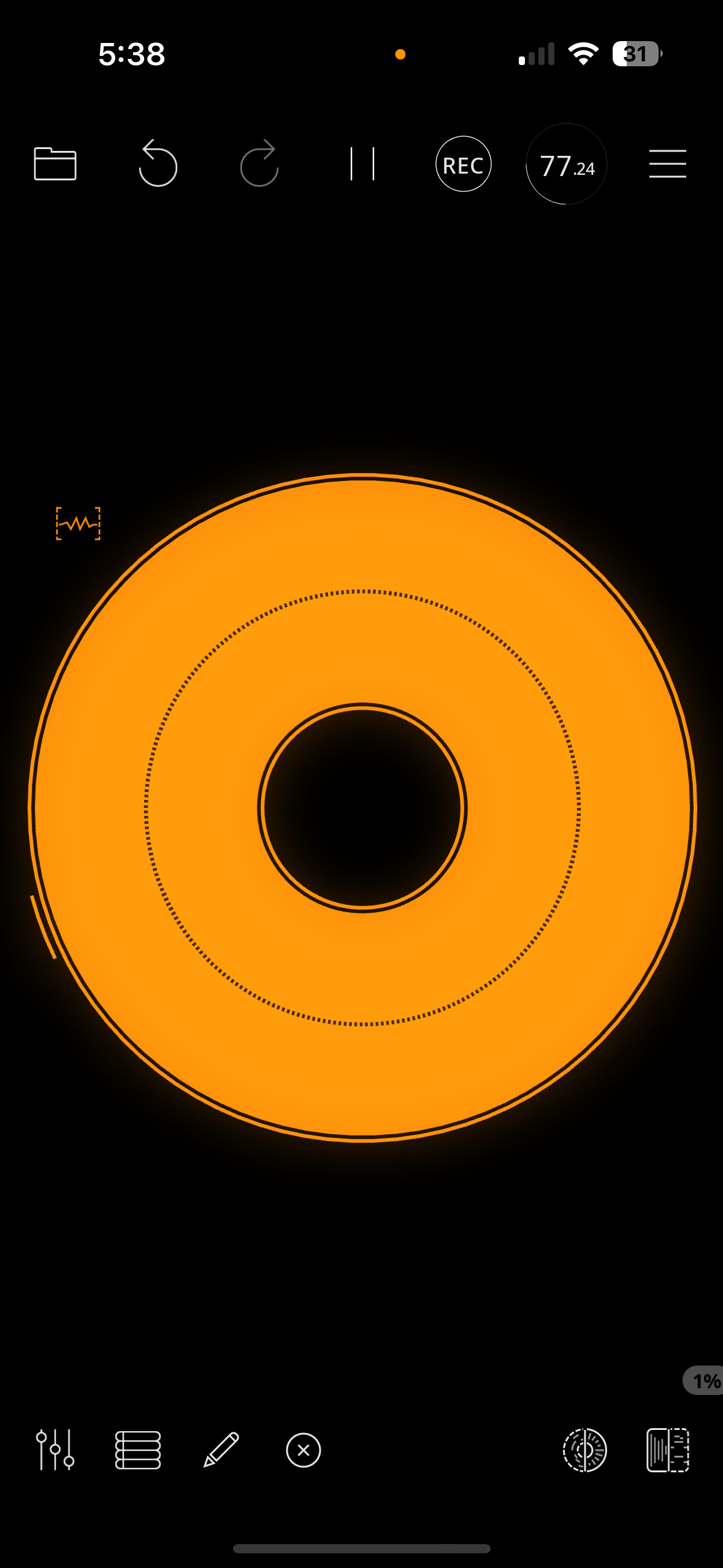
Is there anyone in this conversation that I can call or can call me
If you see level in the meter, you should be able to record.
Is that not working?
This app might help control the Spark 40 from IOS. Hard to help much further when you don’t have the same gear:
https://apps.apple.com/us/app/spark-chords-backing-tracks/id1457653921
It’s free to download with an optional $20 pack of Jimi Hendrix tones.
I played my guitar and it did record that signal but I cant hear it in playback, even when I try headphones I get nothing
When I hit input on the orange clip it sees my usb audio but no playback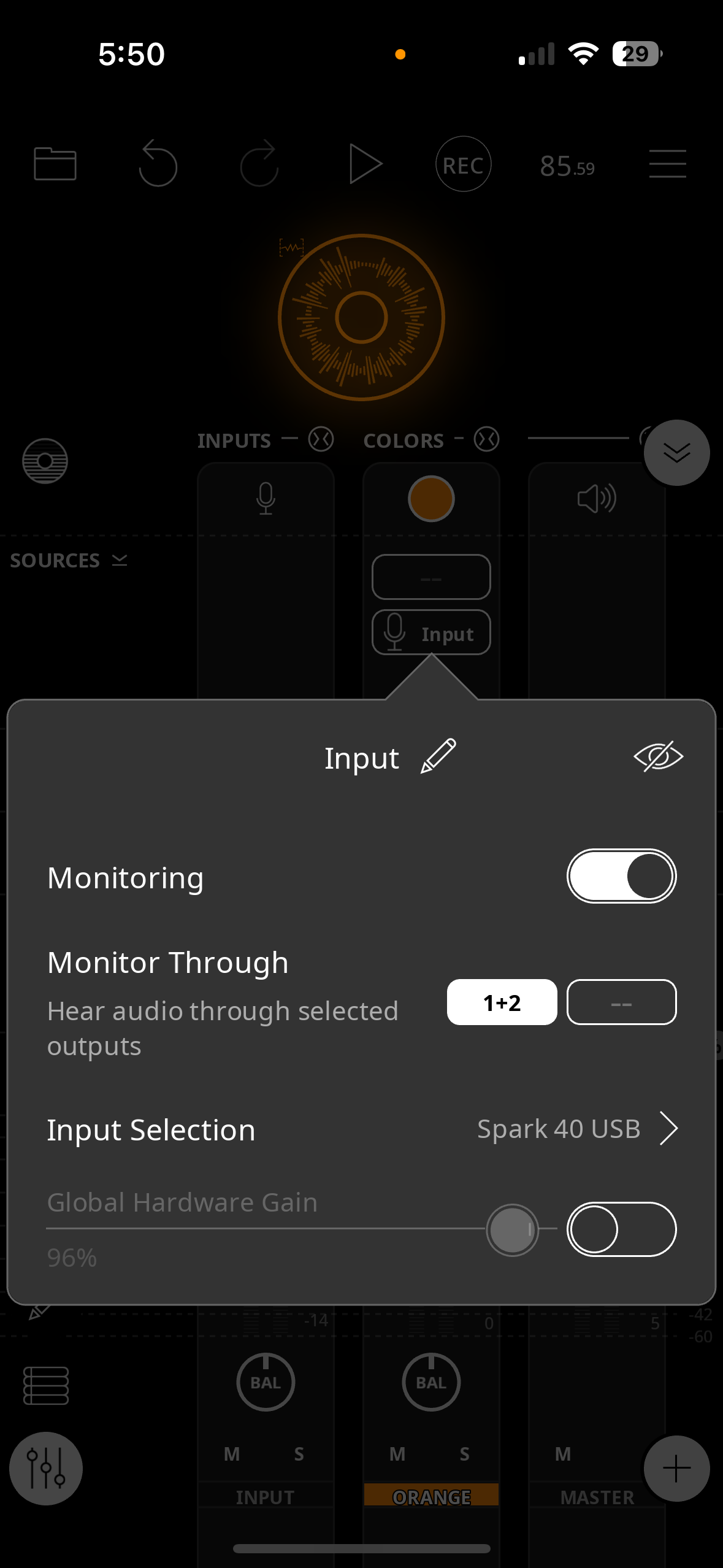
Did you tap the loop to play it back? In the screenshot following that post, the loop isn't playing. It should be filled in with Orange, not just the outline, if it's playing.
What are the headphones plugged into, the amp?