Loopy Pro: Create music, your way.
What is Loopy Pro? — Loopy Pro is a powerful, flexible, and intuitive live looper, sampler, clip launcher and DAW for iPhone and iPad. At its core, it allows you to record and layer sounds in real-time to create complex musical arrangements. But it doesn’t stop there—Loopy Pro offers advanced tools to customize your workflow, build dynamic performance setups, and create a seamless connection between instruments, effects, and external gear.
Use it for live looping, sequencing, arranging, mixing, and much more. Whether you're a live performer, a producer, or just experimenting with sound, Loopy Pro helps you take control of your creative process.
Download on the App StoreLoopy Pro is your all-in-one musical toolkit. Try it for free today.
Comments
Preview of the current state and features of Loopy Pro Template - which I'm working on.
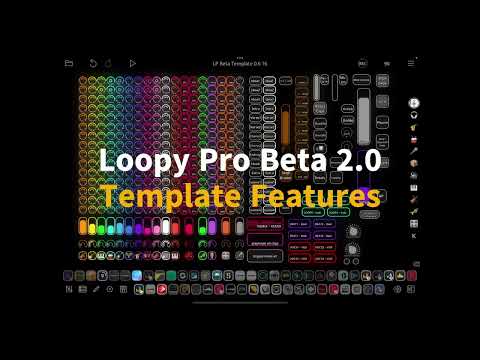
Some lately added features:
*Added solo next tapped clip color button to song page. *Retriggering for scenes (really nice when having one shot hits etc. in scene, you can trigger immediately multiple times). Still having the toggle scene button as well.
*All the actions in the page are recorded to remix clip with included mastering adjustments and enhancer presets.
*Some additional clips to quickly move material from instrument pages to song page.
*Added effect bus for Eventide CrushStation with preset dials (manually added the presets)
*Also for vocal effects there are some fine tuning
*Added 3 dedicated instrument pages for melodic instruments
*Added 4 more auv3 melodic instruments and 4 more beat instruments with dials and basic controls (easy to replace from the mixer)
*Had to add some presets to Koala, auv3 effects and instruments manually to have them accessed by dial
*iSymphonic caused some audio failures in the combination so removed it
*And so much more - will create a list when this is published after final release
Other considerations: Didn't add the master length button, because with details button - it's so easy to adjust it. Some worries with some mixer settings, especially volume levels and overdoing with effects..
Added some nice features to my favourite page in Loopy Pro. Easy to create a song with remix clip - Playing with scenes now with either toggle or retrigger. Also added solo button to be able to tap the clip to be soloed..
I think this is outstanding to be able to define all scenes as you want, then play scenes like an "instrument" and record the results to a song.. Will demo more later.. Retrigger / play / stop with fade in and fade out settings.. adjust mutes soloing and both volumes and panning and all of the adjustments are recorded to Remix - clip (also including mastering presets and adjustments + TB enchancer - so the mix will be perfect)
Yee!! Finally got the routing done properly. Needed to consider what to route to master etc. Now no more voice duplication and when monitoring from midi the vols are same as from audio clip and effs included similarly with several grouped buses 👍 So this beta us shared for supporters with corrected routings and lots of other fine tunings as well.. will make video of them ☺️
Started to test and update my Loopy Pro LiveSet template shared in patchstorage.com
Wanted to add mastering page to impact to overall sound of the "output".
So Grand Finale with preset dealing and some sliders and TB Enchancer with preset dialing and mix level adjustment added..
Otherwise the template, which I have put huge effort to (especially with triggering in press and release controls etc. ) seems to be working in upcoming 2.0 too.. Still testing though.. and maybe it will have new version too later with some add ons.. More about that later..
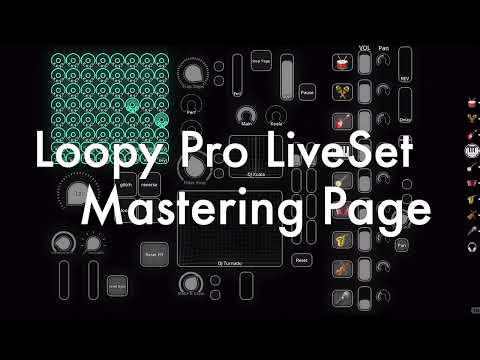
Testing some mastering with my Loopy Pro Template with AUV3 mastering effects: Grand Finale and TB Enchancer - how it adds body to your scenes - in this case maybe I added too much bass - need to note that headphones / or monitors are in huge role. (at least earlier I wanted to mix everything as flat as possible). In the template there are quick to adjust presets for mastering and exchanging the sound. Plus some sliders to complement.. Not professional but expands the sound sculpting further in iPad.
Hi. I think have covered most of the idea from this Template already, but wanted to share the basic ideas of it and after spending tens of hours in designing it, wanted to share some of my thoughts etc. and maybe something is also new ;-) If you follow what I'm mumbling in kind of English.
I know the video is probably too long and unprofessional, but feel free to browse forward, while watching..
I hate my video making skills - but will still not use AI, to keep my personal touch.. But will promise to make shorter ones next time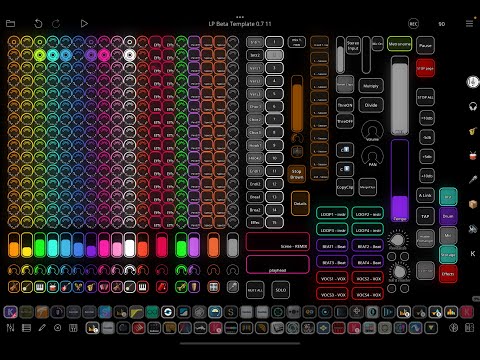
Hi. Wanted to share my experiences on creating a song with plugins and at the same time, defining and planning the huge Loopy Pro Template for home and portable studios, and from which I will generate several versions / variations for free. So you will get a bit of deep dive, what I'm doing. Going to share many versions of this, it will be very nice to create electronic songs especially - if you are using iPads...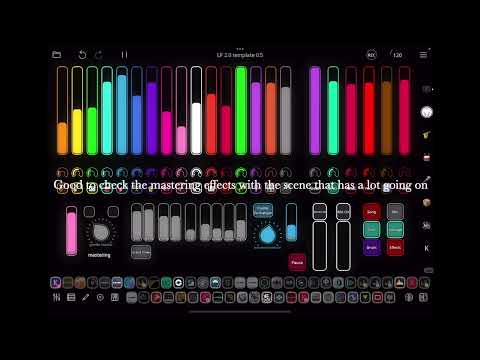
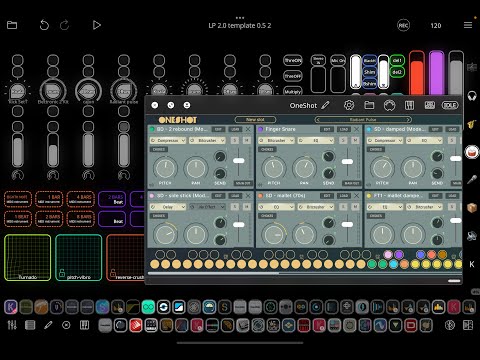
Had to just continue from the thought of showing some details of the template and hopefully some ideas for any beat making. Using midi clip more and more - that why I needed to create a button to reset away the quantize settings.. Also planning to implement midi automation to xy controls
.
Hi.
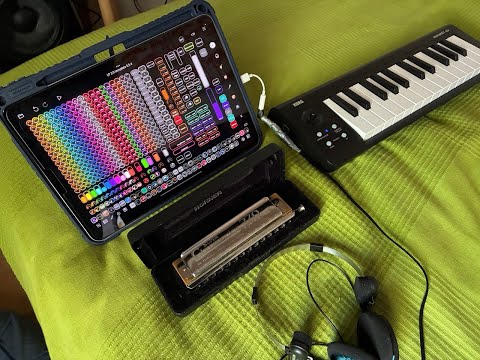
Added new feture to swap / switch content of two clips. But mainly did a first trial to include some acoustic instruments also and how they sound with auv3 effect plugins and instruments. And of course demoing my Song Creation Template more. This time showing how Chromatic Harmonica Sounds with some reverbs..
It's so amazing to have those effects - I'll have to test even with my own singing - but maybe autotune it a bit 😉
Hi. Have to show how easy it is to lock the sounds to certain position by activating the "hold" functionality and keep the effect on and then with release reset the effect. It gives so much possibilities to make a difference. Still pending on midi automation, which can do even so much more.. So I will add it to my template in some forms.. And wait for the drums - they will be Amazingly Crazy..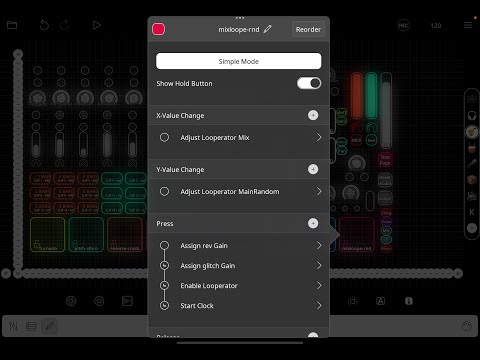
Hi. Wanted to demo how easy it is to create an auv3 instrument page in Loopy Pro for one dedicated instrument and then create audio clips with embedded effects. Then it can be copied to "one material" and to selected scenes.. This video is focused on Chompr - Have bought most of the sample packs - so need to manually feed hundreds of preset names to LP - but it's worth it. Can get some ideas from there grooves etc. Or just use samples with plenty of effects or flavours..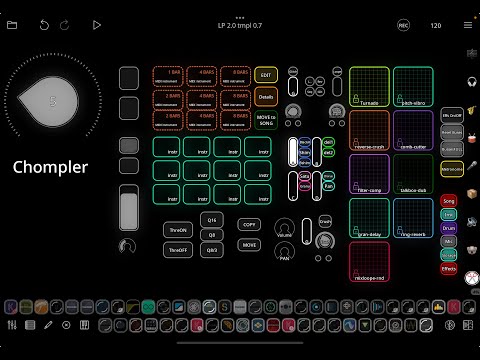
upcoming a similar video related to Tera Pro also..bought all the sound libraries - part of my appoholic disease☺️
Finally getting version of this Template out to patchstorage.com tomorrow. Will provide full version at the same time to Coffee buyers / supporters - it includes pages with more instruments, and some dedicated ones.
This one is mostly focused to Koala Sampler and Auv3 effects, but can be used with any hardware and as an effect station with it. Could mention E.g. MPC, SP404, HW Synths - etc..
I will make some demos later about the possibilities and continue improving the main template. And maybe making more compact and dedicated versions of it also - if requested
Hope you subscribe or even buy me a cup of coffee - this Template has been a huge effort, but have also created songs with it - 3 of them published with AkiVilla name in musical services - and 3-6 additional songs are pending.
Some remaining from the main Template and also some Template bugs are existing.. Working already with some better routings etc. Feel free to prose some development ideas and join to my Facebook group to plan together.
https://www.facebook.com/groups/23888011304195348?locale=fi_FI
Hi All.. Finally sharing one version of my Loopy Pro template - 1st with focus Koala and auv3 effects..Check the link in the video description. Quickly made some preview of beat making in it. Lots of similar videos in my Youtube channel about Koala and Loopy Pro..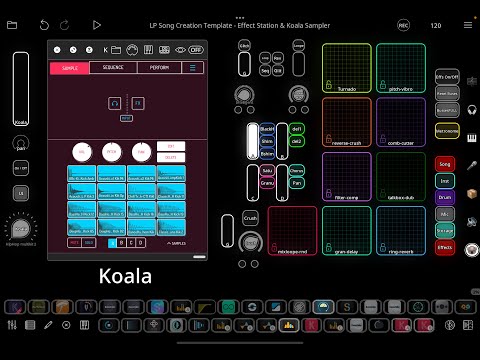
I’m a complete newb with loopy pro, but I will definitely d/l this and try to learn from it. It’s visually a work of art. Love your videos, btw.
@wagdog Thank You So Much. I appreciate your kind words 👍 Already shared quite massive piece of the template, but there will be some variations also, especially for livesets and for supporters I shared the current full template with some dedicated auv3 instrument pages.. will also make a version to iPhone, after summer vacation..
Finally will start to get an idea how to use MIDI automation in Loopy Pro. I have so many effects and instruments included in my template - so possibilities are HUGE!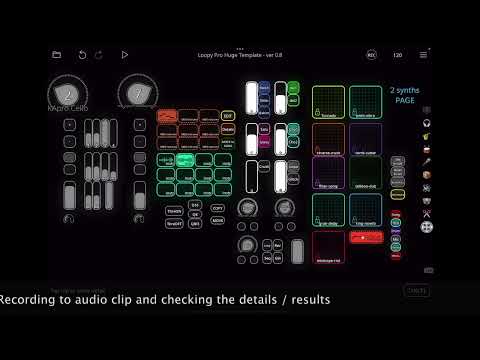
It's more like overwhelming, so need to plan more. But starting with these xy effects. I have created an instrument page for 2 synths, that can be layered and used with several effects and also starting the implementation for midi effect automation from there..
So stay tuned this will be impacting - just need to be careful not to overdo this. I want to keep the forward workflow. But can't wait to try this with beat clips ;-) So that will be the Part II..
Hi. Wanted to show how convenient it is to add LO-FI-AF effect auv3 plugin to Loopy Pro Template. Just covering like a preview and really liking those effects that have exposed their preset changing so can use simple dials in LP and don't actually need to open the UI, if setting the mix level and using existing presets is enough..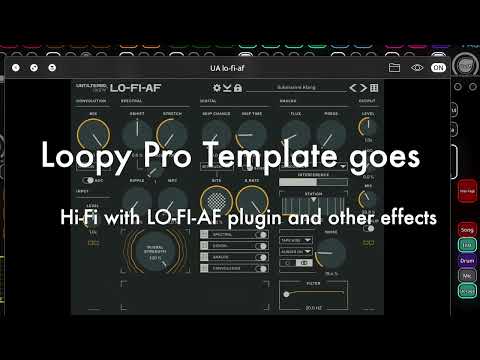
btw - Having the Tape Cassette 2, Reel Bus and LO-FI-AF on the same bus in my template. Will probably publish auv3 Effect station version of the template at some point..
Hi. Took the challenge to try to make my huge template usable in iPhone. Ok, after the first experience it looks like an impossible mission, "but some hope there is" ;-) This is just the preview of work in construction.. cutting quite much from the main template - trying to find a good combos of auv3 effects and instruments etc..
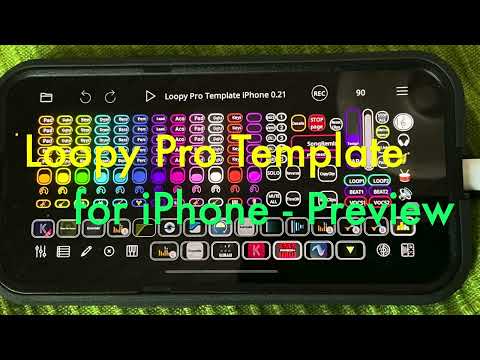
This iPhone template might be most suitable for bigger screen iPhones - I was able to use it in my iPhone 16s - will check in my iPhone 12 too.. Also this template made me think to get rid of some complex stuff - so something in between the huge and minimal will be also coming too (Maybe optimal to iPad mini). Really have gone through enormous process investigation auv3 instruments and effects during this..
Hi All. Made some improvements to template e.g. color coding and UI adjustments, but I think the main one is a addition of Looperator - which is HUGE. It offer so much with preset browsing and xy control with press and release.. Going to also add tutorials of the ways to fill the Template like "project" content like in this one it's 120Bpm and A Minor..
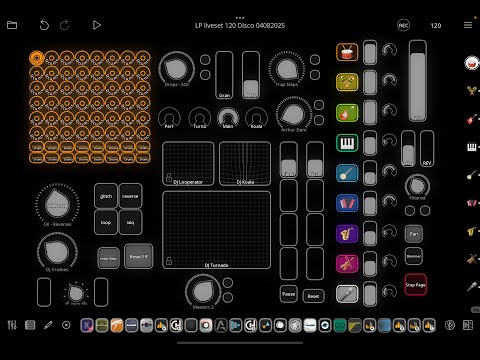
Presenting instrument and effect pages in my "demo", not even touching the xy controls. You will hear some ENORMOUS crushing, lush sounds and even face a crash while playing with maximum combos.
This template is especially to those appoholics like me, who have most of the auv3's.. Wanted to create a template that groups the effects and instruments and spend hundreds of hour in modifying it / and setting things up.
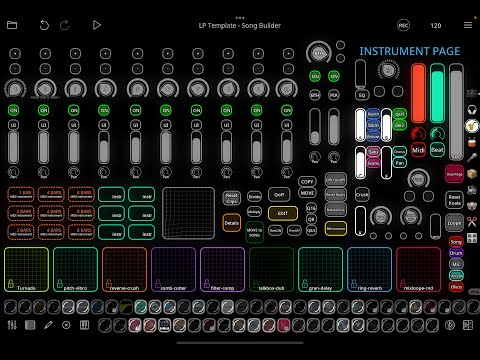
Hi All. Finally going to share this more compact and verified version of HUGE song Creation Template - This One is called Loopy Pro Song Builder Essentials.
You can download it this week from patchstorage.com.. Stay tuned. If you have the plugins you really can create song with it.
And if you don't have plugins, you can either replace the instruments and also effects (even it's a bit more complicated) by changing the effect bus configurations..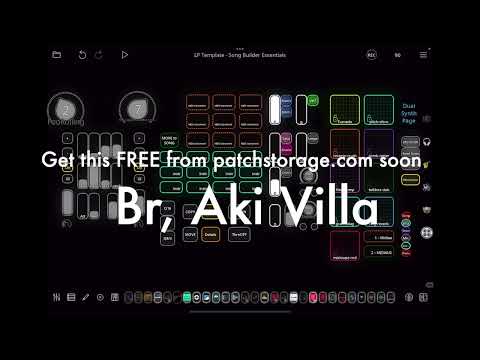
Sharing a second version of this Liveset template this week for free in patchstorage.com with some UI organising to make it clearer and included color coding. Also added Looperator, which is MAGIC, and fixed some resets / triggers. Now template features best iPad auv3 effects for live mangling: Turnado, Looperator, Glitchcore, Perforator and Koala effects + some TB effects (certainly you might not need all, so feel free to replace ;-)
I always wondered why I bought so many Synth and FX apps… now I know. So, I could play with your Liveset templates!
Thanks for sharing your “babies” with us on patchstorage.
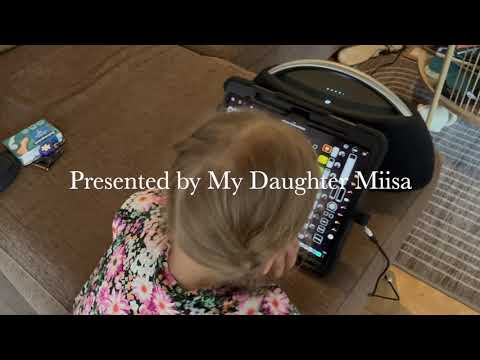
Thanks @McD - already got some plans to chain the effects more and improve. This new liveset is quite small update for previous one, but liking a lot as played together with my daughter and two iPads synced..
btw - also feel like now with LP templates I can actually use most of the hundreds of apps or inapp purchases I bought during the time..
Hi All!
Shared now those promised two Loopy Pro templates. One for song making with essential iPad instruments and effects and another one for LIveset (both based on my earlier templates - hopefully improved in the way you want)
They are not "ready", they contain bugs and leftovers from "bigger" templates. Let me know, if you face some serious issues with them. Templates will be evolving and I will have some addon videos about the possibilities to expand and modify.
https://patchstorage.com/loopy-pro-liveset-template-0-7/
https://patchstorage.com/loopy-pro-song-builder-essentials/
Have to update the Liveset soon as it is having some bugs in controls and visual challenges.. So stay tuned for update to it
Template updated! Check it out! ;-)
https://patchstorage.com/loopy-pro-liveset-template-0-7/