Loopy Pro: Create music, your way.
What is Loopy Pro? — Loopy Pro is a powerful, flexible, and intuitive live looper, sampler, clip launcher and DAW for iPhone and iPad. At its core, it allows you to record and layer sounds in real-time to create complex musical arrangements. But it doesn’t stop there—Loopy Pro offers advanced tools to customize your workflow, build dynamic performance setups, and create a seamless connection between instruments, effects, and external gear.
Use it for live looping, sequencing, arranging, mixing, and much more. Whether you're a live performer, a producer, or just experimenting with sound, Loopy Pro helps you take control of your creative process.
Download on the App StoreLoopy Pro is your all-in-one musical toolkit. Try it for free today.
Piano Roll manual MIDI input doesn't play
Hello again,
When I input MIDI notes using the piano roll, no MIDI is triggered while play.
However, input notes with a MIDI keyboard work as expected.
Comments
Your video doesn't show what the clip is routed to. The midi gets sent to whatever you set as the destination for the yellow midi channel.
Expand your mixer and post a screenshot so that we can see the routing.
@espiegel123
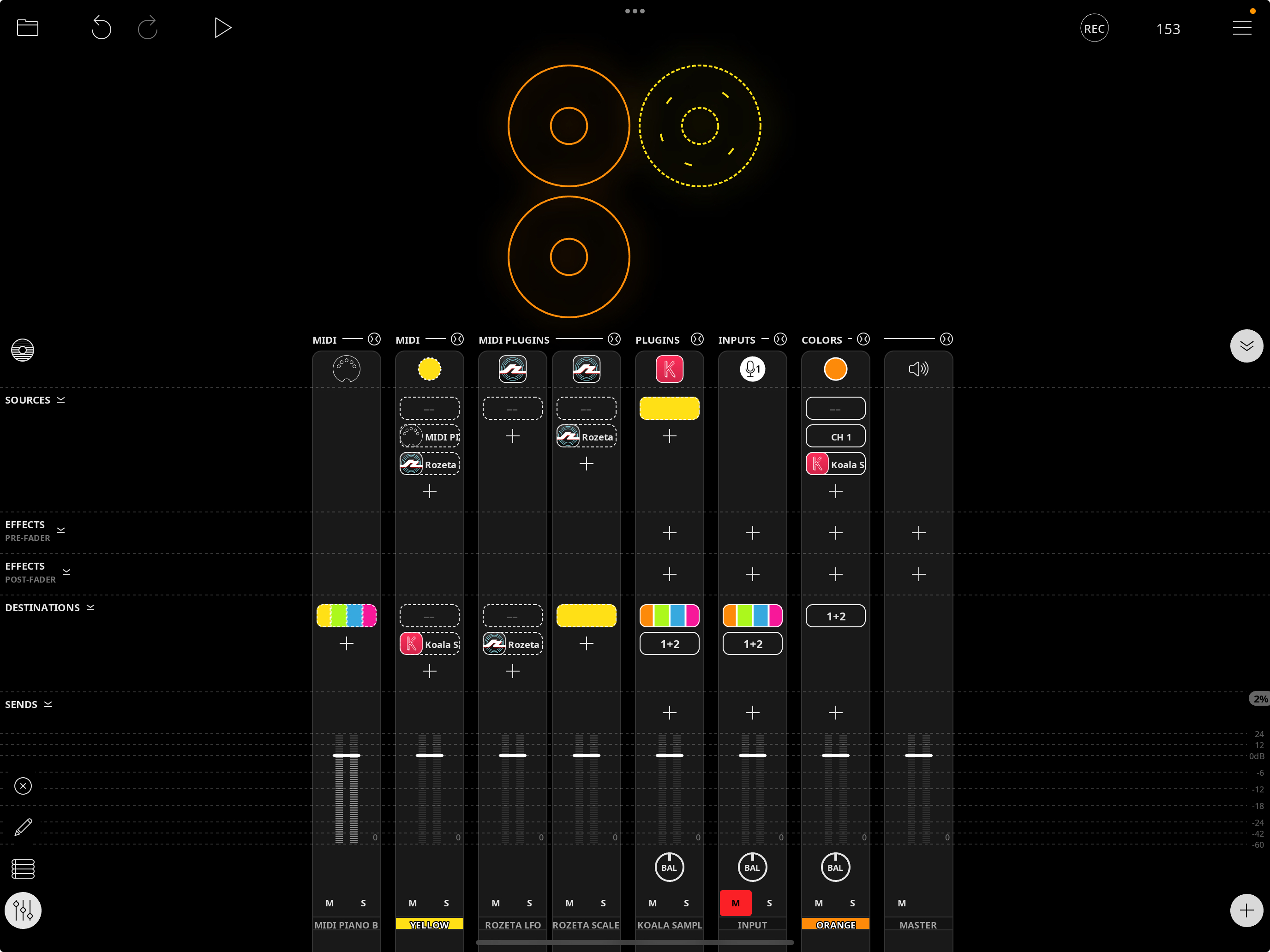
Thank you.
This happens only with empty MIDI Roll.
https://dropover.cloud/ae9742
@cellicello : I am not able to reproduce that. As a troubleshooting step:
@espiegel123
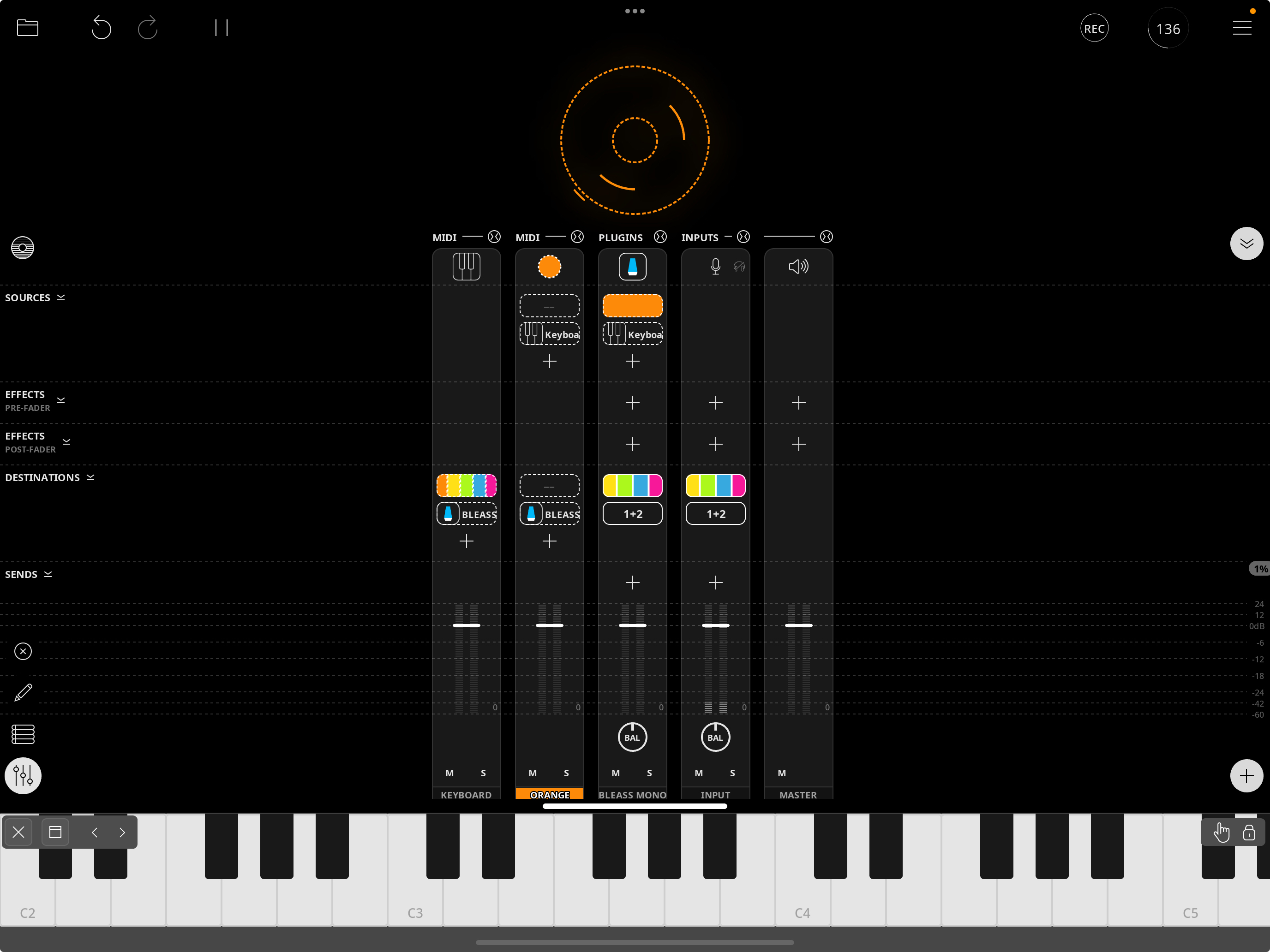
I did exactly what you asked for.
The keyboard in the piano roll makes a sound.
Placing notes in the piano roll doesn't make a sound.
It seems that if I manually enter a midi note in an empty piano roll, and press first the play button in the midi roll
notes will play, and also when I start the main play button (clock?)
https://dropover.cloud/bc4278
Are you saying that playing back that midi loop doesn't make any sound from Monolit?
The screenshot shows the loop in stopped state. Did you stop it before taking the screen shot?
I was able to reproduce. It looks like there are a few issues that Loopy Pro isn't handling right in this scenario. Thanks for providing the information.
The issue is that placing notes in the piano roll sometimes doesn't sound the notes. There seem to be a few factors influencing the issue.