Loopy Pro: Create music, your way.
What is Loopy Pro? — Loopy Pro is a powerful, flexible, and intuitive live looper, sampler, clip launcher and DAW for iPhone and iPad. At its core, it allows you to record and layer sounds in real-time to create complex musical arrangements. But it doesn’t stop there—Loopy Pro offers advanced tools to customize your workflow, build dynamic performance setups, and create a seamless connection between instruments, effects, and external gear.
Use it for live looping, sequencing, arranging, mixing, and much more. Whether you're a live performer, a producer, or just experimenting with sound, Loopy Pro helps you take control of your creative process.
Download on the App StoreLoopy Pro is your all-in-one musical toolkit. Try it for free today.
"SOLVED" Loopy on iPhone as a remote controller of Loopy on iPad

Hello,
I’d like to use my iPhone Loopy Pro running the same session as my iPad.
In AkiVilla’s video, it looks like he’s using multiple devices with Loopy Pro.
Does anyone know how to set this up?
Comments
Hi.. Aki Villa here.. You can have the same template with Loopy Pro in ios devices. They can be synced e.g. with ableton sync.. to sync the loops and share the clip settings for quantization.. Of course iPhone and iPad cannot handle similar amount of objects in the display, but if you open the same project in iPhone as in iPads it probably opens ok.. Usability is the challenge
@cellicello You can use iPad with Loopy Pro and connect it with usb-c to macbook as an input device to get audio to there.. Generally I would still use audio interfaces and then connect them with audio cables. Sp404 lets you connect two ios devices - another one with usb-c and another one with usb-c to audio and connect to stereo audio input (some struggling with volumes might be needed like in some of videos show)
The iConnectivity AUDIO4C audio interface also allows two iOS devices to communicate with each other.
However, I’m looking for a way to wirelessly control Loopy on an iPad using Loopy on an iPhone as a remote controller.
In your videos, you show many iOS devices—are any of them connected wirelessly?
If so, could you please provide a detailed step-by-step guide for setting this up?
That would be fantastic.
@cellicello do you mean a direct control, such as move a channel fader on iPhone and have the fader move on the iPad? Add a loop on the iPad and have it show on the iPhone? That isn’t possible.
You can set up widgets on the iPhone and send MIDI from them to control things on the iPad as you would from a hardware controller. You just need to connect the two via Bluetooth MIDI. To do that, turn on Bluetooth advertising on one device, then connect it to the other.
You can also do this between (only) two devices with a USB cable using “Network Session” for the MIDI connection. There are of course other ways, such as with the 4c as you mentioned.
However, there isn’t automatic two-way feedback in this situation and the controls also won’t automatically sync between sessions or even have their state saved on the iPhone without somewhat complicated workarounds.
No, I just want to use my iPhone as a remote controller for Loopy Pro on iPad.
This link helped me a lot, thanks
https://wiki.loopypro.com/Direct_Midi_Between_Two_iOS_Devices
Yes, and I could pair my iPhone and my iPad via Bluetooth using iOS Settings, as it didn't appear on Loopy Bluetooth Devices.
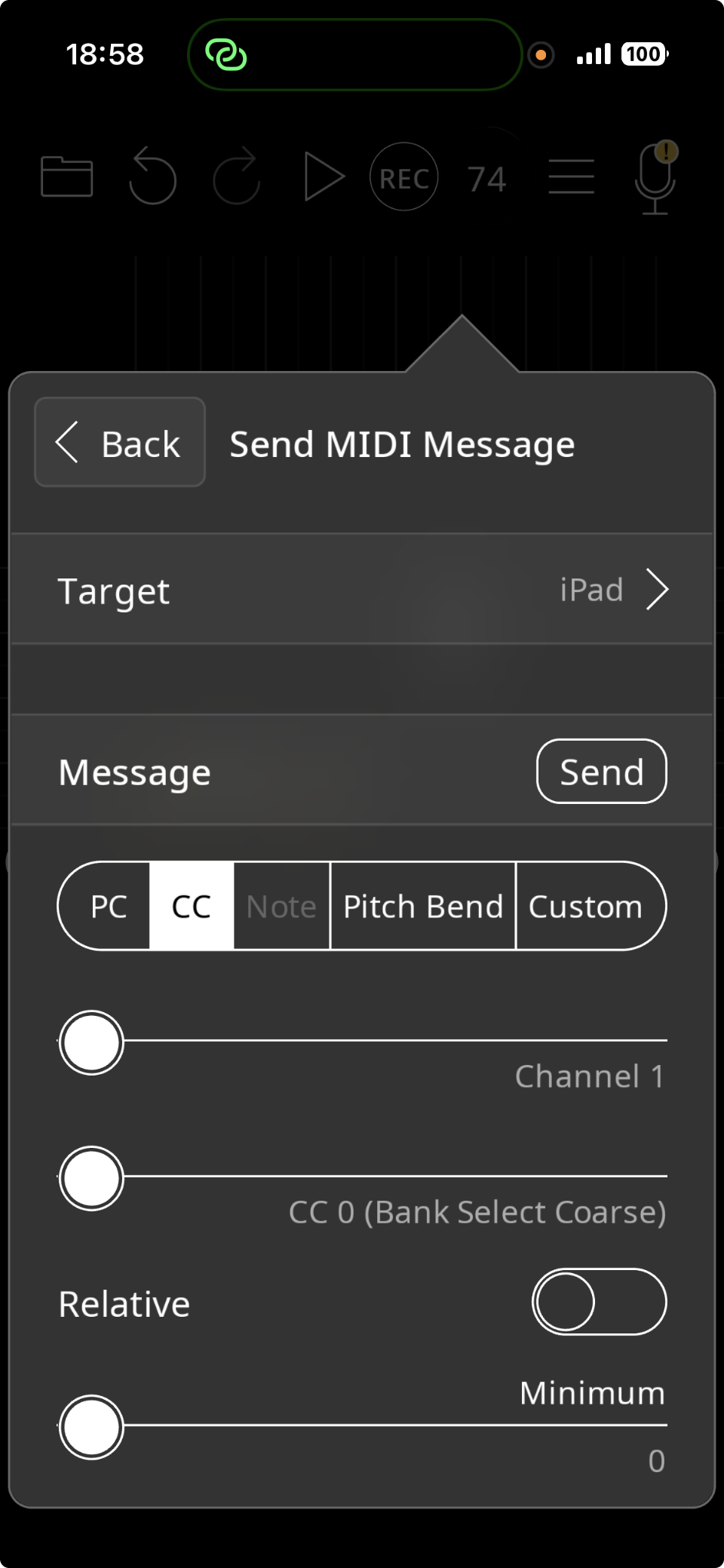
Then I created a Widget Fader on Loopy of my iPhone and sent a MIDI message to a Fader on the mixer of Loopy on my iPad using MIDI learn on iPad
Over Bluetooth is a good way. However, you won't have two-way feedback. For instance if you move a control on the iPad it won't move the control on the iPhone, even though it works the other way (from iPhone to iPad).
Also, when you close or save the session on the iPhone, it won't save the widgets' positions. There is a way to make it do that, but it requires setting up a duplicate "shadow" widget for each one.
When you change sessions on the iPad, it won't update the controls on the iPhone to match it.
I'm just letting you know the limitations up front to save you some trial and error.