Loopy Pro: Create music, your way.
What is Loopy Pro? — Loopy Pro is a powerful, flexible, and intuitive live looper, sampler, clip launcher and DAW for iPhone and iPad. At its core, it allows you to record and layer sounds in real-time to create complex musical arrangements. But it doesn’t stop there—Loopy Pro offers advanced tools to customize your workflow, build dynamic performance setups, and create a seamless connection between instruments, effects, and external gear.
Use it for live looping, sequencing, arranging, mixing, and much more. Whether you're a live performer, a producer, or just experimenting with sound, Loopy Pro helps you take control of your creative process.
Download on the App StoreLoopy Pro is your all-in-one musical toolkit. Try it for free today.
Controlling the mix level of effects in AUM

I’d like to control the mix level of certain effects in AUM (those without a dry/wet or mix knob) via a MIDI foot pedal. I couldn’t find such a function in AUM itself. Did I miss something? – If this function isn’t available directly in AUM… what’s the best (easiest) way to replicate this functionality (dry/wet mix of effects)?
Comments
I think the easiest way is to create bus-track for the effect and control the bus-tracks output level with the foot-pedal?
Is there a possibility without using an extra bus? (For exemple with a midi plugin doing the task)?
Perhaps Midi Mixer by 4Pockets can do what you want. It is designed specifically for use with AUM.
https://apps.apple.com/us/app/midimixer-for-aum-auv3-plugin/id1542209150
What's wrong with using a bus? That's what they're for. There's no way for a plugin to separate out the wet and dry output of an app. That's like trying to take the coke out of a Rum and coke. 😉
MIDI is note and control data only not audio. So a MIDI plugin couldn't do this.
There's a plugin called KQ Loopback from the KQ Voice Suite. It's an FX that can take an input signal and then "transport" it over to another instance of itself as an instrument. You could conceivably put this before the FX to get the dry signal, then put the instrument side of it in an audio channel that isn't a bus. This would impart some latency, causing phasing issues, and it would gain you next to nothing other than using an added instrument channel rather than an added bus.
„What's wrong with using a bus?“ - Could you explain how to do this? For exemple: Instrument -> Effect 1 -> Bus with Effect 2 (with mix-option) -> Effect 3 -> Output
If I have a bus with Effect 2 as part of the effect chain and control its output, then the sound will get completely silent by having it at zero - or doesn‘t it? - Do I have to do some kind of crossfade to get things done? - A screenshot would be helpful, thanks!
Use a bus send after Effect 1. Effect 1 and the bus send are pre-fader. So, even if you lower the channel fader to zero the send level will be unaffected. Set the send level with the dial to the left of the send.
Sorry, I don't understand what you're saying there. I have to sign off now, but there are plenty of people who surely can help with this as long as you're specific about what you want to do. Naming the plugins you want to use will probably help as well.
You really need to split the wet signal from the dry one, there is no other option, because when effects are in series, they always manipulate the input signal and pass (output) it to the next effect in the chain.
And in this regard, FX1, FX2, etc… mean nothing, because they could be anything, and no one can actually help you with your problem. 🤭
I tried to use this setting. The big stuff is (one of) the effect(s) I want to manipulate (dry-wet).
Now, I created two busses: the left big stuff module is midi-controlled from 0% to 100%, the right big stuff module is midi-controlled from 100% to 0% (inverted). This seems to work. Is this the most simple way? I do not know, if every plugin has a volume-module. Is it also possible to influence the volume slider of the bus itself by midi?
Oh, now I understand your problem. This is a distortion effect that does not split dry from wet, so you have to deal with the dry signal no matter what.
What you can do in AUM is to make a master channel, and then everything patches up like I did on this screenshot.
I will try this, thanks for helping!
And for the faders' control, go to the channel options.
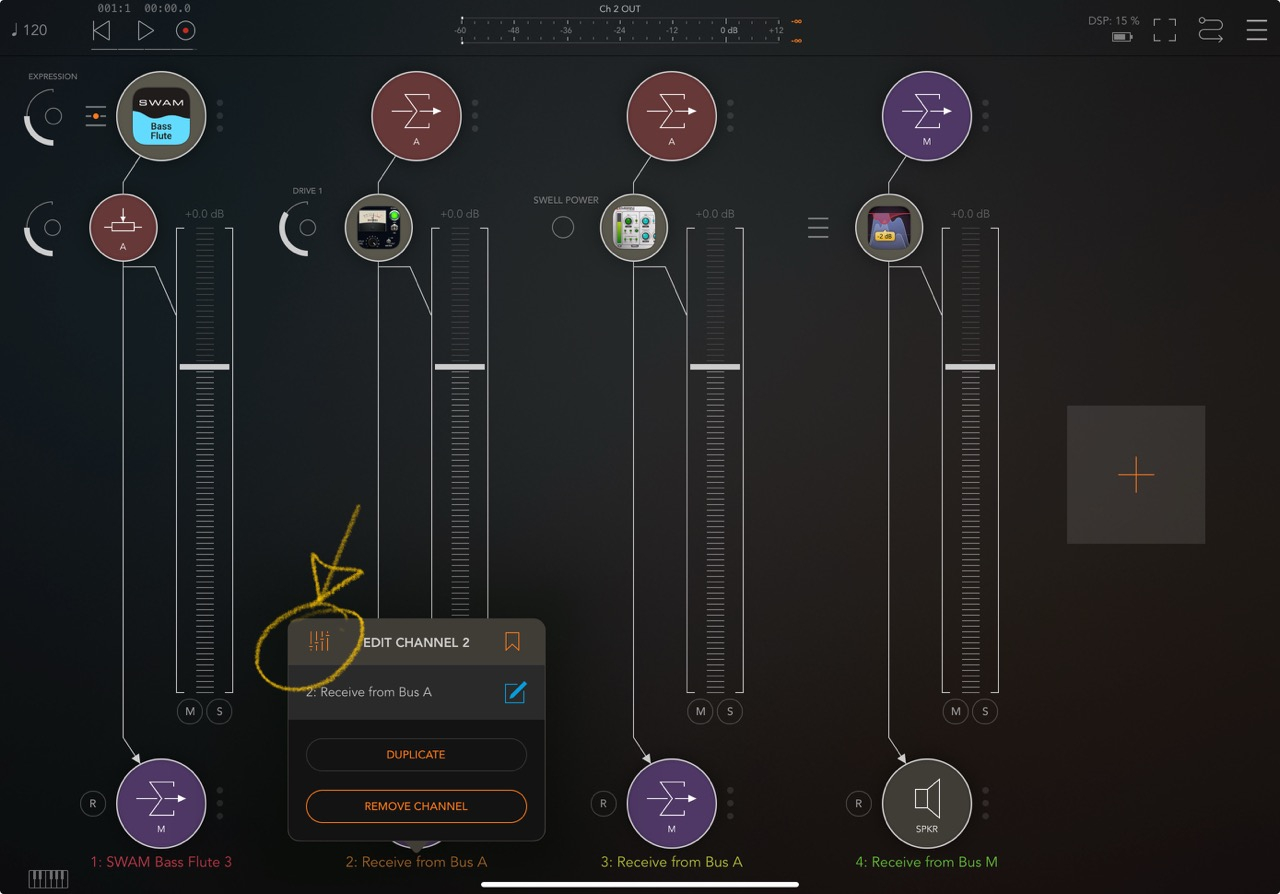
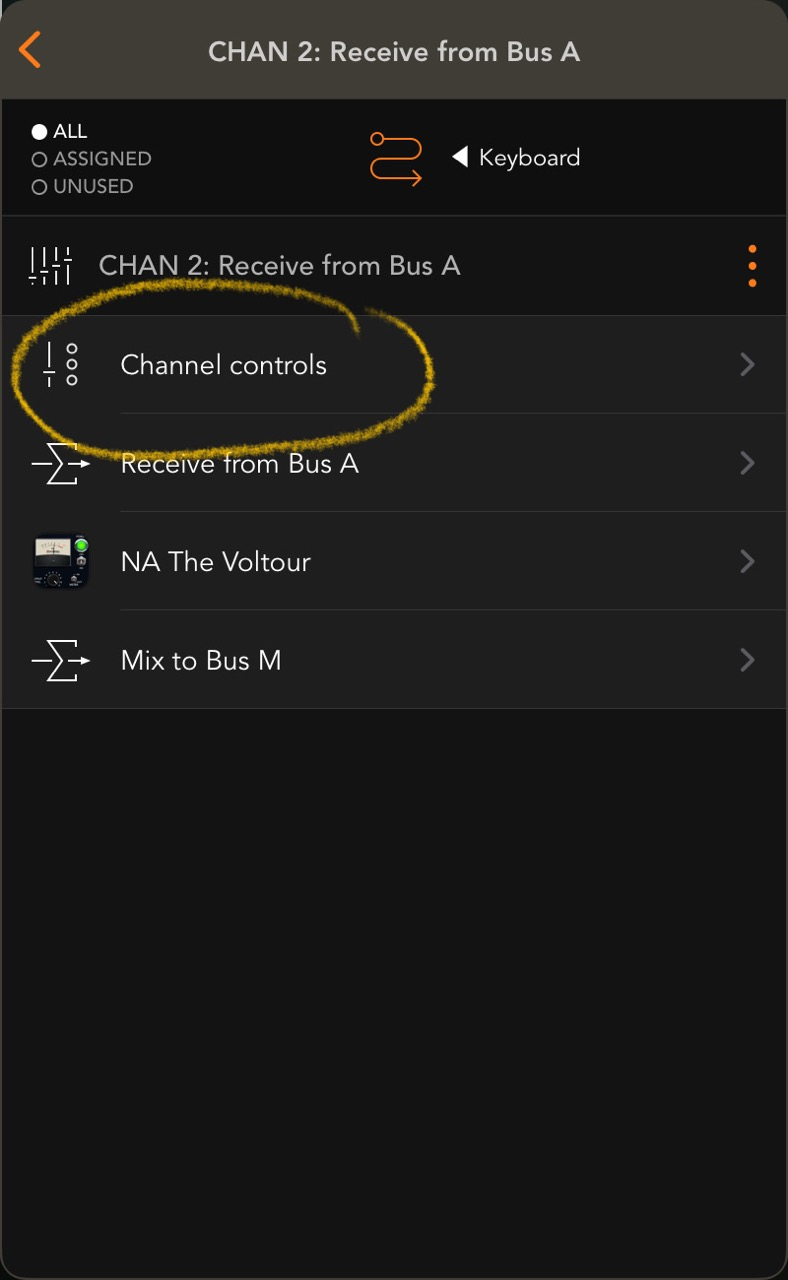
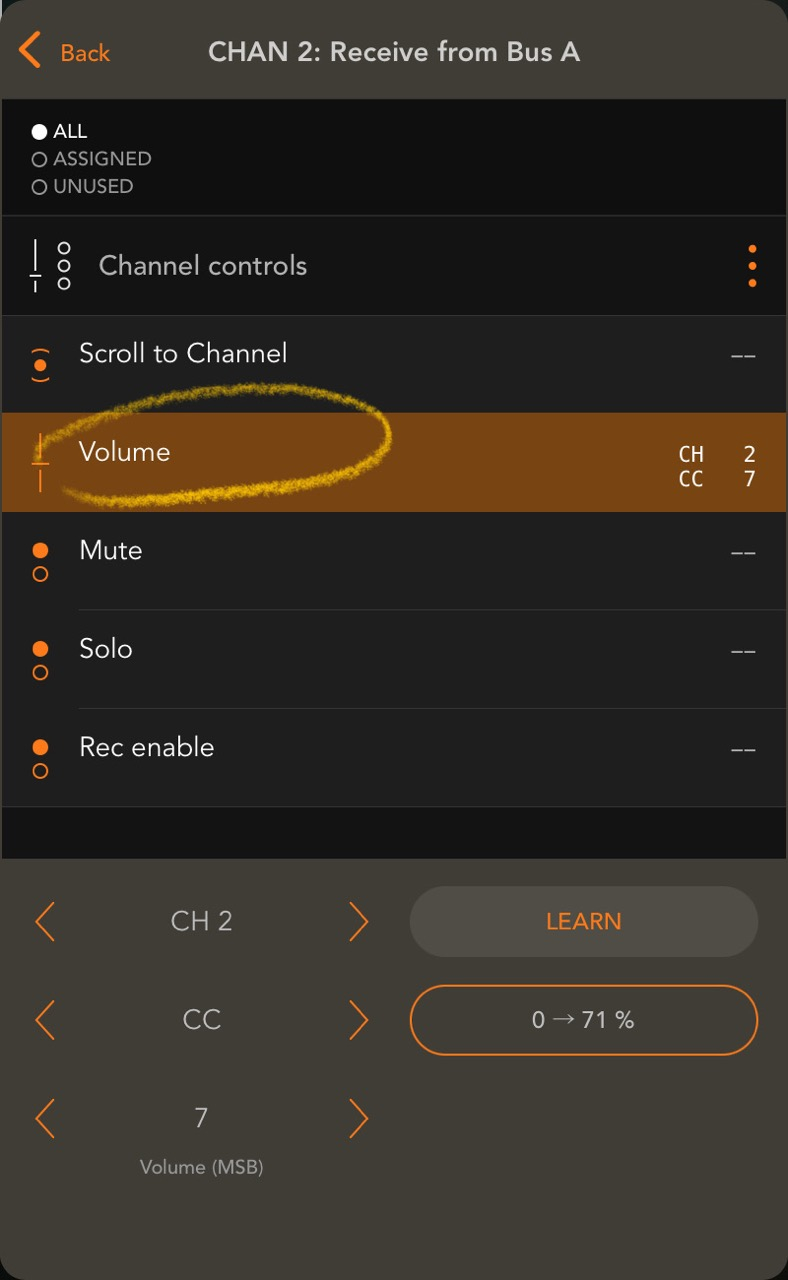
This was the function I was searching for; thank you!
Mix bus is the way. The way I do it is: Have a master bus to send everything to, and split the signal into a separate bus for each effect. Then have those effects mixed to 100% and blend the output of each fx bus accordingly. Then maybe put a parallel compressor at gentle settings at the very end to glue everything together so it is more cohesive and the db levels don’t get out of hand. It’s kindof a lot of work and takes some trial and error but is worth it in the end. I recommend checking out fabfilter / Dan worrel tutorials on YouTube, there’s a lot of good info about different techniques too
And sorry if my above post is redundant because it appears that the other posts here with screenshots are basically the same as what I do.
Also once you get a workflow going that you are confident with, you can start playing around with panning and Sidechaining, or gating fx’s, or even more sub bus chains (like funneling a modulation effect bus into your reverb bus before the master, for example) but this can get out of hand and use a lot of cpu too lol