Loopy Pro: Create music, your way.
What is Loopy Pro? — Loopy Pro is a powerful, flexible, and intuitive live looper, sampler, clip launcher and DAW for iPhone and iPad. At its core, it allows you to record and layer sounds in real-time to create complex musical arrangements. But it doesn’t stop there—Loopy Pro offers advanced tools to customize your workflow, build dynamic performance setups, and create a seamless connection between instruments, effects, and external gear.
Use it for live looping, sequencing, arranging, mixing, and much more. Whether you're a live performer, a producer, or just experimenting with sound, Loopy Pro helps you take control of your creative process.
Download on the App StoreLoopy Pro is your all-in-one musical toolkit. Try it for free today.
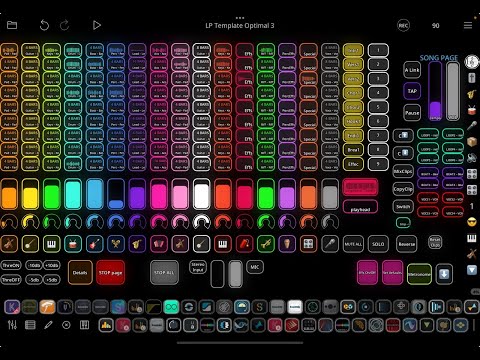
Loopy Pro Template Huge But Optimized shared FREE

This template is for song creation with auv3 plugins (effects and instruments), but also offers baseline to build up a strong "effect station" for input to hardware inputs.
Sharing FREE this template in patchstorage.com.
https://patchstorage.com/loopy-pro-template-huge-0-7/
Lots of effort put on it. Same kind than my previous one. Includes additional functions and some improvements. And hopefully enough "corrections". Also effect buses routing is kind of prepared to get them organised.
Will provide some hints and tips with the template also in Youtube shorts..
This is now the latest video about it:
If you need the presets to get dials working in the template - I will share them through my TheTemplateDude.com site.. Soon..
Comments
Started a new thread.. Hopefully it's ok.
Continues from this https://forum.loopypro.com/discussion/64236/loopy-pro-as-a-daw-and-liveset-and-recording-studio-check-the-new-content-and-how-this-is-evolving#latest
There I have mixed both LiveSet template and song creation / recording templates - Now started this one with focus on song creation with auv3 plugins..
Upcoming features to the next version of the template:
Sketch Page (was going to publish already in here, but it's quite much work to assign moving from sketch to song page with scene dedicated buttons etc..
UI buttons will be replaced with the holding the on/off switches - Also some buttons will be removed because the possibility to use this function.
UI needs to be more clearer still
Bus routing will have some routing possibilities to connect with each others
Quantization improvements to usability
Just to mention a few..
@AkiVilla Thank you for your reply.

Thank you also for sharing your template on Patchstorage.com.
I just checked it out, and it's absolutely amazing.
While it’s a bit advanced for my current skill level, I will learned so much from it.
On my simpl project,
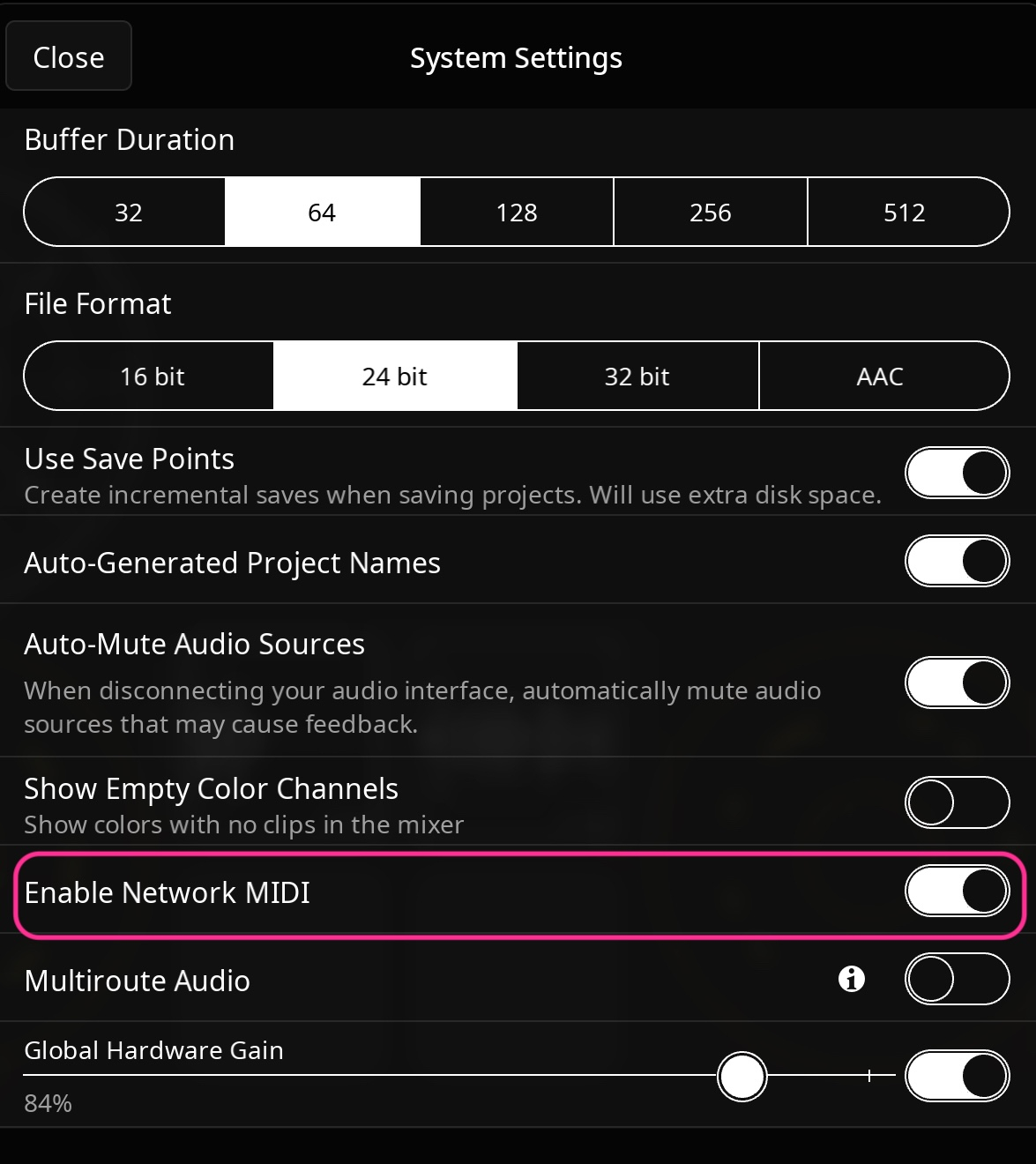
I was able to sync the same Loopy Pro sessions using Ableton Link by setting up Network MIDI between my iPad and iPhone.
I want to control clip playback, stopping, and volume changes on my iPad using my iPhone.
Could you please provide a detailed step-by-step guide for this process? That would be fantastic.
@cellicello Thanks for the positive feedback on template. I actually have not cheked network midi and co-operation between iPhone and iPad so much. Thanks for giving me some ideas - I will dig deeper to this..
Hi. I believe Link works over the network without requiring Network MIDI. It's not really a MIDI thing.
Have you actually been able to transmit MIDI over Network MIDI? I believe it actually requires a host (normally a computer) to create the session that other devices connect to. The iOS MidiFire app can also create that session. But Bluetooth MIDI should be an easier way to connect two devices. Enable Advertising on one device and Connect on the other.
That’s correct. Over WiFi or wired Ethernet. It’s not midi based at all, and it won’t work over Bluetooth.
Yes! It will work between two Apple devices over USB cable.
It does require apps that can make use of it. It can actually work without computer as the server. I have done sessions between Loopy Pro instances on different devices over I’ve done over WiFi, and once over wired Ethernet. It generally sucks over even very good WiFi.
Yes, far better. (Other than that Ableton Link won’t work over it.)
A little more info about direct connection with network session @uncledave.
https://wiki.loopypro.com/Direct_Midi_Between_Two_iOS_Devices
(The page mentions a hub, but it isn’t required for this to work. Also I’ve read that this can work without computer USB-C direct, but never tested myself.)
Thanks, but I'm not the person with the questions, see https://forum.loopypro.com/discussion/comment/1424296/#Comment_1424296.
Hi All
Presenting the Sketch Page from my "HUGE" template and will continue publishing versions from it. Like I did with the "optimal" template. I'm noticing some overheating with this huge template, but will keep it evolving until it reaches the limits..
Subscribe to boost me in presenting the improvements and new features. Then I might publish also version to iPhone, version to work as MPC extension etc.. just to mention view. Also will add pages as a internal Loopy Pro Sampler, and of course Koala Sampler instance boost versions..
And Maybe integration to Pop Drummer app.. But mainly just teasing.. Might not have time to all, but ideas I'm having as an overflow already..
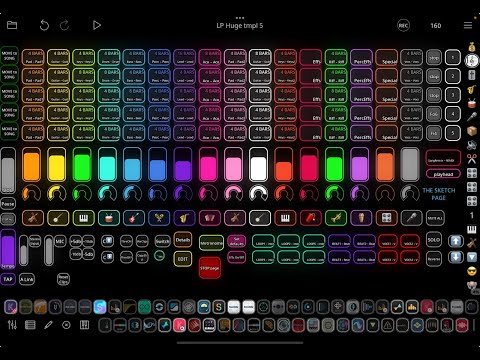
This looks absolutely amazing @AkiVilla ! Thank you so much for sharing it – – I can’t wait to dig into it and try it out.
Thanks.. This Sketch page ’feature’ will be on next update in few weeks. But hope you.like the current version. A liitle warning on heating issues with some effects.. will inform in here later - removed some from my template and now it’s better even with Pop Drummer Auv3 added
Thank you for the informations.
I'll try to control an iPad instance of Loopy with my iPhone Loopy using Bluetooth, and might use Ableton Live Link to keep them synced.
Wow, super cool of you to share this @AkiVilla Thanks!
@Poppadocrock Thanks.. Have a new one pending.. Just thinking should simplify / limit the plugins or make a template with FREE or cheap but good plugins?
FYI all - Some changes to my "Huge" template, which will continue evolving - and not only growing..
Added EQ+TB Enhancer+TB Compression and limiter to master bus and removed Grand Finale.
Added EQ's also to auv3 instrument inputs so you can characterize the sound before while recording to audio clip.
Also created a page for individual scene creation --> to be moved to sketch level --> to be moved to song page.
(Will probably add more "automations" to make the process more fluent)
Check my latest videos to find out more..
Hi All
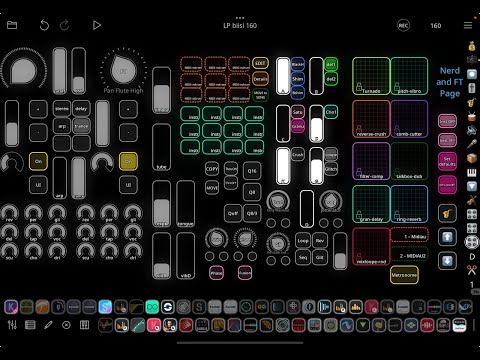
Checking VariFlute with my Loopy Pro Template. Added also controls to template to test how to use them.
Beat comes from 160bpm dnb-like rhythm coming from Pop Drummer.
Bass from Module Pro+Tera Pro combination.
Hi All
Wanted to demonstrate a workflow to push MPC made grooves to Loopy Pro. And I can do it directly to song page also. Just one example, have 100's of grooves in MPC. And also have so much pages in Loopy Pro for different purposes, I will demo soon, how it has been updated.