Loopy Pro: Create music, your way.
What is Loopy Pro? — Loopy Pro is a powerful, flexible, and intuitive live looper, sampler, clip launcher and DAW for iPhone and iPad. At its core, it allows you to record and layer sounds in real-time to create complex musical arrangements. But it doesn’t stop there—Loopy Pro offers advanced tools to customize your workflow, build dynamic performance setups, and create a seamless connection between instruments, effects, and external gear.
Use it for live looping, sequencing, arranging, mixing, and much more. Whether you're a live performer, a producer, or just experimenting with sound, Loopy Pro helps you take control of your creative process.
Download on the App StoreLoopy Pro is your all-in-one musical toolkit. Try it for free today.
dRambo drones latching

Hey Folks! I'd like to create an endless drone, which is played from Relic Waves. The sound is not synced to the bpm, so when the sequencer resets, it restarts the note. I see there is the option of infinite gate, but it doesn't seem to do what I thought it would do. Is there a way to keep a midi note sort of always on?
Thanks in advance 
Comments
Latch module
I hope it's not that easy or I'll feel a bit dumb 😅 Will try it later when I'm back at it. Thanks!!
@timfromtheborder how would it work? I tried before and after the chain, replace and toggle, with no avail.
https://photos.app.goo.gl/Z65J6TQ16nEQynMfA
What kind of rack is Relic Waves inside? It doesn’t look like my Instrument rack at all.
This is all you need.
Have you tried to configure Relic Waves for latching/hold ?
Even if I place it like you, the note always reset. I may be doing something wrong? Or maybe I need to activate something else?
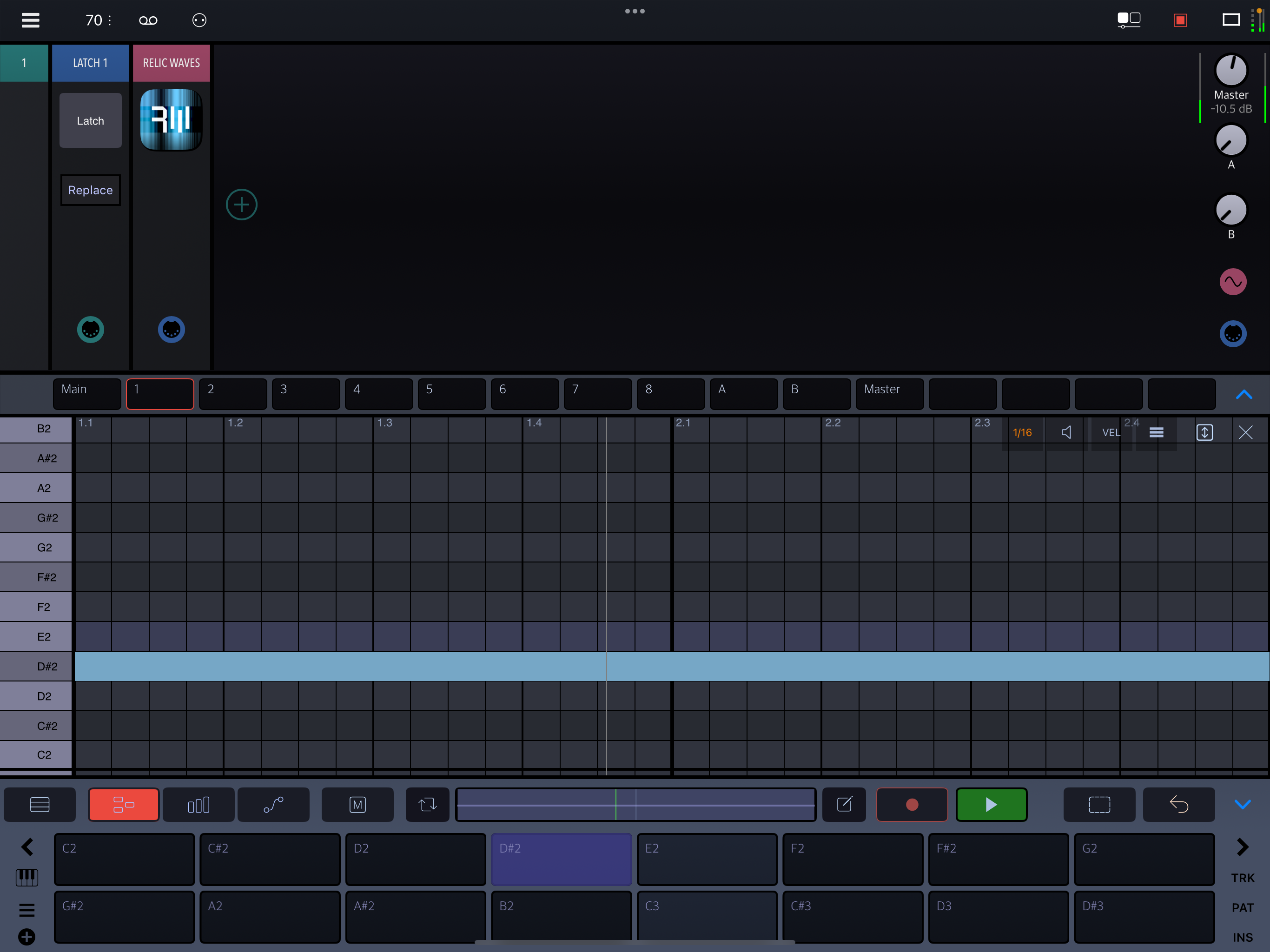
I tried it and the problem is 1 loop its on and 1 loop its off. Is there anything else I need to do? Its an interesting idea though, I might tinker with it!
Set it to Toggle and turn on Latch and it should work fine.
When I use Toggle it and Latch on, one loop the note is on, and the next loop its off. A bit like turning on Hold in the parameters. I will try to restart everything.
Sorry, I missed that you were running the transport with a note in sequence. Every time the note is played it will interact with the latch. So I would add a Once condition to the step in component view.
Keep in mind that the note will remain latched even if you stop playback until you turn it off or send another trigger.
Here is a solution that works and also stops the Relic loop when playback stops.
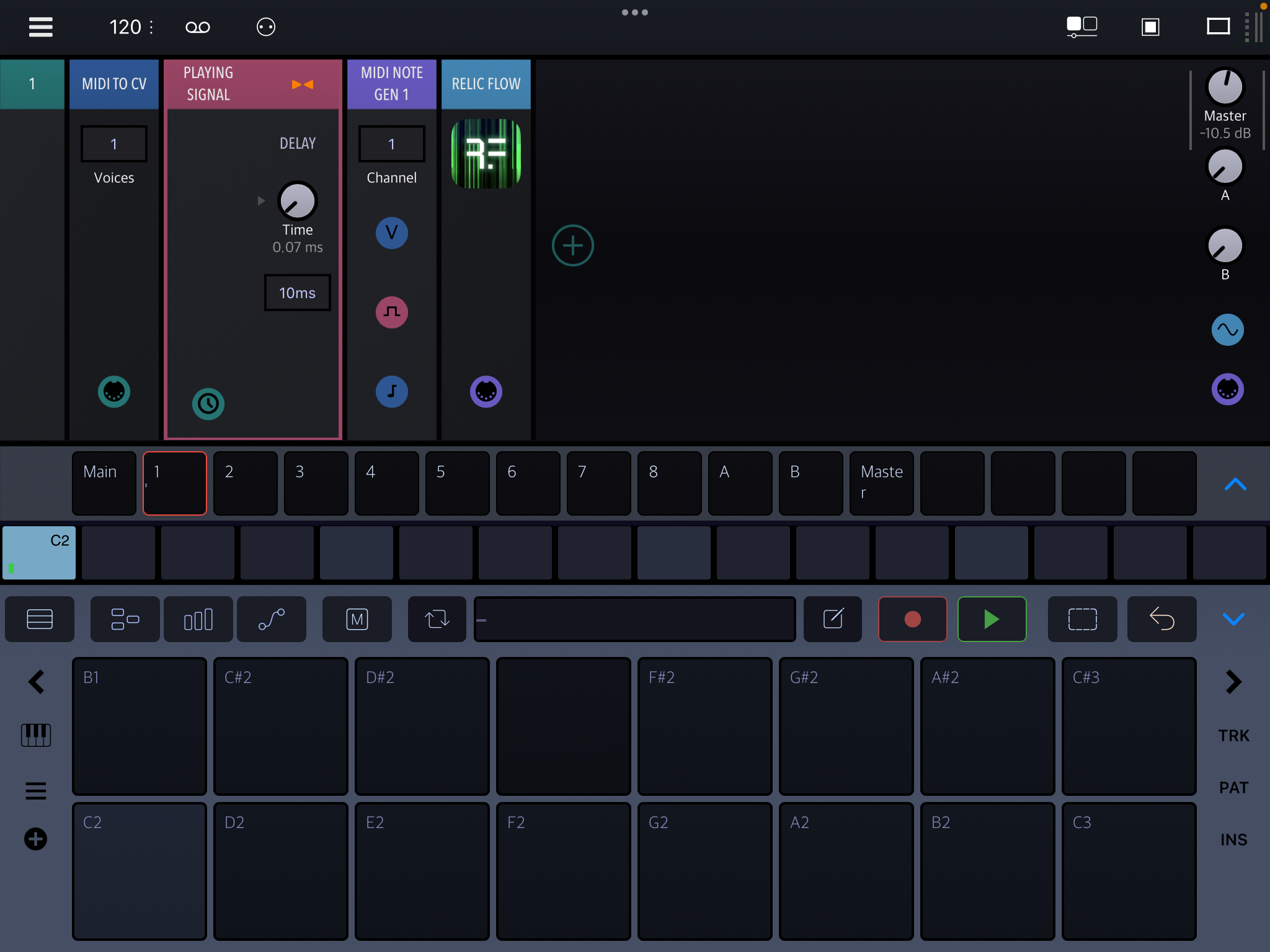
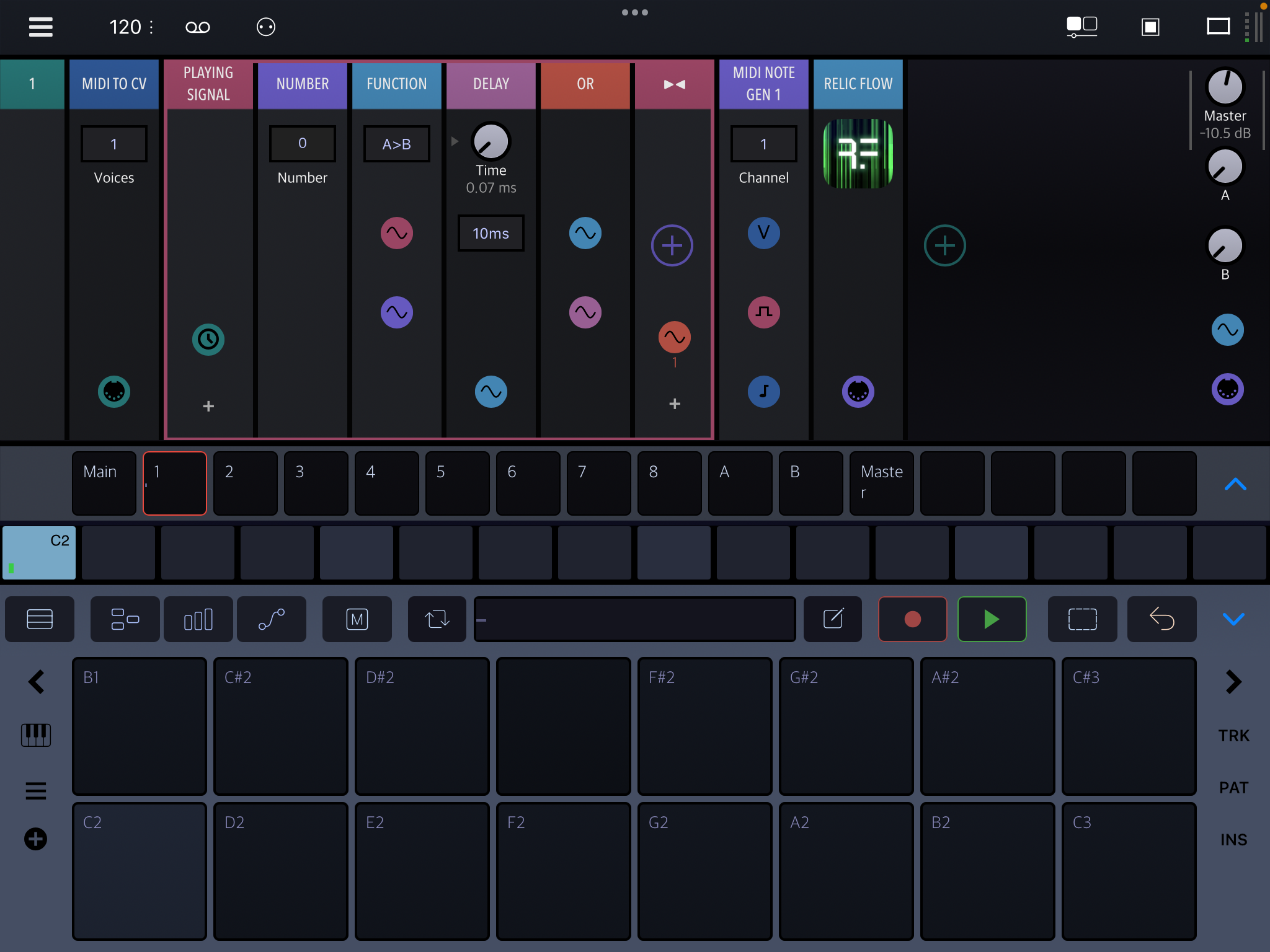
The expanded playing signal rack:
Oh I get it Thanks a lot! Will play around with this!
Interesting, I will check this out to understand how it works! So much to learn here 😅
@bleep newbies aren’t going to understand what a “Playing Signal rack” is, nor be able to find one in the module menu.
No, but the beauty of Drambo is that all you need is that expanded screenshot to replicate it. Just follow the colour coding.
Needs a little more info than just the expanded screenshot. You and I could build it, sure, but let’s see if @oscillotus can. What’s the first step, that rack? What type?
I use the general Rack found in Misc/Utility for almost everything, since it allows you to add an arbitrary number of inputs and outputs.
I never start from an Instrument rack, but I do use the MIDI rack if it is pure midi.
Anyway, just personal preference. I organize various subfolders of racks in that general Rack area.
@oscillotus just ask if there is anything. The «playing signal» is just a way to make a signal that is 1 when transport is playing and 0 when it is stopped. The note generator in front of Relic uses it for its gate.
Btw, Drambo now has a Transport Time module that almost does the same thing, but it doesn’t go to 0 when playback is stopped, so the note would just keep droning.
If you're not sure what type of Rack something is, you can always just use the basic Rack which can be any other Rack.
I think if someone has read the manual, which explains signal routing, they should be able to chain these modules together and with a bit of trial and error, get it to work. They may not understand how it works, but it should work.
Reminds me of an instance years ago, not long after D was released; I was trying to build a rack that @rs2000 showed a screenshot of. I think it was a Slider that he appropriately renamed “control” IIRC.
I spent all night that night trying to find a “Control” module in the module menus. I found some, but they looked nothing like his. It wasn’t until he came back on and explained that it was just a simple slider that he had renamed.