Loopy Pro: Create music, your way.
What is Loopy Pro? — Loopy Pro is a powerful, flexible, and intuitive live looper, sampler, clip launcher and DAW for iPhone and iPad. At its core, it allows you to record and layer sounds in real-time to create complex musical arrangements. But it doesn’t stop there—Loopy Pro offers advanced tools to customize your workflow, build dynamic performance setups, and create a seamless connection between instruments, effects, and external gear.
Use it for live looping, sequencing, arranging, mixing, and much more. Whether you're a live performer, a producer, or just experimenting with sound, Loopy Pro helps you take control of your creative process.
Download on the App StoreLoopy Pro is your all-in-one musical toolkit. Try it for free today.

Comments
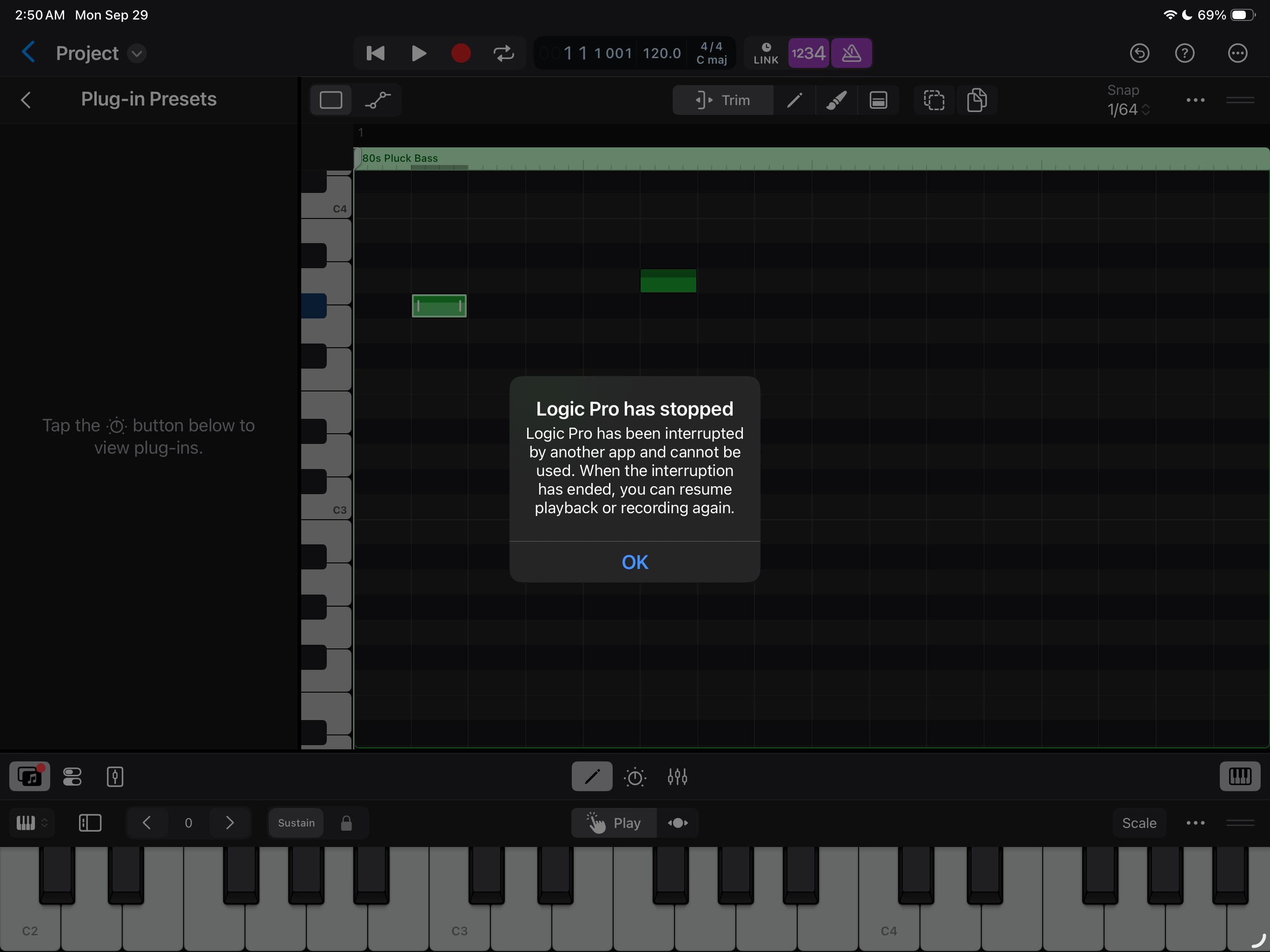
A few causes I know that can cause similar issues is are having the 'Listen' function in Siri enabled...
...other cause could be if background audio is disabled and jumping between apps...
Also if you have some continuity features enabled (ie. being able to receive phone calls on the iPad etc) it might interrupt audio.
Personally I've never bumped into this error.
btw. What were you doing prior to this error popping up?
Any other apps running in the background etc.
And well, what iDevice and iPasOS version is being used?
Ist question..I’m not sure
iOS 26 and iPad Pro m1
Yes, I think I can receive phone calls on my iPad, I’ll turn it off, @Samu , great idea, thanks again!
No worries, usually when I bump into WTF issues no matter which app it is I tend to ventilate after trying contacting the developers or writing some kind of feedback request.
Some smart-covers can still kill audio on the 11" M1 iPadPro when the device is 'flat' on the cover on the desk, if it's raised up it seems to work more reliably but I've not had it happen in the past 6+ months...
Interesting,Samu..
Another thing that could potentially cause these kind of errors are miss-behaving AUv3's.
AUM spits out the 'Invalid Signal' error thing while Logic tends to spit out random errors instead...
Not using Aum now Sami
I meant which AUv3's are you using in Logic? Some that don't behave that well can well, 'miss behave' causing some weirdness
Ahh, yes.. Also good idea .. Far too many Auv3’s I’m afraid
Logic has been extremely flaky on my ipad 9th Gen, after updating/upgrading to IOS 18.3 from 17. Wish I could go back. Anyway they should prob take the 9th gen off the compatible versions list.
Out of memory is most common error, even if I just try to edit text, like the name of a track
Which model and how much RAM do you have on your iPad?
iPadOS26.0.1 was just released with some voice-over related fixes, since LogicPro for iPad has voice-over support I would NOT be surprised if this could be a partial reason for the glitches...
Agin @Samu , great point
@NeuM : IPad 12.9 M1 (5th Gen?) .. 256 gig memory with over 120 gig left .
Still a bit curious about exactly what You were doing.
Were any other apps running, any external gear connected, using any bt-headset etc. when the error popped up?!
On the positive side these kind of crashes get in most cases sent to Apple automagically as part of the system diagnostics...
That was the problem. I wasn’t really sure what I had going in order to have gotten that message .
Does the project re-load properly if you close it and relaunch Logic?
I'm also on an 11" M1 iPadPro with iPadOS26.0.1 and have not had a single issue yet...
...my current app-flora is pretty slimmed down, 247 apps installed and ~150GB free...
It didn’t work when I re-started but when I turned off Siri as per your suggestion it hasn’t happened again.