Loopy Pro: Create music, your way.
What is Loopy Pro? — Loopy Pro is a powerful, flexible, and intuitive live looper, sampler, clip launcher and DAW for iPhone and iPad. At its core, it allows you to record and layer sounds in real-time to create complex musical arrangements. But it doesn’t stop there—Loopy Pro offers advanced tools to customize your workflow, build dynamic performance setups, and create a seamless connection between instruments, effects, and external gear.
Use it for live looping, sequencing, arranging, mixing, and much more. Whether you're a live performer, a producer, or just experimenting with sound, Loopy Pro helps you take control of your creative process.
Download on the App StoreLoopy Pro is your all-in-one musical toolkit. Try it for free today.
Controlling Recording Quantization issue and UI Suggestions for Loopy Pro

Hello,
I want to control the recording quantization for all clips using buttons, but it’s not responding as expected.
Here is how I have set up Loopy Pro:
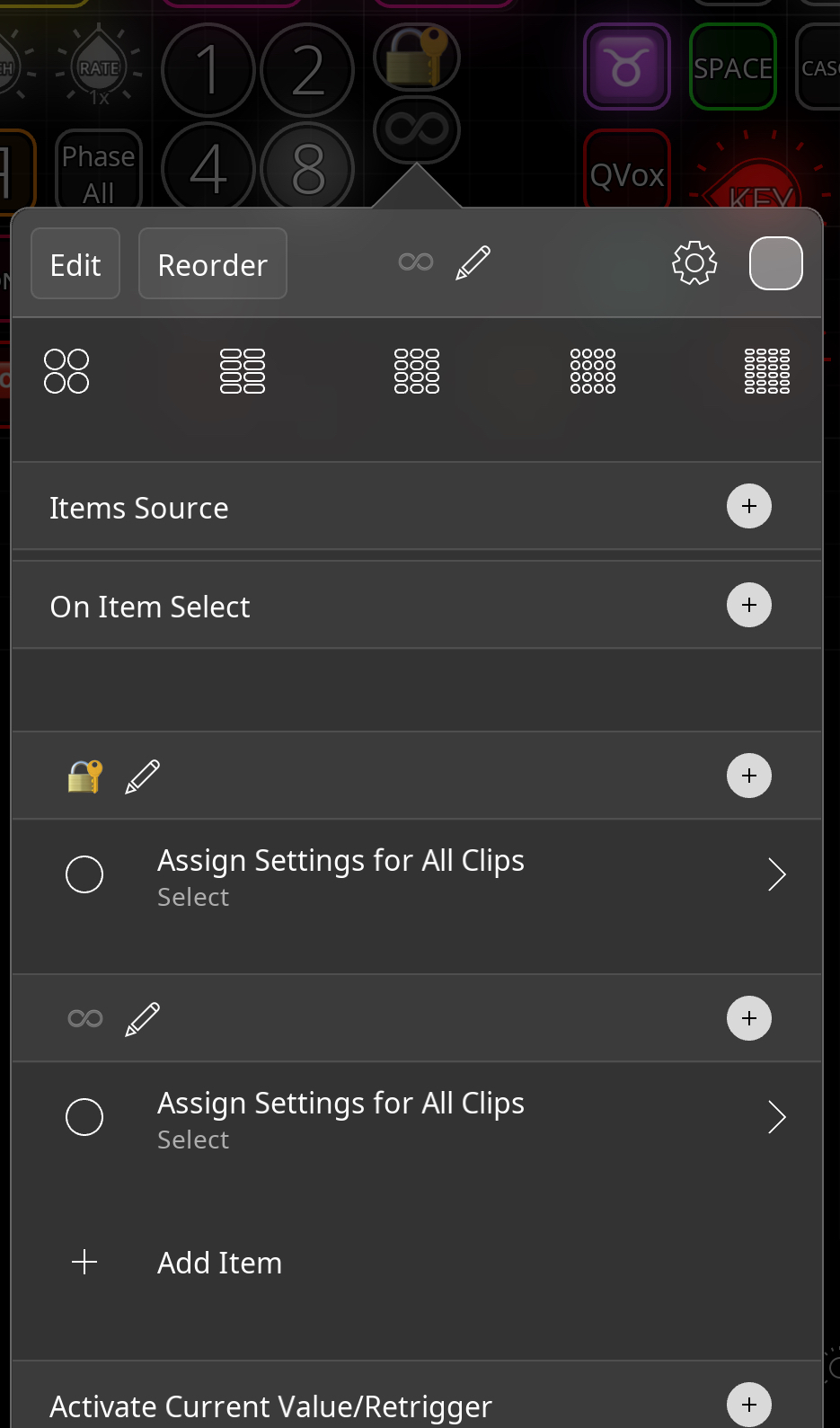
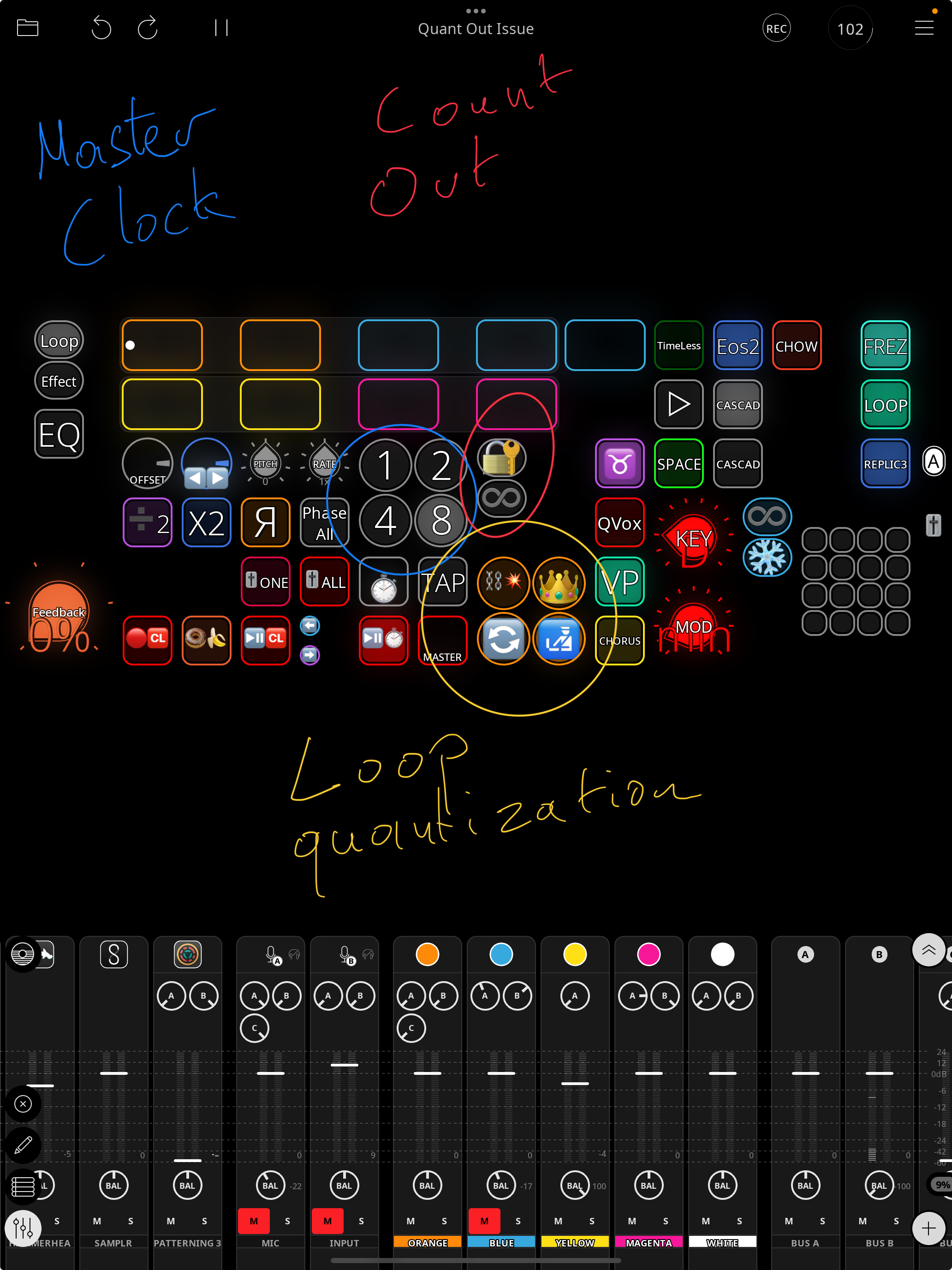
- The button with the Lock emoji is set to Auto Count Out ON.
- The button with the Infinity emoji is set to Auto Count Out OFF.
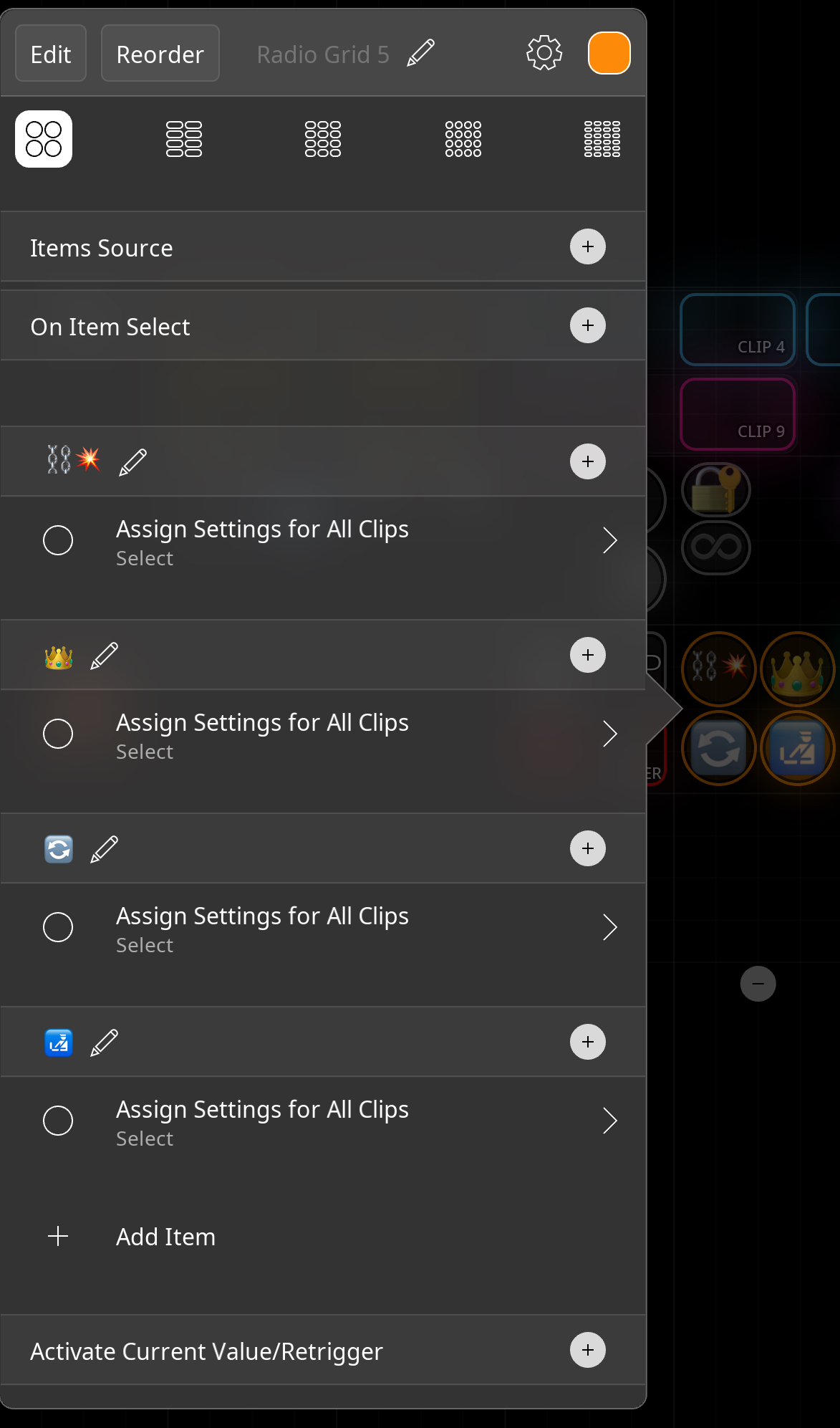
- The button with the Chain emoji is set to Count In & Count Out to None.
- The button with the Crown emoji is set to Count In Custom, Count Out Master, with Auto Count Out ON.
- The button with the Loop emoji is set to Count In Custom, Count Out Loop, with Auto Count Out ON.
- The button with the Custom emoji is set to Count In Custom, Count Out Custom, with Auto Count Out ON.
However, the loop recording settings do not change after pressing these buttons. What am I doing wrong?
Another issue is that the emoji font size stays at the largest size with Radio Buttons, even when I set it to 20 and restart Loopy.
A suggestion for Blank Pages: It would be great to have the option to keep the Mixer fully expanded on a specific page so I can dedicate one page to the Mixer. When switching to other pages, the Mixer could remain minimized.
Thank you!
Here the file
https://dropover.cloud/ac8b92
Comments
@cellicello : the issue is that your targets is “All Clips” which (as documented) changes the global settings. But you have already overridden those settings at the individual clip level. When you override clips at the individual level global and color group changes don’t apply to them.
see the configuration section of the manual:
https://loopypro.com/manual/#configuration
If you want global changes to be able to apply, remove the individual overrides. I generally think it is best not to have overrides in individual clips unless really necessary.
Otherwise, target the clips by choosing multiple individual clips in the specific clips picker.
When you see this in recording settings
It tells you those clips override global settings. Those settings they override aren’t affected by global changes.
The mixer display per page setting is a nice idea. That would make a good feature request on the Roadmap Site. It won't go anywhere if just made here.
If you create it and you post a link to the request here, I'll definitely upvote it.
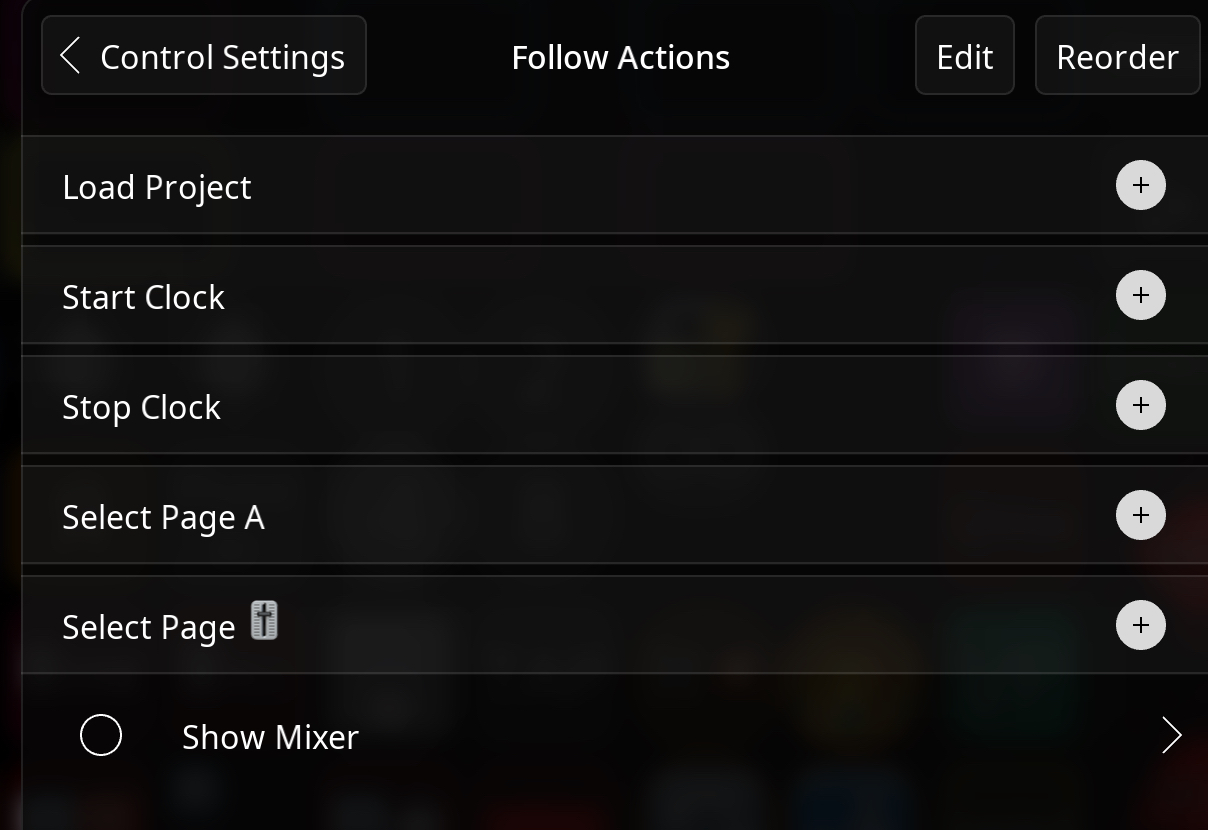
@cellicello : you can put a show mixer action in the show page follow action for a particular page.
Does a button exist to remove individual overrides?
In Clip 1 I tried to remove all the white dots next to the Count In/Out function but in Global Clip settings
it still says that my clip 1 is currently overrides.
https://dropover.cloud/38c4ff
How can I do that?
What about the issue is that the emoji font size stays at the largest size, even when I set it to 20 and restart Loopy?
Thank you
Not yet.
Please post screenshots of your clip 1 settings
Go to Control Settings
Go to project-wide follow actions
Add the Toggle Mixer action with Show as the selected option to any of the Select Pagr actions
That is not happening for me.
Are you saving after making the change?
@espiegel123 said:
I don't find a button to save changes, but it will change the font size for a while.
But if I change page and back again, for example, emojis are big again
I noticed that it happens only with Radio Buttons.
My project template Quant Out issue 3
https://dropover.cloud/2685b654
Doesn't work for me as Mixer will show up in the B page (with mixer emoji) but will also appears in Page A.
Are you saying that you close the mixer and it pops up when you go to page A?
@cellicello for your clip settings on that clip, it looks like you are in override edit view. Tap Done. I want to see the view something like
I would like the Mixer to stay open in Page B and close on the other page.
In my case, if it opens on page B, it will also be open in page A.
I realize that my idea to have a dedicated page for the mixer fully open won't
work, as it doesn't let me access the page button anymore.
You could add an action to the other pages to close the mixer.
What do you mean that it doesn’t let you access the page button anymore?
Here the clip settings of Clip 1
That's worked thank you but not as fully open.
With the Mixer fully open, I can't access to pages anymore.
Can you clear all the audio, export the project , zip it and upload the project directly in a post here?
I was able to reproduce the font issue.
I already exported the project 3 times in this post.
Here is the last version (Quant Out Issue 3)
https://dropover.cloud/67227c
@cellicello for the time-being if you compact the mixer the page buttons will come back.
Or if you compact some of the tall rows
The earlier versions had the overrides. I needed the project with the overrides removed . That is why I asked for the reupload.
Yes, but it's a lot of actions.
Compacting the mixer is a single tap. This only happens with a very tall mixer,
Could you check the
I removed the audio and the overrides. Could you check it?
https://dropover.cloud/67227c
Yes, I would like to be able to have a page with the Mixer fully open.
Now it needs two taps, one to select the page + 1 to expand the mixer,
but it's better than before with the Project-wide Follow Action / Show mixer.
If you collapse the sources row, I think the page buttons will be visible with the mixer open with that template.
The issue 3 version demonstrated the isfue and we will look into it.
I don't understand how to collapse the sources row.