Loopy Pro: Create music, your way.
What is Loopy Pro? — Loopy Pro is a powerful, flexible, and intuitive live looper, sampler, clip launcher and DAW for iPhone and iPad. At its core, it allows you to record and layer sounds in real-time to create complex musical arrangements. But it doesn’t stop there—Loopy Pro offers advanced tools to customize your workflow, build dynamic performance setups, and create a seamless connection between instruments, effects, and external gear.
Use it for live looping, sequencing, arranging, mixing, and much more. Whether you're a live performer, a producer, or just experimenting with sound, Loopy Pro helps you take control of your creative process.
Download on the App StoreLoopy Pro is your all-in-one musical toolkit. Try it for free today.
Testing Hornet BalanceQ
Recently got Hornet BalanceQ. I'm really interested in getting a good mix at the push of a button on my iPhone. Here's a quick test to see how good it is at creating a good mix.
The track contains real recorded lead, rhythm and bass guitars, a midi Hammond organ and drums.
https://apps.apple.com/us/app/hornet-balanceq/id6742231867?platform=iphone
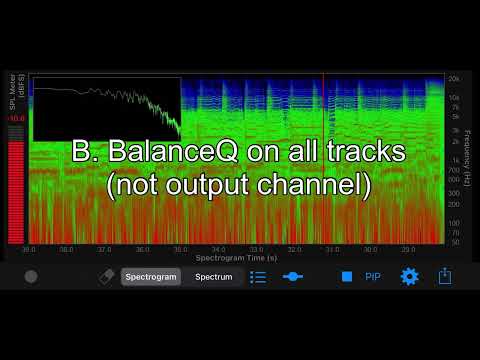
- Which mix sounds best to your ears?8 votes
- A. No BalanceQ50.00%
- B. BalanceQ on all tracks only (not the output channel)37.50%
- C. BalanceQ on the output channel only (not the tracks)0.00%
- D. BalanceQ on all tracks and the output channel12.50%
Comments
I have and use this. I like it, but i feel the marketing is oversimplifying mixing in general. This is a balance EQ, nothing more. Levels still need to be balanced afterwards, ect.
I picked D initially, listened again a few times later, and choose B instead, but i can’t change my vote. To me, it seems anytime it’s on the output channel regardless of whether or not it’s also on individual, it muddies the mid-low. But there are many factors at play.
i also use other eqs to make cuts followed by compression and then Balance EQ.
I don’t use it on the master. Songs change. Sometimes i notice it can introduce phaseyness. I’m curious what processing, if any, you made before Balance EQ for the test, just for curiosity’s sake. Your program material is also way different than mine. I think everyone’s mileage will vary, and that it is unwise to arbitrarily throw this on everything as a habit.
I remember years ago some people raving about Bark Filter’s Triple Band Preset, which can sound nice, but it helps to understand what it’s doing. If you’re not mindful of what kind of levels your tracks are going into it, it can sound harsh cause that preset is also a multi band compressor, not just EQ.
Just my 2 cents.
Thanks for commenting @Blipsford_Baubie, it's good to hear other user's experience.
I didn't use any other processes in my initial mix (A), just levels and panning. The guitars went through my usual Nembrini gear, the bass is DI, Hammond (IKM) and Drums (Garageband Drummer) untouched, although I did separate the kit into 'kick', 'snare', 'toms' and 'cymbals' to get better level control and to give BalanceQ more of a chance. I picked a 'rock' tune as I suspect BalanceQ might be more focused on electronic or pop music. My vote also goes on 'B', my initial mix sounds a little thin and 'C' and 'D' are, as you said, too muddy - I'm guessing that's why there's an added 'brightness' control.
Hopefully, there will be more votes / comments.
I don’t have this plugin. I like tweaking eq myself. I learn something every time.
My preference out of these 4 mixes was Mix B. I don’t like what happened to the mix sound when it was applied to the entire mix - with or without being applied to individual tracks.
From listening to these examples I feel it might have some interesting uses on individual tracks, but I wouldn’t feel happy just blindly applying it to the master bus.
I agree with you @Mountain_Hamlet, and, at the moment, others agree or prefer no BalanceQ at all. Thanks for commenting.
Still would like to get some more input on this app or maybe some other suggestions for apps, on iPhone, that can be used on auto for mixing / mastering.