Loopy Pro: Create music, your way.
What is Loopy Pro? — Loopy Pro is a powerful, flexible, and intuitive live looper, sampler, clip launcher and DAW for iPhone and iPad. At its core, it allows you to record and layer sounds in real-time to create complex musical arrangements. But it doesn’t stop there—Loopy Pro offers advanced tools to customize your workflow, build dynamic performance setups, and create a seamless connection between instruments, effects, and external gear.
Use it for live looping, sequencing, arranging, mixing, and much more. Whether you're a live performer, a producer, or just experimenting with sound, Loopy Pro helps you take control of your creative process.
Download on the App StoreLoopy Pro is your all-in-one musical toolkit. Try it for free today.
Drambo workflow questions

Hey guys,
I have a few questions regarding Drambos workflow :
When sequencing Pure Acid drums (drum rack style, 1 track for multiple instruments) for example, is it possible to use the sequencer to sequence different instruments on the same hit without having to hold each notes at the same time? Let's say I enter a 4x4 kick, then want a clap on 5 and 13 and then a rim on every note. Is it possible just using the sequencer or do I need to enter the piano roll?
Is it possible to lock the keyboard mode to the tracks? If a track is Drums/Fx and another is Pentatonic Minor, do I need to switch the mode everytime I want to add things to them?
Thanks in advance,
🪷
Comments
You can also do it the other way around, ie. hold down a step and use the pads/keyboard to select which notes are active on the step.
Thanks @Samu! Will try that!
There's no way to do that. But man do I wish there was.
If you engage the + button to the left of the keyboard / pads, they work like a latch. For instance, tap C2 E2 F2 then a step and those notes will be placed. Tap E2 and then a step and only C2 and F2 will be placed.
The piano roll is easier if you ask me, but I know some people can't stand to use a piano roll for drum sequencing.
If you don't like the piano roll for entering beats, you could try the "Drambo within Drambo" trick here as well; One Drambo midiFX in front of Pure Acid. When you open it then use that button on the left which lets you see all step sequencer lanes at the same time, and maximize this view. It also helps to name these inner tracks to correspond with the Pure Acid drum sound names.
Oh, this is a good idea!
@oscillotus something like this.
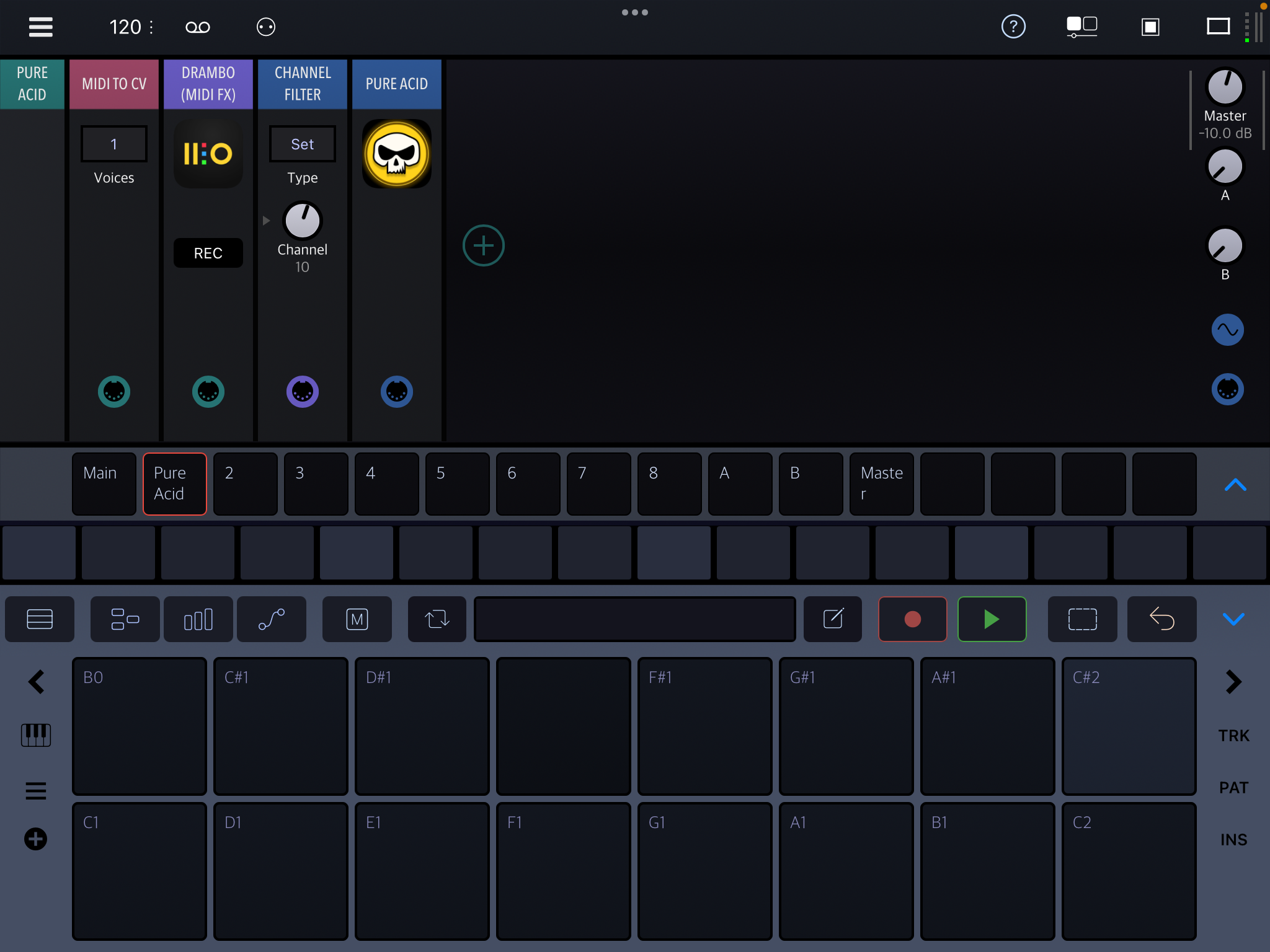
When you tap on the Drambo midi FX plugin:
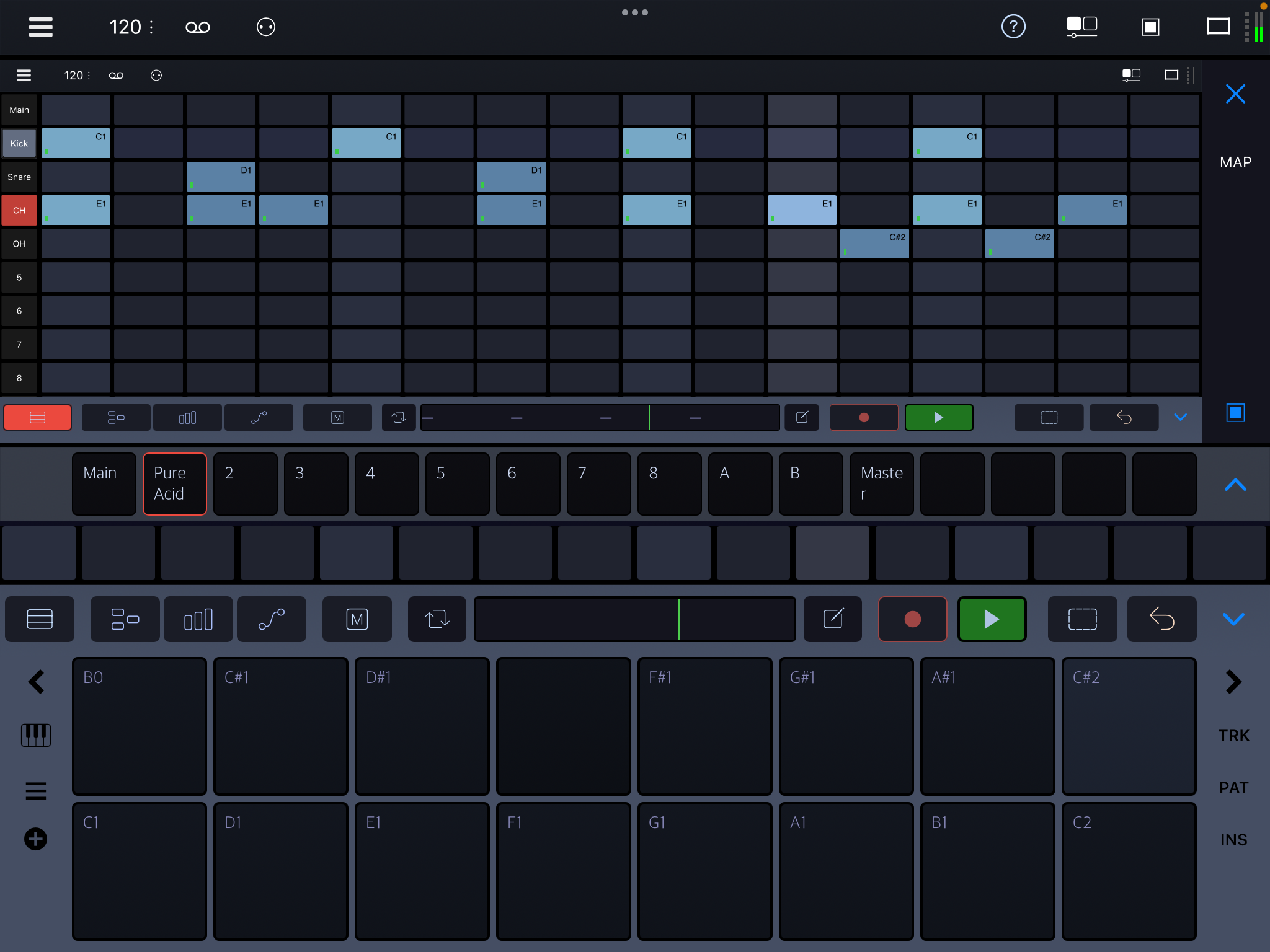
Can’t use this in drambo au, of course, but it’s a great workflow if like me you use drambo standalone 99% of the times
You can even save it as a template if you use the setup often
Yes, and it is nice to have access to all the good stuff in Drambo step sequencer; automation, probability, retrigger, cycle conditions ... actually, that is another reason for not using the piano roll.
In the above screenshot I had to tap on the correct pad before tapping on the grid, so that Kick got C1, Snare got D1 etc. But you can set up the inner Drambo midi fx so that each track only outputs its designated note type, regardless of what the note is in the grid. Then you wouldn't need to be so careful when entering the notes. I remember there is a Klevgrand sequencer on patchstorage Drambo section that does exactly that.
I prefer engaging the [ ] Select button so I don't need to un-latch with every new chord entered. Both are valid ways of course.
Thanks folks, all great ideas! I love reading all the different options!
Ditto!
The select button is pretty handy for this, and actually what I use when adding/removing notes from steps.
Nice @rs2000 and @Samu! I didn't know about the select button method.
TBH I tend to forget about it too, but we'll soon have a help system that clearly explains what has been kinda hidden knowledge so far 😉