Loopy Pro: Create music, your way.
What is Loopy Pro? — Loopy Pro is a powerful, flexible, and intuitive live looper, sampler, clip launcher and DAW for iPhone and iPad. At its core, it allows you to record and layer sounds in real-time to create complex musical arrangements. But it doesn’t stop there—Loopy Pro offers advanced tools to customize your workflow, build dynamic performance setups, and create a seamless connection between instruments, effects, and external gear.
Use it for live looping, sequencing, arranging, mixing, and much more. Whether you're a live performer, a producer, or just experimenting with sound, Loopy Pro helps you take control of your creative process.
Download on the App StoreLoopy Pro is your all-in-one musical toolkit. Try it for free today.
State-based actions from radio group toggle?

I have 12 key buttons (C–B) and 4 scale-type toggles (Major, Minor, Harmonic, Melodic) in a radio group.
Can a key button trigger different AU preset recalls based on which of those scale toggles is active (e.g. Major radio button active = C Major preset when C is pressed, Minor radio button active = C Minor)?
Comments
I think a using a stepped dial with 48 steps might work. You'd have to press the buttons in the right order.
What plugin(s) were you thinking of?
I have presets in Rozeta scaler for each scale in each key. I play c major on a launchpad x and these presets will transform the midi from c major to whatever key/scale I have selected.
I already have buttons to load these on another page in my project and this works as expected and I can press a button and then play the launchpad.
My end goal is to have a 1 page custom setup on my launchpad to be able to change scales on the fly without leaving the page.
This is my mock up in loopy that I’m working on but will match what I create in a custom launchpad page.
The bottom 4 rows will be notes in c major across 4 octaves. And I want to be able to press a scale then a key and play this on the notes in the bottom 4 rows and the midi transformed. If that makes sense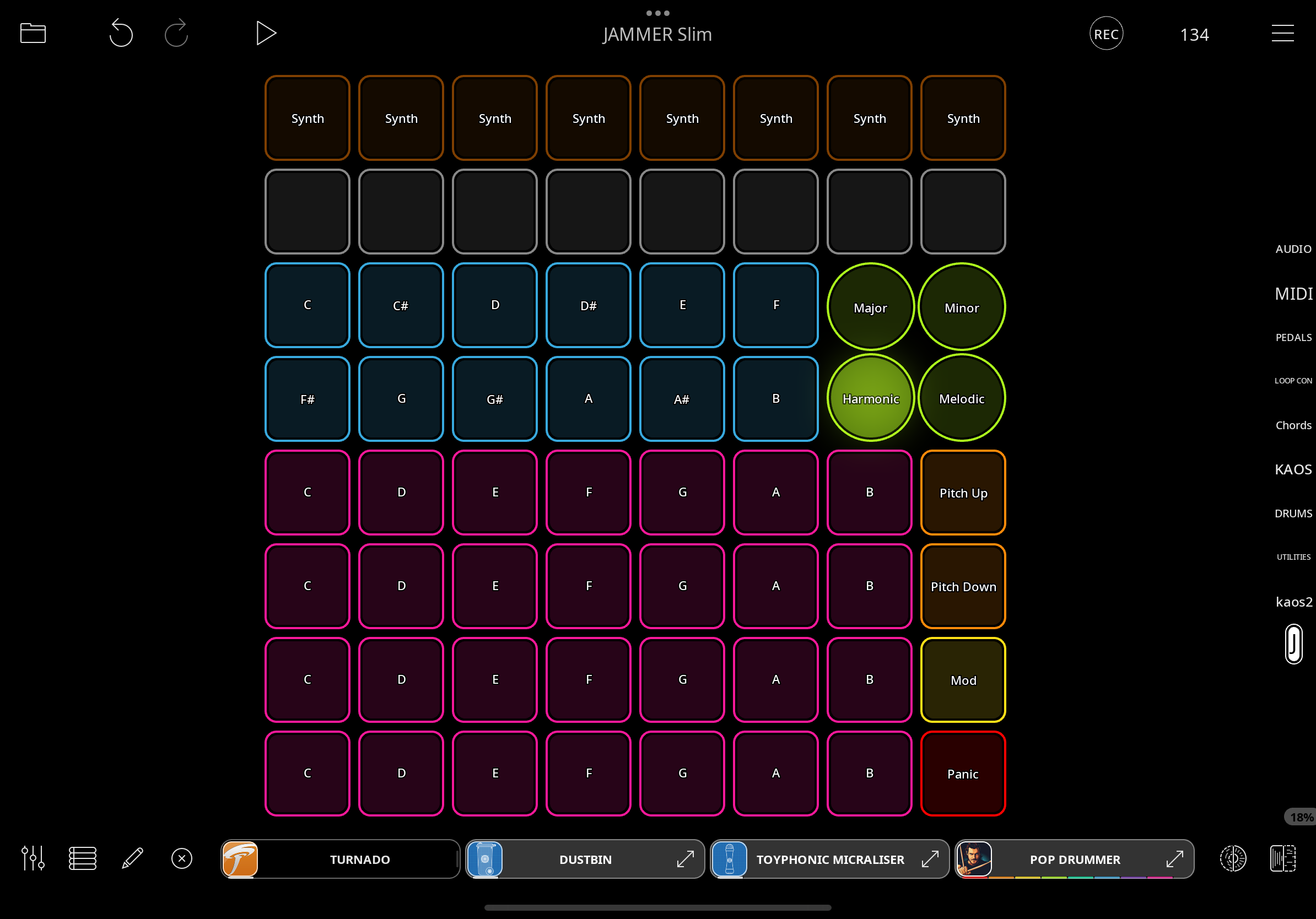
I think I’m following what you’re suggesting. Haven’t done much dials and radio buttons but will play around with it
Thanks, the added detail helps. It's too bad Rozeta Scaler doesn't have AUv3 Parameters for Key and Scale type. That's a lot of presets to juggle. I think the approach I laid out should work, though I haven't actually tested it.
There's a Mozaic script called Simple Scaler. With that one you could select the root and scale type using AU parameters and not have to deal with all those presets. Just a thought.
Yeah took me a ton of time creating the presets in Rozeta scaler a while back. It works well but not the workflow I imagined jumping between launchpad and iPad and needing to be on the right loopy page to switch. I don’t have mozaic but happy to get it if it simplifies the workflow. And I’m sure I’ll find another ton of uses for it
Just to update that your Mozaic script works great. Far better solution and super easy to configure. Thanks for the tip
👍