Loopy Pro: Create music, your way.

What is Loopy Pro?Loopy Pro is a powerful, flexible, and intuitive live looper, sampler, clip launcher and DAW for iPhone and iPad. At its core, it allows you to record and layer sounds in real-time to create complex musical arrangements. But it doesn’t stop there—Loopy Pro offers advanced tools to customize your workflow, build dynamic performance setups, and create a seamless connection between instruments, effects, and external gear.

Use it for live looping, sequencing, arranging, mixing, and much more. Whether you're a live performer, a producer, or just experimenting with sound, Loopy Pro helps you take control of your creative process.

Download on the App Store

Loopy Pro is your all-in-one musical toolkit. Try it for free today.

Baby Audio Transit 2

123457

Comments

  • @tristan said:
    Hi everyone, we've taken note of everything here and will continue to do so.
    Please let us know of any other optimizations that could be useful! True touch-native interfaces are less of a focus here as that's getting into a redesign of the entire plugin — that's a challenge we will overcome another day.

    We are looking for QoL things that will make a difference in using the plugin as it currently exists.

    Thank you all for the support thus far. Looking forward to updating T2 and prepping for the next iOS release...

    Cool!

    One iOS optimization (in these early stages) could be to make the 'Click+drag to export sample to DAW or folder' function to have a 'save to files' option as very, very few DAWs on iOS support drag'n'drop from plug-ins to the hosts time-line.

    The process of dragging stuff from apps to files.app is also a pretty convoluted process in iOS/iPadIS as one can't directly drag to the 'home-screen' like dragging to the desktop on the Mac and especially on phones this could get tricky.

    To make 'finger drumming' easier (The iPad is a 'Touch Device') one idea would to have a 'perform mode' where the small edit button etc. could be temporarily disabled and with 'midi output' all the finger-drumming could be recorded time-line in the host.

    Naturally he choice is up to the developers :sunglasses:

  • The user and all related content has been deleted.
  • edited November 2025

    @offbrands said:

    @tristan said:
    Hi everyone, we've taken note of everything here and will continue to do so.
    Please let us know of any other optimizations that could be useful! True touch-native interfaces are less of a focus here as that's getting into a redesign of the entire plugin — that's a challenge we will overcome another day.

    We are looking for QoL things that will make a difference in using the plugin as it currently exists.

    Thank you all for the support thus far. Looking forward to updating T2 and prepping for the next iOS release...

    Stoked! When’s the expected release for tekno? 🖤

    Yah yah, lookin forward to it! ;)

  • The user and all related content has been deleted.
  • edited November 2025

    @tristan said:
    Hi everyone, we've taken note of everything here and will continue to do so.
    Please let us know of any other optimizations that could be useful! True touch-native interfaces are less of a focus here as that's getting into a redesign of the entire plugin — that's a challenge we will overcome another day.

    I'm not sure what 'true touch-native interfaces' means here, but I do have a suggestion: please adjust the macro knob so that we can bring it from 0% - 100% with one swipe. Right now, I have to swipe twice every single time.

    Not sure if that is something not possible for you guys. Otherwise, I'm enjoying this app very much!

    Thank you!

  • @tubespace said:

    @tristan said:
    Hi everyone, we've taken note of everything here and will continue to do so.
    Please let us know of any other optimizations that could be useful! True touch-native interfaces are less of a focus here as that's getting into a redesign of the entire plugin — that's a challenge we will overcome another day.

    I'm not sure what 'true touch-native interfaces' means here, but I do have a suggestion: please adjust the macro knob so that we can bring it from 0% - 100% with one swipe. Right now, I have to swipe twice every single time.

    Not sure if that is something not possible for you guys. Otherwise, I'm enjoying this app very much!

    Thank you!

    If you grab it at the bottom (0/100) you can easily do it in one swipe.

  • wimwim
    edited November 2025

    @tubespace said:

    @tristan said:
    Hi everyone, we've taken note of everything here and will continue to do so.
    Please let us know of any other optimizations that could be useful! True touch-native interfaces are less of a focus here as that's getting into a redesign of the entire plugin — that's a challenge we will overcome another day.

    I'm not sure what 'true touch-native interfaces' means here, but I do have a suggestion: please adjust the macro knob so that we can bring it from 0% - 100% with one swipe. Right now, I have to swipe twice every single time.

    Not sure if that is something not possible for you guys. Otherwise, I'm enjoying this app very much!

    Thank you!

    I'm not seeing a problem with that, even on iPhone. As long as you don't lift your finger, you can drag outside the window even if more room is needed. What host are you using it in? Maybe that makes a difference.

  • @wim said:

    @tubespace said:

    @tristan said:
    Hi everyone, we've taken note of everything here and will continue to do so.
    Please let us know of any other optimizations that could be useful! True touch-native interfaces are less of a focus here as that's getting into a redesign of the entire plugin — that's a challenge we will overcome another day.

    I'm not sure what 'true touch-native interfaces' means here, but I do have a suggestion: please adjust the macro knob so that we can bring it from 0% - 100% with one swipe. Right now, I have to swipe twice every single time.

    Not sure if that is something not possible for you guys. Otherwise, I'm enjoying this app very much!

    Thank you!

    I'm not seeing a problem with that, even on iPhone. As long as you don't lift your finger, you can drag outside the window even if more room is needed. What host are you using it in? Maybe that makes a difference.

    I'm using it in Loopy Pro, but with the window fully maximized. I noticed @Gavinski was struggling with it in his video, as well. I tried 'grabbing' it from the lowest possible point and going right to the iPad bevel (13" iPad Air) and it takes two swipes.

  • @tubespace said:

    @wim said:

    @tubespace said:

    @tristan said:
    Hi everyone, we've taken note of everything here and will continue to do so.
    Please let us know of any other optimizations that could be useful! True touch-native interfaces are less of a focus here as that's getting into a redesign of the entire plugin — that's a challenge we will overcome another day.

    I'm not sure what 'true touch-native interfaces' means here, but I do have a suggestion: please adjust the macro knob so that we can bring it from 0% - 100% with one swipe. Right now, I have to swipe twice every single time.

    Not sure if that is something not possible for you guys. Otherwise, I'm enjoying this app very much!

    Thank you!

    I'm not seeing a problem with that, even on iPhone. As long as you don't lift your finger, you can drag outside the window even if more room is needed. What host are you using it in? Maybe that makes a difference.

    I'm using it in Loopy Pro, but with the window fully maximized. I noticed @Gavinski was struggling with it in his video, as well. I tried 'grabbing' it from the lowest possible point and going right to the iPad bevel (13" iPad Air) and it takes two swipes.

    The speed at which you swipe also makes a difference, faster swipe larger change, slower swipe smaller change, the distance makes almost no difference.

  • @tubespace said:

    @wim said:

    @tubespace said:

    @tristan said:
    Hi everyone, we've taken note of everything here and will continue to do so.
    Please let us know of any other optimizations that could be useful! True touch-native interfaces are less of a focus here as that's getting into a redesign of the entire plugin — that's a challenge we will overcome another day.

    I'm not sure what 'true touch-native interfaces' means here, but I do have a suggestion: please adjust the macro knob so that we can bring it from 0% - 100% with one swipe. Right now, I have to swipe twice every single time.

    Not sure if that is something not possible for you guys. Otherwise, I'm enjoying this app very much!

    Thank you!

    I'm not seeing a problem with that, even on iPhone. As long as you don't lift your finger, you can drag outside the window even if more room is needed. What host are you using it in? Maybe that makes a difference.

    I'm using it in Loopy Pro, but with the window fully maximized. I noticed @Gavinski was struggling with it in his video, as well. I tried 'grabbing' it from the lowest possible point and going right to the iPad bevel (13" iPad Air) and it takes two swipes.

    I'm not saying I don't believe you, but I have no problem in Loopy Pro myself. 🤷🏼‍♂️
    Everyone knows @Gavinski is a klutz, so that doesn't count.

    (jk)

  • I do have to swipe all the way to the top of the screen and all the way down in Loopy Pro with the window maximized on my phone.

    @Samu - Speed of the swipe doesn't seem to have any bearing on the travel for me @Samu. Travel distance is the same for me no matter how fast or slow I go.

  • @wim said:
    I do have to swipe all the way to the top of the screen and all the way down in Loopy Pro with the window maximized on my phone.

    @Samu - Speed of the swipe doesn't seem to have any bearing on the travel for me @Samu. Travel distance is the same for me no matter how fast or slow I go.

    Could be my imagination too, the smaller the UI is the easier it is to make it go full range,
    One solution here would be to map say a mod-wheel to the transition knob or any other controller that goes full range?

    Maybe @tristan can forward a proper request for acceleration for the transition knob when using touch.

  • @Samu said:
    Could be my imagination too, the smaller the UI is the easier it is to make it go full range,

    I think you're onto something there.

  • edited November 2025

    Yes, when macro is a small square next to the others, I get the full range in one swipe. When it is maximized and the only visible element, I have to do two swipes. This is on a standard iPad.

  • @Samu said:

    @wim said:
    I do have to swipe all the way to the top of the screen and all the way down in Loopy Pro with the window maximized on my phone.

    @Samu - Speed of the swipe doesn't seem to have any bearing on the travel for me @Samu. Travel distance is the same for me no matter how fast or slow I go.

    Could be my imagination too, the smaller the UI is the easier it is to make it go full range,
    One solution here would be to map say a mod-wheel to the transition knob or any other controller that goes full range?

    Maybe @tristan can forward a proper request for acceleration for the transition knob when using touch.

    Yes, obviously sizing the AUv3 small works fine, and was the first thing I tried when I realized that this issue / design choice had still not been resolved since Transit 1 was released. But it's madness that you should have to faff around with plugin size to reliably make a smooth transition in one swipe inside the app itself.

  • @Gavinski said:

    Yes, obviously sizing the AUv3 small works fine, and was the first thing I tried when I realized that this issue / design choice had still not been resolved since Transit 1 was released. But it's madness that you should have to faff around with plugin size to reliably make a smooth transition in one swipe inside the app itself.

    Totally agree here!

    I did most of the Transit 2 beta in bed with the 11" M1 iPadPro in portrait mode with Apple Pencil when needed so I never had any real issues with the transition knob or other UI elements thanks to the magnifying glass present on each module.

    Other things that can drive me nuts with plug-ins in general are bad scaling and fitting into give view-port (ie. lack of vertical scrolling and questionable scaling) and 'stamp sized' UIs that do not fully scale to the width of the give view-size and prioritize height...(if it doesn't vertically fit scrolling is the way to go).

  • great to see Tekno is coming to iOS. That kind of app makes much more sense for me on iPad than desktop

  • Thanks for the input on Transit 2 and Tekno everyone!!
    We've noted the move-module difficulties that some are having, the throw of the Macro, the desire for shortcuts to quickly invert mod direction, etc.

    And the heads up on the drag-n-drop for Tekno iOS is very much appreciated.

  • @drewinnit said:
    great to see Tekno is coming to iOS. That kind of app makes much more sense for me on iPad than desktop

    I love it on desktop.

  • Would love to be able to favourite presets.

  • edited November 2025

    @tristan Just to say, amidst all our tweak requests and so on, that this is proving itself to be a very enjoyable and high quality release, which is performing very smoothly on my old iPad Pro from 2017. Also been very stable so far. Getting some really musical results both staple effects and more experimental ones. Great job!

    Can I ask, as the manual doesn’t say, whether the Macro has to be turned all the way down for the Loop effect buffer to be refreshed with new incoming audio?

  • edited November 2025

    .

  • edited December 2025

    Get Transit 2?

    Y or N?

    Ahhh… can’t decide lol. Just curious on any opinions I'm down to the wire here trying to make final decisions…

  • edited December 2025

    @Poppadocrock said:
    Get Transit 2?

    Y or N?

    Ahhh… can’t decide lol. Just curious on any opinions I'm down to the wire here trying to make final decisions…

    Yes ! Especially if you don’t have V1.

    This may help to convince you. The envelope follower being a new feature of v2.
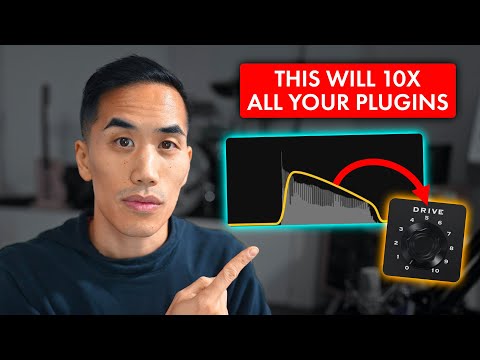
  • @ecou said:

    @Poppadocrock said:
    Get Transit 2?

    Y or N?

    Ahhh… can’t decide lol. Just curious on any opinions I'm down to the wire here trying to make final decisions…

    Yes ! Especially if you don’t have V1.

    This may help to convince you. The envelope follower being a new feature of v2.

    Caught this vid the other day and it was eye-opening to what v2 has added

    I'd only messed a bit with the big macro knobber and didn't look past that option in the first section... Gonna be something deep with which to do around!

  • @PapaBPoppin said:

    @ecou said:

    @Poppadocrock said:
    Get Transit 2?

    Y or N?

    Ahhh… can’t decide lol. Just curious on any opinions I'm down to the wire here trying to make final decisions…

    Yes ! Especially if you don’t have V1.

    This may help to convince you. The envelope follower being a new feature of v2.

    Caught this vid the other day and it was eye-opening to what v2 has added

    I'd only messed a bit with the big macro knobber and didn't look past that option in the first section... Gonna be something deep with which to do around!

    I like the trend of adding envelope followers to fx apps. Worth remembering that you can always use an external LFO app to do the envelope following and then send that signal to transit or any other app with exposed parameters. GSDSP MMM is a free app with envelope follower function and much more. FAC Envolver is a paid option which you might already have. I did a walkthrough on envelope followers a while ago here, focused on Envolver:

  • @Poppadocrock said:
    Get Transit 2?

    Y or N?

    Ahhh… can’t decide lol. Just curious on any opinions I'm down to the wire here trying to make final decisions…

    I wouldn’t normally encroach on someone else’s decision process, but Transit 2 is such a multi-purpose and powerful toolbox, esp with all the new effects and env follower etc, and it’s probably even better for general multifx use than for transitions.

    And it will probably never be as low as 9.99 again if you don’t already own v1.

  • @Gavinski said:

    @PapaBPoppin said:

    @ecou said:

    @Poppadocrock said:
    Get Transit 2?

    Y or N?

    Ahhh… can’t decide lol. Just curious on any opinions I'm down to the wire here trying to make final decisions…

    Yes ! Especially if you don’t have V1.

    This may help to convince you. The envelope follower being a new feature of v2.

    Caught this vid the other day and it was eye-opening to what v2 has added

    I'd only messed a bit with the big macro knobber and didn't look past that option in the first section... Gonna be something deep with which to do around!

    I like the trend of adding envelope followers to fx apps. Worth remembering that you can always use an external LFO app to do the envelope following and then send that signal to transit or any other app with exposed parameters. GSDSP MMM is a free app with envelope follower function and much more. FAC Envolver is a paid option which you might already have. I did a walkthrough on envelope followers a while ago here, focused on Envolver:

    Oh yeah, definitely jumped into initially learning about envelope following by picking up Envolper. It was my workaround for kick ducking in Loopy til 2.0 popped up (and can do it with a midi loop woot. Add roughrider for the compressor and free loopy ducking!)

    However I haven't messed with it for much else

    Transit (thru the transit video) has opened the doors to my better understanding and feels like an excellent beginner learning tool as it's an all-in-one package - without the 'messy' chain building and cc management. As in cluttering up the learning flow with accidental user error and the added ability to test different setups without rerouting etc

    But will absolutely transfer to Enveloper + X for anything in the future

    All that said: great points that all this is possible through other means (even free)

    There's something really special about seeing a plugin and going 'i think I can already do that with this this and this'

    SFW mindless self-indulgence through applied learning

  • @Gavinski said:

    @PapaBPoppin said:

    @ecou said:

    @Poppadocrock said:
    Get Transit 2?

    Y or N?

    Ahhh… can’t decide lol. Just curious on any opinions I'm down to the wire here trying to make final decisions…

    Yes ! Especially if you don’t have V1.

    This may help to convince you. The envelope follower being a new feature of v2.

    Caught this vid the other day and it was eye-opening to what v2 has added

    I'd only messed a bit with the big macro knobber and didn't look past that option in the first section... Gonna be something deep with which to do around!

    I like the trend of adding envelope followers to fx apps. Worth remembering that you can always use an external LFO app to do the envelope following and then send that signal to transit or any other app with exposed parameters. GSDSP MMM is a free app with envelope follower function and much more. FAC Envolver is a paid option which you might already have. I did a walkthrough on envelope followers a while ago here, focused on Envolver:

    Can this be done in Cubasis ?

  • @PapaBPoppin said:

    @Gavinski said:

    @PapaBPoppin said:

    @ecou said:

    @Poppadocrock said:
    Get Transit 2?

    Y or N?

    Ahhh… can’t decide lol. Just curious on any opinions I'm down to the wire here trying to make final decisions…

    Yes ! Especially if you don’t have V1.

    This may help to convince you. The envelope follower being a new feature of v2.

    Caught this vid the other day and it was eye-opening to what v2 has added

    I'd only messed a bit with the big macro knobber and didn't look past that option in the first section... Gonna be something deep with which to do around!

    I like the trend of adding envelope followers to fx apps. Worth remembering that you can always use an external LFO app to do the envelope following and then send that signal to transit or any other app with exposed parameters. GSDSP MMM is a free app with envelope follower function and much more. FAC Envolver is a paid option which you might already have. I did a walkthrough on envelope followers a while ago here, focused on Envolver:

    Oh yeah, definitely jumped into initially learning about envelope following by picking up Envolper. It was my workaround for kick ducking in Loopy til 2.0 popped up (and can do it with a midi loop woot. Add roughrider for the compressor and free loopy ducking!)

    However I haven't messed with it for much else

    Transit (thru the transit video) has opened the doors to my better understanding and feels like an excellent beginner learning tool as it's an all-in-one package - without the 'messy' chain building and cc management. As in cluttering up the learning flow with accidental user error and the added ability to test different setups without rerouting etc

    But will absolutely transfer to Enveloper + X for anything in the future

    All that said: great points that all this is possible through other means (even free)

    There's something really special about seeing a plugin and going 'i think I can already do that with this this and this'

    SFW mindless self-indulgence through applied learning

    Haha. Yes, for people who like ready made presets, there's a lot to be said for having an envelope follower baked into the app rather than having to set things up from scratch. I'm generally the type that likes to set things up from scratch as I enjoy experimenting.

    @ecou maybe someone else can comment, as I don't know much about Cubasis or its limitations.

Sign In or Register to comment.