Loopy Pro: Create music, your way.
What is Loopy Pro? — Loopy Pro is a powerful, flexible, and intuitive live looper, sampler, clip launcher and DAW for iPhone and iPad. At its core, it allows you to record and layer sounds in real-time to create complex musical arrangements. But it doesn’t stop there—Loopy Pro offers advanced tools to customize your workflow, build dynamic performance setups, and create a seamless connection between instruments, effects, and external gear.
Use it for live looping, sequencing, arranging, mixing, and much more. Whether you're a live performer, a producer, or just experimenting with sound, Loopy Pro helps you take control of your creative process.
Download on the App StoreLoopy Pro is your all-in-one musical toolkit. Try it for free today.
AUv3 IR Loader without the need to import files

Do you know of any AUv3 IR loader that can display and use IR wav files directly in a folder without having to import them into the app? I have my own folder structure with impulses and I don't want to have them all in one long list. The main folder with subfolders and wav files is located on an external drive, but I can move it to the iPad storage if necessary.
Comments
The Nembrini IR loader takes you to the files app when you want to load your own IR.
I know, but I would like to see content of selected folder and not pick file one by one. I meant something like NadIR on Windows:
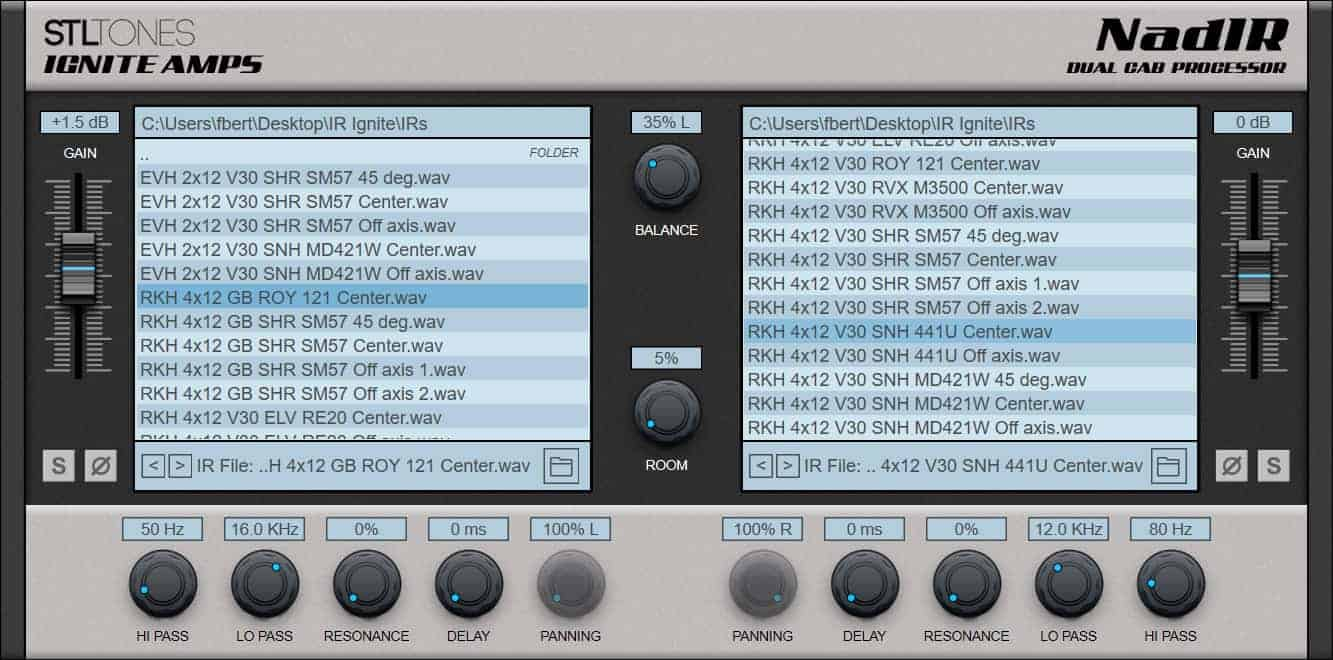
BYOD and its free.
What you're asking for may be impossible in iOS/iPadOS. Apps in iOS are "sandboxed" to prevent them from viewing or altering data belonging to other apps. That's why they need to import a file to their own storage for use. And they can only import a single file at a time, because they cannot read a folder belonging to another app. This is a tedious restriction, but unlikely to change as long as iPads are mobile devices.
Some apps can import a zip file to dodge the one file restriction, but they still need to import the files before they can use them. In particular, Thafknar can import a zip of IRs. It keeps the IRs from the zip in a collection, but unfortunately collapses any folder structure that was in the zip.
@ecou . Hi. You showed the file selection extension, which is part of the iOS system, not part of the third-party app. The user can select a file to import. The app then then receives a copy of that file which it can access. The OP wanted to be able to use his files directly, without needing to import them to the app.
Hey Dave, as far as I know it is not imported but just loaded. The next time you open the app it is not available. If it was imported it would be available.
The menu says ‘Load from file”
It is my understanding that it is loaded and if your host saves the AUv3 state, the IR is reloaded -- there isn't a u.i. though to see what was loaded. At least that is my recollection from when I asked Jatin about it a few years ago.
Convolver module in Drambo. The folder structure will stay as you define it. Not so fancy UI for browsing, though.
Thank you all for your answers, even though they are not very positive. I had no idea that the restrictions on files in iOS were so strict.
I have 3 apps: AltiSpace2 has Groups of files you can set up; Nembrini goes to the last folder you used (as you already know); and Impulsation can import folder as Banks which you can browse - maybe what you're after. I usually use Nembrini as I don't change IR's that much. Hope that is of some help.
Thanks a lot, @pbelgium!
Thafknar
You have to pre import every file into the Thafknar folder using the files app or the standalone app before they can be browsed and used in the plugin.
I am woundering where BYOD does not fill your requirements?
Because I have to load IR one by one there. I prefer to see list of IRs and just use one by tap/click. Like in jAmp for example.
Ok your choice ! One you load them you do see them in the dropdown. Then you can save a presets.