Loopy Pro: Create music, your way.
What is Loopy Pro? — Loopy Pro is a powerful, flexible, and intuitive live looper, sampler, clip launcher and DAW for iPhone and iPad. At its core, it allows you to record and layer sounds in real-time to create complex musical arrangements. But it doesn’t stop there—Loopy Pro offers advanced tools to customize your workflow, build dynamic performance setups, and create a seamless connection between instruments, effects, and external gear.
Use it for live looping, sequencing, arranging, mixing, and much more. Whether you're a live performer, a producer, or just experimenting with sound, Loopy Pro helps you take control of your creative process.
Download on the App StoreLoopy Pro is your all-in-one musical toolkit. Try it for free today.
AUv3 automation

I'm still in the process of moving from Drambo to Cubasis, and now I have most of the stuff figured out, but automation still puzzles me.
First of all, it's really weird that I have to record automation to make it available, instead of just pressing a button and wiggling a knob. I can live without the list of parameters being exposed, I understand that it's a design decision (though I still don't get the logic behind it), but why do I have to record automation (and then delete it manually and make new automation) instead of just adding it. Or is it possible?
But that's just an annoyance. The more serious issue is that I can't figure out how to do non-stepped automation. I've seen it on others' screenshots, so I assume it's possible, but I have no idea how to make an angled line, or, even better, a curve.
Overall, so far automation seems to be the biggest hurdle when migrating from Drambo.
Comments
It sounds like you need to turn off the grid if you’re getting stepped automation.
To draw lines, touch a point where you want the line to start, then lift your finger and touch where you want the line to end.
I didn't mean quantizing it, I meant drawing lines that aren't at straight angles. I'm not able to draw anything that doesn't look like stairs, unless I'm using a hundred points.
Here are some examples of what I want and what I get.
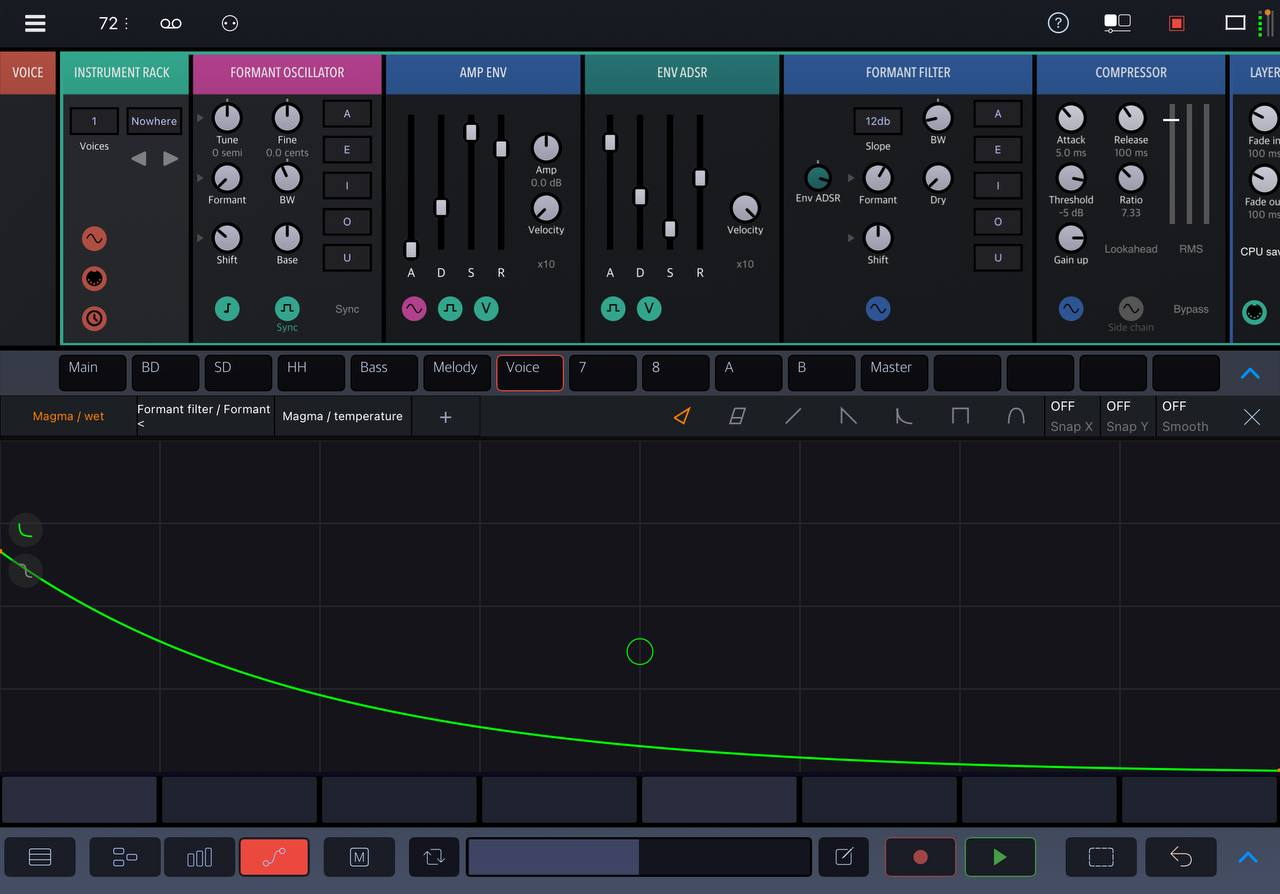
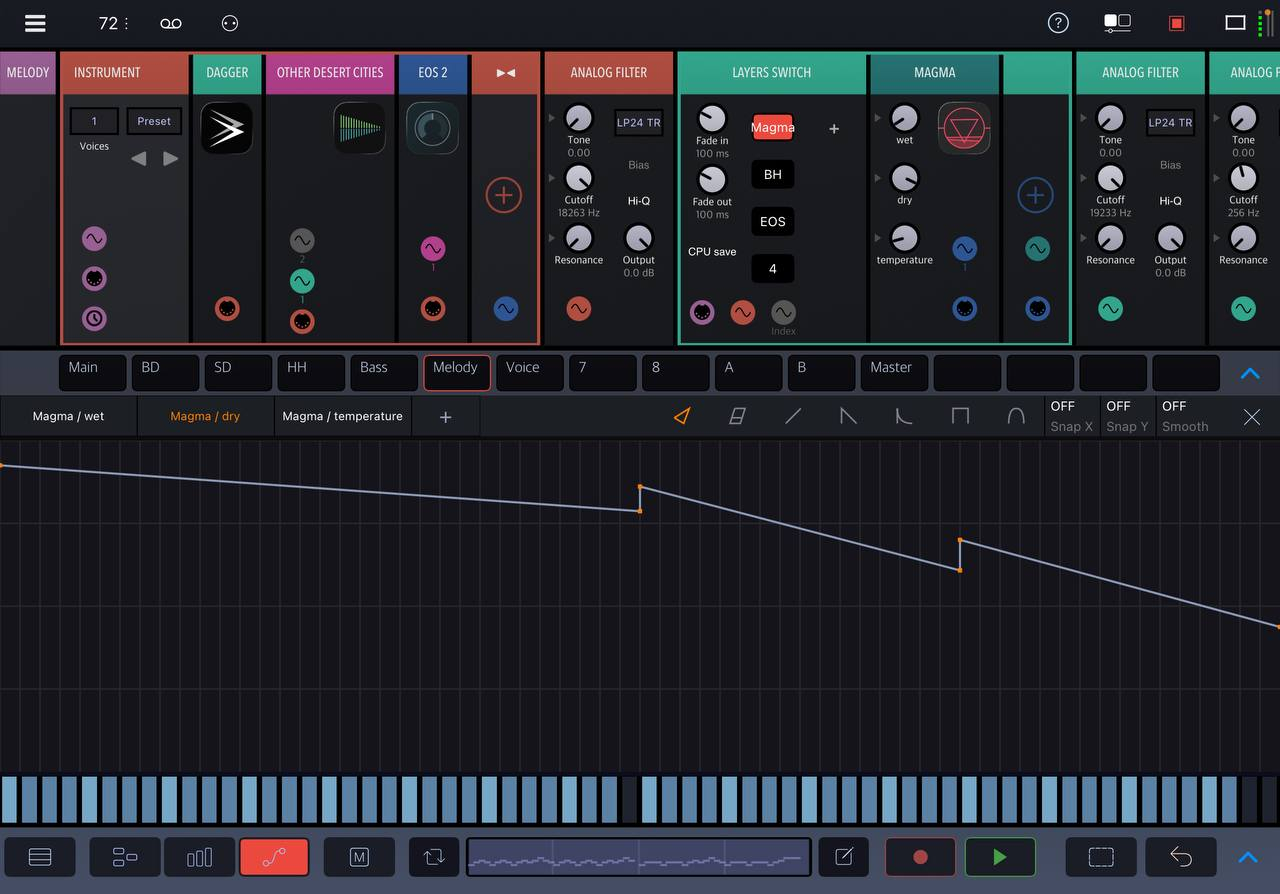
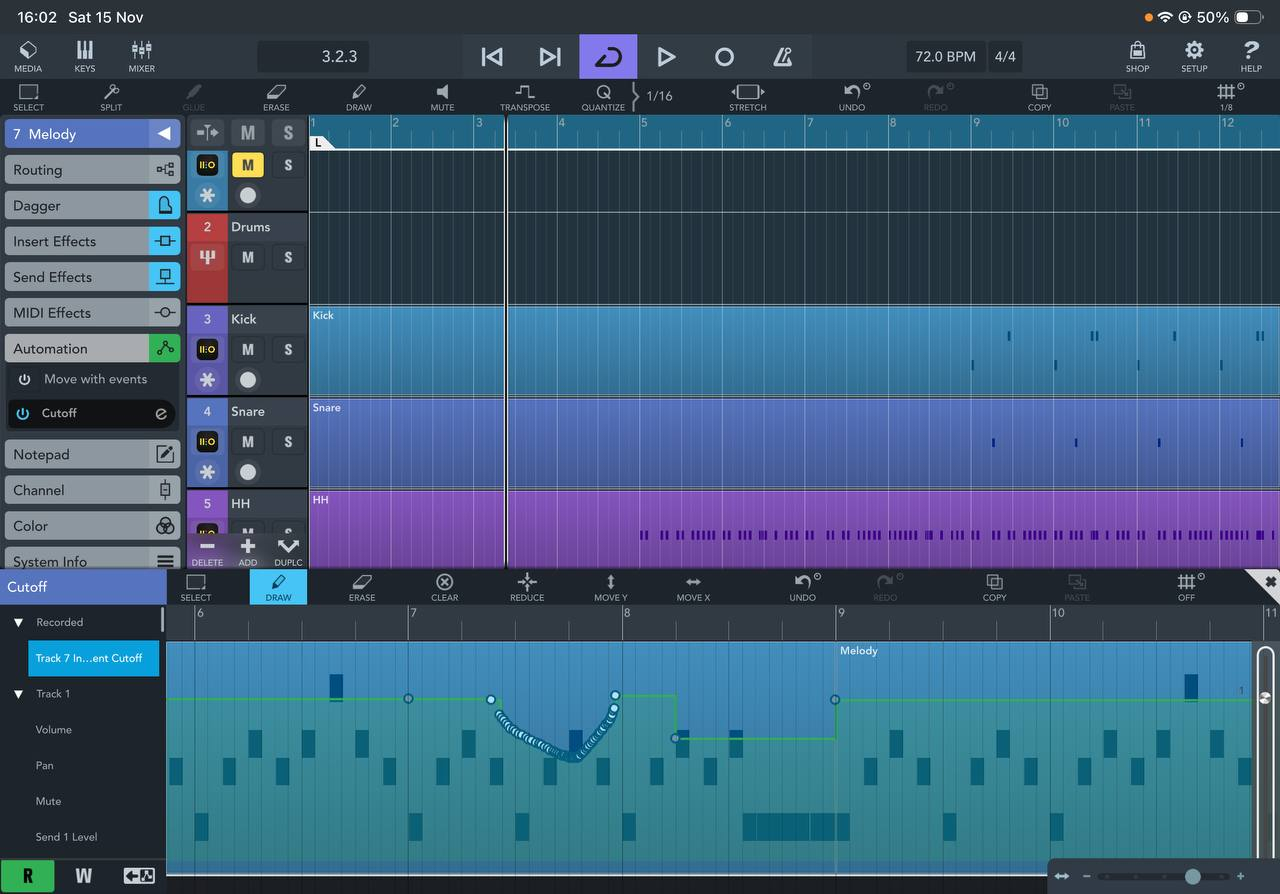
To be honest I can't remember any other iOS DAW that have these non-discretionary automation curves. I suspect that there are some technical nuances under the hood which only BeepStreet wanted to tackle
Are you aware that you can select your points and click reduce on the task bar ?
@alexwasashrimp - I know the drawing tools in Cubasis aren't anywhere near what they are in Drambo, which are best in class. However, did you try the method I suggested for drawing straight lines? (i.e. not drawing them, but touching the end points to draw the line.
There is also the "reduce" button that cleans things up a lot. Sometimes pressing it more than once works out nicely too.
Yes, tapping it once deletes one point, tapping it multiple times doesn't do anything beyond that.
Yup, I tried it, but instead of connecting two points with a single angled line, it connects them with two lines at right angle, creating a step. It's probably a setting that I should disable, just can't figure out where to turn it off.
One more thing: I've tried automating built-in parameters (track volume), and everything works as expected, angled lines and all. It's just the AUv3 automation that's borked. Is it an expected behavior?
No, that is definitely not the expected behavior. What is the parameter you're adjusting? Is it perhaps one, such as a switch or stepped dial, where only discrete points are allowed?
That sounds like you might tapping the erase icon rather than the reduce icon? Or, the "curve" is already simplified as much as Cubasis thinks it should be.
You can select as many points as you like, and then hit the erase icon and it will remove those points. That should leave a straight line between the points just outside the selection.
A big part of the trick with cubasis automation editing is in tapping to draw points rather than dragging your finger, and selecting and acting on points using the draw, erase, and reduce icons.
Okay, I've experimented more, looks like it only affects Dagger synth. I was adjusting cutoff, but the same happens with other parameters as well.
Reduce works for all other automations, be it built-in or AUv3, it just doesn't work with Dagger.
Apparently, it's just a bug.
You have to select ALL the points you want reduce before clicking reduce.
The bottom points are selected
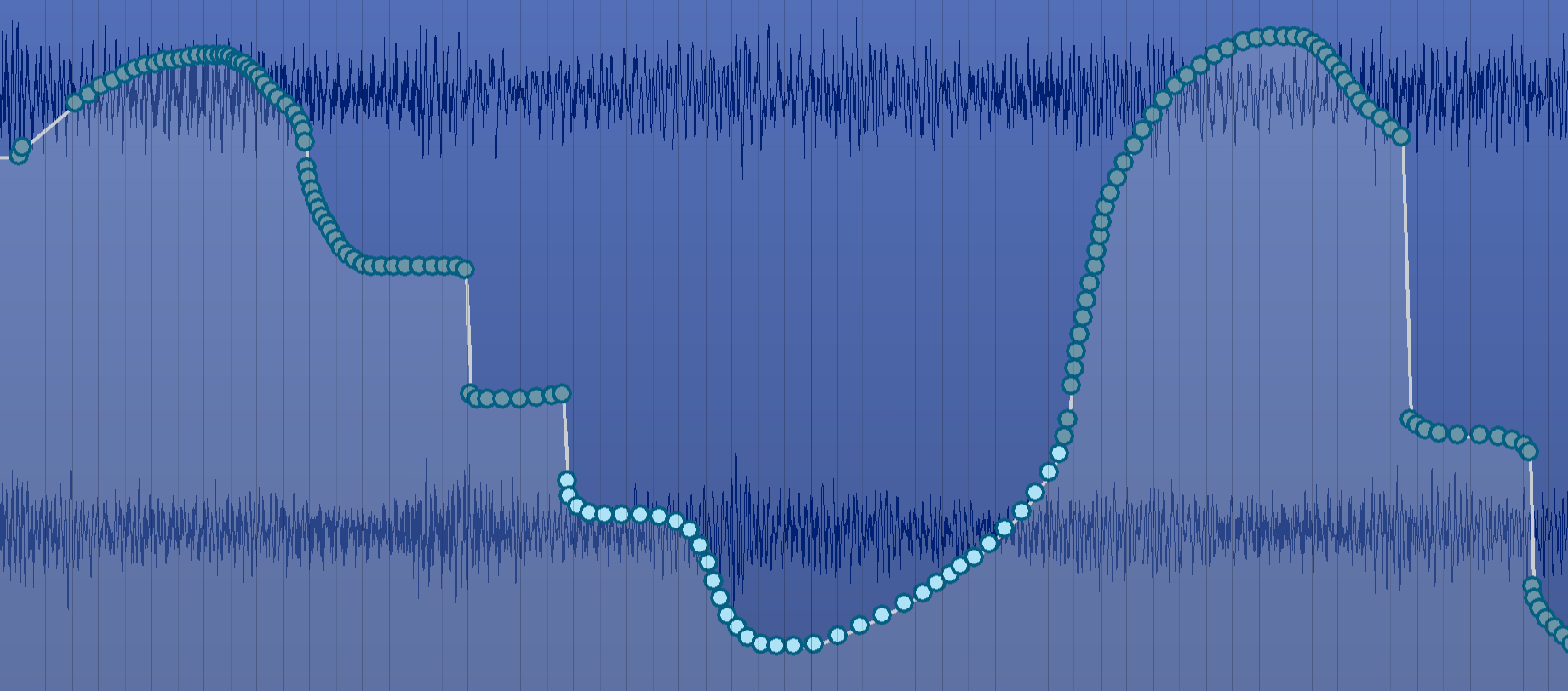
Now they are reduced.
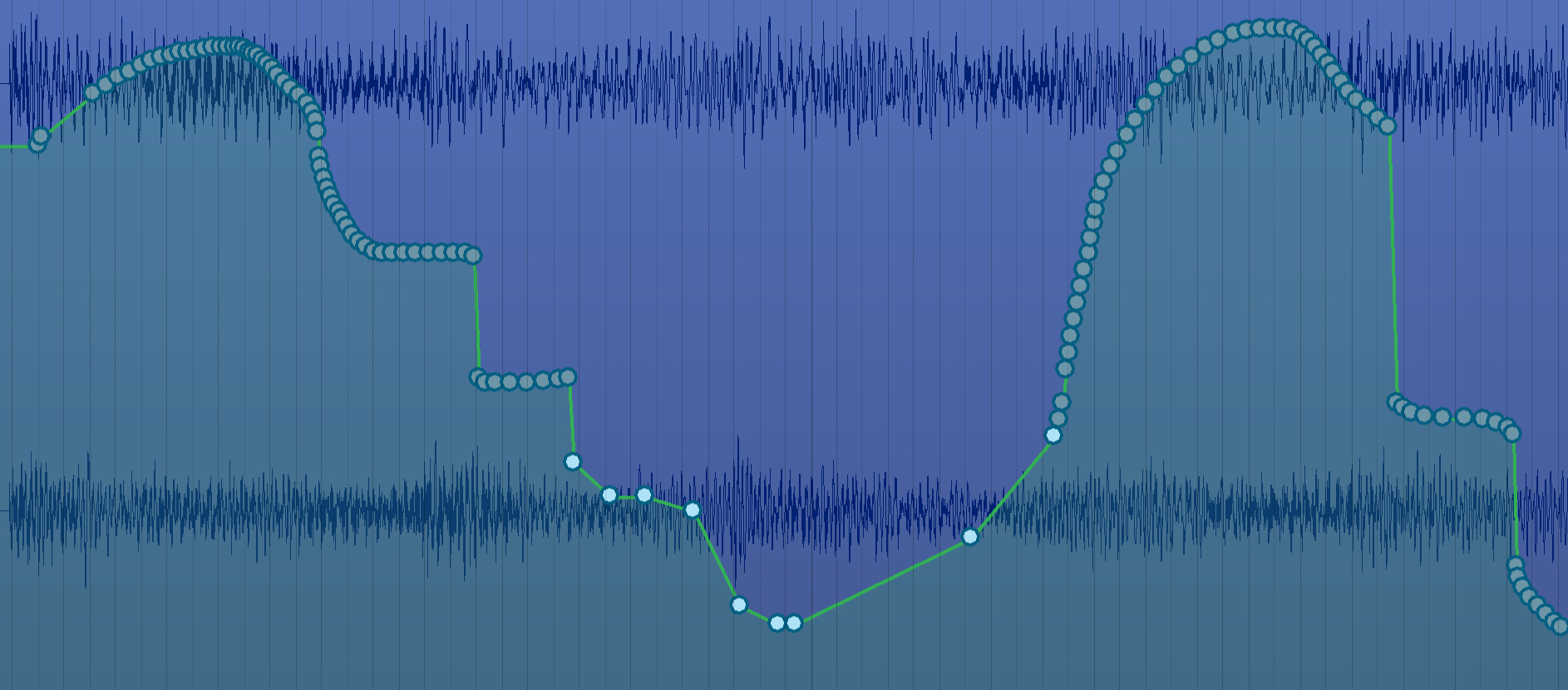
Yes, it works like that with other plugins, but not with Dagger.
Hi @alexwasashrimp,
You may check out some great tutorials available on the web to learn how to use automation in Cubasis more efficiently.
Below are a few provided by our friends: Jamie Mallender, SoundForMoreTutorials, Jakob Haq, and MobileMusicPro.
Hope this helps - and a big thanks to all the contributors for creating these excellent resources!
Best regards,
Lars
How To Use Automation In Cubasis 3 | MobileMusicPro
Cubasis 3 Automation Explained In 1 Minute | Jamie Mallender

Cubasis 3: Take Control of Your Mix! Record & Play Automation in Minutes (Tutorial #6) | SoundForMore Tutorials
CUBASIS 2 AUv3 Automation EXPLAINED │ haQ attaQ 291 - Jakob Haq

@LFS I can confirm that the reduction does not work with Dagger for me too.
Thank you Lars, I watched a couple of the, before posting, and the issue was that what I was (and still am) experiencing with Dagger was different from the videos. Now I've figured out that it's a bug, and I've already posted it on the Steinberg forum.
Sounds just as likely to me that you should post it on the Beepstreet forum.
Unfortunately, I can't test it further, since Cubasis and Drambo are my only proper AUv3 hosts. But Dagger works well in Drambo (yes, I know they are both from Beepstreet), so it looks like there's an issue on Cubasis side.
If anyone can please test Dagger in other hosts and confirm whether automation works?
I'll see if I can find some time to do that. However I do remember Dagger automation being seriously whacked out in hosts like AUM. I thought that got fixed, but I may be wrong. I don't use Dagger that much.
Actually, that could have been Combustor.