Loopy Pro: Create music, your way.
What is Loopy Pro? — Loopy Pro is a powerful, flexible, and intuitive live looper, sampler, clip launcher and DAW for iPhone and iPad. At its core, it allows you to record and layer sounds in real-time to create complex musical arrangements. But it doesn’t stop there—Loopy Pro offers advanced tools to customize your workflow, build dynamic performance setups, and create a seamless connection between instruments, effects, and external gear.
Use it for live looping, sequencing, arranging, mixing, and much more. Whether you're a live performer, a producer, or just experimenting with sound, Loopy Pro helps you take control of your creative process.
Download on the App StoreLoopy Pro is your all-in-one musical toolkit. Try it for free today.
Iconica Sketch De-Reverb Experiment
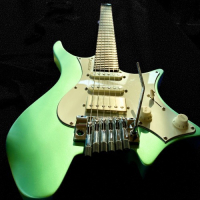
This string section was made using Iconica Sketch in Cubasis 3 on my iPhone.
The baked-in reverb of Iconica Sketch is very good (Berlin Funkhaus), but sometimes it is overbearing and it would be nice to choose a different reverb. In this experiment each string part was rendered and exported to Media Assistant and de-reverbed. The resulting files were then imported back to Cubasis and placed in a Large Absorbent Studio using Ambiente. This workaround is a bit time consuming but seems to work. Sounds good?
Comments
What is media Assistant?
I have looked through the “Media Assistant” app’s manual for clues on a de-reverb feature and didn’t find any…
How do you take out the initial reverb using Media Assistant. I have used it to convert media formats and deflate audio file sizes or compress to zip format but would love to de-reverb some tracks.
All the instruments in Iconica Sketch were recorded with natural hall acoustics, no reverb was added to anything, but I too would like to be able to remove the reverb effect.
Media Assistant is an excellent file manager / audio editor. It does a lot of things through its modules which you can pick and choose through IAPs.
The newer AI modules, Vocal Remover and De-Reverb, are not in the manual but can be found in the AAMenu under Lifetime Purchases with the other IAPs. When you open a file with the Audio Editor - tap and hold the file for the menu and select Edit with Audio Editor - you will find De-Reverb in the dropdown hamburger menu.
Right, the samples’ reverb are ‘baked-in’ as they were recorded in the Berlin Funkhaus, which sounds good but it's a bit over the top. The reverb can be removed using the De-Reverb module in Media Assistant. It's a bit of a pain exporting stems, de-reverbing, then importing back into your DAW, but I think I was successful. Do you think my strings sound different?
The tracks sound amazing by the way. I have some old recordings that I'd love to de-verb. Will this work on a stereo recording? Or does it need to have separate audio tracks?
Thanks! Do you have a link to the app?
What a clever marketing technique for Media Assistant. Immediately bought
Thanks for commenting on the track - I am wondering if people think it still sounds like Iconica Sketch or not.
The app will work on stereo tracks. I will do some more experiments comparing de-reverbing individual instrument stems and de-reverbing a final mix of all instruments - it would save a lot of time and be much easier to de-reverb just one file.
Here's the link.
https://apps.apple.com/us/app/media-assistant/id6466176223
Logic Pro also has tools to remove reverb (which I haven't tried myself and can't comment on the effectiveness of).
De-Room in Logic Pro will also remove reverb
https://youtu.be/MQ4W_R5fkVA?si=dRX6GCMFKMm66WUS
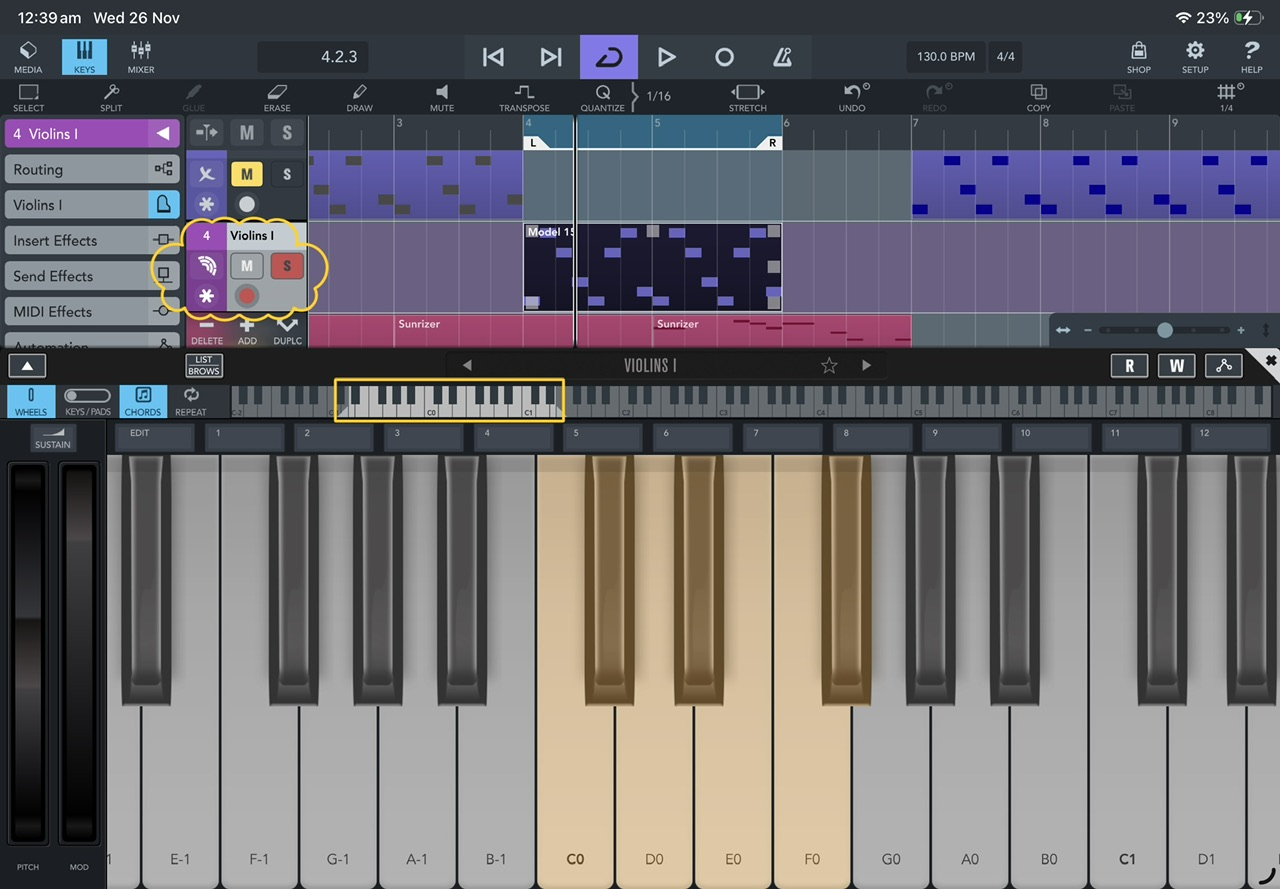
If you use the Cubasis keyboard and scroll down to C1 you will see 5 brown keys, these control the Dynamics of the strings ie, pizzicato, soft attack, sharp attack etc, these Articulation keys work on almost all the instruments in Iconica Sketch. Try pressing any of these keys whilst the Violins are playing and notice how it can bring them to life, if you use this same technique with the Cello’s you will get a more realistic bowing affect where it is needed.
Mike
Klevgränd’s Brusfri also works really well. With threshold and release in combination with the smooth parameter and the HPF, you can eliminate the reverb quite precisely.
I have never heard of this app, I just checked it out on the App Store-:
Here are some examples of sound conditions that Brusfri handles well:
* Guitar amp
* Noisy vintage gear
* Boosted pre-amp
* iPhone/iPad and external mic hiss
* Room reverb removal
* Fan noise
* Background ambiance
* Mains hum / Electric hum
It states it will remove Room reverb, would this also remove Hall reverb that is embedded into Iconica Sketch instruments ?
Mike
You capture the noise profile (in this case the unwanted hall reverb) by pressing and holding the Learn button for a few seconds, right after playing the actual sound, when the reverb starts to decay. After that, you can tweak the result further if necessary. I have no experience or comparisons with the quality of other algorithms and apps, but I find that it works remarkably well with Iconica Sketch and is quick to set up.
Thanks for that 👍
Mike🍻
Thanks, @dokwok2 @rapidfire.
I did not know about De-Room, that's good information. Sadly, I'm iPhone only, but I would imagine that it's AI and works very well.
Thanks, I didn't think to try Brusfri. It'll be interesting to see if it could do a better job than AI - I believe Brusfri uses gates, which would be frequency specific, so good at removing a 60Hz hum from my Strat, but maybe not so good at removing reverb from some lively music. I look forward to testing it out.
You are right. It will not work with lively music, because Brusfri requires a purely isolated segment of the noise or reverberation, without any additional sound sources, in order to identify and learn it correctly and remove it effectively.
I used AU Sound Isolation in Logic Pro last night and it is amazing, it removed every trace of reverb from a vocal track with only a small amount of control, I have not yet tried it with a lively recording.
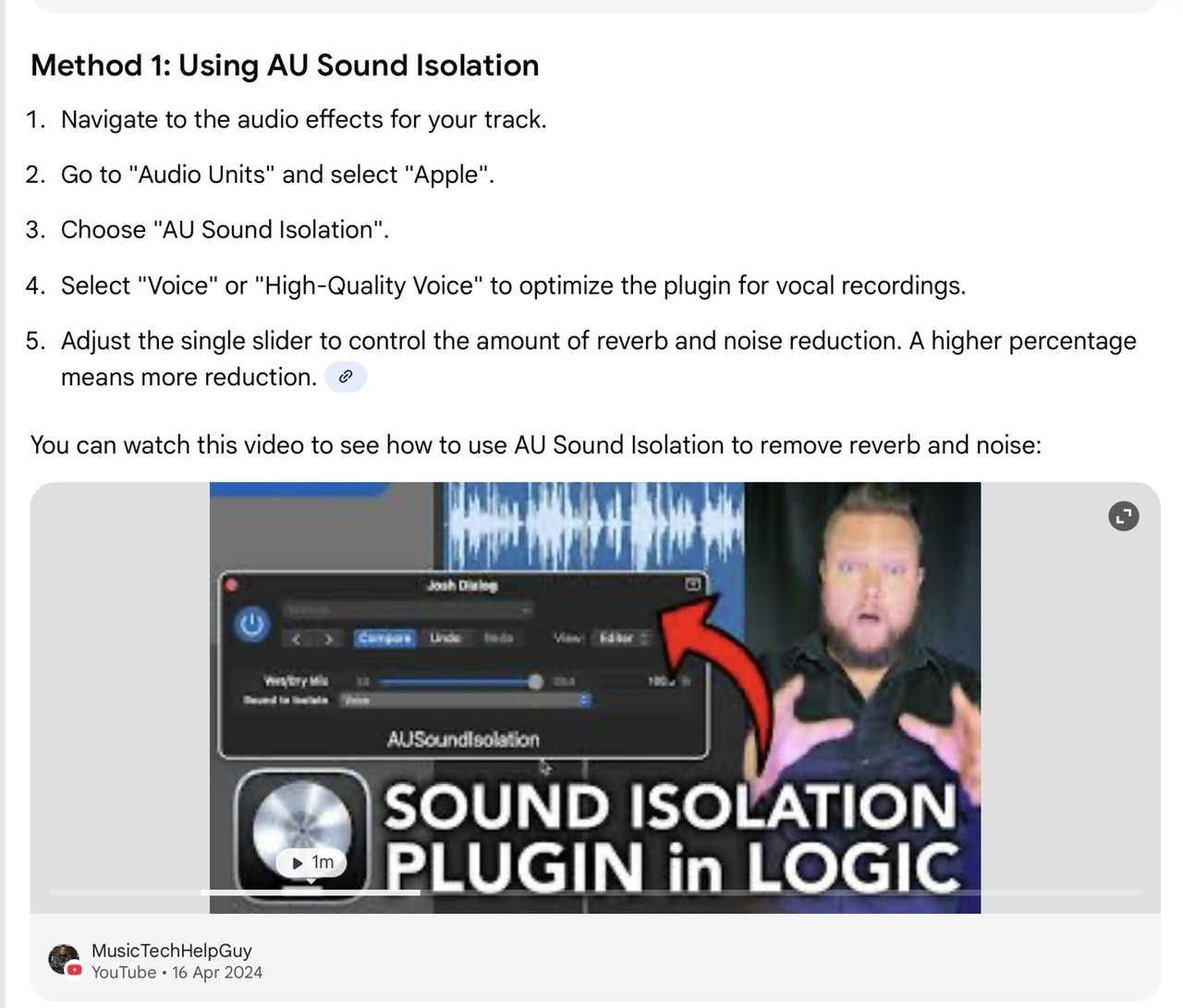
I believe this tool is also in GarageBand.
The Voice Isolation plug-in is one of the 'Apple AU' which can be used in AUM unless people for some reason decide to hide them
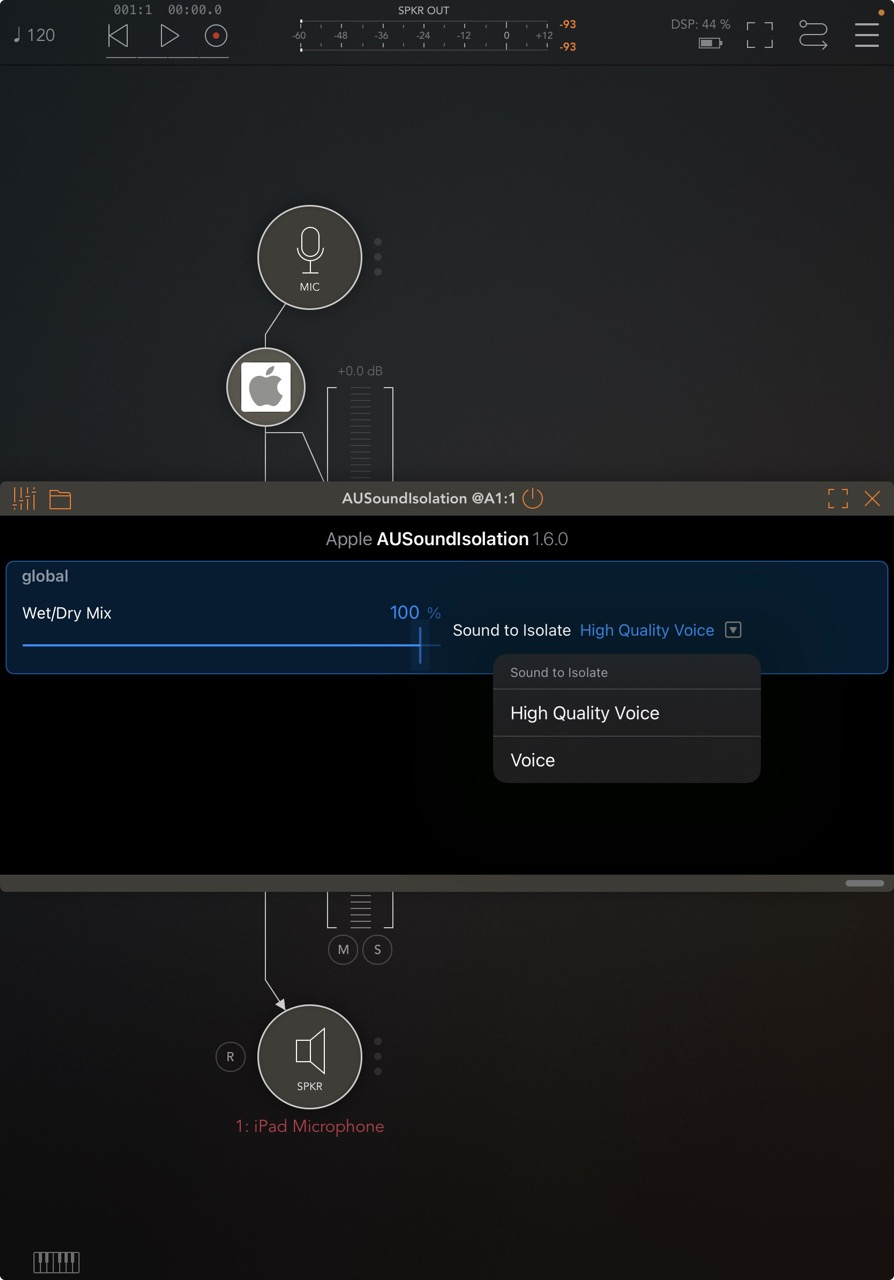
Under iPadOS26 it's also possible to enable voice isolation in the control center for all apps that support audio input.
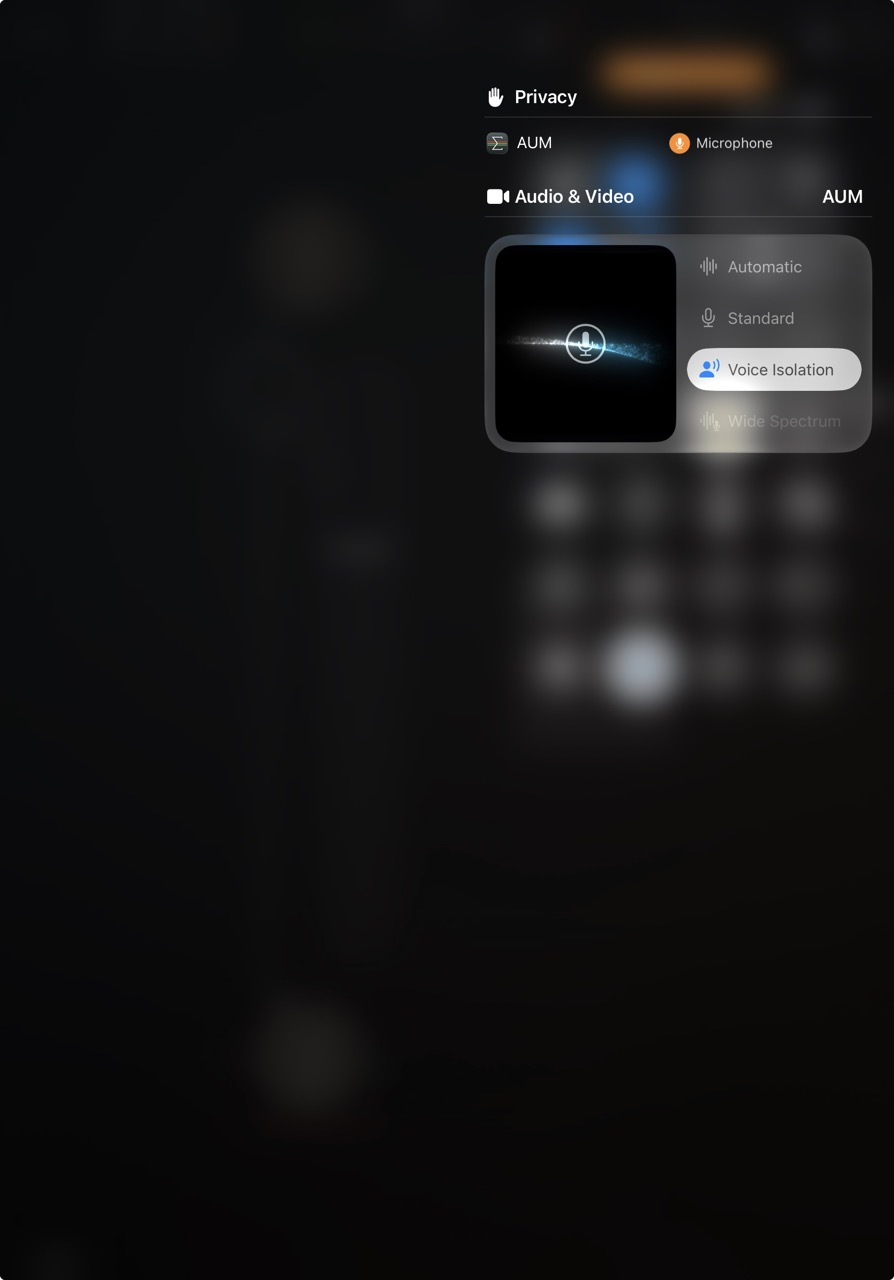
It does introduce a fair bit of latency so it might not be routable for situations where ultra-low latency is needed.
And I thought I discovered something new 🫣, thanks for the info.
Mike 🍻
No worries, I've been there too re-discovering a thing or two
To return to the thread title, the Voice Isolation plugin does not work for removing the reverb from Iconica Sketch.