Loopy Pro: Create music, your way.
What is Loopy Pro? — Loopy Pro is a powerful, flexible, and intuitive live looper, sampler, clip launcher and DAW for iPhone and iPad. At its core, it allows you to record and layer sounds in real-time to create complex musical arrangements. But it doesn’t stop there—Loopy Pro offers advanced tools to customize your workflow, build dynamic performance setups, and create a seamless connection between instruments, effects, and external gear.
Use it for live looping, sequencing, arranging, mixing, and much more. Whether you're a live performer, a producer, or just experimenting with sound, Loopy Pro helps you take control of your creative process.
Download on the App StoreLoopy Pro is your all-in-one musical toolkit. Try it for free today.
Send current value Step Dial A to Step Dial B not possible?
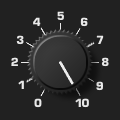
It is very easy to link ‘normal’ dials, but not so with ‘stepped’ dials. It supposed to be possible with a Scroll button action Trigger Widget target step dial A to ‘save to slot 1’ and in the same (or new) button target step dial B ‘restore from slot 1’ but this doesn’t work. Save/restore only works when set to the same target. Can anyone please tell me how to work around this? Thanks.
Comments
What is the exact behavior you want?
I’m building a control surface for my midihub dispatcher pipeline (Round Robin) and like to set the same note number (via CC) into 2 different step dials. One dial to set the note# to work with and another dial to set a range of notes starting or ending with that note#. Hard to explain.
I think the question, in my mind at least, is how exactly do you want the two knobs to behave, step by step how they interact, and what they output, more than what their output will be used with.
If you are setting it via cc, why not set both dials with the cc?
I’m not moving the knobs with CC, they send CC. I turn the step dials with my Pencil. So even if they have the same CC, they will not turn simultaneously! While using the same midi mapping CC# will initially set both midihub parameters to the same note# alright (in reality both dials must have different control CC) but in Loopy that 2nd dial is still at 0 and still have to manually move to the same note# which was the problem to begin with (small dial) . With the normal dial and fader this is quiet easy to do, but not the step dial!! I ask myself why this is.
I asked this in chatgtp and it said to use the trigger widget and save target A and restore to target B but this obviously does not work either.
ChatGPT is wrong. Save/Restore doesn’t work like that for widgets.
How many step do the dials have?
Currently, if you want turning one dial to turn the other, the master dial’s steps will need to either set the other dial or you will need to send midi from one dial that is bound to the other.
They are both 61 steps (note# 36 - 96) and the only way to sync both step dials is to add a trigger widget on each step of the master dial targeting dial B, which is doable with copy paste. I think this is good solution and 61 steps is not that bad, thanks for pointing me in the right direction.
I think what you mean by "add a trigger widget" is really "add a trigger widget action". And yes, that's the way. 👍🏼
I wonder if you really need two dials though. You can add as many actions to each step of the first dial as you like. Why not just add the midi send actions that the second dial is doing to each step of the first?
Unless there are other reasons to have the second dial, that might simplify your setup.
Yes I need 2 seperate dials, that second dial is an optional high and low note range which (with inside - outside range option) to filter out or pass thru certain notes generated by the round robin dispatcher pipe line which cycles between Ch1 to 8. I’m using Loopy Pro (sans midi version 2) only as a controller for my Blokas Midihub (if you don’t know what it is, check it out, it’s a very powerful fully programable midi merger thru box. Very useful device (no affiliation ☺️).
I’m wondering if any of the dials and it’s features in the free v2 upgrade (without MIDI) are any different from the paid (MIDI) v2 version? The “Available Upgrade’” menu talks about new “Rotary Dial Widgets” and “Stepped Dial/Radio Trigger Control” features. Are those omitted in the free upgrade? Can anyone verify this please?
Perhaps those new dials allow a more easier way to sync two dials?
All I really need is to send a single (current) value of step dial A with a double tap to dial B only when needed because in my use case there is really no reason to update Dial B continuously. Saving Dial A into slot 1 and restore to Dial B from slot 1 with the Trigger Widget Action like suggested by ChatGPT would be perfect. Perhaps it was to complicated for Michael LOL.
Somehow the “Active Current Value/Retrigger does not work with Step Dials either (or maybe I don’t understand what this action is supposed to do).
The main paid feature change with dials and radio buttons is that there are options as to whether actions are performed when the dial changes only when released (when using touch) or only when targeted by an activate trigger action (or double-tap).
Activate Current Value may require the update. If so, nudge 0 will do the same thing.
Setting another dial from a dial to a particular value will need an explicit action. You could use a midi binding and send midi as the item source of the 'master dial' to always sync the dial.
As explained earlier, ChatGPT's answer was wrong about what save/restore do. (ChatGPT is just predictive text engine...its answers about things like this are quite likely to be wrong.)