Loopy Pro: Create music, your way.
What is Loopy Pro? — Loopy Pro is a powerful, flexible, and intuitive live looper, sampler, clip launcher and DAW for iPhone and iPad. At its core, it allows you to record and layer sounds in real-time to create complex musical arrangements. But it doesn’t stop there—Loopy Pro offers advanced tools to customize your workflow, build dynamic performance setups, and create a seamless connection between instruments, effects, and external gear.
Use it for live looping, sequencing, arranging, mixing, and much more. Whether you're a live performer, a producer, or just experimenting with sound, Loopy Pro helps you take control of your creative process.
Download on the App StoreLoopy Pro is your all-in-one musical toolkit. Try it for free today.
JWM - Sunshine (Daft Punk type Disco in Auxy Studio and Cubasis)

https://on.soundcloud.com/GvDJdorpbdHV7yToBn
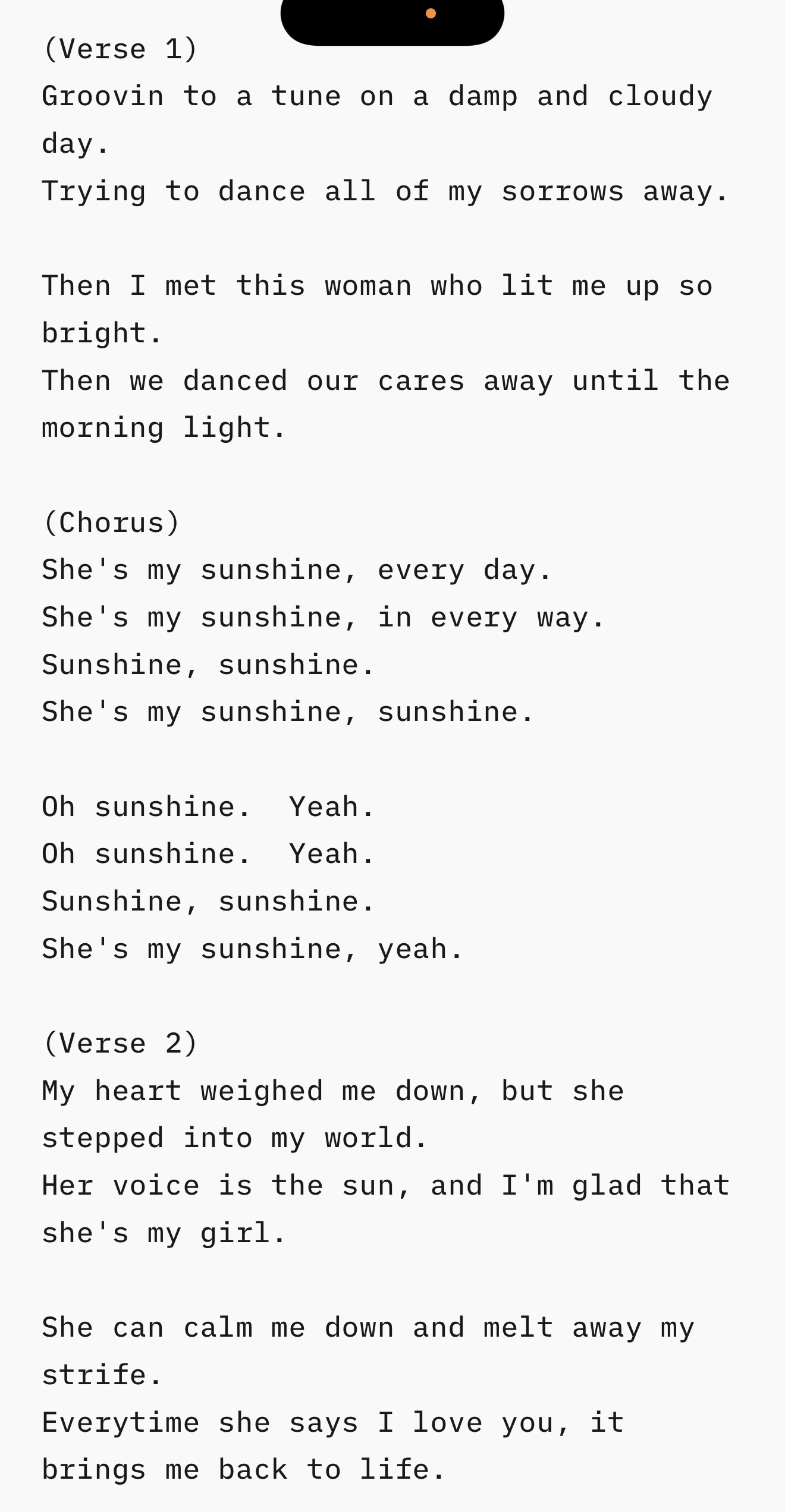
The lyrics may be hard to understand at times since vocal processing what I just did isn't my strongsuit. 🫣 So I attached them above.
The song is inspired by my girlfriend and by Daft Punk. I made the instrumental in Auxy Studio and did the vocals and mastering in Cubasis 3.
If you enjoy this track, please show your support/feedback by commenting below. Thank you.
Comments
Jim, you got my support, You master different kind of music genres.
Love that vocoder. What model? Great groove. Really had me tapping my feet. No, can't understand the words but doesn't matter. You're not supposed to understand vocoders. LOL
Thanks mate. Took me many years to get at this level, and I'm still learning new things every day.
The vocoder is Dervoco mFX version. I used a track group in Cubasis. Raw vocals as the modulator on one side, and Cubasis' Micrologue as the carrier on the other side. Then I used Cubasis' chorus to get the stereo chorus effect, Cubasis' RoomWorks SE for the reverb, Cubasis' Studio EQ for the simple EQ, and Supersitter...
https://apps.apple.com/us/app/supersitter/id6746347142
...to push the vocals forward. I did one simple EQ trick on the overall unmastered instrumental, and that's to dip it with a narrow Q at around 3.20kHz to help push forward the vocals in the mix even further.
LOL! "You're not supposed to understand vocoders". While this may be true to an extent, Daft Punk have mastered the clarity of using a vocoder in their "Random Access Memories" album. I hope someday to achieve such clarity in Dervoco mFX and learn that vocal process. I'm great with recording and autotuning vocals and fitting those into a mix with clarity. Vocoded vocals not so much. 🫣 (I usually use vocoding for background vocals underneath either an autotuned vocal or a natural vocal (depending on the vocalist).)
Fun track man. Have you tried BLEASS Voices? I find the results a bit better than DerVoco.
Thanks mate. I have tried Bleass Voices I think when it was first released, but it confused me. Can it do traditional vocoding like Dervoco? Like with one side being the carrier and the other side being the modulator?
You were probably overthinking it. That was my initial problem. Just feed it audio (the carrier)and play the on screen keyboard (the modulator). Leave off the ‘voices” in the voices tab….
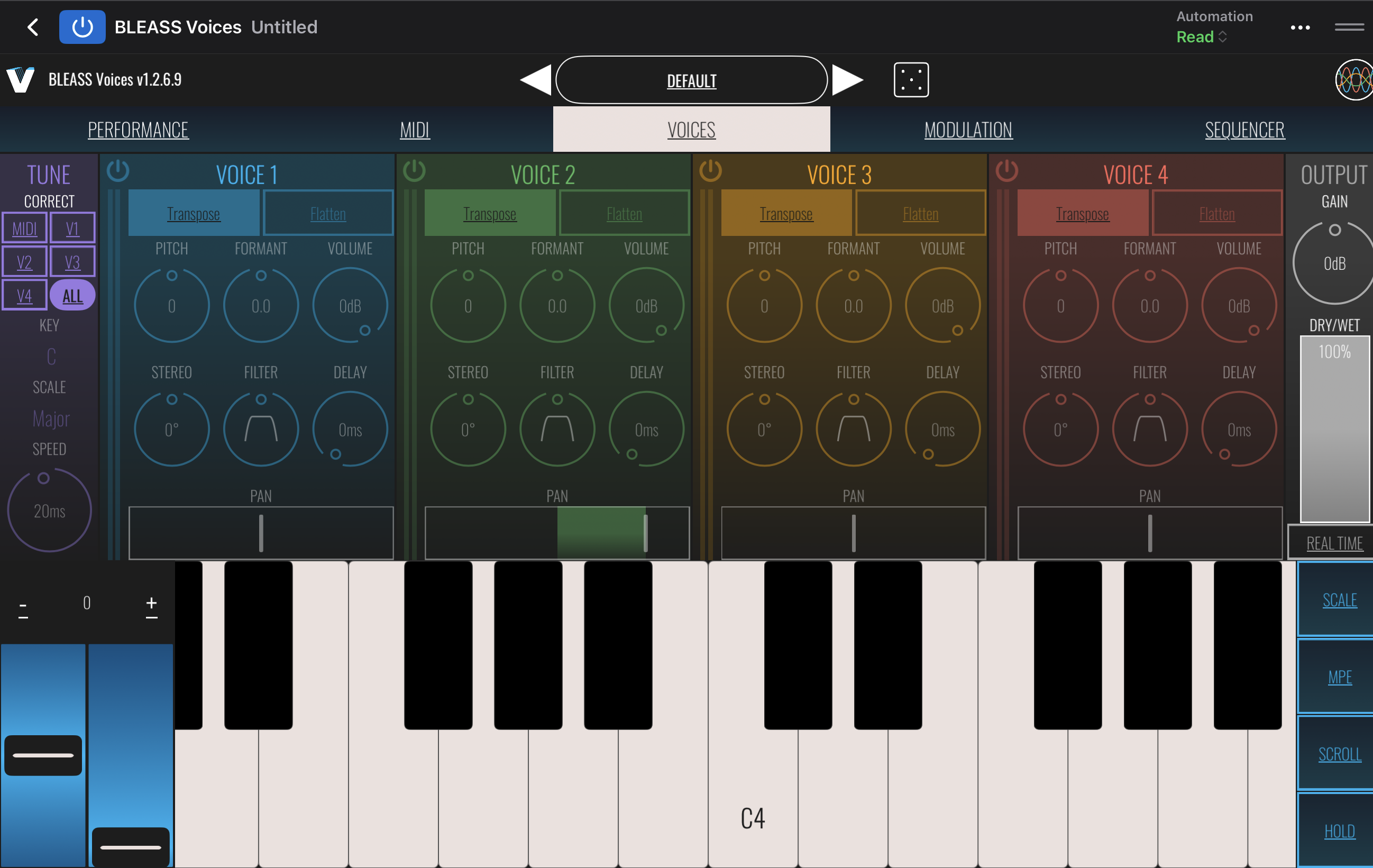
Lol, I probably was overthinking it. Well, I'm not sure how to route MIDI into Voices in Cubasis 3 to get the internal carrier working. But, then again, I may just stick with Dervoco mFX as it's what works best for my poor brain. Thank you though for the suggestion. I'll have to give Bleass Voices another look soon.
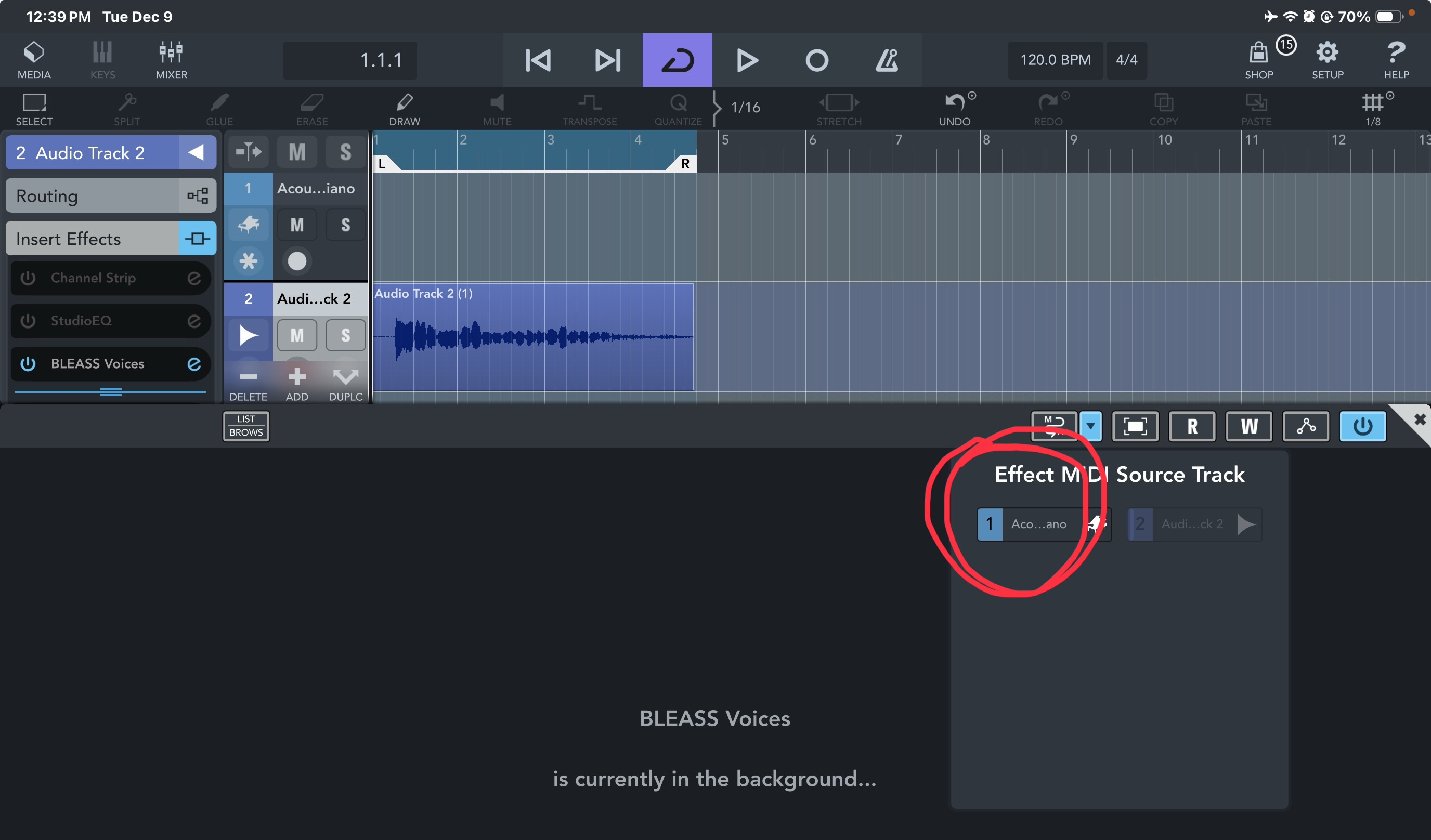
In case you change your mind, or someone else wants to try, here’s how to get midi into Bleass Voices in CB3….
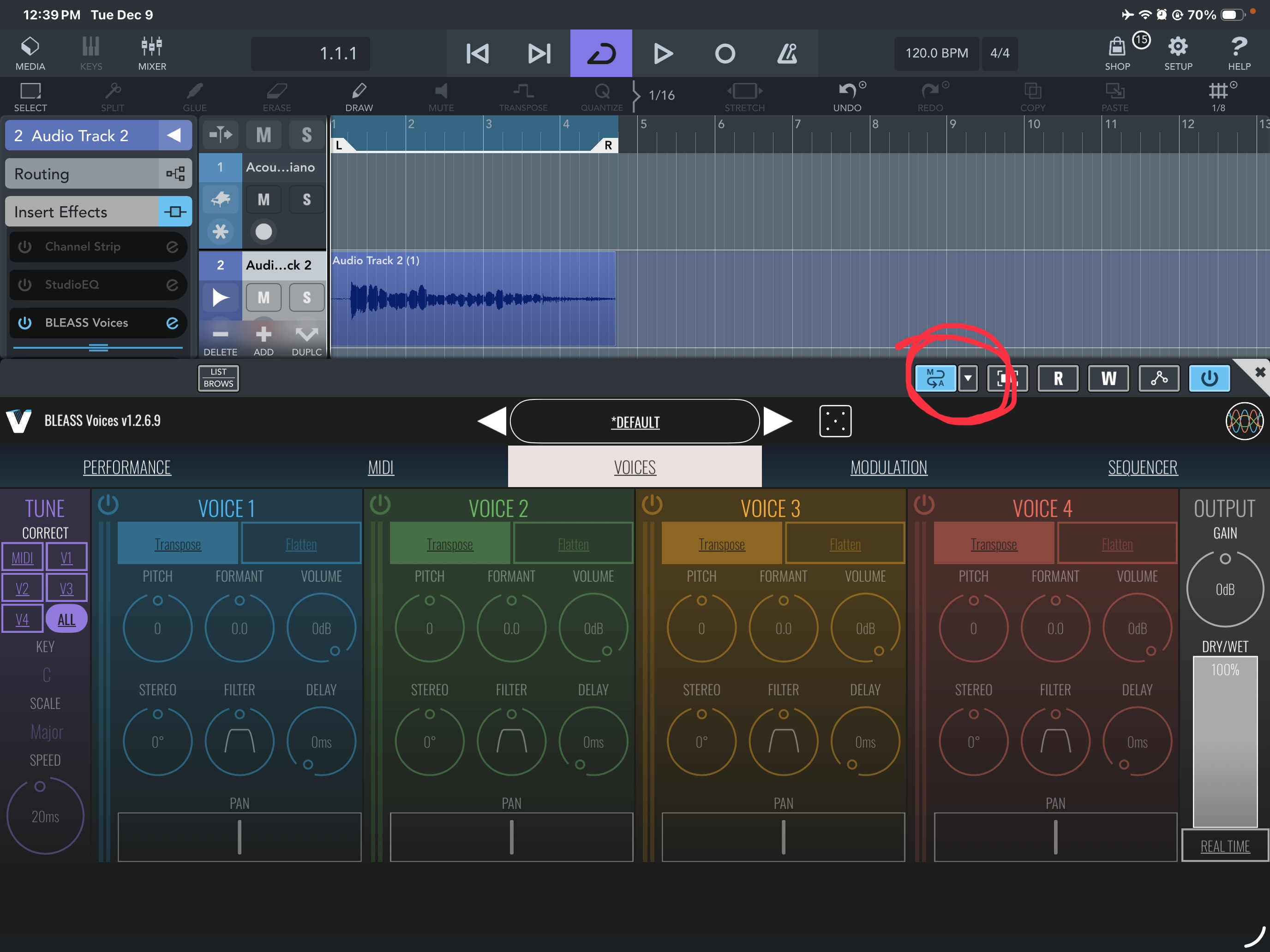
Create a midi track with “no instrument”
Route your midi keyboard to it
Create an audio track and record/copy your vocal track into it
Add bleass to the audio track as an insert effect
Open bleass and Click on the midi routing button
Select the midi track
Close bleass and select the midi track in tracks view
start playback and play your keyboard. You should hear your vocoded audio.
Having used both DerVoco and Voices, i can say voices sounds better and is easier to use. Just MHO.
That's the way to get MIDI to control Waves Tune RT! I had no idea I could hook up Bleass Voices like that. Next track, I'm giving that a shot.
I love the sound of the vocoder. Thanks for posting the lyrics so I can follow along. This song is great, I love it. I also like the tempo as it feels as though it's a track I can listen to while in the gym. Awesome.
Hell yeah mate. Thank you so kindly.