Loopy Pro: Create music, your way.
What is Loopy Pro? — Loopy Pro is a powerful, flexible, and intuitive live looper, sampler, clip launcher and DAW for iPhone and iPad. At its core, it allows you to record and layer sounds in real-time to create complex musical arrangements. But it doesn’t stop there—Loopy Pro offers advanced tools to customize your workflow, build dynamic performance setups, and create a seamless connection between instruments, effects, and external gear.
Use it for live looping, sequencing, arranging, mixing, and much more. Whether you're a live performer, a producer, or just experimenting with sound, Loopy Pro helps you take control of your creative process.
Download on the App StoreLoopy Pro is your all-in-one musical toolkit. Try it for free today.
Second Trigger Bypasses Count In
Hello. I feel like I've gone through all the menus but I cannot figure out how to turn this off. This happens with my controller and with gestures. I have all my clips quantized, usually to 8 bars. And all the clips are in the same group set to play one at a time. Almost all of the clips I'm using are not phase locked. If a clips is playing and I launch another, LP waits to launch that second clip based on the quantization settings. This is all expected obv. But if i trigger that same pending clip that's waiting to launch, that second clip launches immediately, instead of waiting for the quantized amount of time to arrive.
See video. Project linked below. Thanks 
[edit] title changed from “beat quantization” to “count in”
Comments
Triggering while a count-in/out is in progress aborts the count-in/out by design. There is not currently an option to turn that off
Thanks. I was afraid that was the answer.
What is the cause of the double triggering?
Sorry to take so long to get back to you on this question. I’ve gigged out with loopy pro and an MC8 foot switch for a few weeks now so I wanted to use loopy Pro under gig conditions before replying.
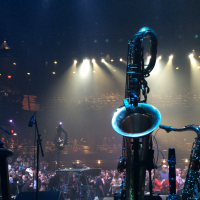
The gig is for all intents and purposes a jazz duo but we’re using loopy pro to run backing tracks. The benefit of loopy Pro is that we don’t have to have fixed arrangements and we can improvise the arrangements just like we’re improvising the music. I play saxophone and I have a guitar player on every gig. What has caused me to bypass the count in twice now is that I’m playing a solo or a melody and I try to fire a clip and I miss and then wind up fumbling around a little bit to get the right clip. Part of this is because the MC8’s switches are pretty close together. And in one case I was using a mic on a stand instead of a clip on my mic, and it made my field division a little hard to manage. But regardless in both cases because I was trying to play saxophone and stomp foot switches at the same time I accidentally hit the foot which I’ve already selected which bypassed the count in because it counted as a double tap.
In both cases, skipping the count-in didn’t necessarily derail the show, but it was not what I would consider to be a great moment either time. The nature of the gig being what it is, I’m sure it’s gonna happen again in the future, but hopefully not as regularly as it has. I think the solution for the one gig where I was using microphone on a stand is to get a barrel adapter for my clip-on mic so I can look down while playing more easliy. But the one that happened today happened on a gig where I’m not even using a microphone. Because I’m usually coming up against or four or eight bar phrase there’s a bit of a clock ticking aspect that makes the fumbling around a little more likely sometimes.
You said earlier that a double tap bypassing the count in is by design. What is the benefit of having that as a feature?
>
It isn’t double-tap bypassing the count-in. It is that a tap (trigger) at want time during a count-in aborts it. For many people, there are situations where they want to short-circuit the set quantization.
In a coming update, there will be conditionals that would allow a trigger to be ignored during a count-in.
The Recording action has an option to ignore triggers during count-in. I will add a note to consider adding that for play.
Right now, there is a trick you could use that would use stepped dials to prevent retriggering during count-in. Basically, you set up a dial so that when it is triggered it triggers the play action and won’t trigger again till the clip starts Playing.
Are you triggering individual clips directly or targeting the selected clip?
Double tap to bypass countdown is important to me. Very often I want to start or stop a clip immediately.
I wonder if adding a double-tap gesture for clips, with the default action being the current behavior would be a viable solution? As with the Press and Release gesture, if no custom gesture exists, they have the default action.
This wouldn't mess with anyone's existing workflow, but would provide the option to assign a "dummy" action of some sort to double-tap, or to use double-tap for something else.
[edit] umm .... I can think of a big drawback. That would force a delay for the single tap action while waiting to see if a second tap is coming. Not good. Now I can see why it's designed the way it is.
I think a simple "ignore double-tap on clip" option, similar to the "Record/Play/Stop on Press" option is implemented would be good.
To clarify, the short-circuiting of the count-in/out is not a double tap. Any tap, even a single tap during a count in/out short circuits things.
The built-in solution would be adding the same option to play and solo that recording has.
Thanks for the clarification. You're right.
The possibility of adding a respect count-in option is under consideration. We have a pretty hefty to-do list though.
Nooooo .... really?? 😉
In addition to the official roadmap
That would be excellent. Thanks you
I'm triggering the clips directly
Thank you. I was genuinely curious if folks were using this feature.
How many clips in your project need protecting from accidental triggering?
Each project has up to 6 clips and I'd want to protect all of them
@Superaction80 here is a project that shows how to use a dial and follow actions to make the count-ins/out’s uninterruptible. I have tested it a fair amount but there might be adjustments needed.
This awesome. Thank you. I made a couple tweaks:
1. I changed the dial values to play the target clips instead of toggle. I don’t want the tracks to drop out ever and this is a good safeguard.
2. I deleted the “record” action in the dials since I don’t ever record clips live
Here’s the project if you care to see the changes
https://www.dropbox.com/scl/fi/hsrv9sx9zhfhbi7oxf8vv/EXAMPLE-Protect-Count-in.lpproj?rlkey=seb7tmbuvjcchan9xonc0rt4e&st=rl18lhil&dl=0
In an attempt to better understand how the dial/trigger pairing actually works, I tried to replicate the trigger/dial setup from your file. I added a third clip and another trigger/dial to the above project. I’ve missed something because the third clip is stuck in a loop of sorts. It’s stuck on play and hitting the trigger just sends it back to play.
https://www.dropbox.com/scl/fi/ft79fo1fro1kmd4nj31h8/EXAMPLE-Protect-Count-in-JR-Replicate.lpproj?rlkey=t2awgfkneoz8gho6u0jk2teva&st=x3z8dv97&dl=0
Do you mind taking a look? Thanks.
What are the steps required to see the problem?
Btw, if you copy a working clip /dial pair together. You can paste to create a new one.
@Superaction80 : look at the settings for your new dial by pressing the gear wheel icon. Compare the settings to the other dial’s. You need to set state feedback to disabled and set “perform actions on” to “activation trigger”.
Thank you! I copied all the other settings but didn’t think to check the settings icon. Works perfectly now. The question for me now is how best to set this up for 40+ songs. The target clips will be the same for every project, so if I do it once, I should be able to copy the dials/triggers between projects easily enough. Which leaves adding the follow actions to the clips. There is a menu for follow actions under project-wide clip settings but testing it just now didn’t seem to add a new follow action to the clips already in the project.
Follow actions in individual clips are different from project-wide follow actions. Project-wide follow actions apply to all clips. An individual clip’s follow actions apply only to it.
Thanks. Had success adding the dial/triggers (d/ts) to one of my gig files. Once I had copies made of the d/ts they all functioned as expected. The only thing I found in testing thus far is that if I was playing one clip and set another clip to “count in” and then triggered yet another clip to “count it”, that second clip would stay in “count in” and its dial wouldn’t reset to “idle” since that second clip neither played nor stopped. Which means that dial can no longer send a trigger its associated clip. My workaround was to create a follow action for each clip to set all the other clips’ dials to “idle” when played.
https://www.dropbox.com/scl/fi/ucts2gr9lx2yhjv2r82q3/Billie-Jean-2.lpproj.zip?rlkey=tjp66spcv630ca6meflwurzbc&st=x6hxb1dj&dl=0
Thanks again. You rock
After posting that last reply last night I realized that because I was using clips to set the dial back to “idle” it would mean I would have to add an additional 6 follow actions to all 7 clips in each project. That’s a lot. I tried using the dials’ follow actions to reset the other, stuck-in-“counting-in” dials back to idle and even thought there’s functionality for that in the dials’ follow actions, I couldn’t get it to work. So I tried the same thing using the triggers’ follow actions and it works perfectly. This is exactly what I was looking for. Now, no matter how clumsy I’m being with my feet, the last triggered clip will be the one that fires when the count-in ends, even if I trigger one clip, then during the count in trigger a second, and THEN go back and re-trigger the first clip that I originally triggered. Since each trigger sets every other dial to “idle” it has made these projects me-proof. And it means I don’t have to add a follow actions to each clip to set its dial back to “idle”. The trigger takes care of that instead. So a lot less work after copying and pasting the dials and triggers into a new project.
https://dropbox.com/scl/fi/mo1ser516l5o01le1zspz/Billie-Jean-2.lpproj?rlkey=xawqobmgbcd0ml6zbx777t43k&st=2pc40wky&dl=0
Thank you again.
@Superaction80 : glad to hear that you got it working the way you want.