Loopy Pro: Create music, your way.
What is Loopy Pro? — Loopy Pro is a powerful, flexible, and intuitive live looper, sampler, clip launcher and DAW for iPhone and iPad. At its core, it allows you to record and layer sounds in real-time to create complex musical arrangements. But it doesn’t stop there—Loopy Pro offers advanced tools to customize your workflow, build dynamic performance setups, and create a seamless connection between instruments, effects, and external gear.
Use it for live looping, sequencing, arranging, mixing, and much more. Whether you're a live performer, a producer, or just experimenting with sound, Loopy Pro helps you take control of your creative process.
Download on the App StoreLoopy Pro is your all-in-one musical toolkit. Try it for free today.
Akai Mini Mark IV is muting/unmuting loopy pro tracks whenever i press D,E,or F keyboard keys

Hi, newbie to Midi, looping, ,and Loopy Pro, I’m a guitar player who wanted to use Loopy Pro as a multi looper … now spent lots of learning time with Loopy Pro, very cool DAW. Seemed to work without glitches with an Akai Mini Play i had for a few weeks, but i swapped that for the new Mini Mark IV , which does show up as a known controller in Loopy Pro MIDI setup … and it works generally but with this odd glitch, pressing the D,E, or F keyboard keys causes certain tracks (loops) to Mute or Unmute (same track toggles mute or unmute with the D key, for instance). And it only happens with certain octaves, hitting + or - on the Octave button gets rid of the glitch for a couple octaves, then its back, and also back if I go back to original octave.
Is this a fault in the pre-set mapping that ?whoever did to put this keyboard in Loopy Pro setup? Or something I am overlooking? I did search as best I could with google etc but no luck. If this is just a basic MIDI mapping problem i should fix myself, I’d greatly appreciate any help. Or if it’s a real bug in the preset thats been set up, who do I send this to?
I’m using iPad Pro with IOS 26 (maybe their latest update is causing trouble?).
Thanks
Comments
It sounds like you inadvertently created midi bindings that are doing that.
Choose Control Settings from the main menu and look inside the profiles. They list all the midi mappings that have been created. Swipe left on a binding to delete it.
Also, make sure that there are no midi bindings in a global profile to onscreen objects. Onscreen objects should generally be mapped in project profiles.
Thanks! but, under ControlSettings, my Default Project profile and Default Global profile show “there are no bindings yet”. I have no other profiles. Anywhere else to look? I’ve tried quitting and restarting, and I have LP2, the Mini IV is latest firmware. 🤨
Have you checked what MIDI messages those keys are sending, using a MIDI monitor?
Also, please confirm that you're using Loopy Pro stand-alone, not as a plug-in in AUM Or some other host.
In Control Settings, take a screenshot of the listed controllers. Then tap on the MiniPlay and take a screenshot of the settings.
If multiple ports show up for the Akai, take screenshots of each.
It sounds like it is treating notes from your keyboard as if they are pads on an Akai APC
OK here are some screenshots - not sure why the MK IV Mini port shows APC Key 25, is that perhaps why its sending wrong messages with these keyboard keys?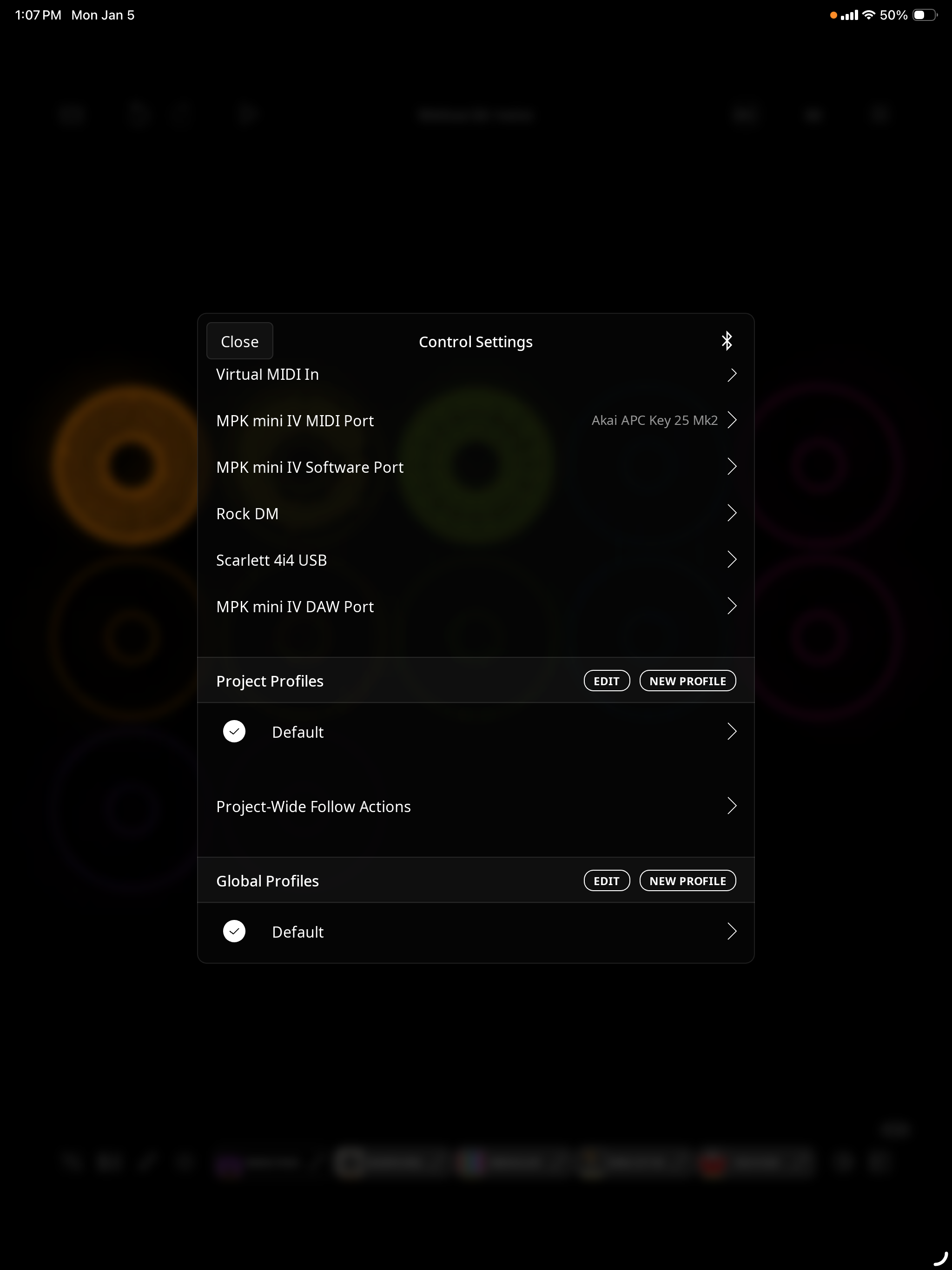
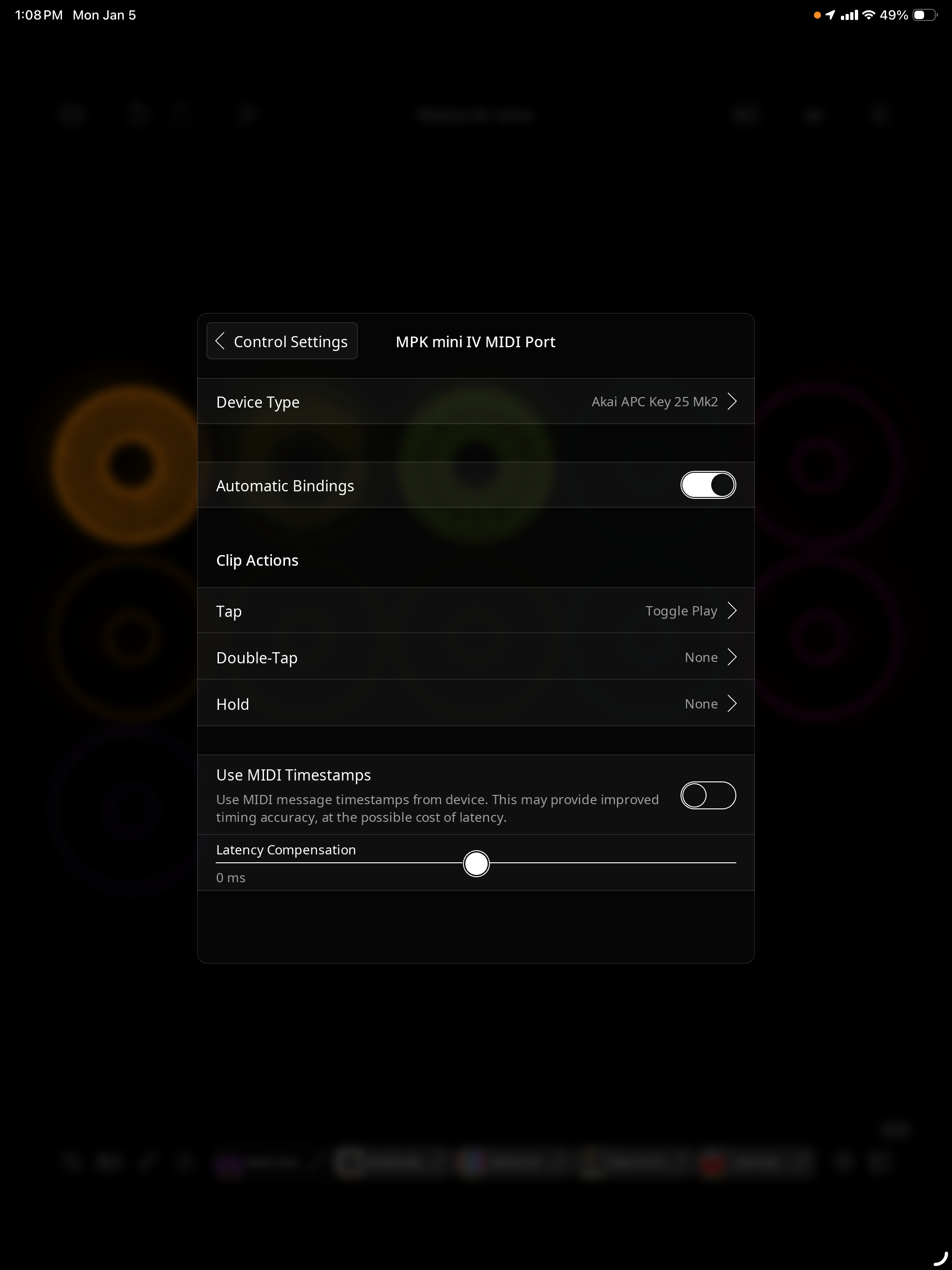
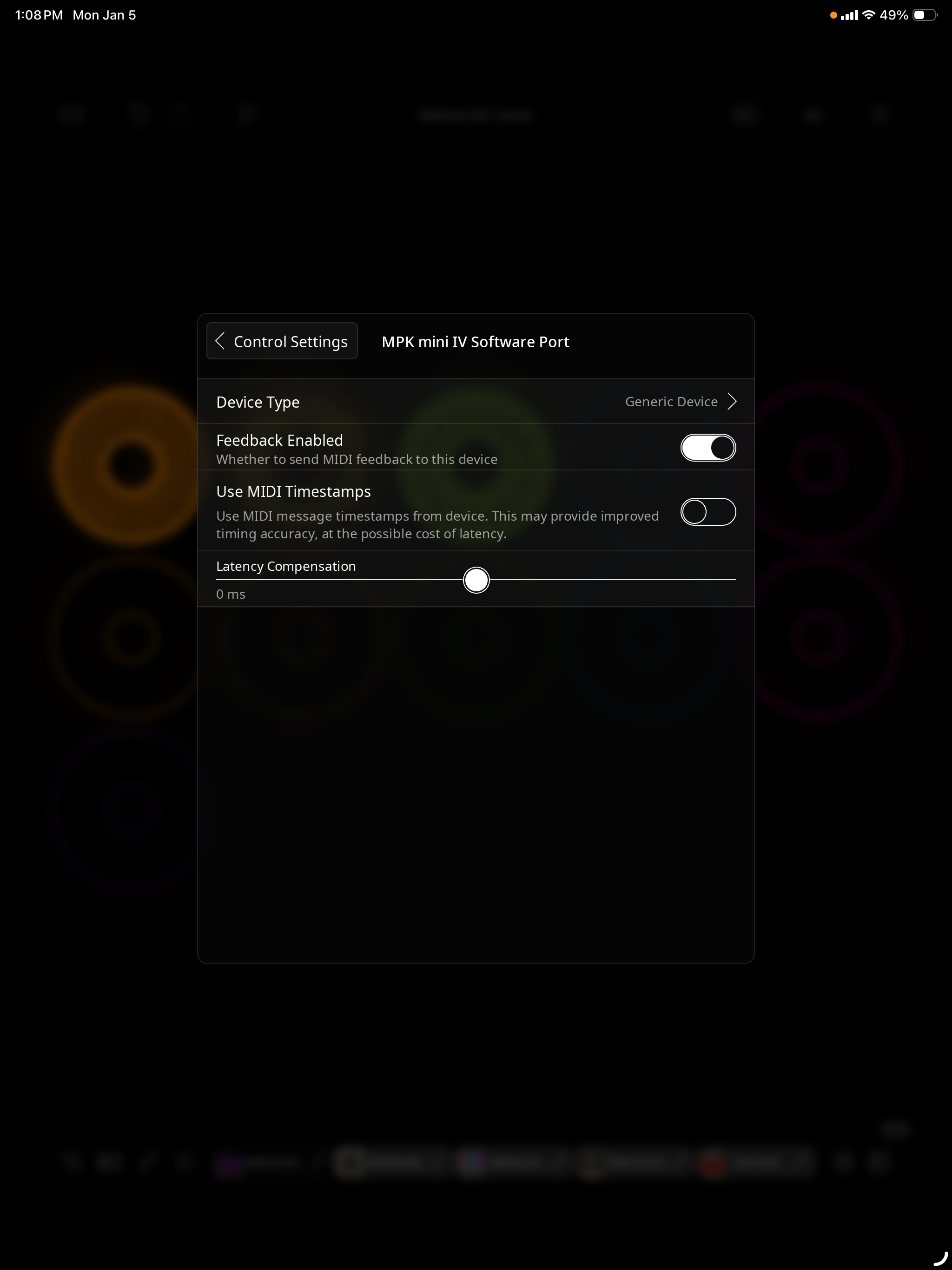
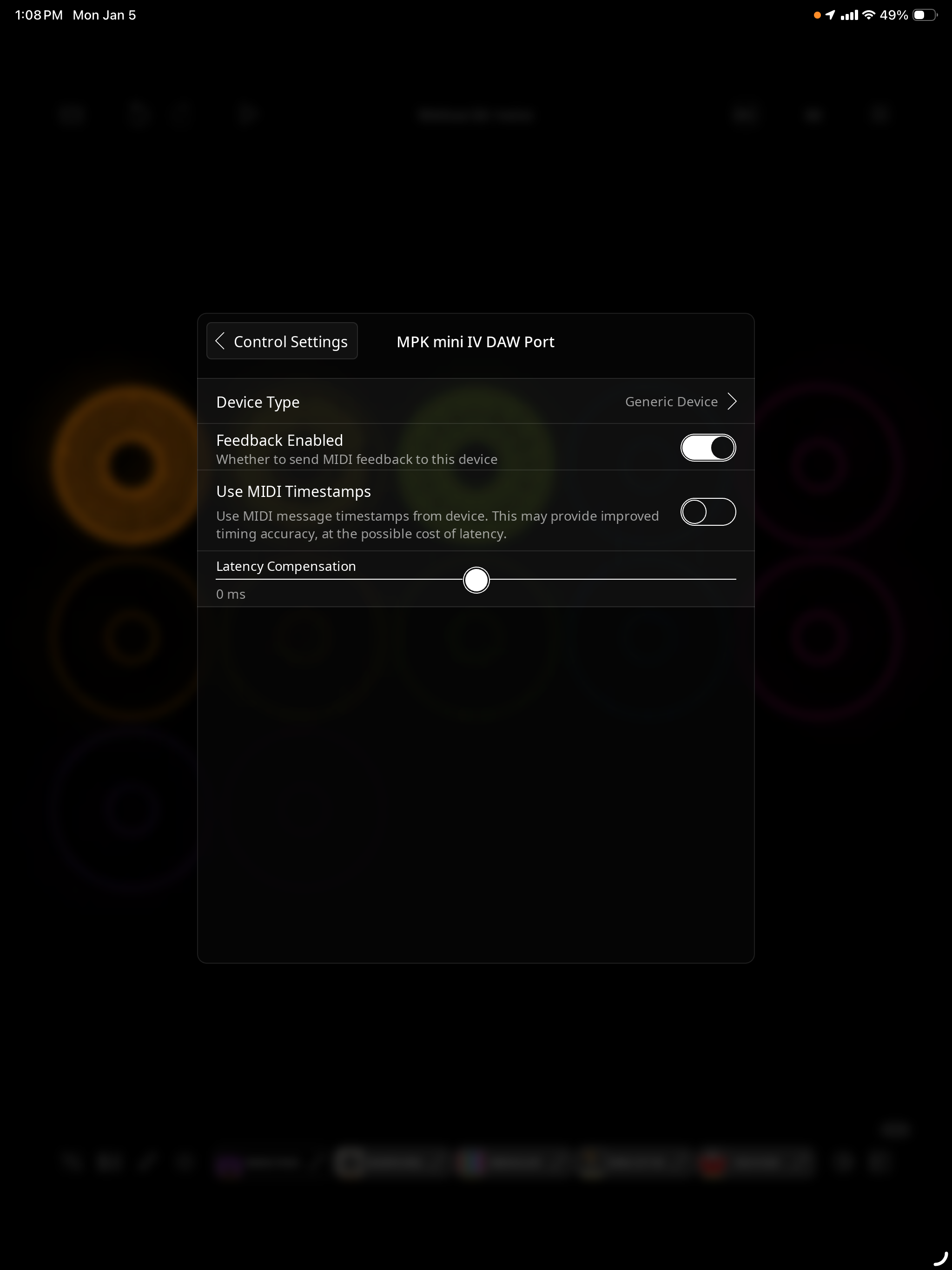
@sclwood : set device type to Generic Device. For some reason, Loopy detected it as an APC Keys and responding accordingly.
And here’s a screenshot of MIDI Wrench (running in the background) when i played the E, F, G and also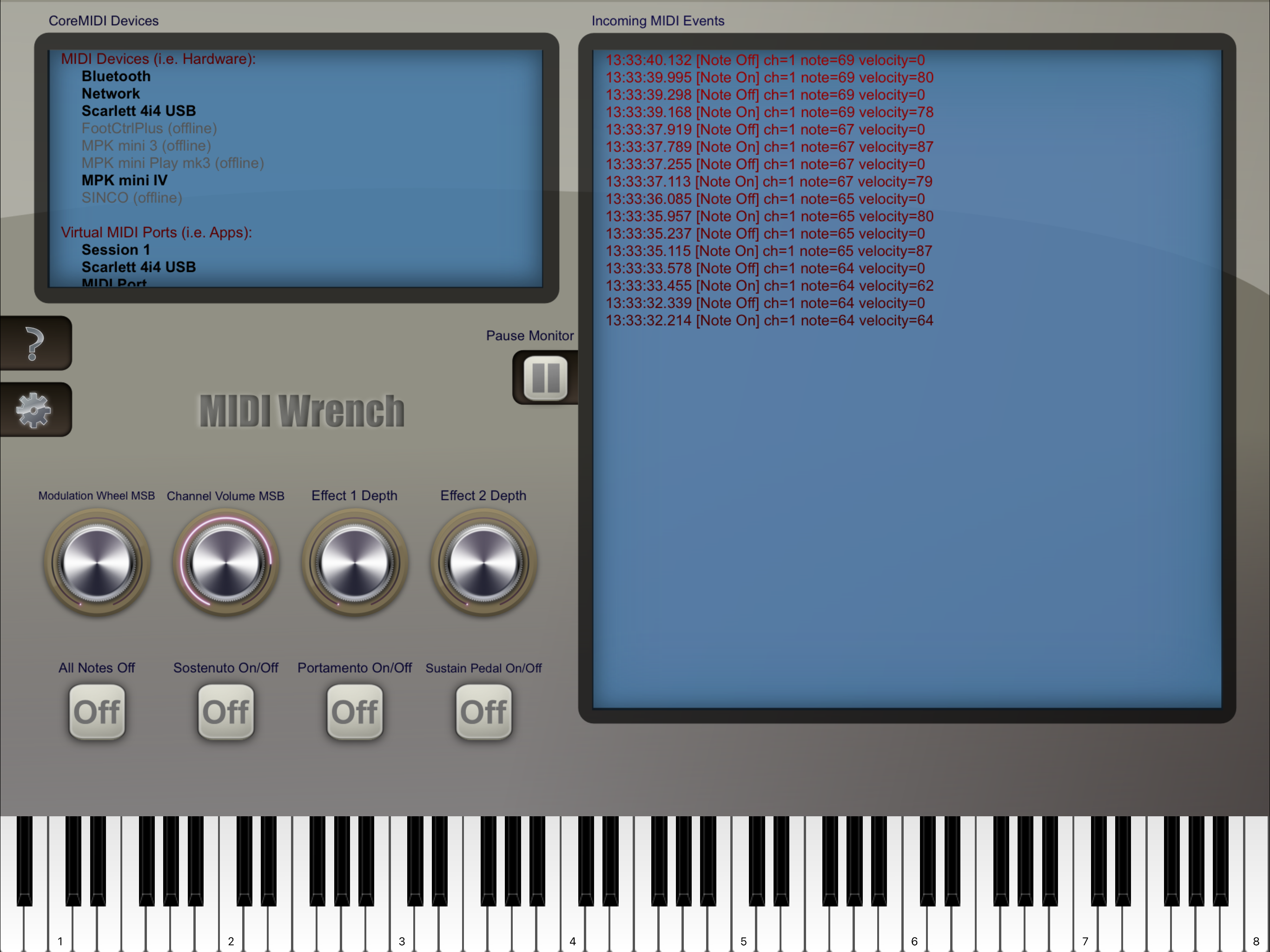
A keys on the Akai MK IV Mini. The problem is with the E, F, G keys and i played the A key just to see it - this is the first time I’ve used this Wrench app, cool!
But if i read this right it seems to be sending note messages, as it should, but the E-F-G keys each toggle off/on one of my loops! But the Control settings all seem to be Default, so, something in the default is wrong?
How do I MIDI Learn these keys to play notes if they seem to already be doing that?
Are you having this problem even after both ports of the device is set to be a generic device?
No! thanks for suggestion. Setting ports to Generic clears it up, no more muting channels.
And i'm using AUV3 instruments like Animoog for now which work fine.
So how do the AKAI Mini presets in Loopy Pro help, are they even useful?
They are only useful if you are using the actual device.
Ah. But after connecting my Pro Mini IV to Loopy, you can select that specific keyboard for your ports, but even though it says that on left of screen, to the right it shows Akai APC Key 25 Mk2.
Which i assume is why keyboard is creating these mute/unmutes. Right?
So that's why i was asking how did this Mini IV keyboard get in there as a selectable setting but it actually refers to the older keyboard, and is there any way to update that?
And is there a "feature request" anywhere that they look at, or is it just a wait and see?
I am not sure why Loopy thought that the pro mini Iv was the APC Key 25. That would be a bug. Loopy Pro queries connected devices to see if any are devices it knows about. It should not have recognized it as an APC Key 25.
Being able to manually select those options is for cases where Loopy Pro fails to recognize a device for which it has enhanced support or if one has a device or script that behaves like one of the specially supported devices