Loopy Pro: Create music, your way.
What is Loopy Pro? — Loopy Pro is a powerful, flexible, and intuitive live looper, sampler, clip launcher and DAW for iPhone and iPad. At its core, it allows you to record and layer sounds in real-time to create complex musical arrangements. But it doesn’t stop there—Loopy Pro offers advanced tools to customize your workflow, build dynamic performance setups, and create a seamless connection between instruments, effects, and external gear.
Use it for live looping, sequencing, arranging, mixing, and much more. Whether you're a live performer, a producer, or just experimenting with sound, Loopy Pro helps you take control of your creative process.
Download on the App StoreLoopy Pro is your all-in-one musical toolkit. Try it for free today.
Midi does not trigger via cable from loopy

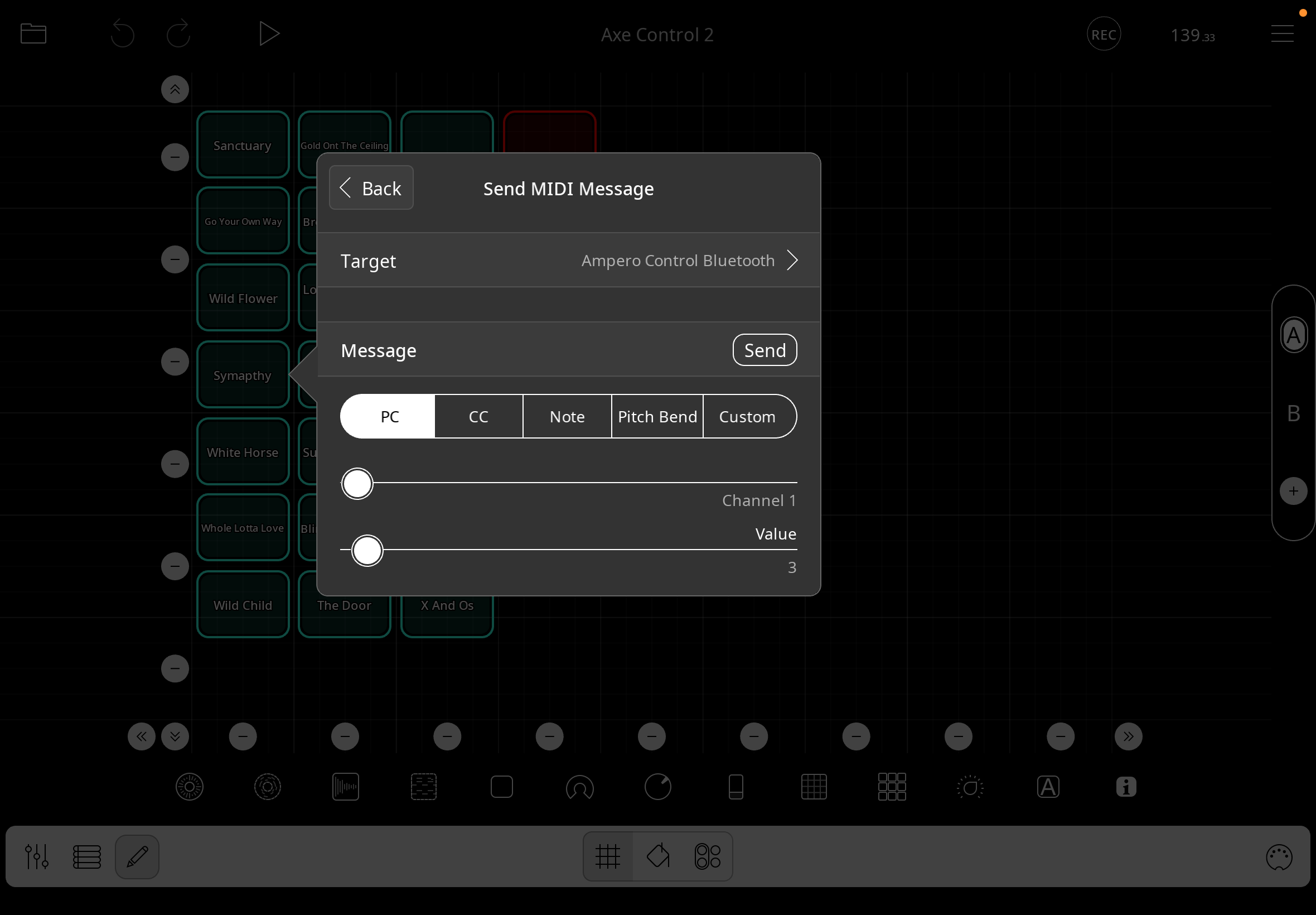
Using Ampero Control footswitch.
Had this working before but not sure what's going on.
Widget is setup to send PC to Ampero device. I have midi out connected to my Fractal FM3.
It does communicate program change from the Ampero app so seems to me all should be working.
Just trying to do a program change by touch screen.
Comments
The target is set to Ampero Control Bluetooth — the thread title says it does not trigger by cable.Are you sure the target is the correct one? How was it configured when it was working?
Not sure. Looks like I renamed the target to be my Fractal device, but I obviously can't select the Fractal itself, so I don't know what my options are other than sending midi to my Ampero which should send the data to the Fractal.
Are you sure that the Ampero sends midi thru? Often (usually), midi devices don’t send received messages.
I don’t know of any cases where Loopy doesn’t send midi messages to the selected target.
You may want to check the Ampero manual or check with their support to see if they pass messages through if received this way.
Can you think of any way in which the setup has changed since it worked?
It's been too long. I have no idea. Manual doesn't mention anything about midi out/thru port. Have you not seen anyone here using a wired / bluetooth setup like I describe?
It is very device dependent. My M-Vave Chocolate, for instance, can connect by bluetooth or USB. If you connect via BlueTooth to one device and USB with another, MIDI sent to it from Bluetooth don't get sent out the USB port; messages sent to it via USB don't get transmitted via Bluetooth. Button presses on the chocolate get sent out both ports, but it does not do any thru-ing.
It is highly likely that Loopy Pro is sending the message you set up to the recipient you specified. It is out of Loopy's control what the device does with the message. You might look again at possible recipients if it worked before. Maybe you need to send the message to the Ampero app?
Ampero support may be able to tell you if what you want is possible.