Loopy Pro: Create music, your way.
What is Loopy Pro? — Loopy Pro is a powerful, flexible, and intuitive live looper, sampler, clip launcher and DAW for iPhone and iPad. At its core, it allows you to record and layer sounds in real-time to create complex musical arrangements. But it doesn’t stop there—Loopy Pro offers advanced tools to customize your workflow, build dynamic performance setups, and create a seamless connection between instruments, effects, and external gear.
Use it for live looping, sequencing, arranging, mixing, and much more. Whether you're a live performer, a producer, or just experimenting with sound, Loopy Pro helps you take control of your creative process.
Download on the App StoreLoopy Pro is your all-in-one musical toolkit. Try it for free today.
Shift button functionality for MIDI mapping?

Happy New Year to those who celebrate today!
I am trying to implement shift functions with MIDI mapping a controller. In specific, I have an OG Arturia BeatStep and wanted to program some of the pads or buttons that can send CC to be momentary toggles such that when I turn a knob, it will affect a widget only if a button is pressed.
I’ve been a LP user for the past two months and learned a ton from the community, especially here and on Youtube, but couldn’t find a clear answer on this. I’ve been a Drambo user for a little longer, and it has added 4 mappable shift buttons for its MIDI mappings. I also programmed something like this for my MiniLab 3 using Mozaic, which worked OK because that controller had some visual feedback.
Perhaps the next big update Michael is planning with conditionals might be a way to implement shift functions. But I was wondering if people have tried doing this and found other routes on LP itself (perhaps with controller profiles or page changes?).
Thanks in advance!
Comments
There are a number of ways you can implement shift-key like behavior. The simplest is to have a midi binding that enables/disables control profiles so that when the shift key is on , different profiles are used than when it is not on
On the Discord, I posted a dial-based method that is sometimes applicable: https://discord.com/channels/922977925182132245/1178062406358937750
When conditionals are added, they will provide another method.
Conditionals aren't needed to accomplish what you mention, nor are the potential "shift" functions limited in number - if I understand what you're looking for correctly
This can be accomplished using profiles. Create profiles with the mapping variations you want, then create buttons or a stepped dial to change profiles.
The video below is somewhat dated, but is probably a good place to start:
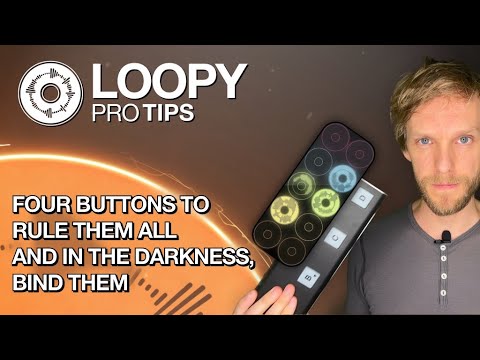
Wow, thank you both, @espiegel123 and @wim ! This is perfect and exactly what I was looking for! Also cool to learn about an LP Discord.
The LP discord has a lot of tips and tutorials and templates demonstrating handy odd-ball techniques.
In case you need the invite link:
https://discord.gg/Js2YZxrC5D
[edit] https://discord.gg/Bdnby4gqQn
Awesome, thanks again!
👍🏼
@wim — the link is to the Koala Discord. Would you mind posting the LP link? Thank you.
In the loopy pro help panel there is a link to communities. Tap on it. There is a link to the Discord on the Communities page.
Whoops. Sorry.
It seems that @espiegel123 prefers that you go to the help panel to get the link. I'll defer to him. 👍🏼
Awesome! One footswitch to rule them all. My Nektar pacer in one mode controls the loops and in the other my effect pedals.