Loopy Pro: Create music, your way.
What is Loopy Pro? — Loopy Pro is a powerful, flexible, and intuitive live looper, sampler, clip launcher and DAW for iPhone and iPad. At its core, it allows you to record and layer sounds in real-time to create complex musical arrangements. But it doesn’t stop there—Loopy Pro offers advanced tools to customize your workflow, build dynamic performance setups, and create a seamless connection between instruments, effects, and external gear.
Use it for live looping, sequencing, arranging, mixing, and much more. Whether you're a live performer, a producer, or just experimenting with sound, Loopy Pro helps you take control of your creative process.
Download on the App StoreLoopy Pro is your all-in-one musical toolkit. Try it for free today.
MIDI FIGTHER TWISTER as foot controller?
Hello,
I recently got a MIDI Fighter Twister and I'm really enjoying how Loopy Pro integrates visual feedback with it.
I thought I could use it as a foot controller for loops.
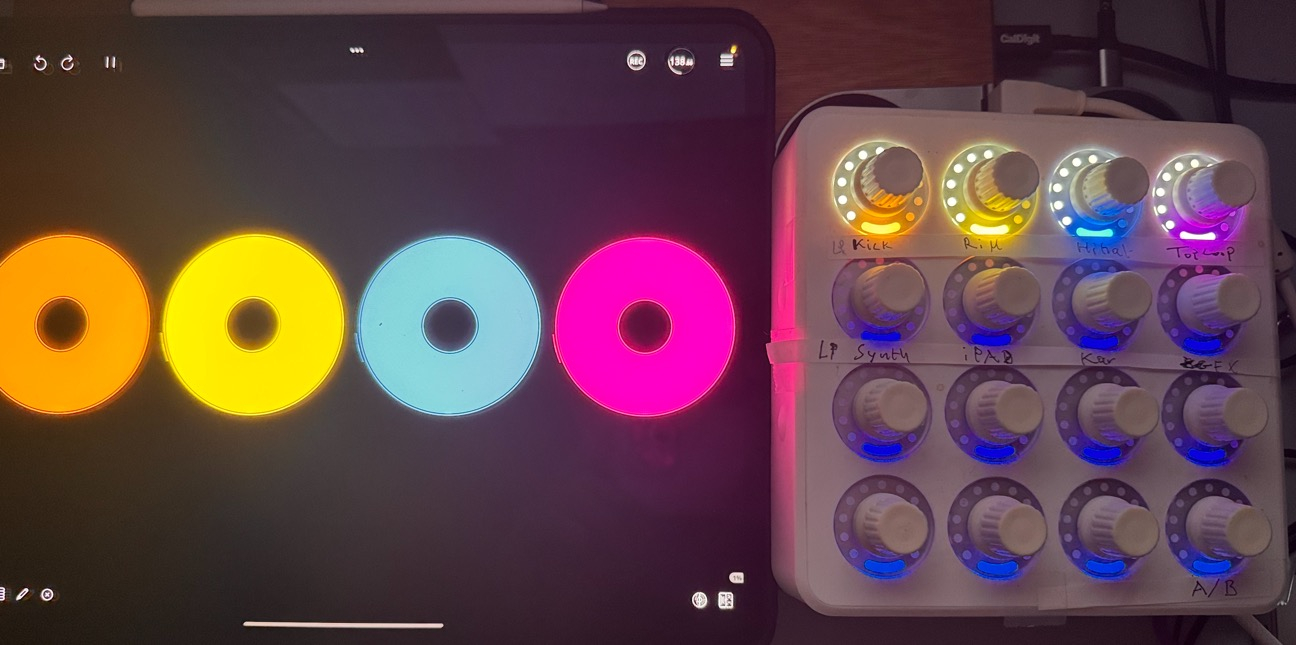
In my current project, I have four loops in Loopy Pro that are reflected on the MFT, but they appear on the top row.
Is it possible to move those loop indicators to the bottom row instead?
Also, is there a way to configure some MFT knobs to toggle effects on and off, while others control loop parameters or effect sends — all with corresponding visual feedback on the MFT?
Thanks in advance for any guidance!
Comments
I don’t have an MFT, but I think if you turn off automated bindings and set up manual bindings that you could set up manual bindings from the bottom row to the clips in screen. Automatic Bindings always try to match the screen and the first row is always the top row.
If you create bindings with MIDI Learn, loopy pro will send feedback to the MFT. My understanding is that an MFT has several possible feedback modes and you may need to reset the MFT to its factory defaults if feedback from Loopy Pro isn’t working. I am not 100% certain of that.
Thank you for your quick reply.
The MFT is a fantastic device, and pairing it with Loopy Pro is really fun.
I think MIDI status feedback is a really nice feature for any MIDI controller to have.
My understanding of both LP and MFT is still limited, but in the MFT Utility Manager application, I can choose to send either MIDI note or CC messages.
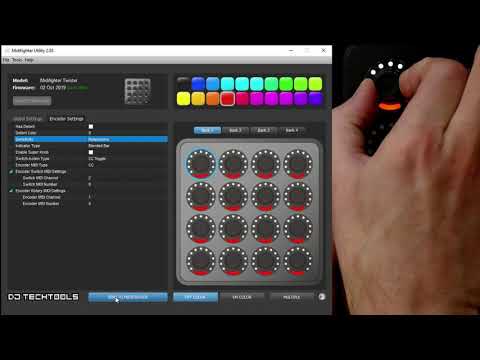
However, I haven’t figured out how to control what the MFT receives.
I heard that it listens on channel 0 or 1, as mentioned in this video:
I created my own mappings for the MFT in Loopy Pro. I can freely assign any knob to control any donut, and I get color feedback that reflects whether a loop is playing or not — matching the donut’s color.
However, I don’t see the white dots moving in a circle.
The buttons also provide color feedback, which is great — but I’m wondering if it’s possible to make the white dots animate (turn) while a loop is running.
This video might give some hints.
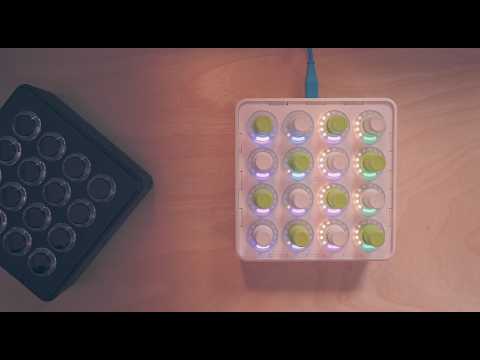
https://www.youtube.com/shorts/JfVNZ-yvBxY
@cellicello : this section of the manual explains the feedback Loopy sends:
https://loopypro.com/manual/#midi-state-feedback
It sends the feedback on the same channel the binding is set to. If turning the dial sends MIDI CC 43 on channel 1, Loopy sends back with CC43 channel 1 when you change the value in Loopy Pro.
Here is what I learned so far.
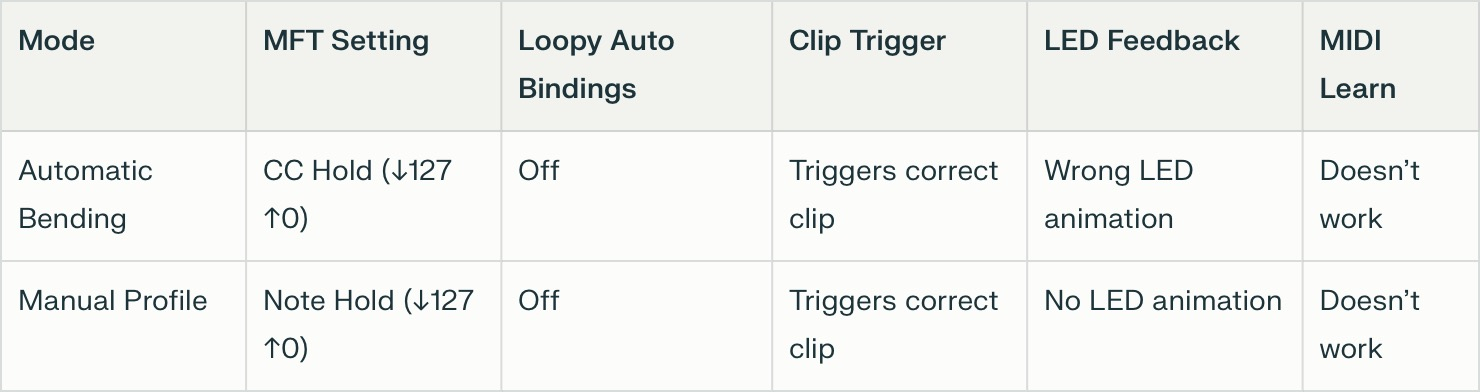
With Automatic Bindings OFF in LP and using Control Settings to assign the bottom knob to trigger a clip in the top row:
MIDI Learn doesn’t work properly in this setup.
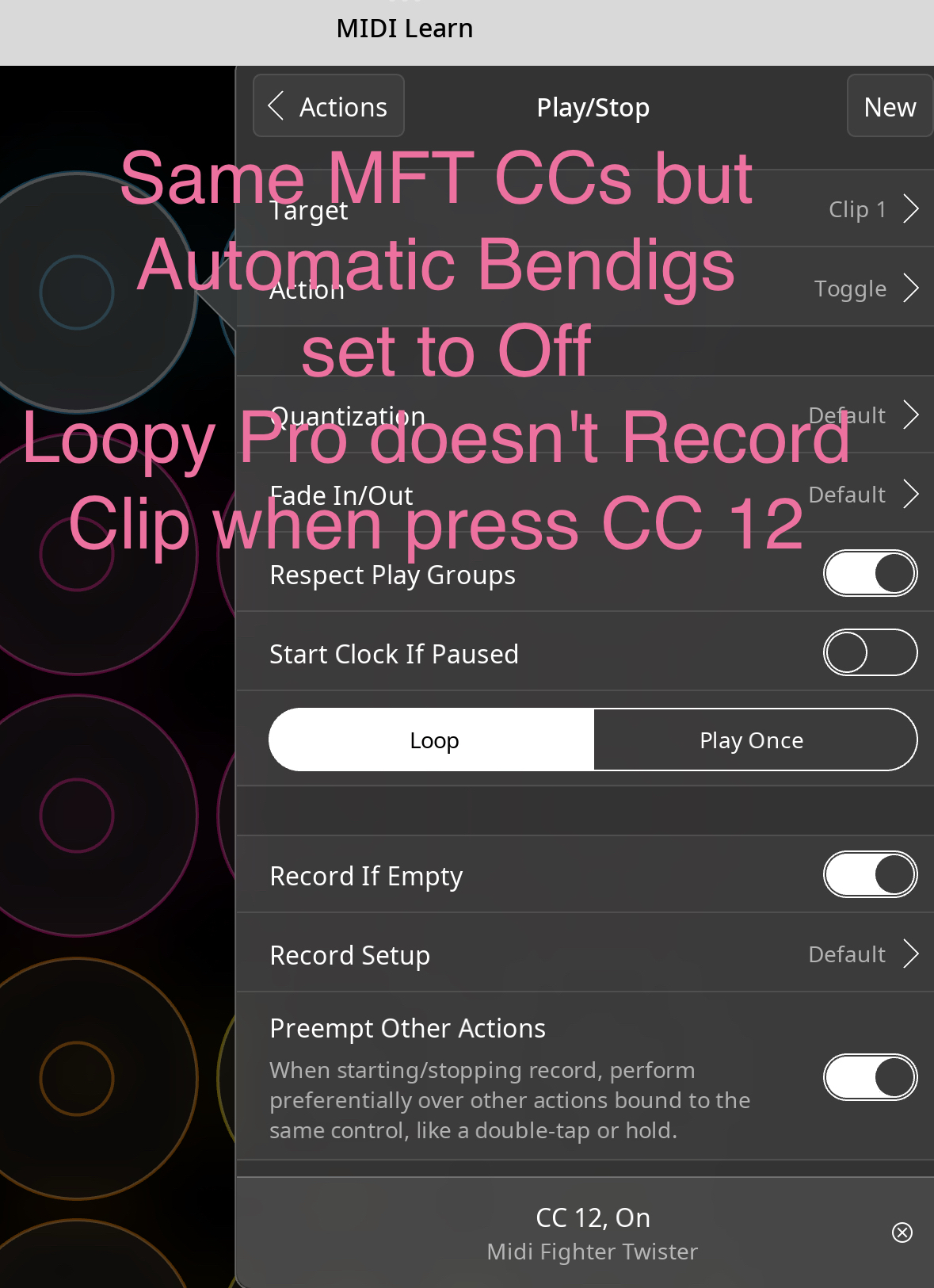
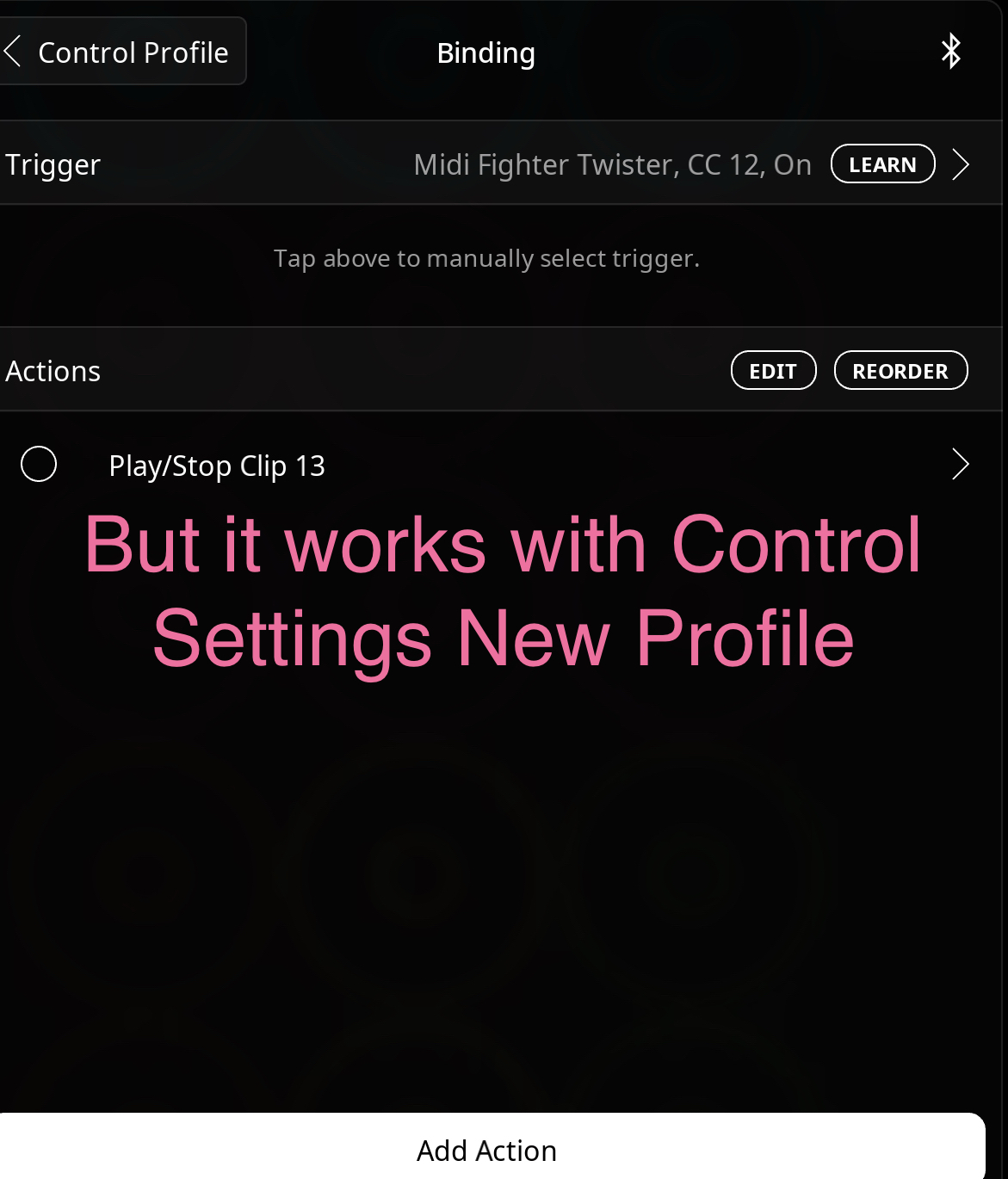
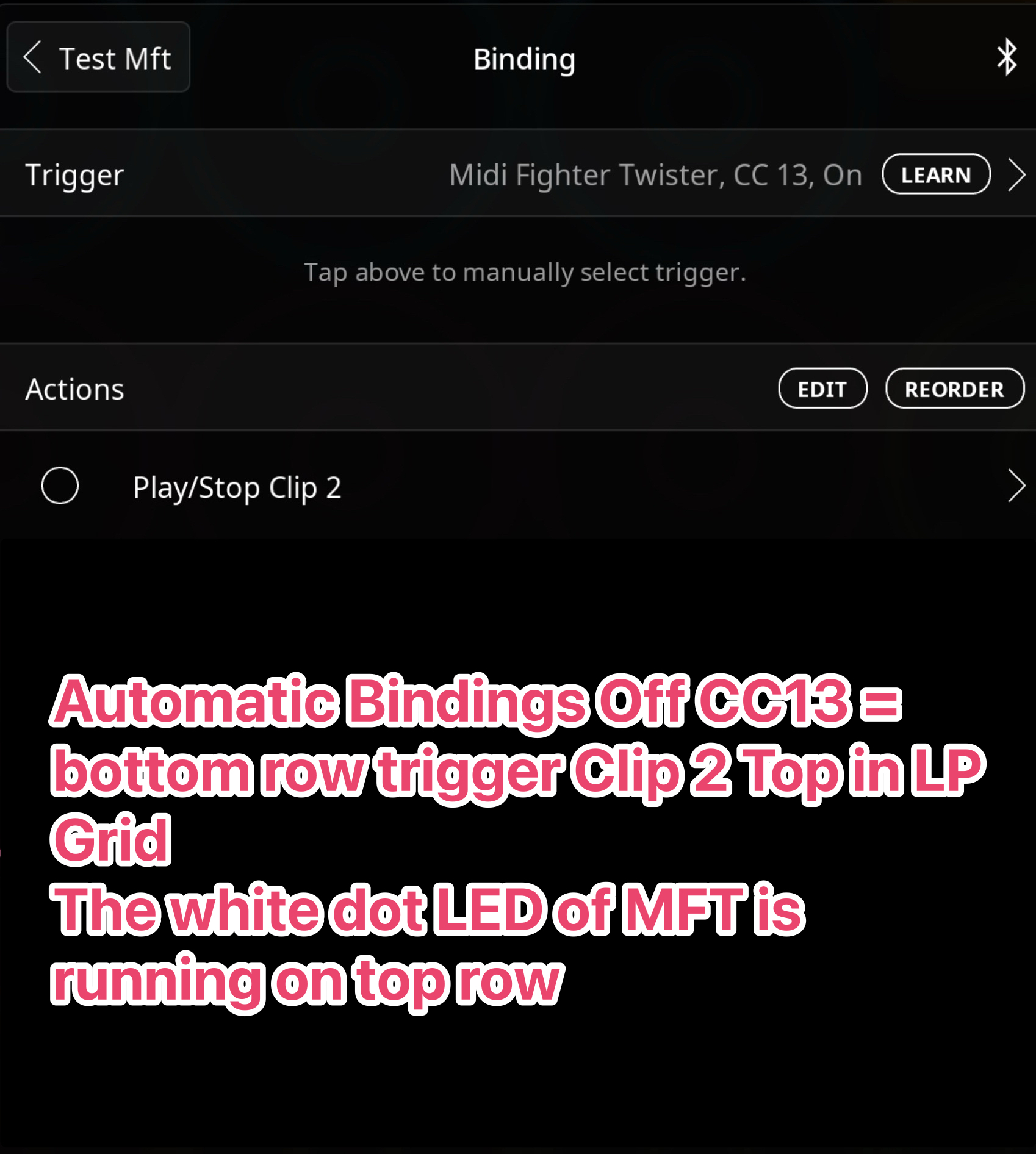
• MIDI Learn still doesn’t work in this mode, though this method allows for flexible mapping with color feedback.
Thank you for this information.
The color feedback works correctly with Automatic Binding, but the white LED animation dots seem to be fixed to certain positions.
I hope we can figure out how to make them work properly.
Check to see what feedback it is responding to. If you have an MFT dial set to send midi cc 43 on channel 1. Create a fader in loopy pro that sends cc 43 to the mft on channel 1. Does moving the fader cause the dot to move? If not, what if you set the fader to send on channel 2?
Thank you for your detailed reply.
The MIDI Fighter Twister's default setup is Channel 2 with CC Hold mode (CC 0-15) for the first bank.
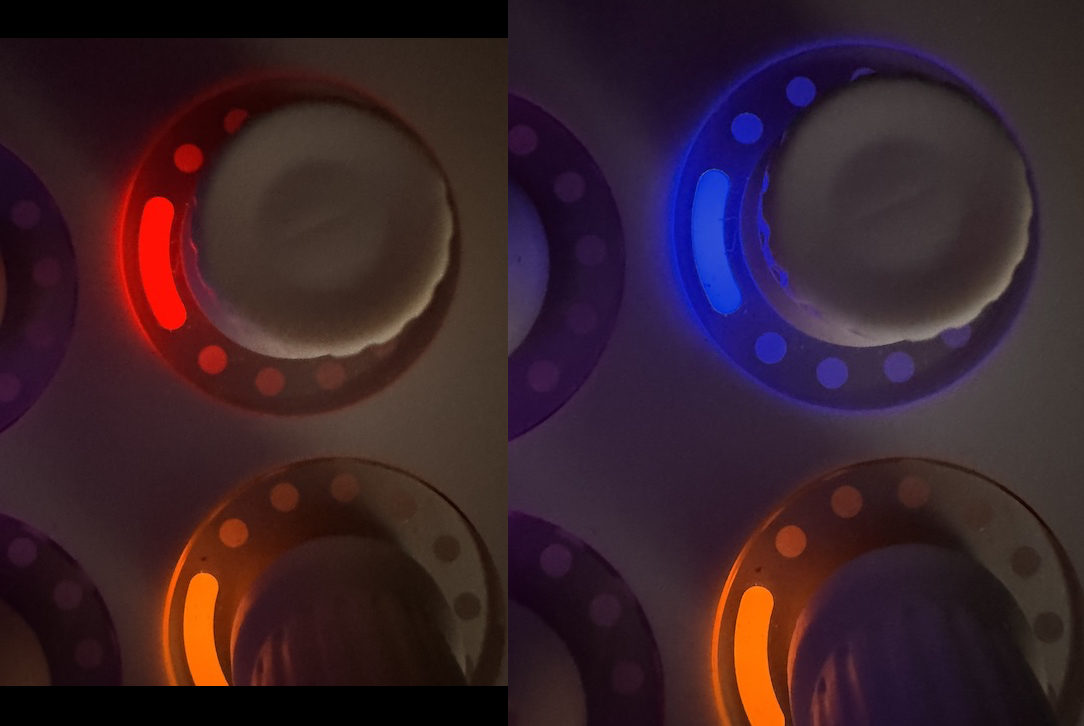
I created a fader in Loopy Pro to send CC 0 on Channel 2, and while the knob's colored LED ring responded
the small white detent indicator dots did not move or lit.
I followed your instructions step-by-step, though I didn't fully grasp the process yet, as I'm really not that good at MIDI.
In my previous post, I mentioned MIDI mapping wasn't working—but it turned out none of my MIDI controllers functioned until I unplugged the MFT from my USB hub. Once disconnected, mapping worked across all devices.
That almost sounds as though it could be a low power issue.